In a post, Making Long Scrolls on the iPhone Not Suck, Aza Raskin describes an alternative scrollbar control that's better at getting around on very long pages:
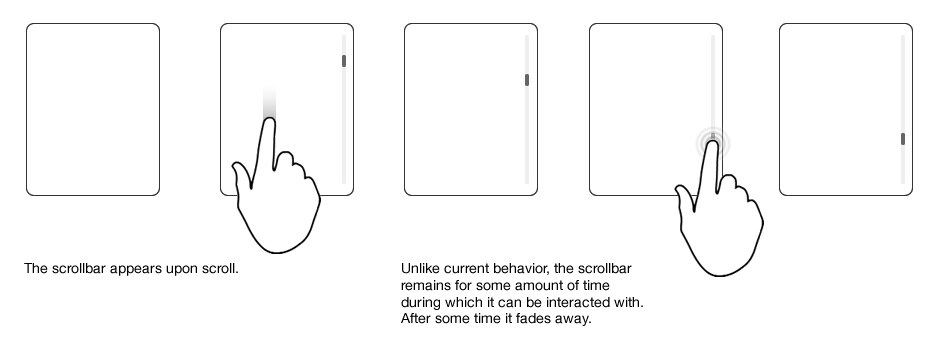
It's not important that the scrollbar "remains for some amount of time" to activate it; I'm fine with simply swiping along the right edge of the iPhone's screen to grab hold of the scrollbar handle. The idea is that if I drag the handle 3/4 of the way down on the physical screen, I'd be 3/4 of the way down on the page.
Tthe Dropbox iPhone app (it's great, btw!) has exactly this kind of scrollbar for long PDF documents. Regular scrolling is done by dragging anywhere but on the handle; dragging the handle moves the view to that location. This seems to have been implemented "from scratch", as I don't think the SDK is flexible enough to customize the behavior of the existing scrollbar.
However, Dropbox uses the native document viewers to show documents on the iPhone, so somehow they add the scrollbar functionality to it. See the scrollbar handle? You can drag that to quickly get somewhere else in the document.


This concept is very similar to how index bars work in UITableView (ie. Contacts.app); the index appears as a bar on the right hand side of the table (for example, "a" through "z"), and you can touch a particular label to jump to the target section. In this case, however, a very long page doesn't have sections, and it should work for general-purpose scrolling, not jumping to sections.
So how can I go about implementing this method of scrolling? I'm looking