54
I've been scouring the interwebs (e.g. Android documentation, answers here, etc.) for the answer to what I thought would be a fairly trivial question. How do you achieve a translucent action bar like the ones in Google Music and YouTube (links are image examples)?
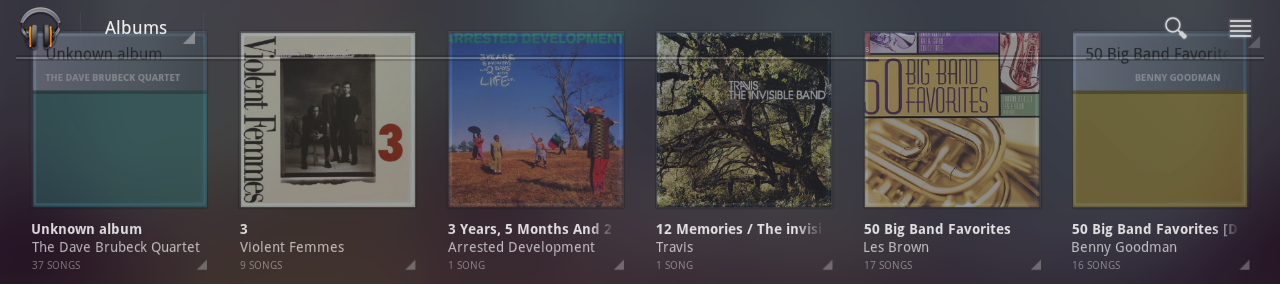
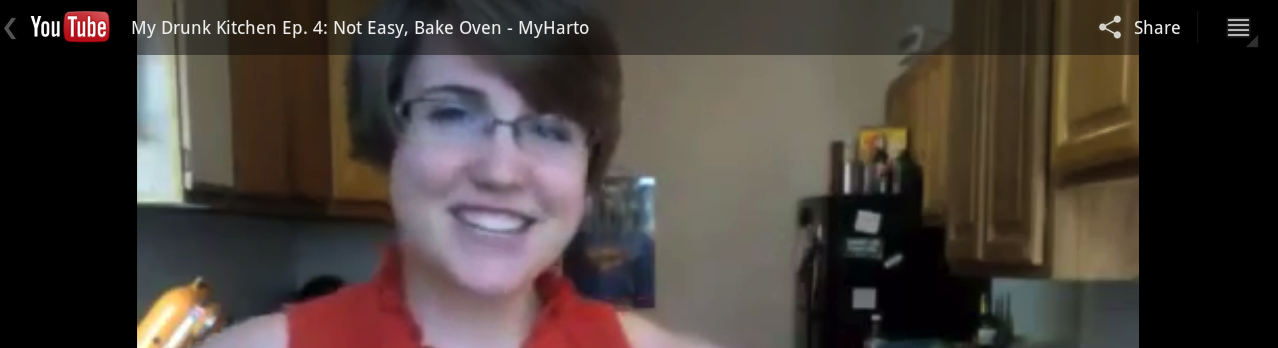
I want video content to be full screen and not constrained/pushed down by the action bar while still leveraging the benefits of a built in UI component. I can obviously use a completely custom view, but I'd rather leverage the ActionBar if possible.
Manifest
<activity
    android:name="videoplayer"
    android:theme="@android:style/Theme.Holo"
    android:launchMode="singleTop"
    android:configChanges="keyboardHidden|orientation"/>
Activity
// Setup action bar
ActionBar actionBar = getActionBar();
actionBar.setNavigationMode(ActionBar.NAVIGATION_MODE_STANDARD);
View customActionBarView = getLayoutInflater().inflate(R.layout.player_custom_action_bar, null);
actionBar.setCustomView(customActionBarView,
                        new ActionBar.LayoutParams(ActionBar.LayoutParams.MATCH_PARENT,
                                                   R.dimen.action_bar_height));
actionBar.setDisplayOptions(ActionBar.DISPLAY_SHOW_CUSTOM);
Menu
<menu xmlns:android="http://schemas.android.com/apk/res/android">
    <item
        android:id="@+id/button1"
        android:icon="@drawable/button1"
        android:showAsAction="always"/>

    <item
        android:id="@+id/button2"
        android:icon="@drawable/button2"
        android:showAsAction="always"/>
</menu>
Custom ActionBar View
<LinearLay