Alex Rivera | Logout

Why are my jython "*$py.class" files not being updated with code changes after I moved them to a different package?

Asked 2011-08-24T04:41:31.600
9

I originally had all of my modules in one package. I recently created a sub-package in the original package, and moved a few modules into that. My src folder, and the 2 package folders, are all in my PYTHONPATH.

Since I relocated those modules, changes that I'm making to their .py files don't seem to be making their way into the generated *$py.class files, which I believe are ultimately what get run, based on what print __FILE__ spits out.

The .class files are located in the top-level package's directory, which I believe is because the first place they are imported from is within a module that's in that package. So I think they're in the right place.

Moving the modules back to the top-level package does make the problem go away, but being forced to have all modules in one package is hardly a solution. Is there something I have to do to 'register' a module as part of a package, other than having it in a folder with an __init__.py?

Note: The rest of this question is just the symptoms that have caused me to conclude that the .class files are not being updated when I change the .py files. You can probably skip it if you're a tl;dr kind of person :P

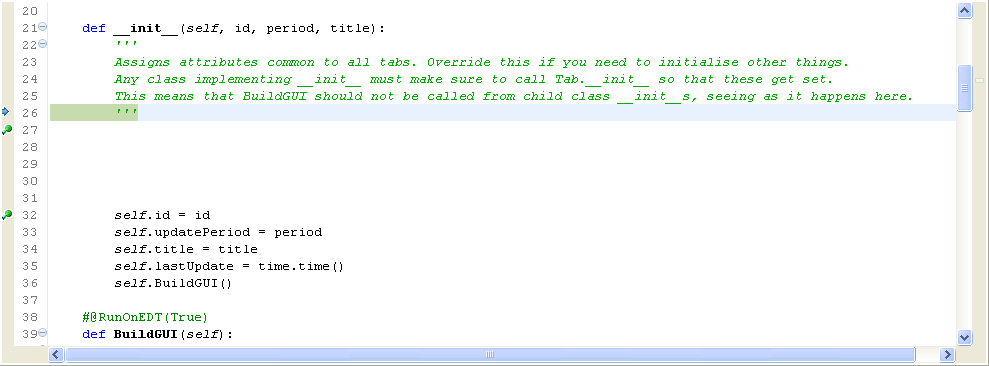
I put a bunch of whitespace at the start of a function, and when I step through it, the cursor follows where the code used to be.

Here is the code the IDE shows me:
enter image description here

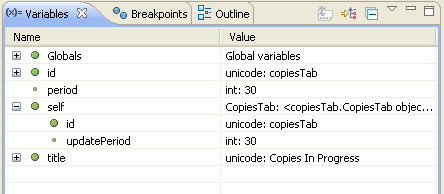
and here are the local vars (note that self has nothing bound):
enter image description here

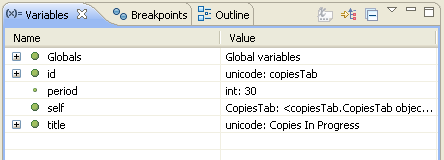
After I step a couple of lines, here is the code (note the cursor position): enter image description here and the locals:
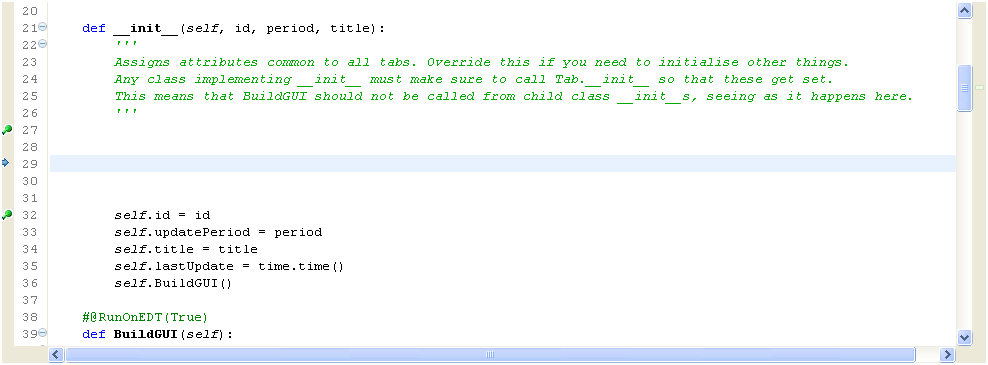
enter image description here

Notice that now self has had

Edit
Report

1 Answer

1

I think there are 2 issues here:

  • When you move the file, the $py.class is not regenerated:

This is probably because you're running the file as the main entry... If I remember properly, the $py.class are only generated when the file gets imported (i.e.: not for your __main__ module) and only if the code has actually been changed (I'm not sure how Jython decides it was changed -- probably the time of the file, but I may be wrong here).

The best solution for that would be deleting the $py.class when you move a file and its corresponding $py.class (like moving a folder), that way you can be 100% sure Jython will never pick it up.

PyDev can help you there: select a folder in the PyDev Package Explorer > PyDev > Remove *.pyc, *.pyo and *$py.class Files.

  • $py.class files without the corresponding .py file

PyDev actually handles this properly for .pyc files (i.e.: deletes the .pyc when the .py file is no longer available). I'm changing PyDev to handle that for $py.class files too (so, if you get the nightly within 3-4 hours, it should be working -- see: http://pydev.org/download.html for instructions to get it -- until then, you can do the remove manually as described above).

answered 2011-08-30T11:38:24.170

Your Answer