How to Change Your PayPal Name
Go to https://www.paypal.com/myaccount/settings/.. Click Update.. Click Change your legal name, Update your name, or Make a minor correction.
Steps
1
Go to https://www.paypal.com/myaccount/settings/.
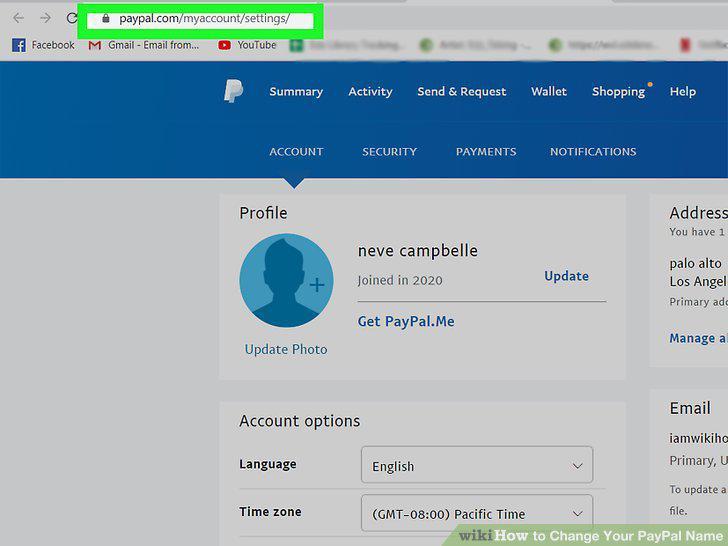
Go to https://www.paypal.com/myaccount/settings/.
2
Click Update.
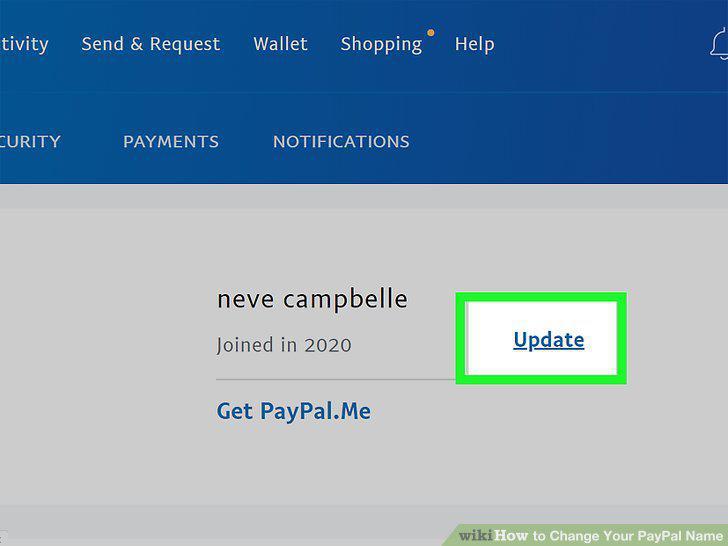
Click Update.
3
Click Change your legal name, Update your name, or Make a minor correction.
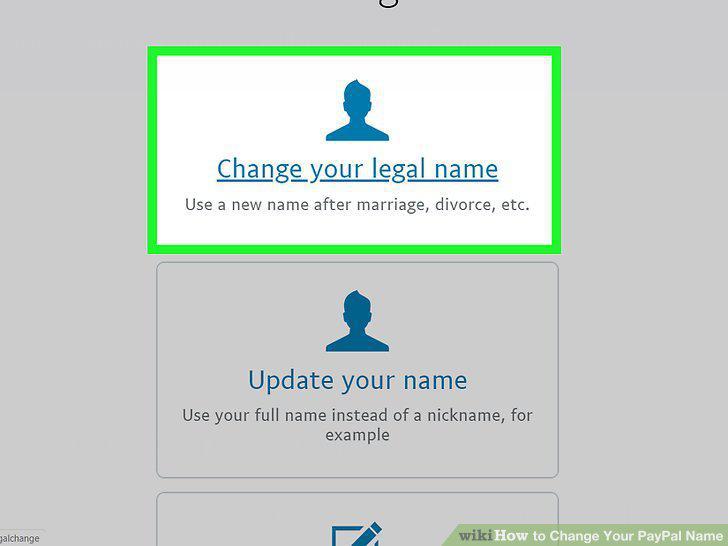
Click Change your legal name, Update your name, or Make a minor correction.
4
Upload files if required.
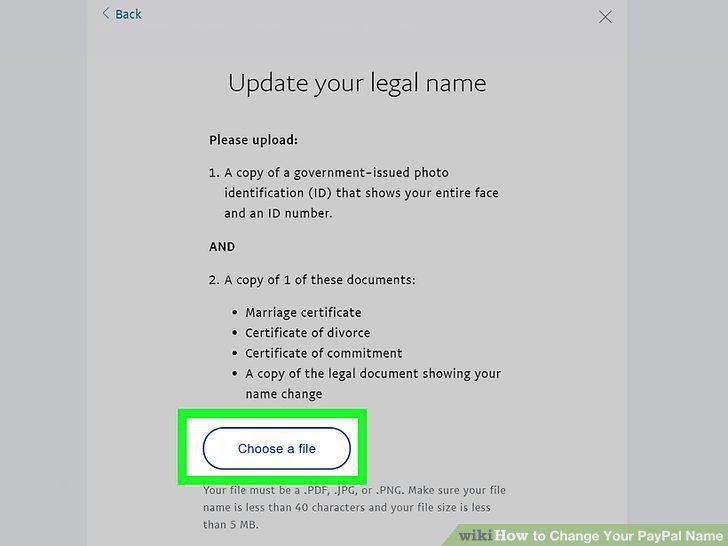
Upload files if required.
Comments (0)
No comments yet. Be the first to share your thoughts!