How to Make a Lead in Minecraft
Open your crafting table.. Add 1 String to the first block on the first row in the grid.. Add 1 String to the second block on the first row in the grid.
Steps
1
Open your crafting table.
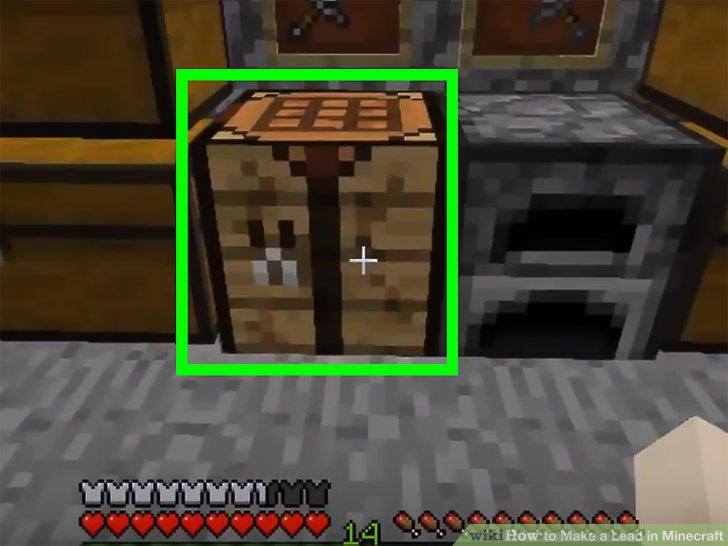
Open your crafting table.
2
Add 1 String to the first block on the first row in the grid.
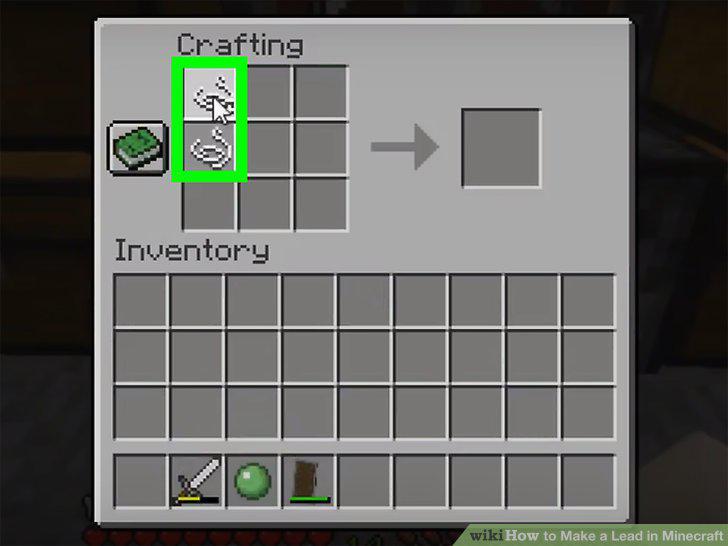
Add 1 String to the first block on the first row in the grid.
3
Add 1 String to the second block on the first row in the grid.
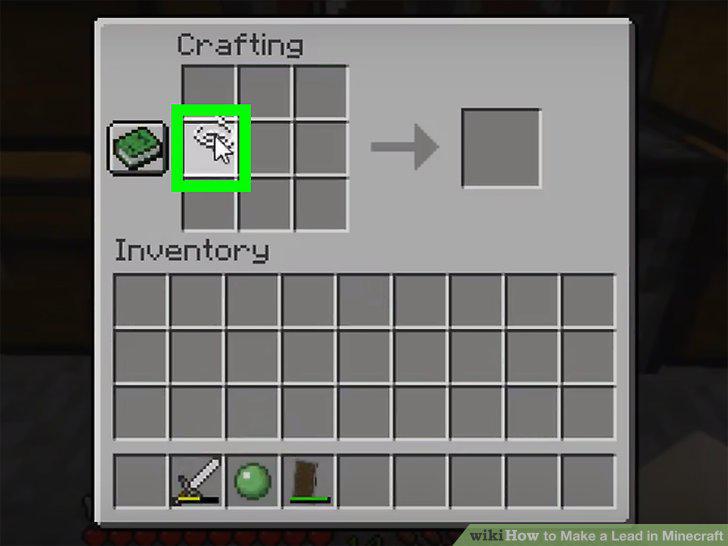
Add 1 String to the second block on the first row in the grid.
4
Add 1 String to the first block on the second row in the grid.
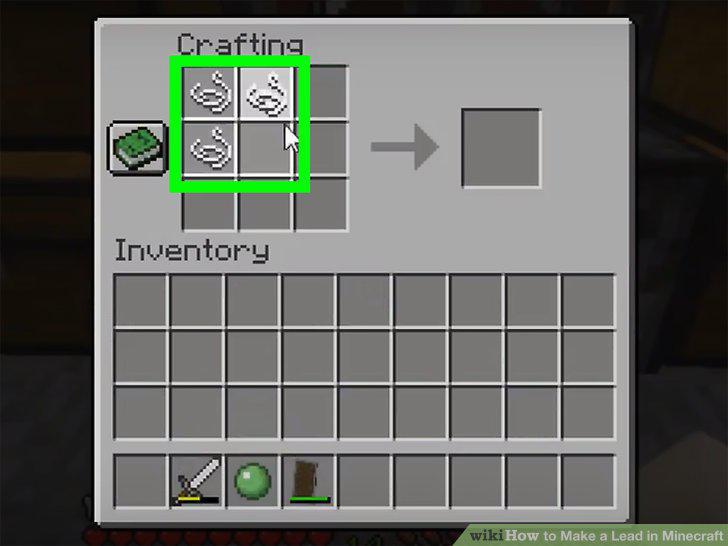
Add 1 String to the first block on the second row in the grid.
5
Add 1 Slimeball to the second block on the second row in the grid.
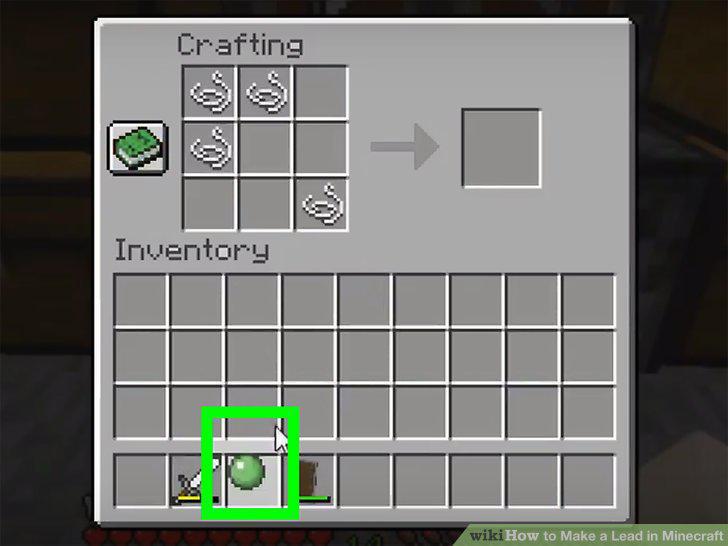
Add 1 Slimeball to the second block on the second row in the grid.
6
Add 1 String to the 3rd block on the 3rd row in the grid.
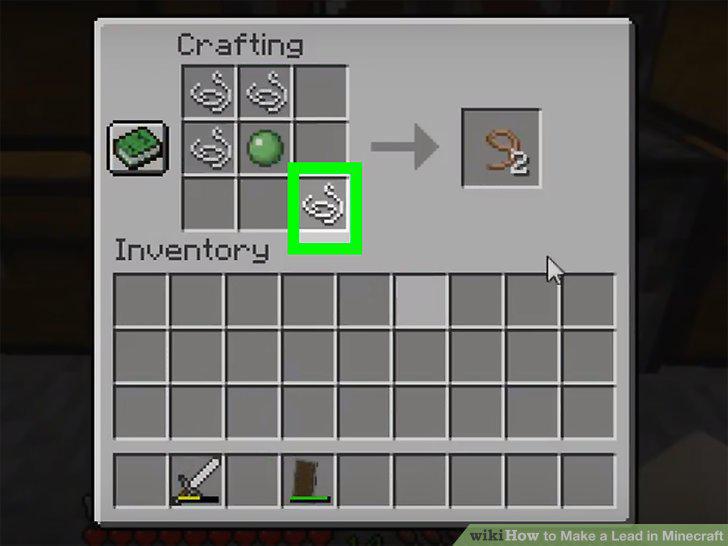
Add 1 String to the 3rd block on the 3rd row in the grid.
7
Drag and drop the leads into your inventory.
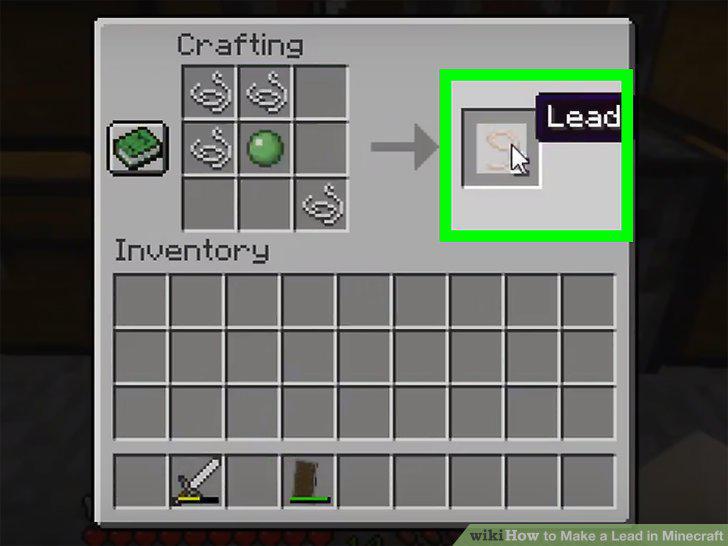
Drag and drop the leads into your inventory.
8
Repeat Steps 2-7 to create as many leads as you want.
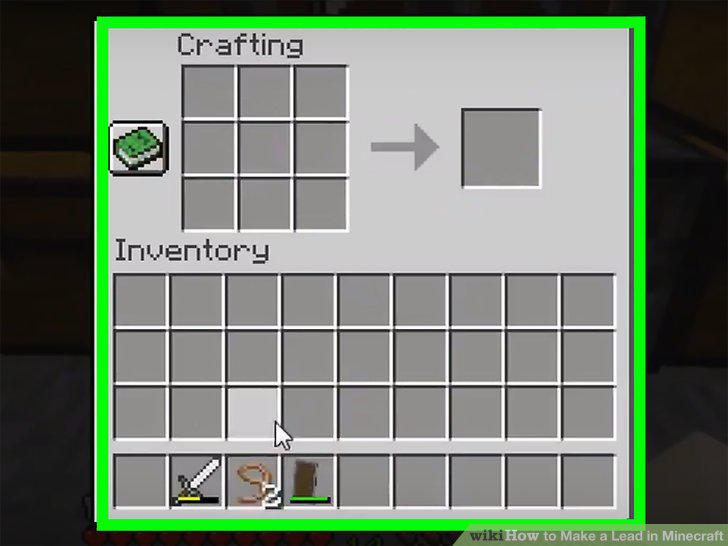
Repeat Steps 2-7 to create as many leads as you want.
Comments (0)
No comments yet. Be the first to share your thoughts!