How to Control the PlayStation4 with Voice Commands
Connect your microphone to your PlayStation 4 controller.. Press your controller's PS button.. Scroll up from the home page.
Steps
1
Connect your microphone to your PlayStation 4 controller.
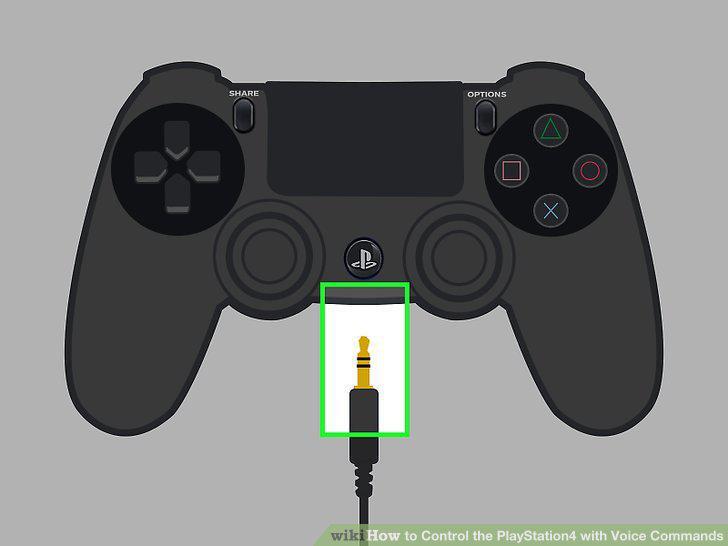
Connect your microphone to your PlayStation 4 controller.
2
Press your controller's PS button.
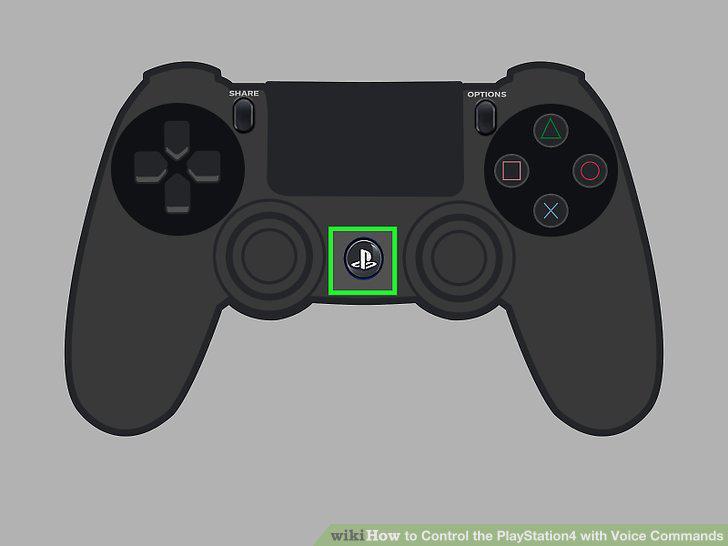
Press your controller's PS button.
3
Scroll up from the home page.
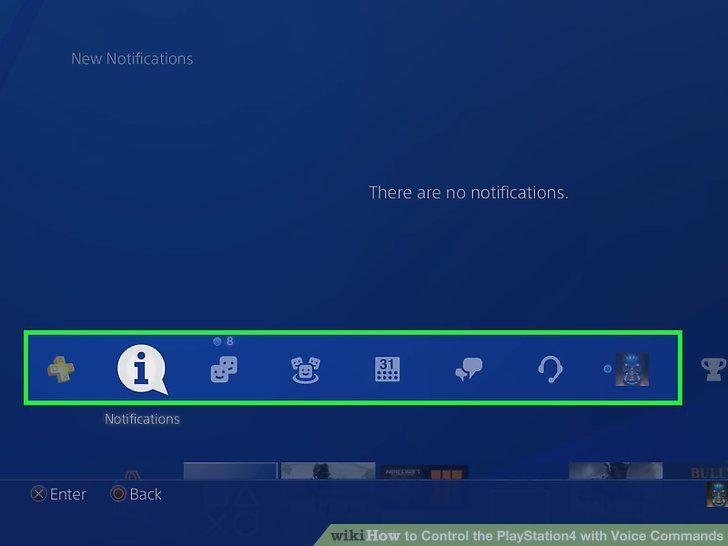
Scroll up from the home page.
4
Scroll right to Settings and press X.
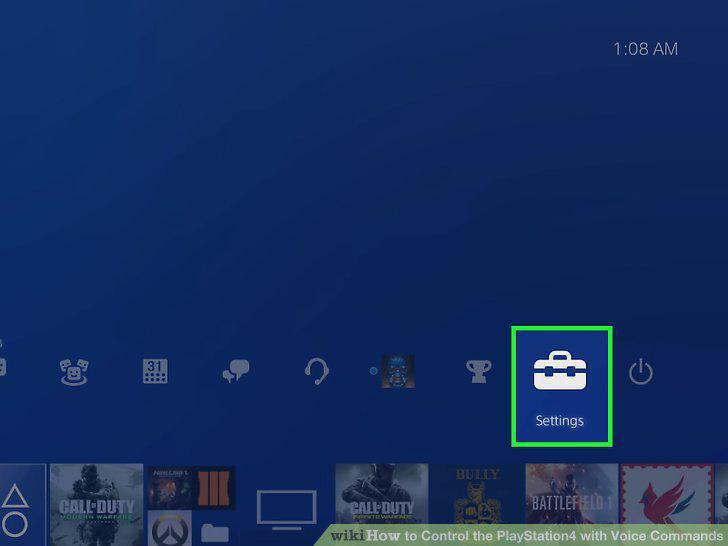
Scroll right to Settings and press X.
5
Scroll down to System and press X.
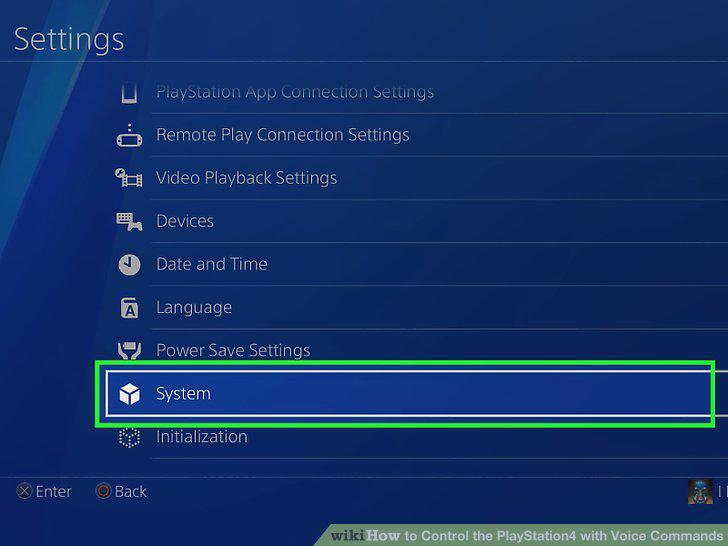
Scroll down to System and press X.
6
Select Voice Operation Settings and press X.
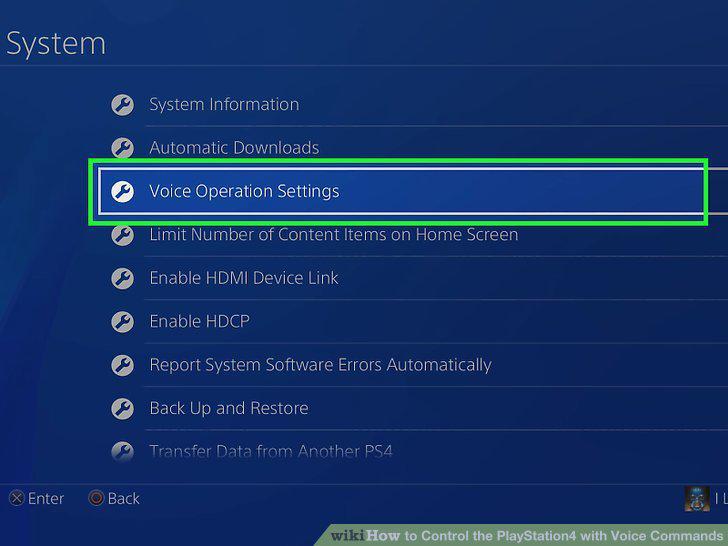
Select Voice Operation Settings and press X.
7
Select Operate PS4 with Voice and press X.
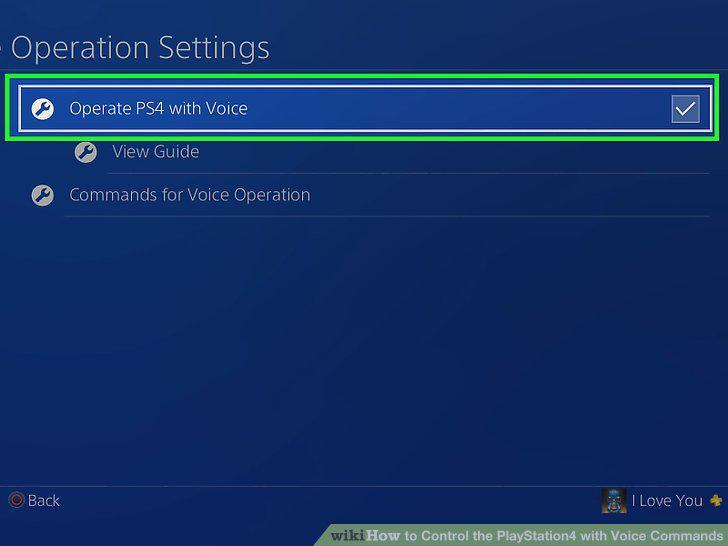
Select Operate PS4 with Voice and press X.
8
Say "PlayStation" into the microphone.
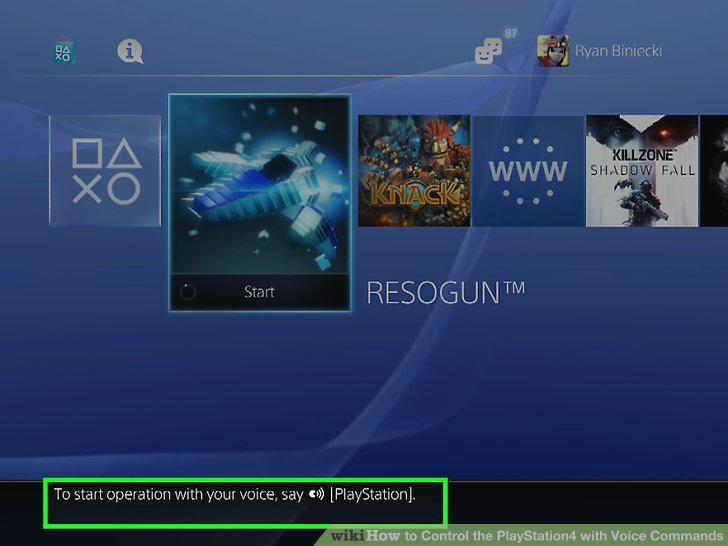
Say "PlayStation" into the microphone.
9
Say "Home."
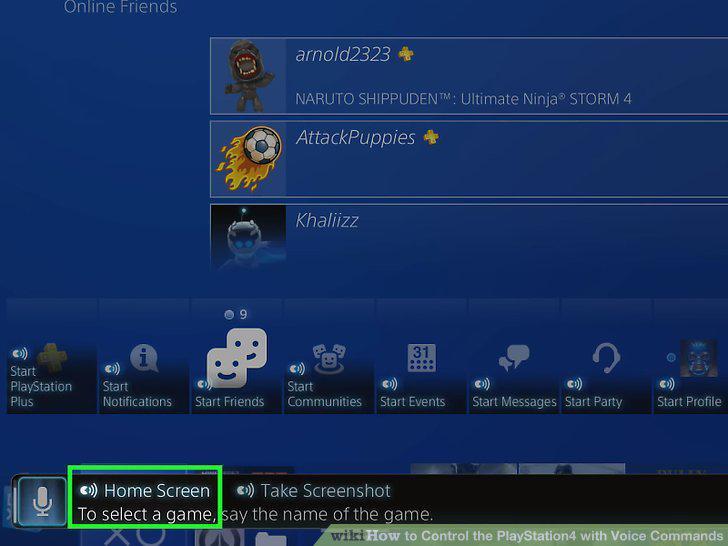
Say "Home."
10
Say "Log in."
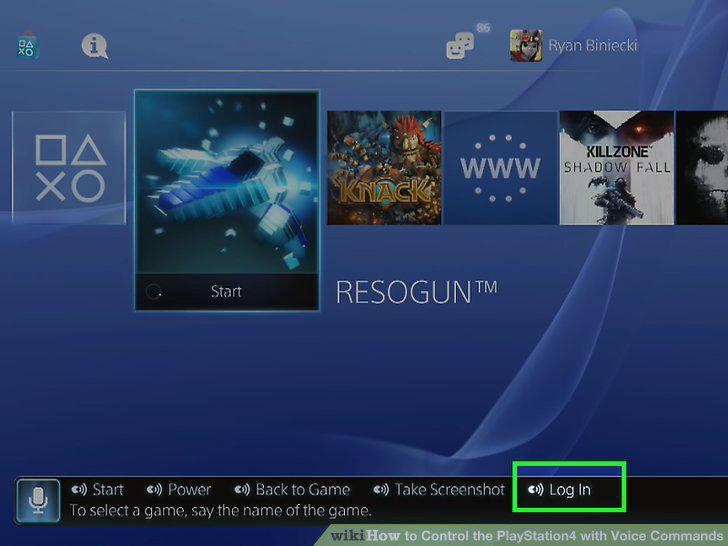
Say "Log in."
11
Say the name of a game.
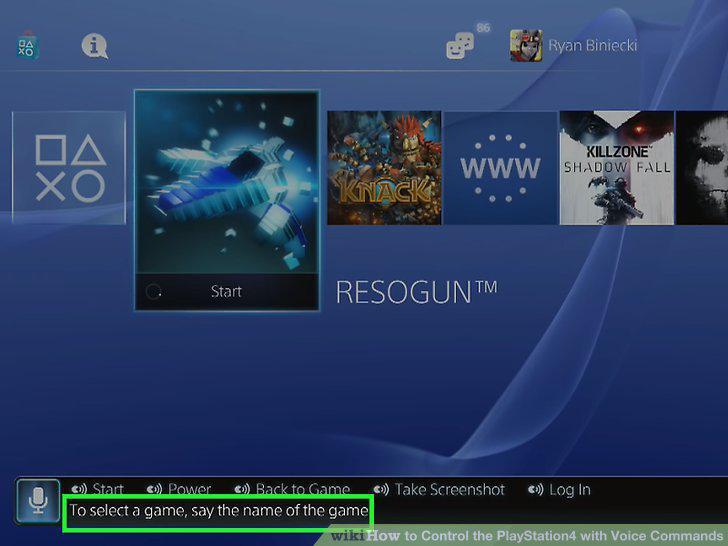
Say the name of a game.
12
Say "Start."
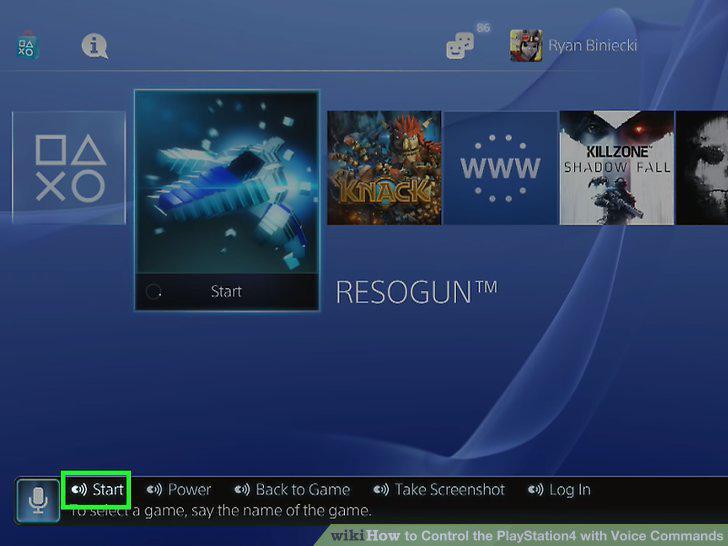
Say "Start."
13
Say "Take screenshot."
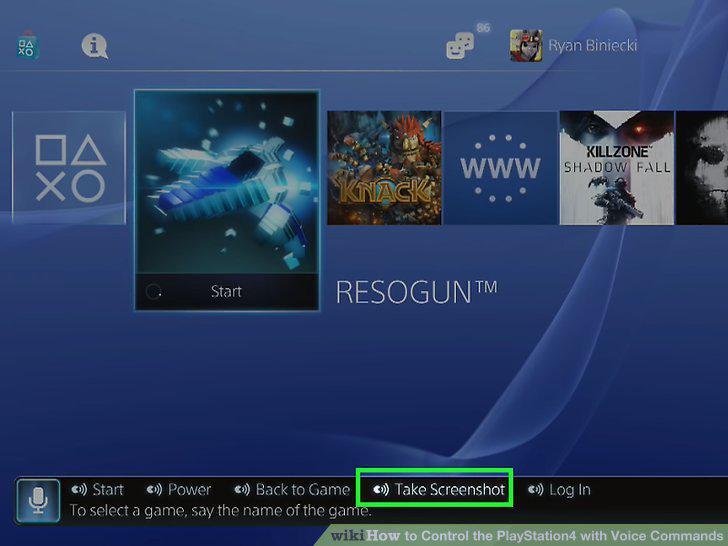
Say "Take screenshot."
14
Say "Start power."
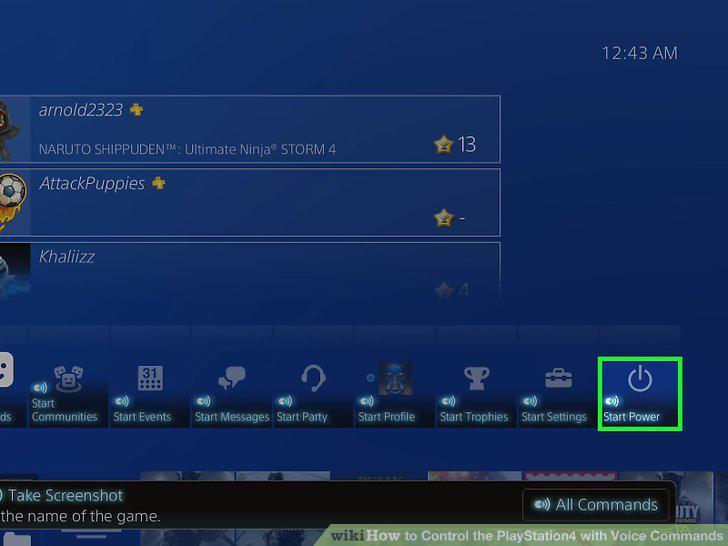
Say "Start power."
15
Say "All commands."
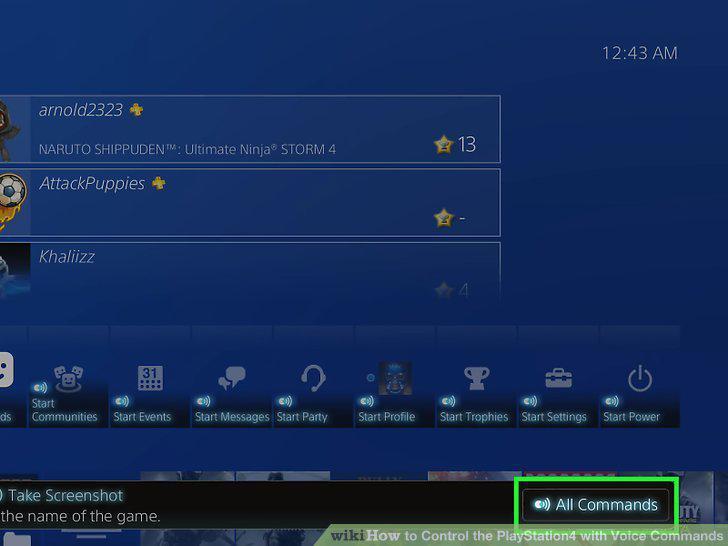
Say "All commands."
Comments (0)
No comments yet. Be the first to share your thoughts!