How to Use a PS3 Controller on a PC
Turn on your controller and connect it to your PC.. Navigate to the SCP Toolkit website.. Click the "ScpToolkit_Setup.exe" link.
Steps
1
Turn on your controller and connect it to your PC.
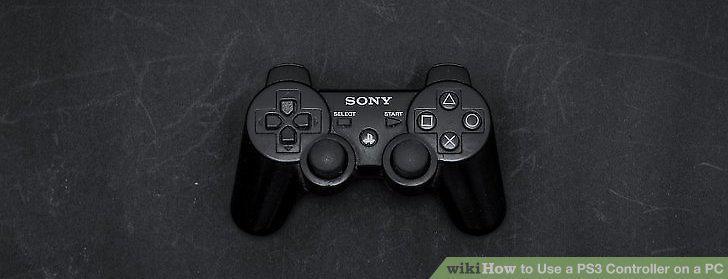
Turn on your controller and connect it to your PC.
2
Navigate to the SCP Toolkit website.
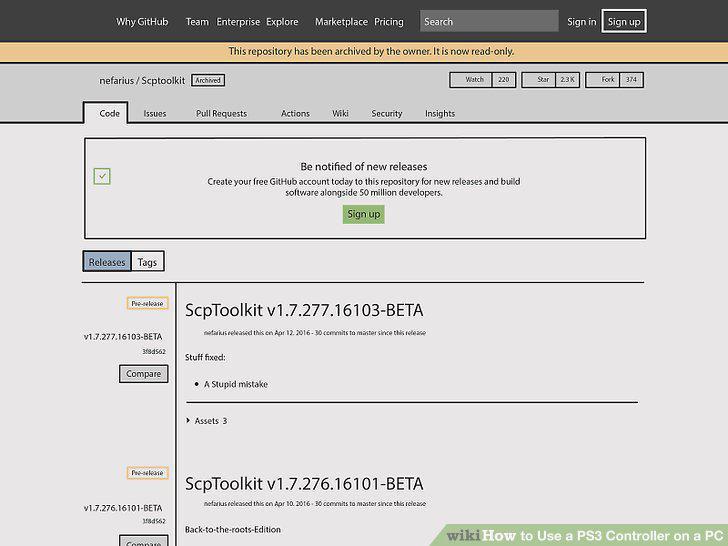
Navigate to the SCP Toolkit website.
3
Click the "ScpToolkit_Setup.exe" link.
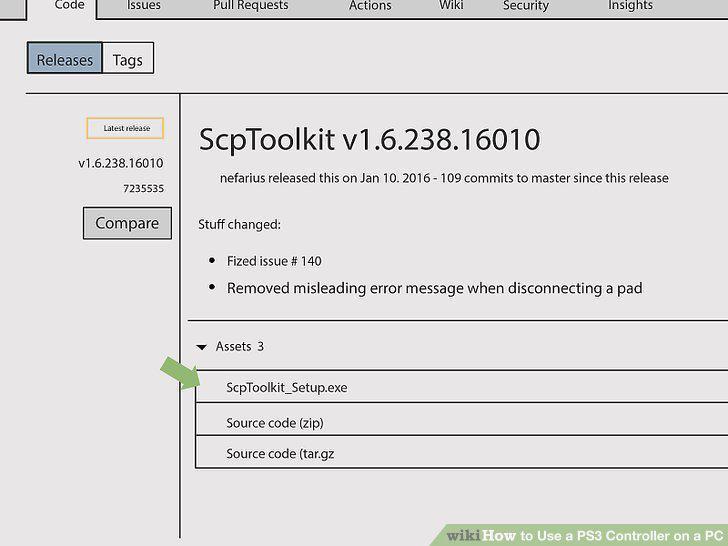
Click the "ScpToolkit_Setup.exe" link.
4
Double-click the toolkit setup file.
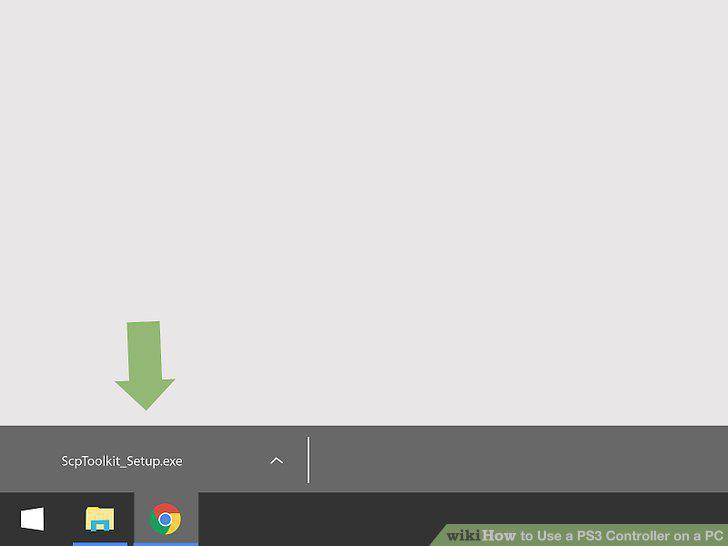
Double-click the toolkit setup file.
5
Install ScpToolKit.
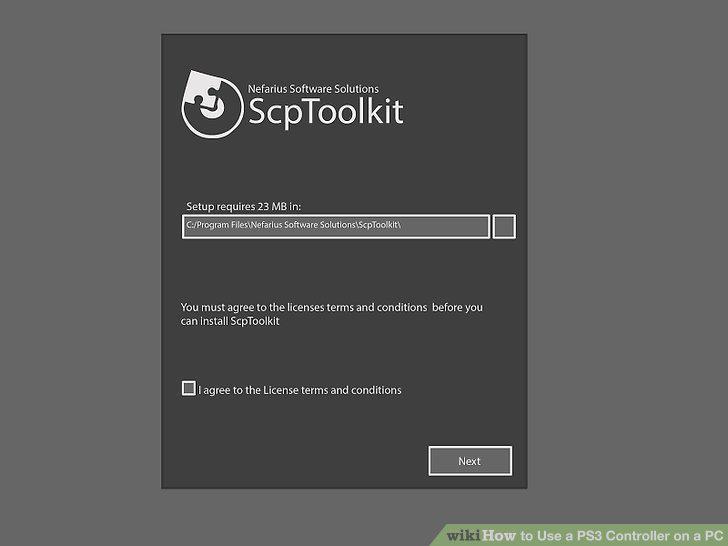
Install ScpToolKit.
6
Double-click the ScpToolkit Driver Installer program.
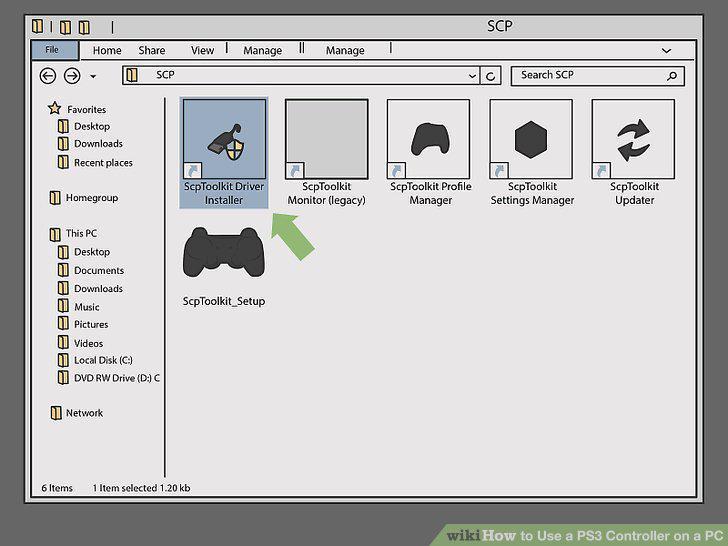
Double-click the ScpToolkit Driver Installer program.
7
Uncheck the "Install DualShock 4 Controller" box.
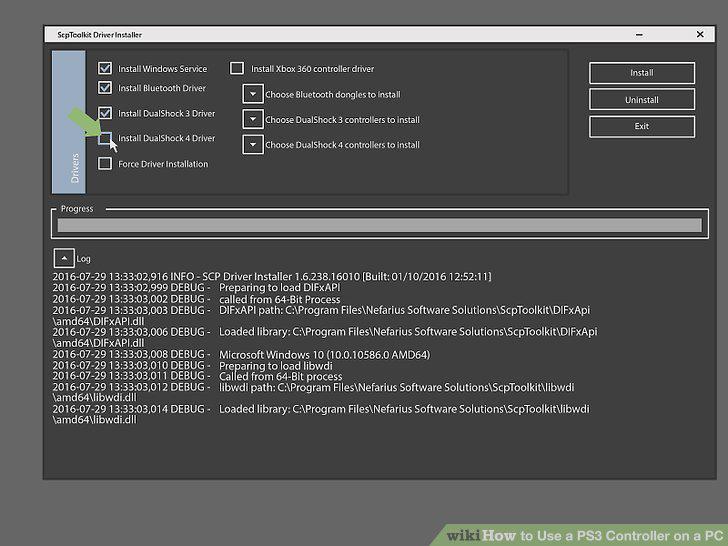
Uncheck the "Install DualShock 4 Controller" box.
8
Click the box under "Choose DualShock 3 Controllers to Install".
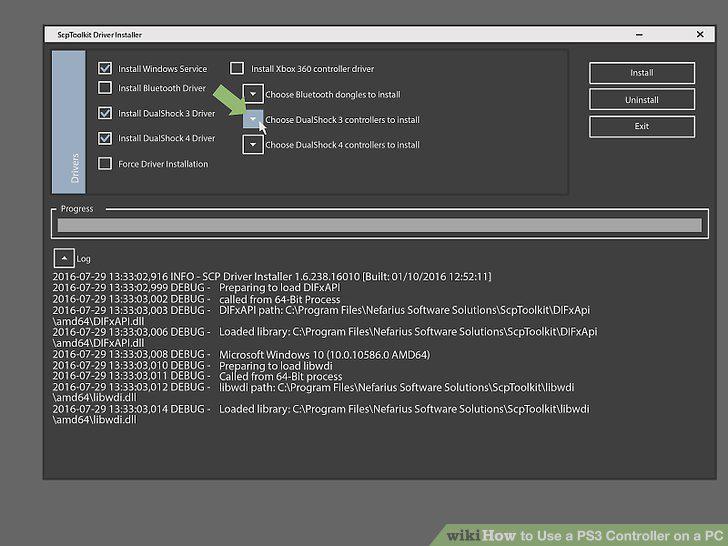
Click the box under "Choose DualShock 3 Controllers to Install".
9
Check the "Wireless Controller" option.
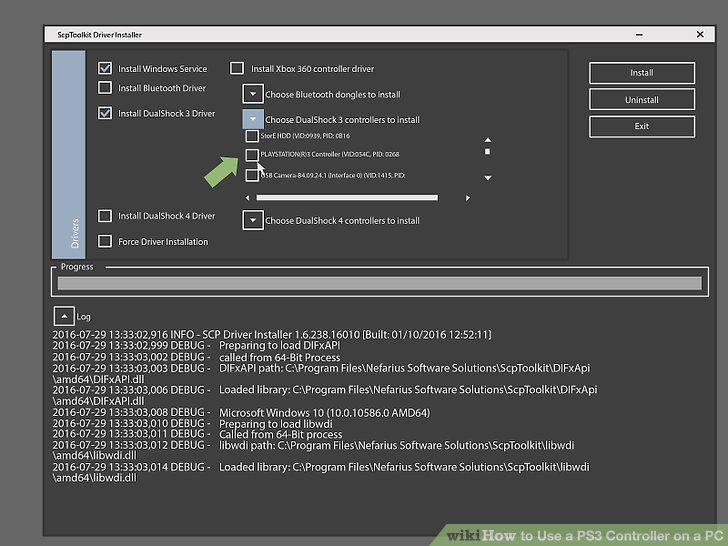
Check the "Wireless Controller" option.
10
Click Install.
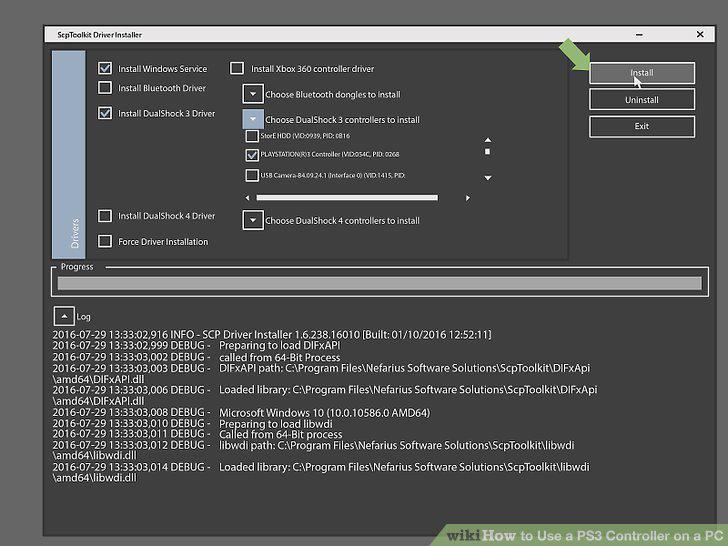
Click Install.
Comments (0)
No comments yet. Be the first to share your thoughts!