How to Track Western Union Money Transfers
Go to the Western Union website to find the tracking page.. Choose if you are the sender or receiver of the transfer.. Enter either the tracking number or the sender's phone number.
Steps
1
Go to the Western Union website to find the tracking page.
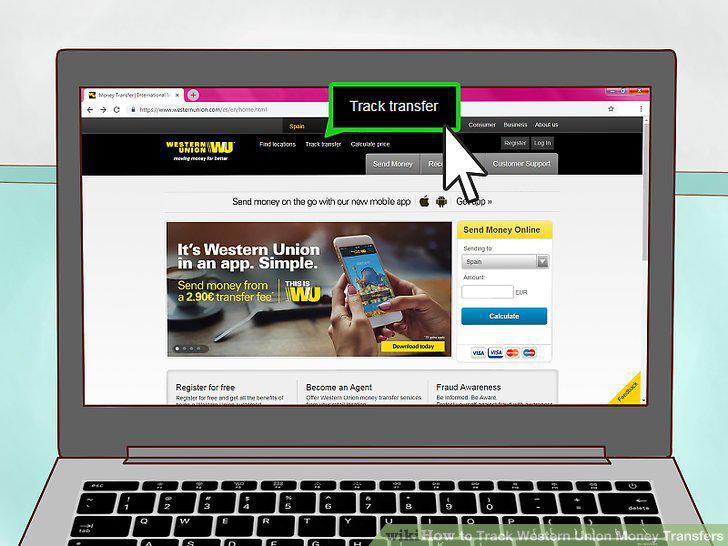
Go to the Western Union website to find the tracking page.
2
Choose if you are the sender or receiver of the transfer.
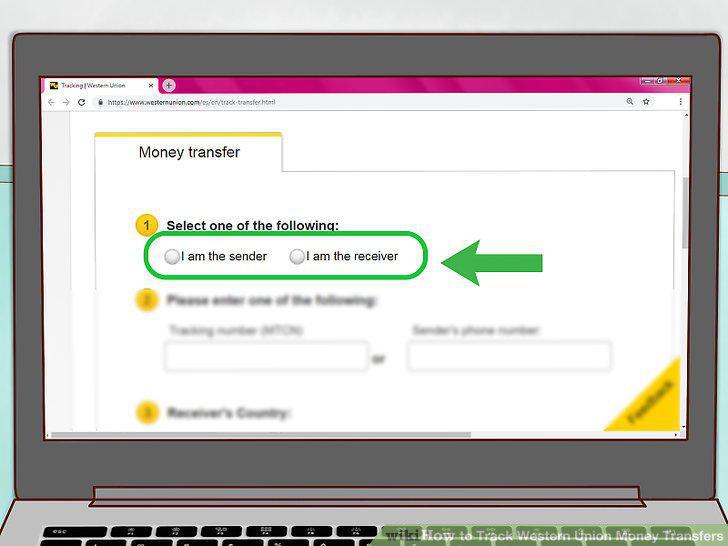
Choose if you are the sender or receiver of the transfer.
3
Enter either the tracking number or the sender's phone number.
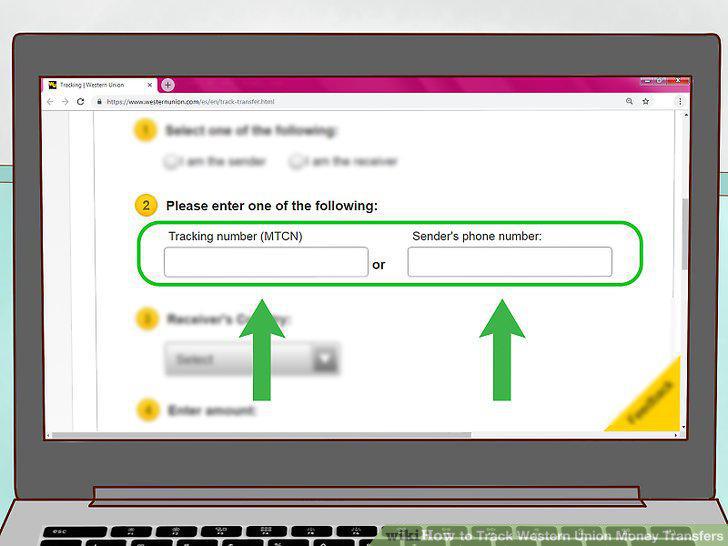
Enter either the tracking number or the sender's phone number.
4
Choose the receiver's country and the amount of the transfer.
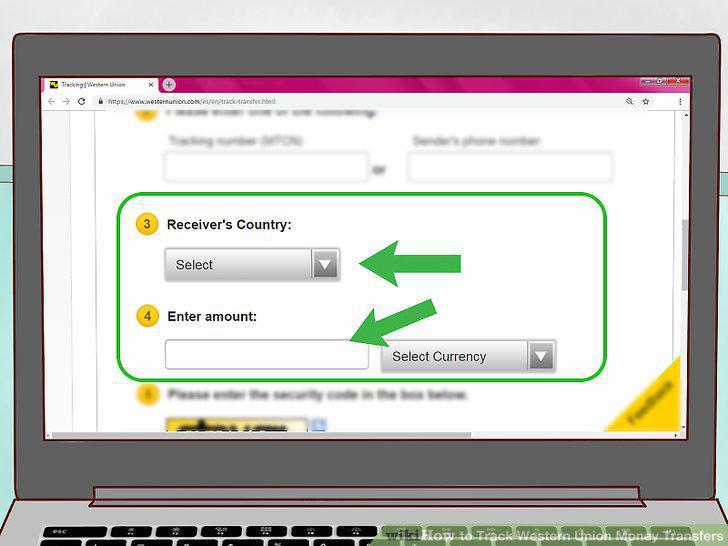
Choose the receiver's country and the amount of the transfer.
5
Enter the security code.
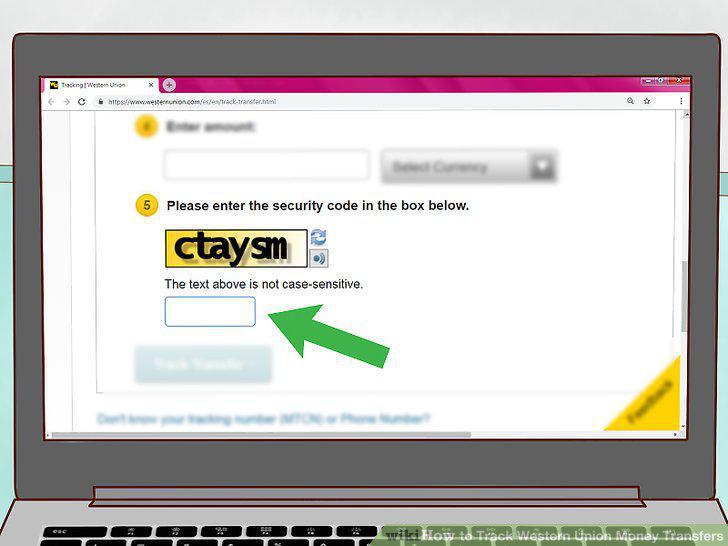
Enter the security code.
6
Log into your profile to see your transfer history.
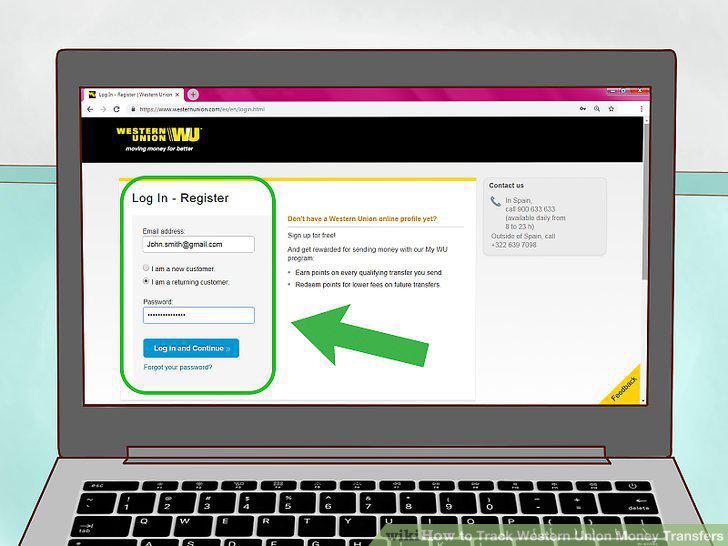
Log into your profile to see your transfer history.
7
Call 1-800-CALL-CASH from a phone in the U.S.
Call 1-800-CALL-CASH from a phone in the U.S.
8
Download the Western Union mobile app to track transfers 24/7.
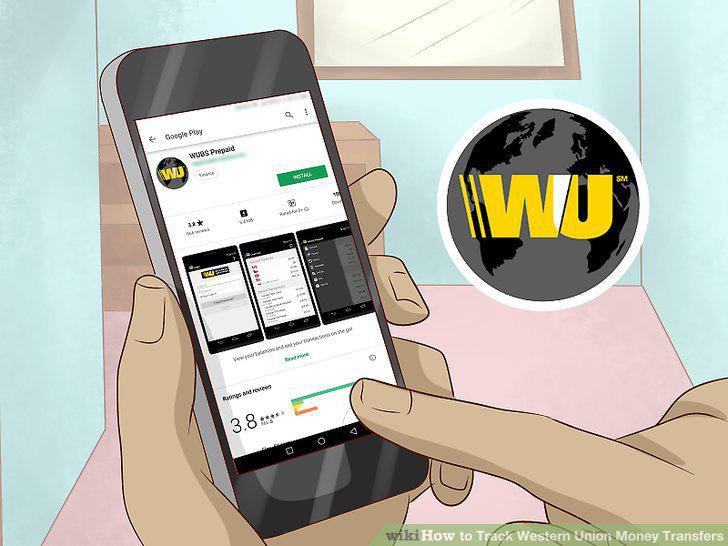
Download the Western Union mobile app to track transfers 24/7.
9
Visit a Western Union location to track a transfer in person.

Visit a Western Union location to track a transfer in person.
Comments (0)
No comments yet. Be the first to share your thoughts!