How to Add Your Own Music to Sims 3
Choose the songs you'd like to put in your game.. Copy the songs.. Find your Custom Music folder.
Steps
1
Choose the songs you'd like to put in your game.
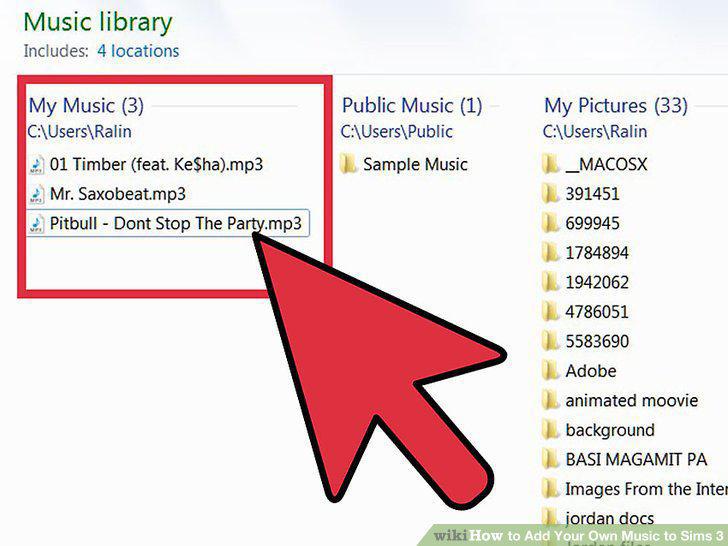
Choose the songs you'd like to put in your game.
2
Copy the songs.
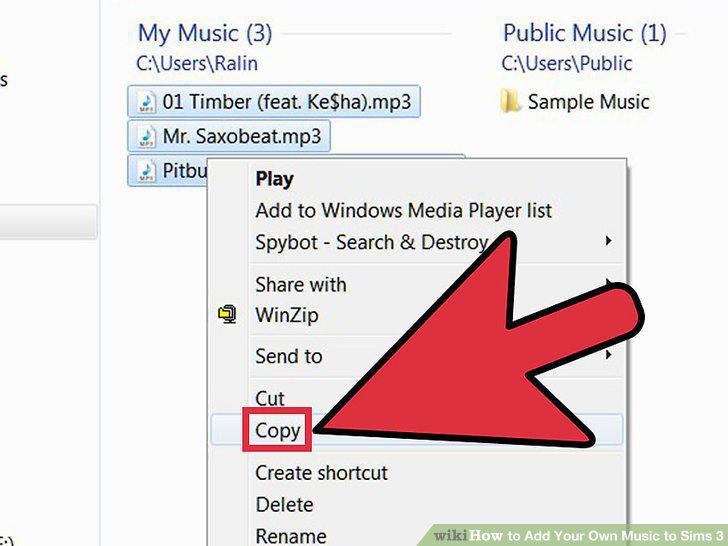
Copy the songs.
3
Find your Custom Music folder.
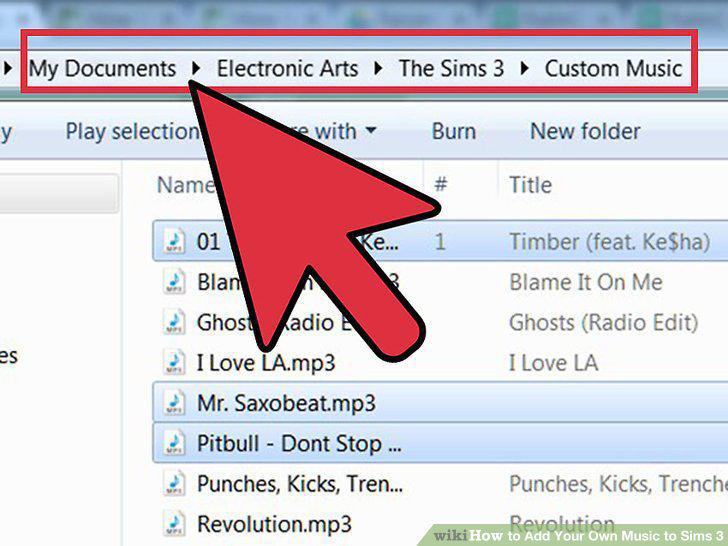
Find your Custom Music folder.
4
Move all of the MP3 files to your Custom Music folder.
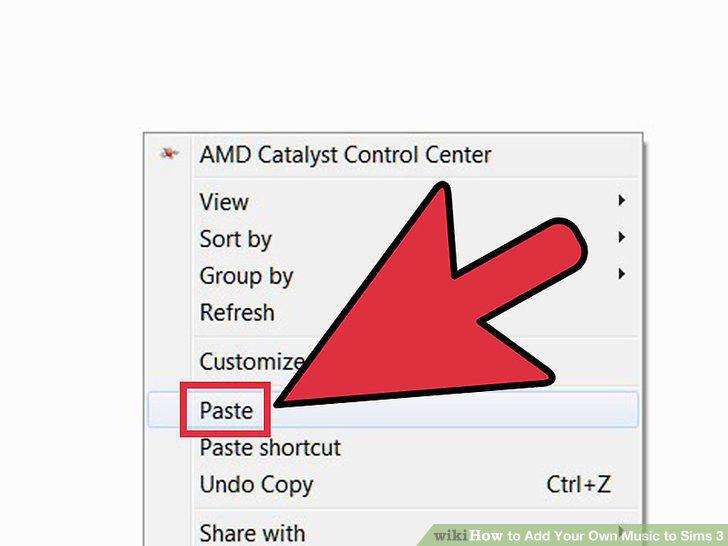
Move all of the MP3 files to your Custom Music folder.
5
Start your game and play the Custom Music station.
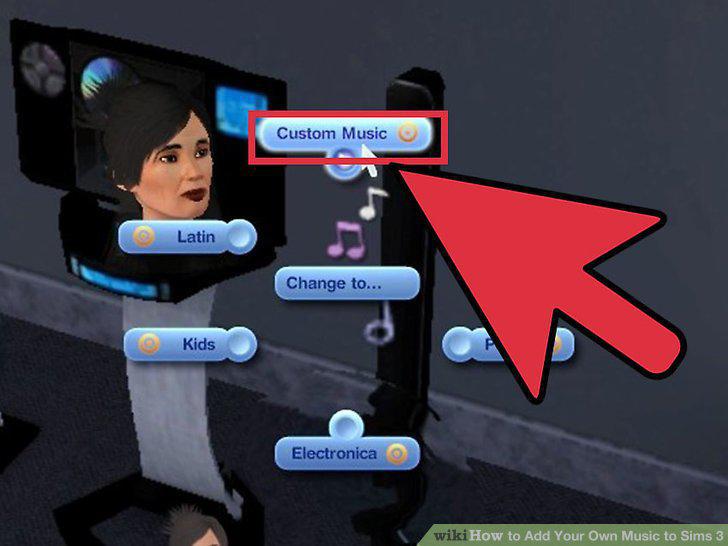
Start your game and play the Custom Music station.
Comments (0)
No comments yet. Be the first to share your thoughts!