How to Cancel PlayStation Network
Go to account management.. Click Subscription.. Click Turn Off Auto-Renew next to the subscription you want to cancel.
Steps
1
Go to account management.
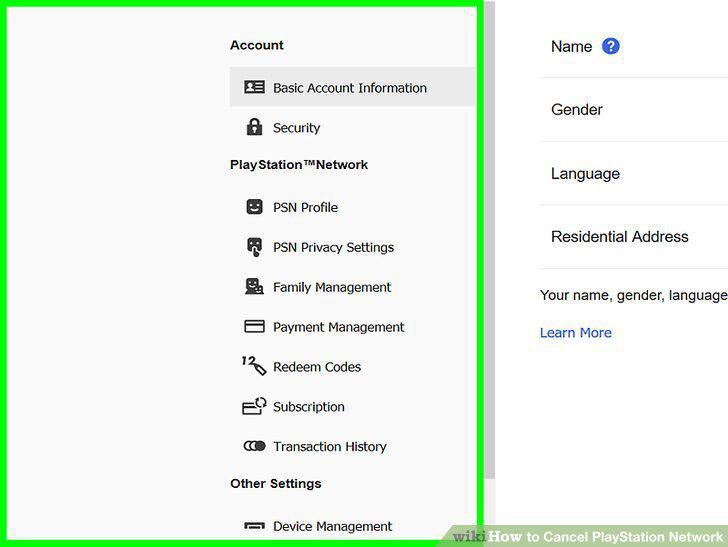
Go to account management.
2
Click Subscription.
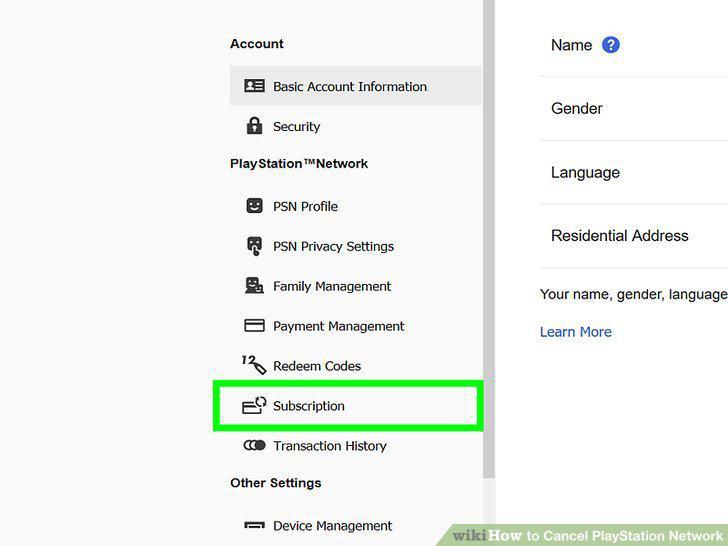
Click Subscription.
3
Click Turn Off Auto-Renew next to the subscription you want to cancel.
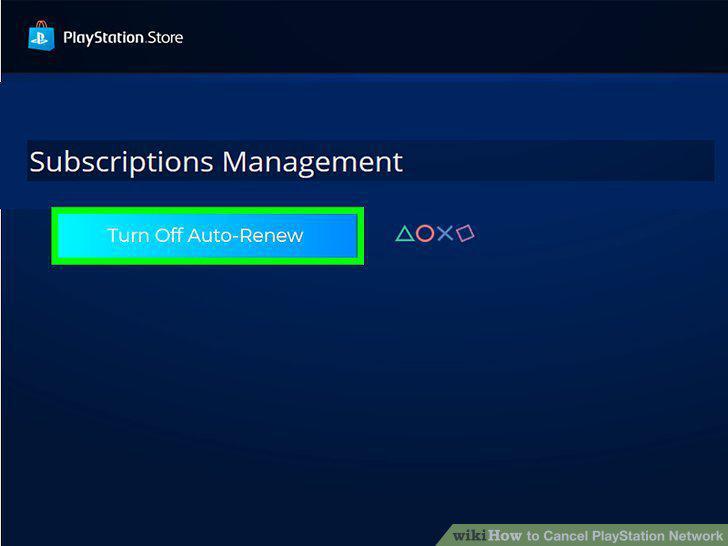
Click Turn Off Auto-Renew next to the subscription you want to cancel.
4
Go to Settings.
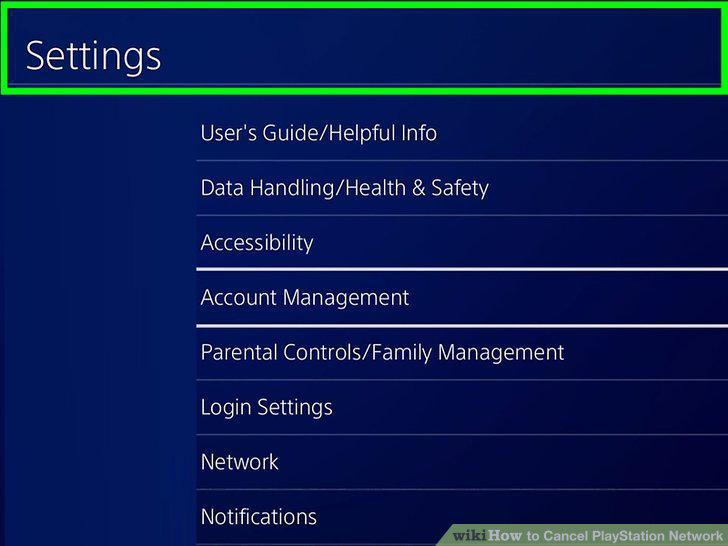
Go to Settings.
5
Select Account Management.
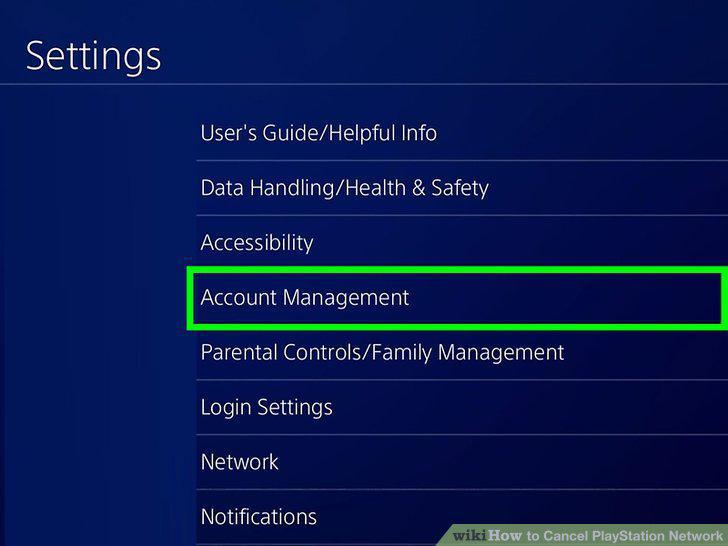
Select Account Management.
6
Select Account Information.
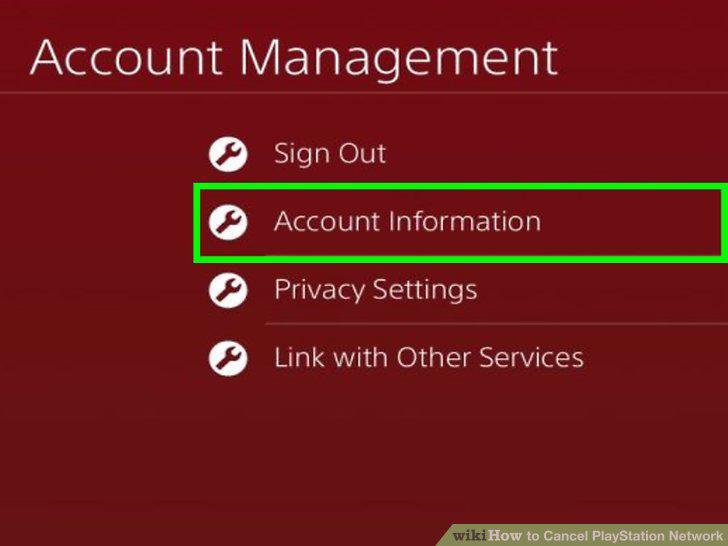
Select Account Information.
7
Select PlayStation Subscriptions.
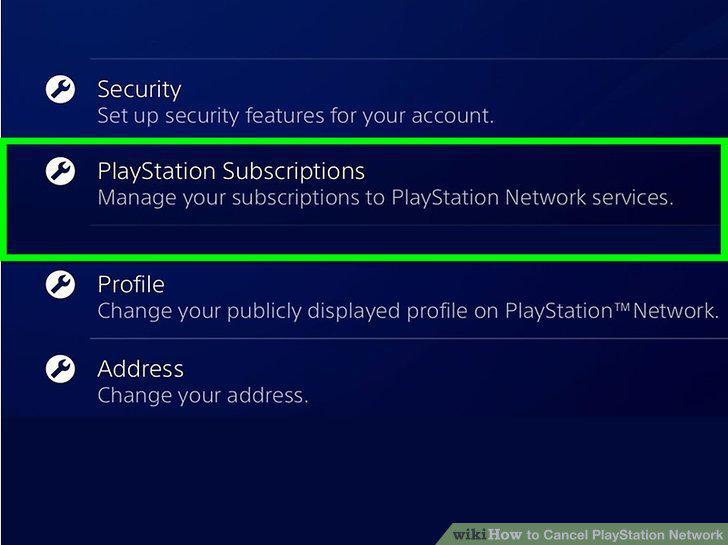
Select PlayStation Subscriptions.
8
Select the subscription you want to cancel.
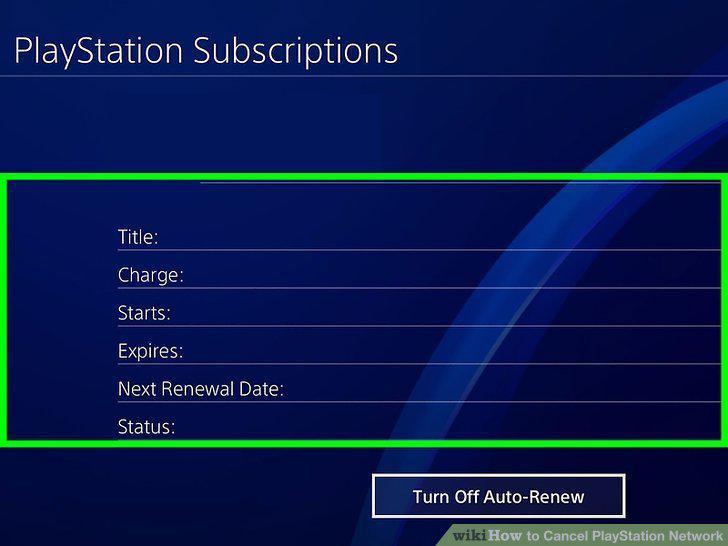
Select the subscription you want to cancel.
9
Select Turn Off Auto-Renew.
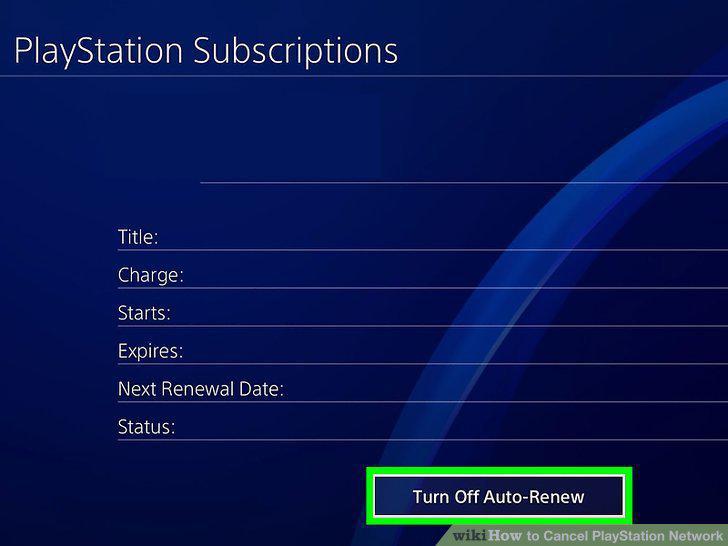
Select Turn Off Auto-Renew.
Comments (0)
No comments yet. Be the first to share your thoughts!