How to Read a Water Bill
Find the payment total at the top of the bill.. Search near the payment for your account information.. Spot the billing company's contact information near the top.
Steps
Find the payment total at the top of the bill.
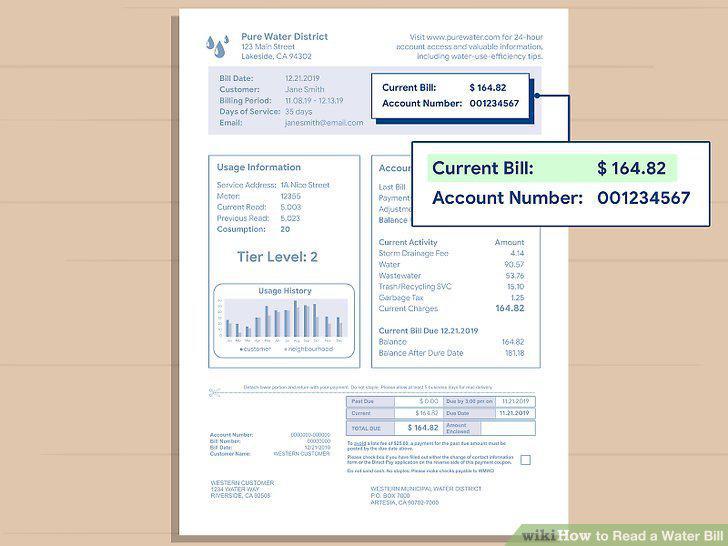
Find the payment total at the top of the bill.
Search near the payment for your account information.
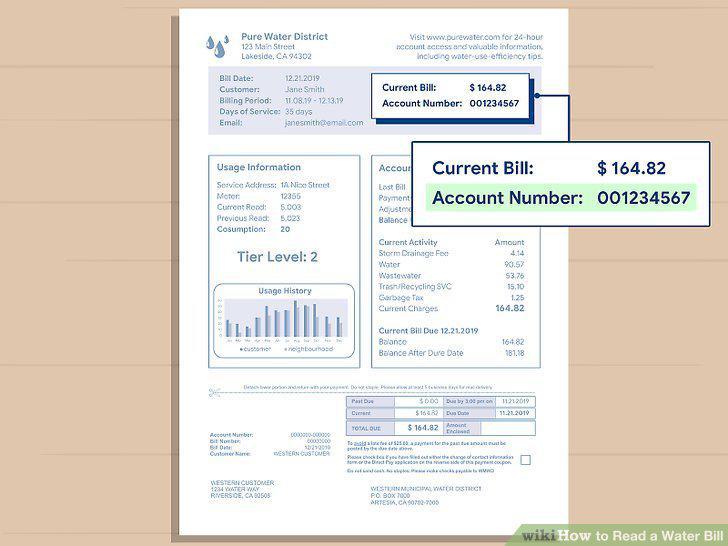
Search near the payment for your account information.
Spot the billing company's contact information near the top.
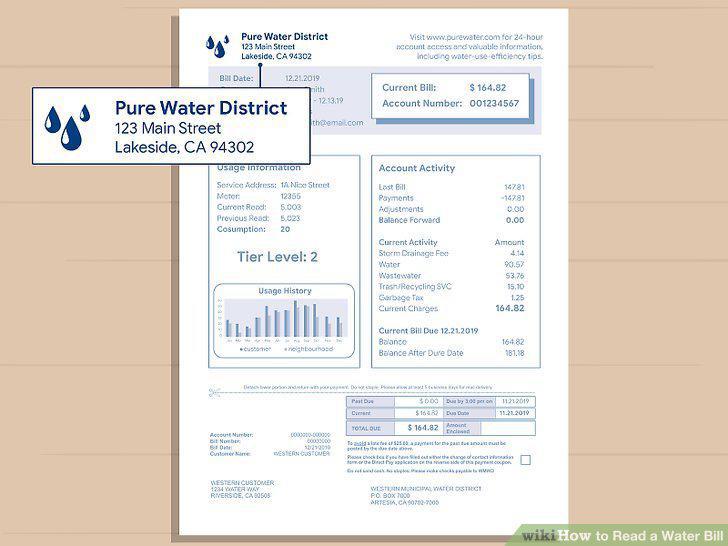
Spot the billing company's contact information near the top.
Double-check the billing date on your form.
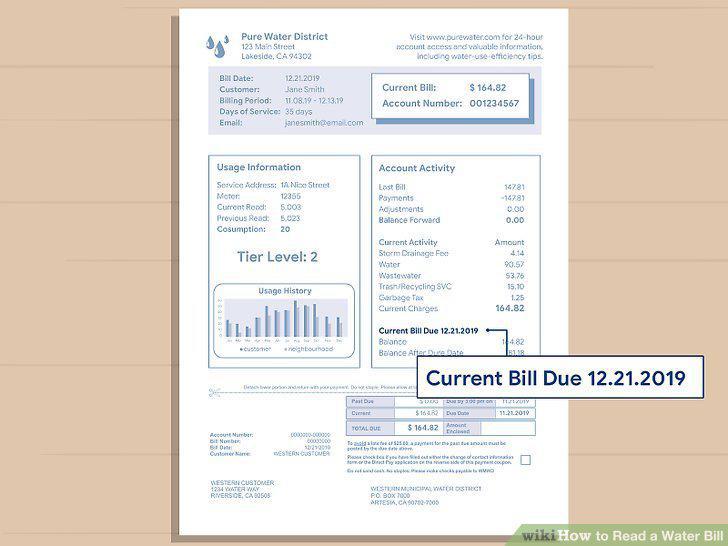
Double-check the billing date on your form.
Cut off and fill out the bottom portion of the form to pay your bill.
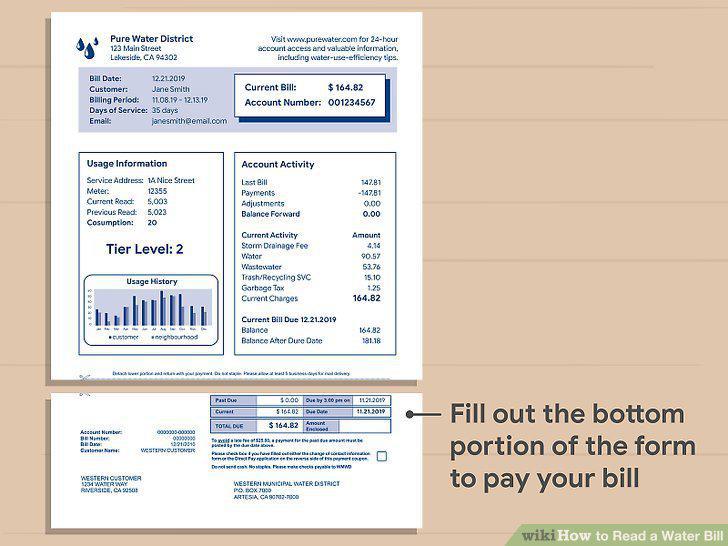
Cut off and fill out the bottom portion of the form to pay your bill.
Find the usage charges to see how much water you used.
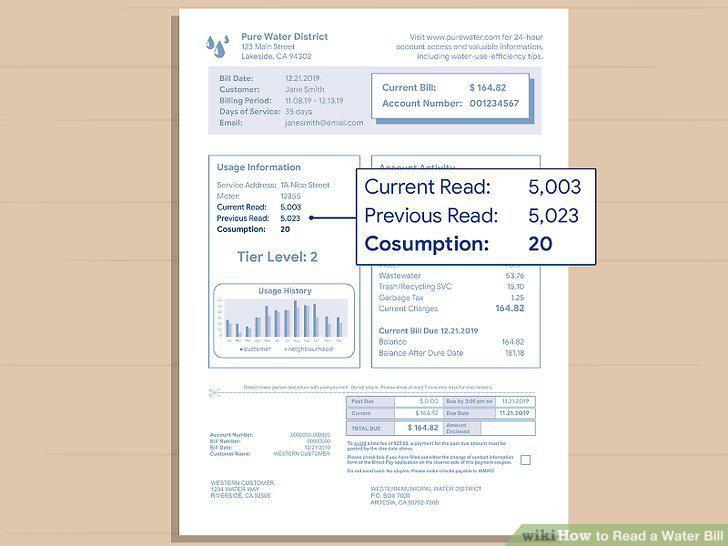
Find the usage charges to see how much water you used.
Examine the provided graph to see your monthly water usage.
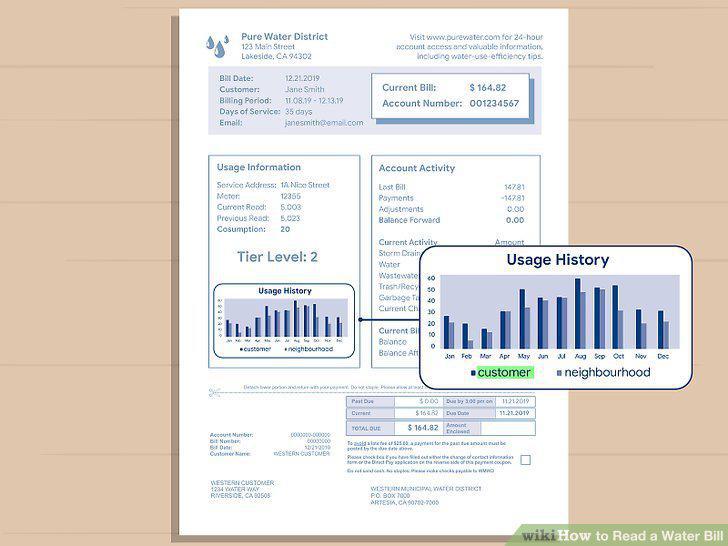
Examine the provided graph to see your monthly water usage.
See if your bill includes a graph of your neighbor's water usage.
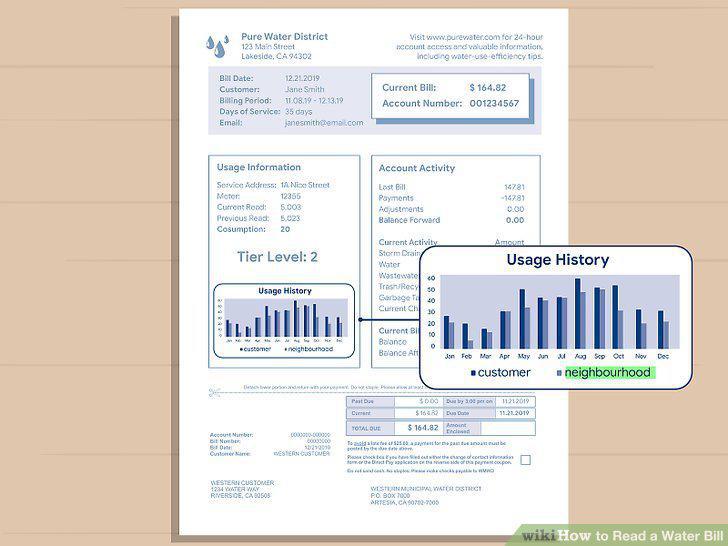
See if your bill includes a graph of your neighbor's water usage.
Study different tier levels to see how well you manage your water.
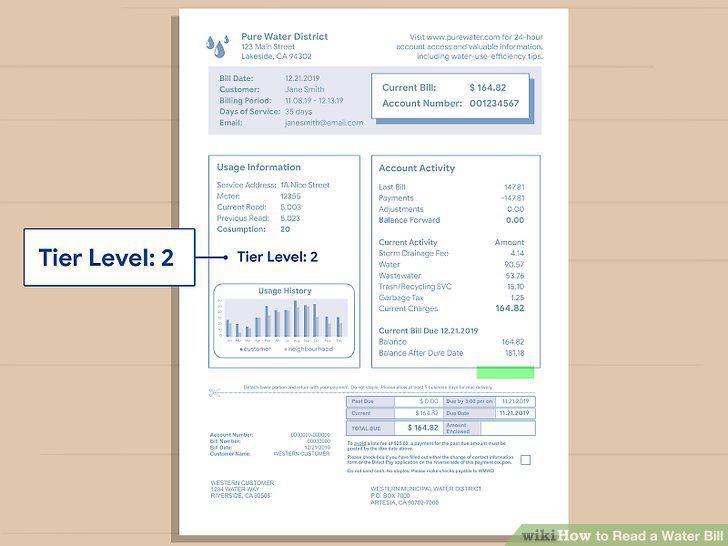
Study different tier levels to see how well you manage your water.
Check online to see which rate plan is used to charge your water bill.
Check online to see which rate plan is used to charge your water bill.
Look at the service or system charge to see your basic utility costs.
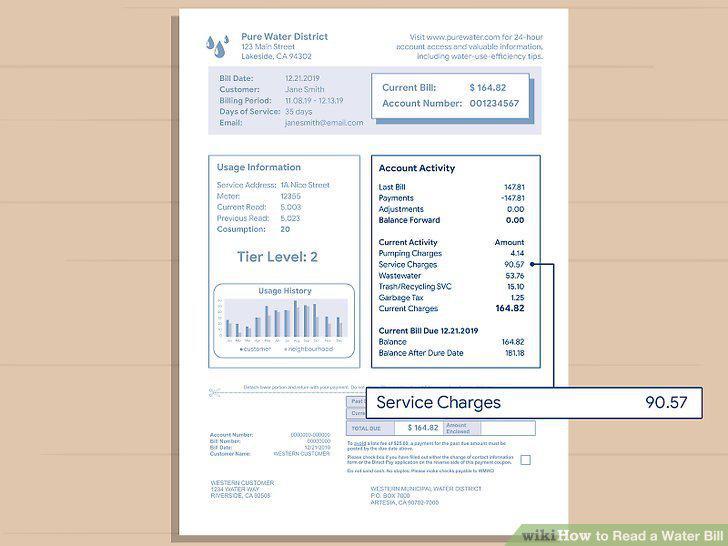
Look at the service or system charge to see your basic utility costs.
Note that pumping charges have to do with your home's location.
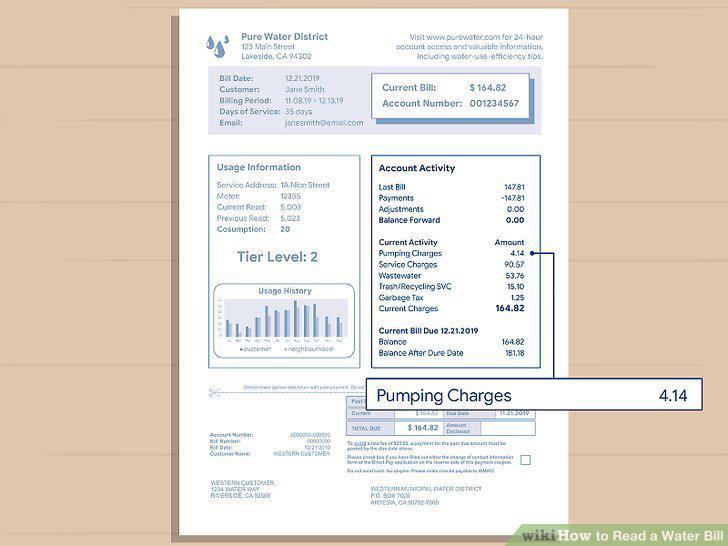
Note that pumping charges have to do with your home's location.
Identify any sewer service charges on your water bill.
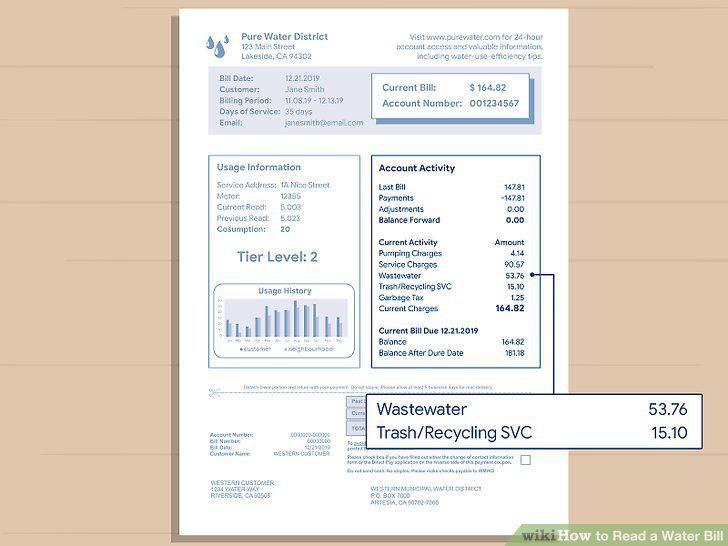
Identify any sewer service charges on your water bill.
Search for additional charges and taxes on the bill.
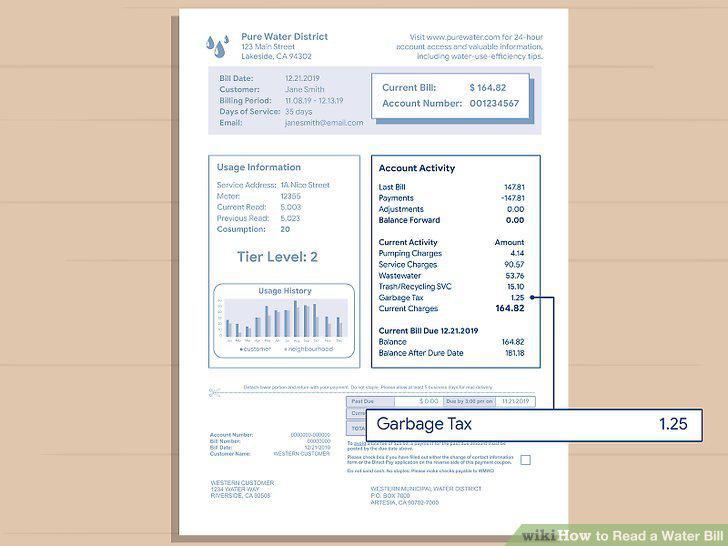
Search for additional charges and taxes on the bill.
Comments (0)
No comments yet. Be the first to share your thoughts!