How to Activate a Nintendo Switch Online Family Plan
Open the Nintendo eShop on your Switch.. Select your account.. Select Nintendo Switch Online.
Steps
1
Open the Nintendo eShop on your Switch.
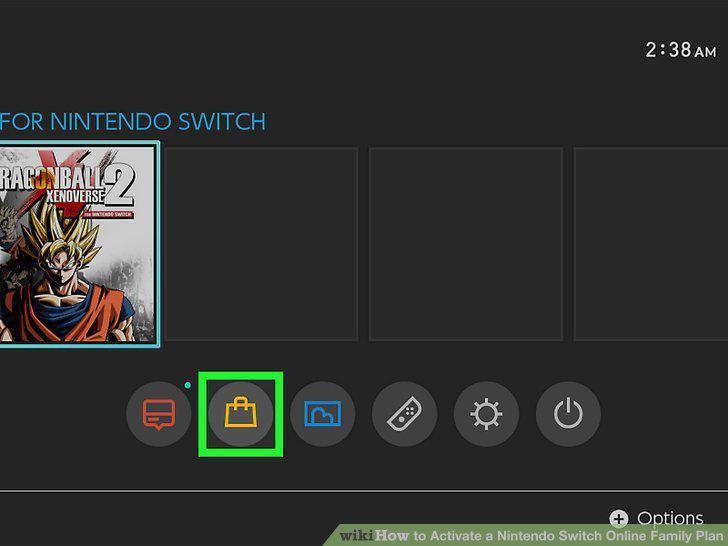
Open the Nintendo eShop on your Switch.
2
Select your account.
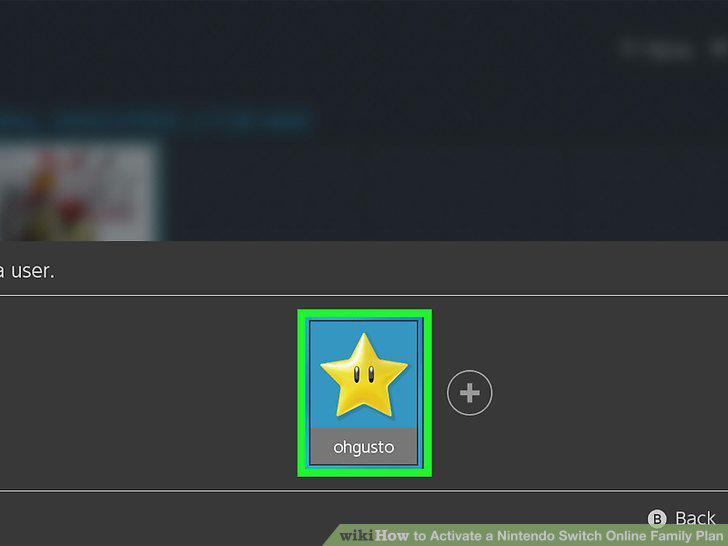
Select your account.
3
Select Nintendo Switch Online.
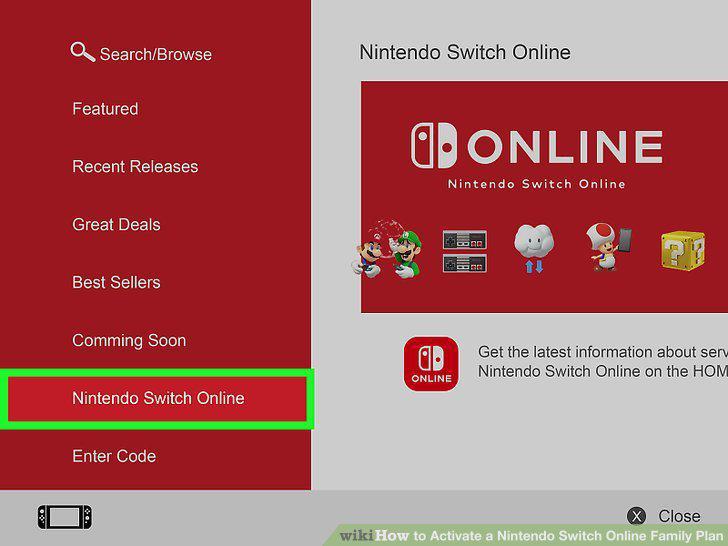
Select Nintendo Switch Online.
4
Select Membership Options.
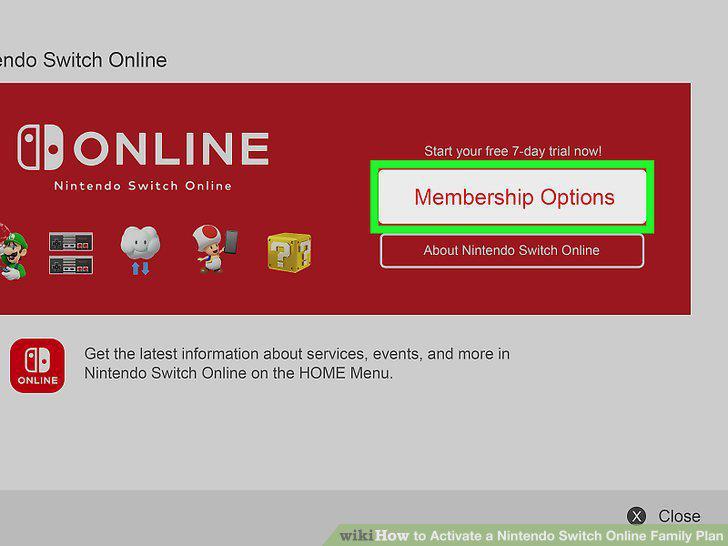
Select Membership Options.
5
Select Proceed to Purchase next to "Family.
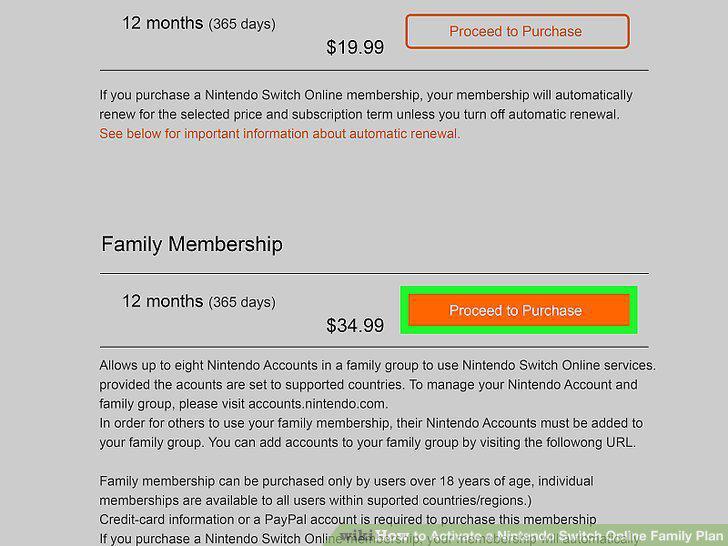
Select Proceed to Purchase next to "Family.
6
Enter or select a payment method.
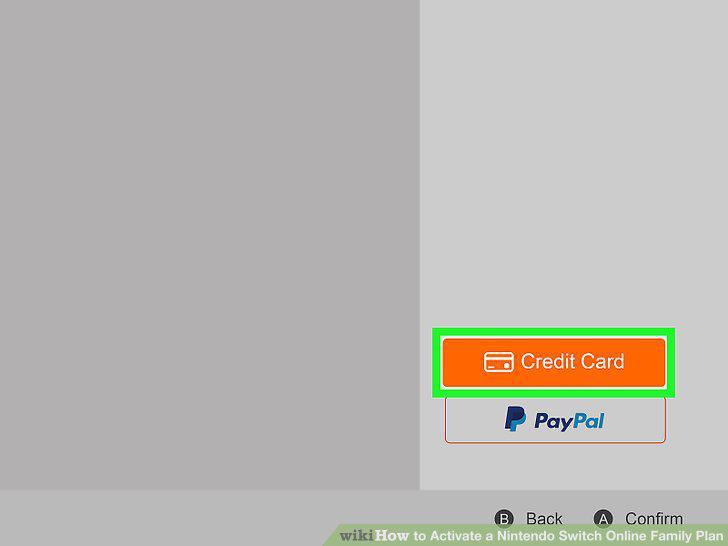
Enter or select a payment method.
7
Review the payment information and select Agree.
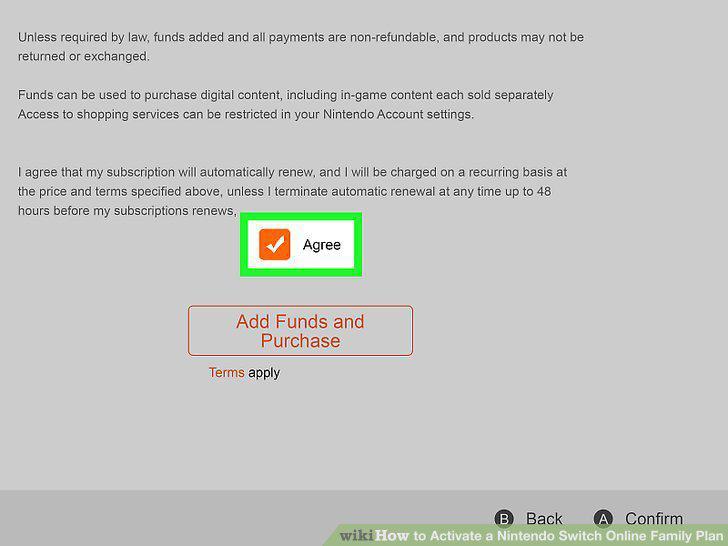
Review the payment information and select Agree.
8
Select Confirm.
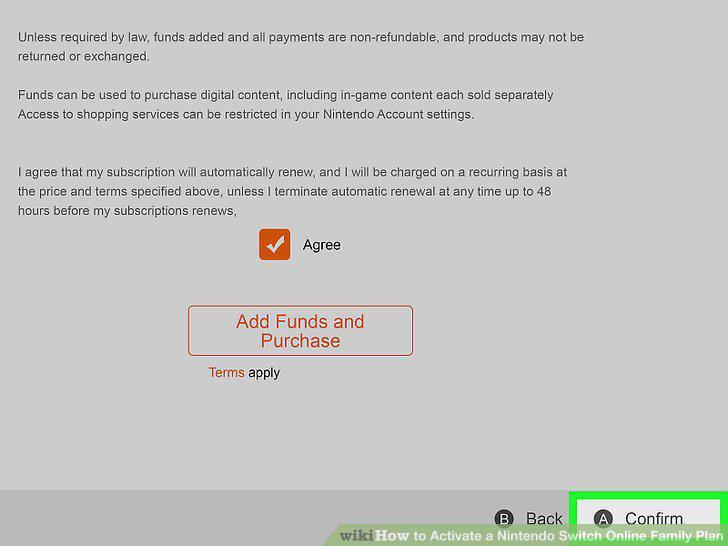
Select Confirm.
Comments (0)
No comments yet. Be the first to share your thoughts!