How to Cancel a Fiverr Order
Go to your Fiverr dashboard.. Click the order you want to cancel.. Click Visit the Resolution Center.
Steps
1
Go to your Fiverr dashboard.
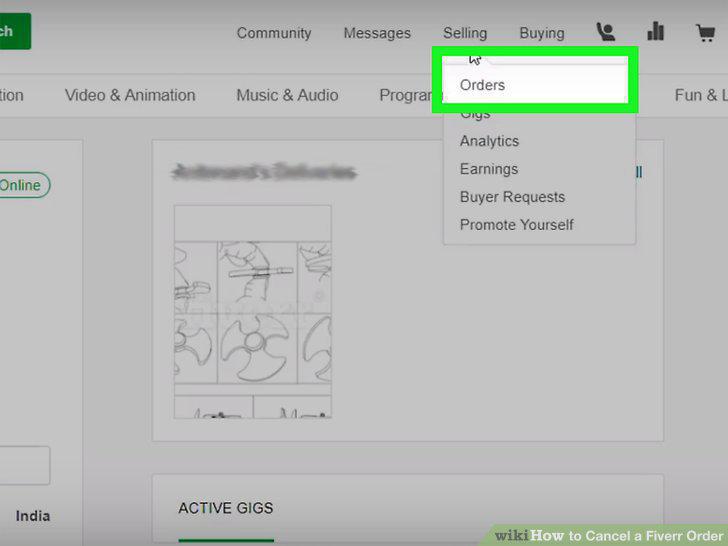
Go to your Fiverr dashboard.
2
Click the order you want to cancel.
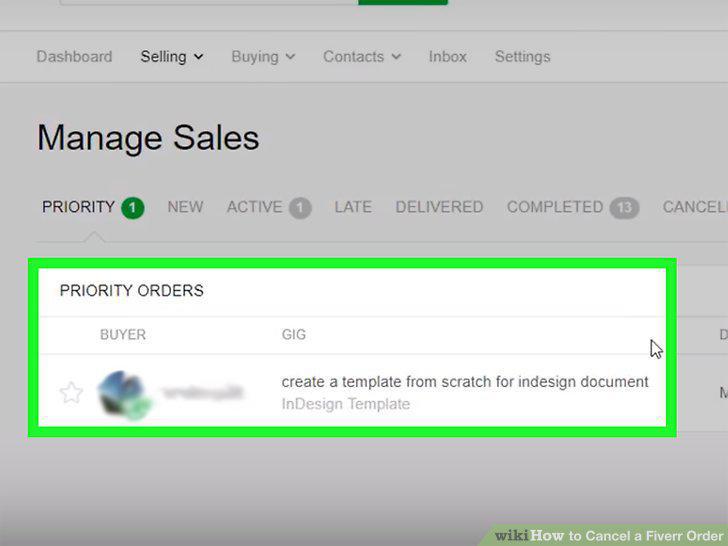
Click the order you want to cancel.
3
Click Visit the Resolution Center.
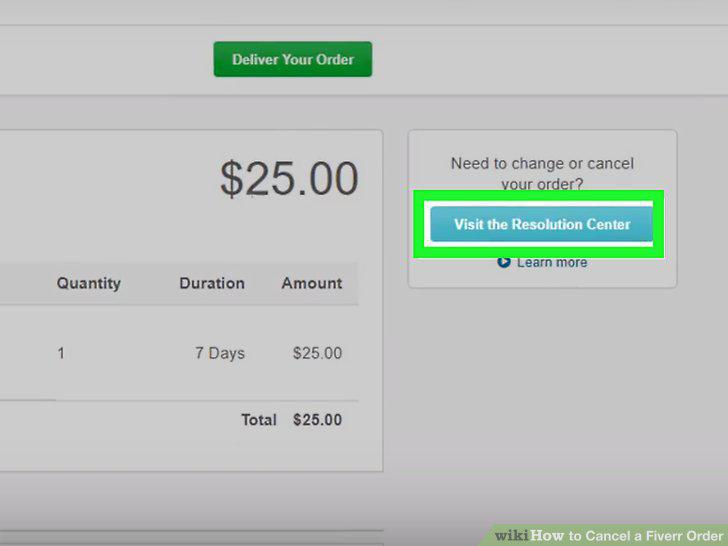
Click Visit the Resolution Center.
4
Click to select the option next to "Ask the buyer to cancel this order.
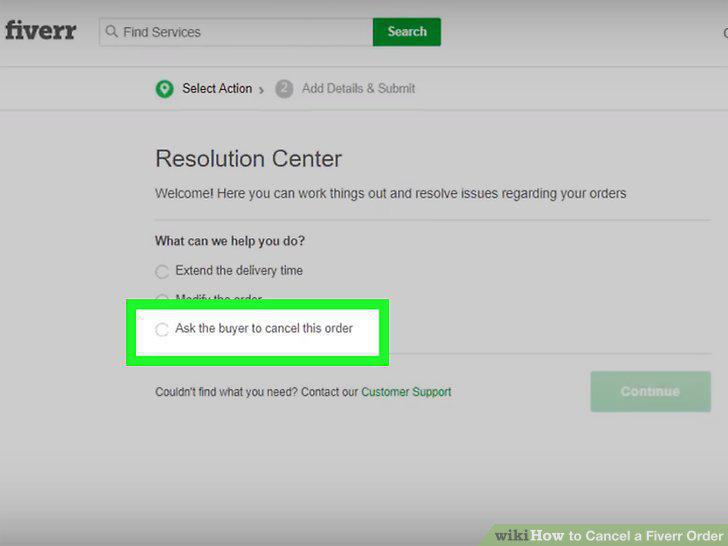
Click to select the option next to "Ask the buyer to cancel this order.
5
Click to select an appropriate reason under "Can you give us more detail on why?
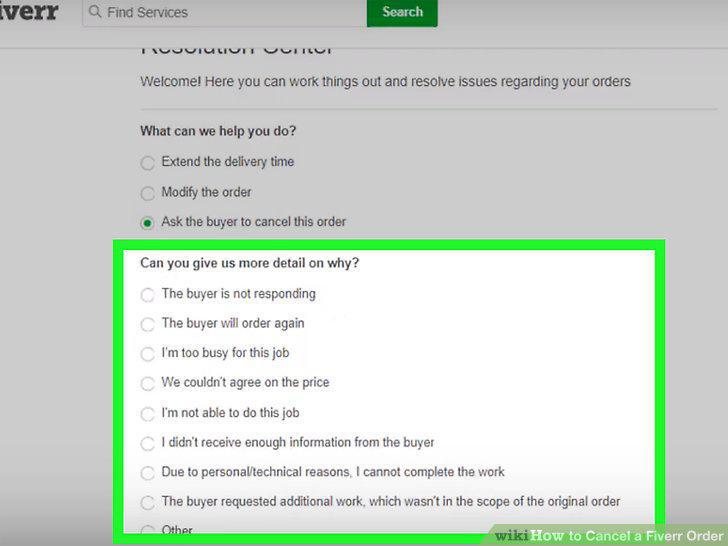
Click to select an appropriate reason under "Can you give us more detail on why?
6
Click Continue.
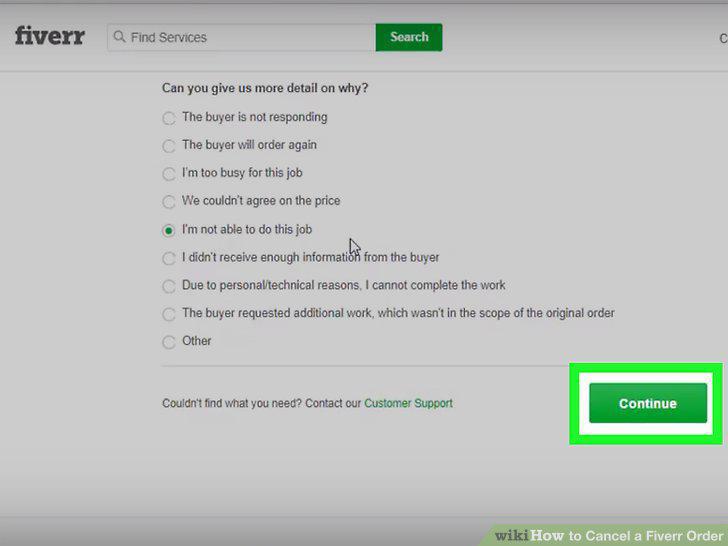
Click Continue.
7
Type your message to the buyer/seller about canceling the order.
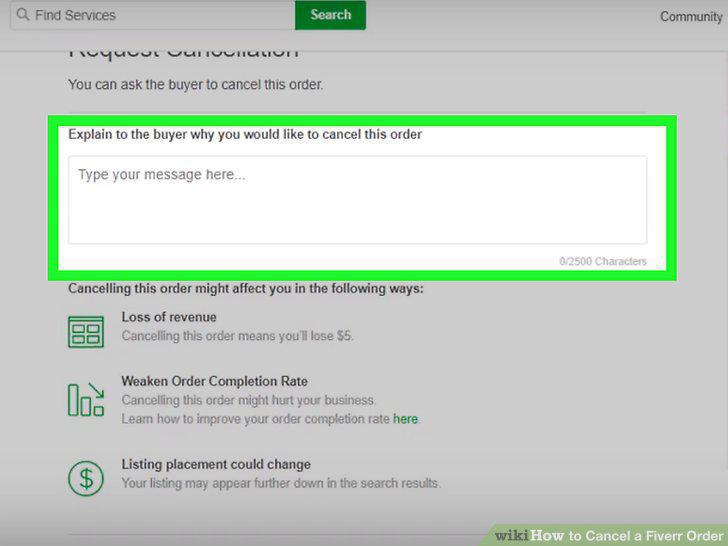
Type your message to the buyer/seller about canceling the order.
8
Click Send.
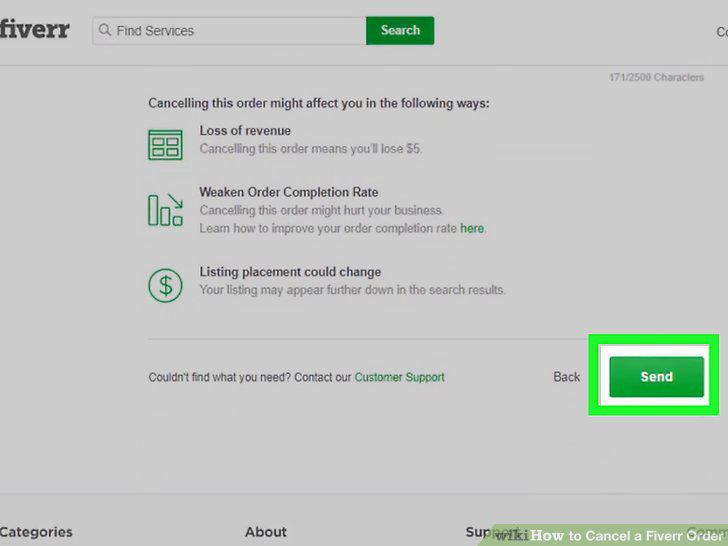
Click Send.
Comments (0)
No comments yet. Be the first to share your thoughts!