How to Fix a Steam Disk Write Error on Windows 10
Restart your PC.. Delete the problem game's 0 kb file.. Clear the download cache.
Steps
1
Restart your PC.
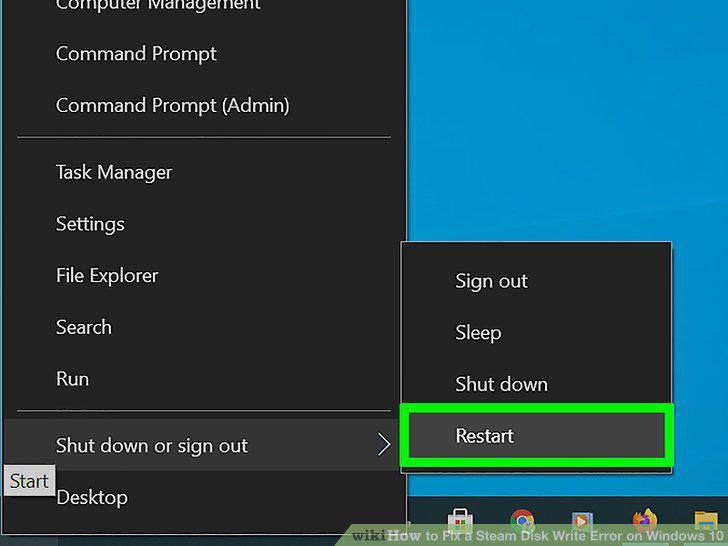
Restart your PC.
2
Delete the problem game's 0 kb file.
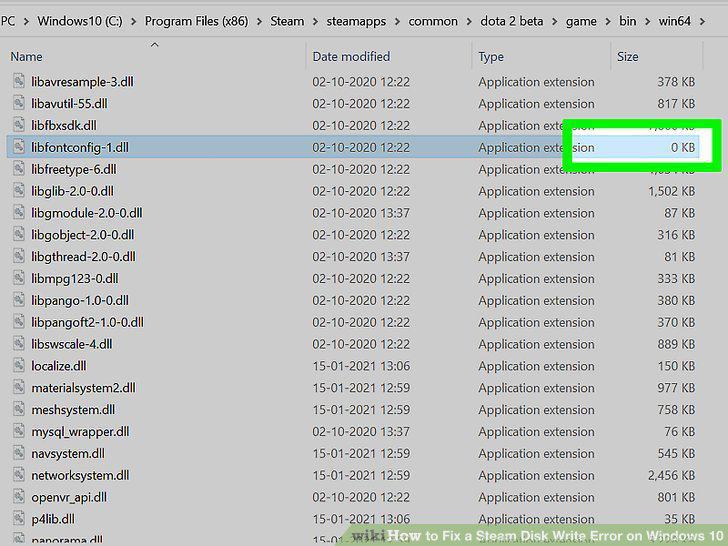
Delete the problem game's 0 kb file.
3
Clear the download cache.
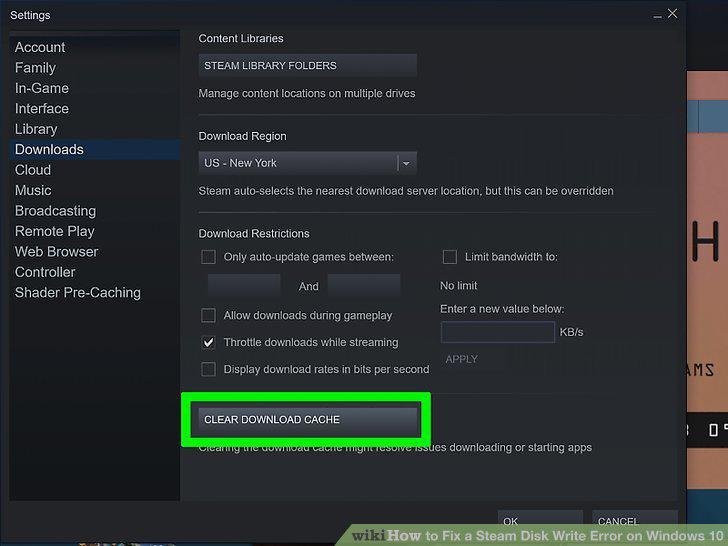
Clear the download cache.
4
Repair your game library.
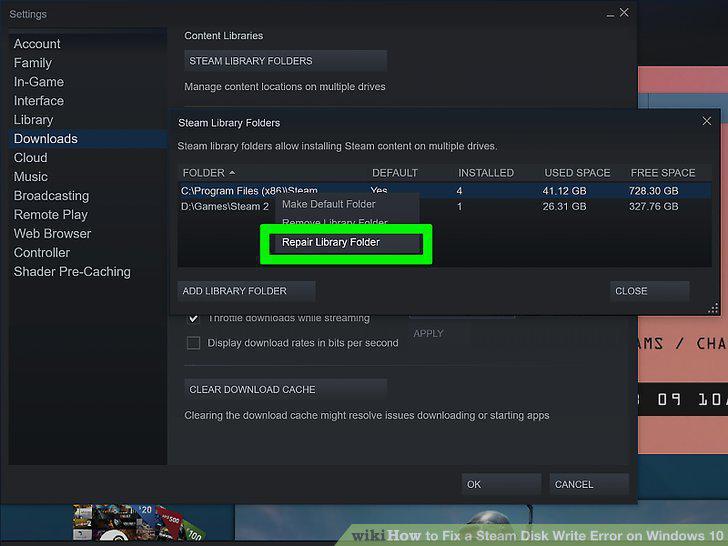
Repair your game library.
5
Verify the integrity of the game files.
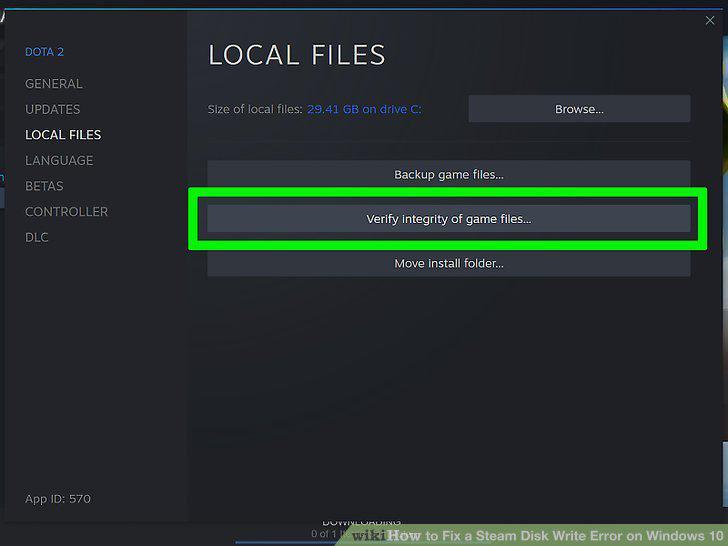
Verify the integrity of the game files.
6
Briefly disable your antivirus software.
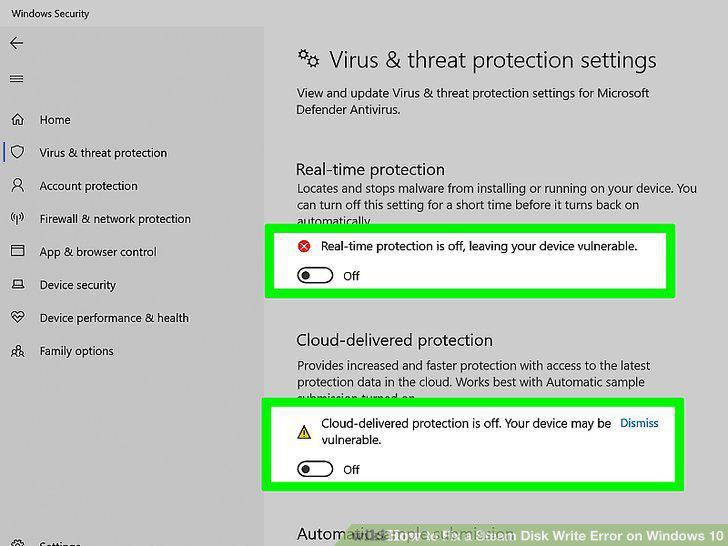
Briefly disable your antivirus software.
7
Change the game folder location.
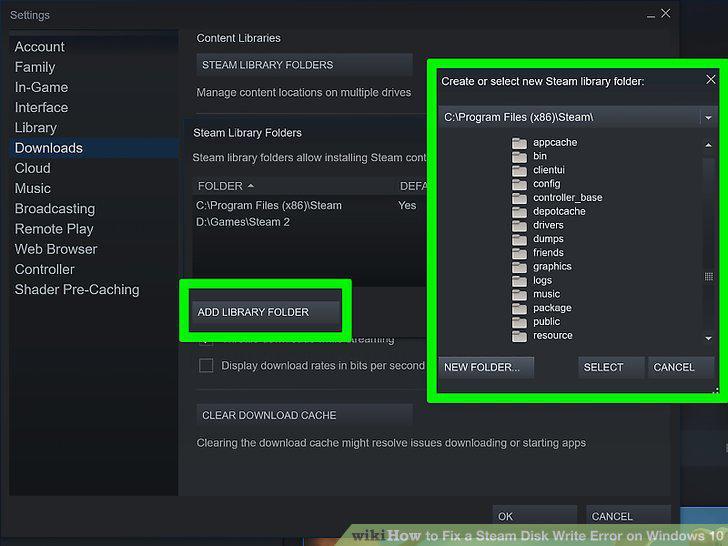
Change the game folder location.
Comments (0)
No comments yet. Be the first to share your thoughts!