How to Count Steps with the Apple Watch
Unlock your Apple Watch.. Open the Activity app.. Scroll down to the "TOTAL STEPS" section.
Steps
1
Unlock your Apple Watch.
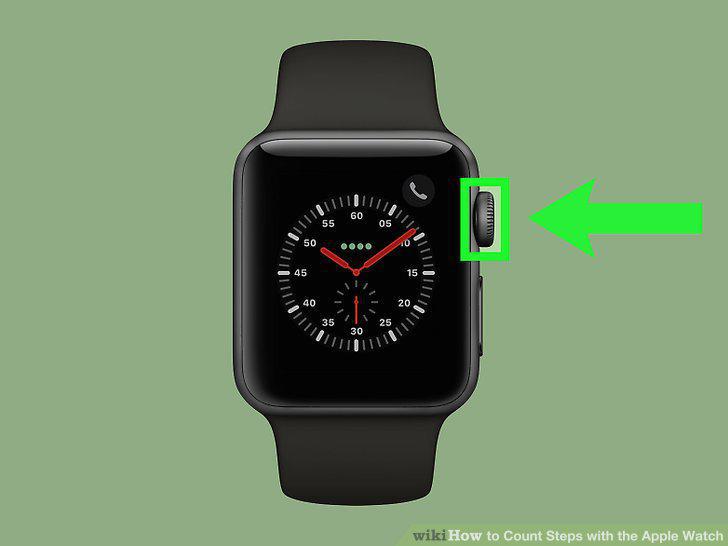
Unlock your Apple Watch.
2
Open the Activity app.

Open the Activity app.
3
Scroll down to the "TOTAL STEPS" section.
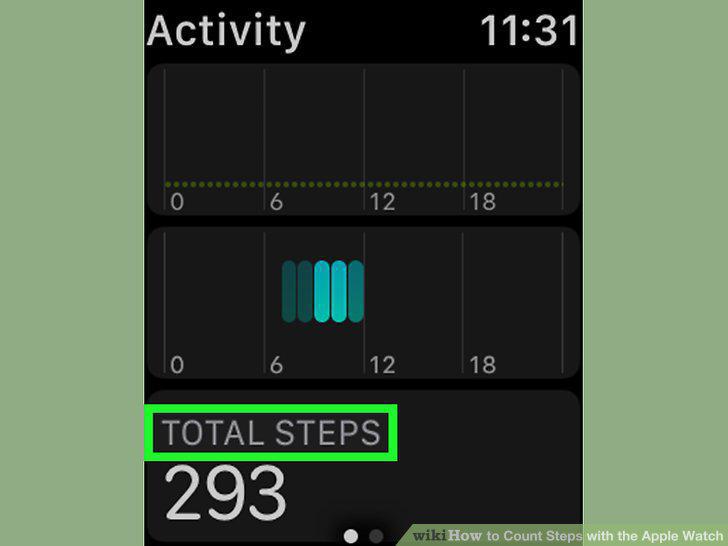
Scroll down to the "TOTAL STEPS" section.
4
Review your day's steps.
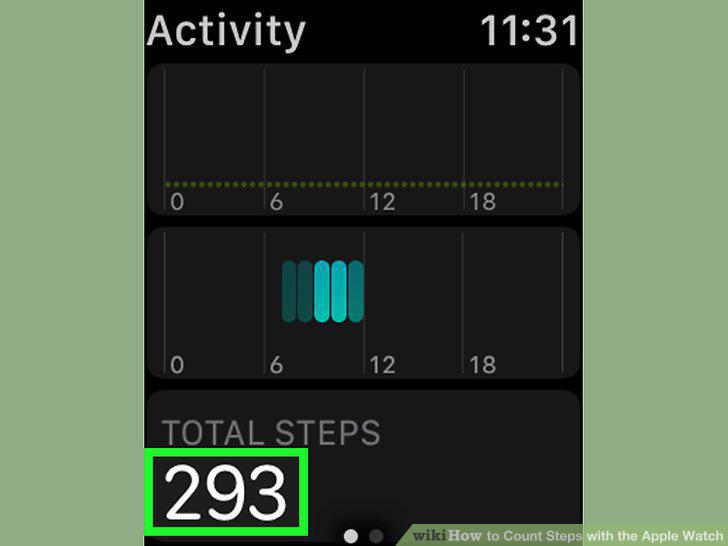
Review your day's steps.
5
Find your number of steps for the week.
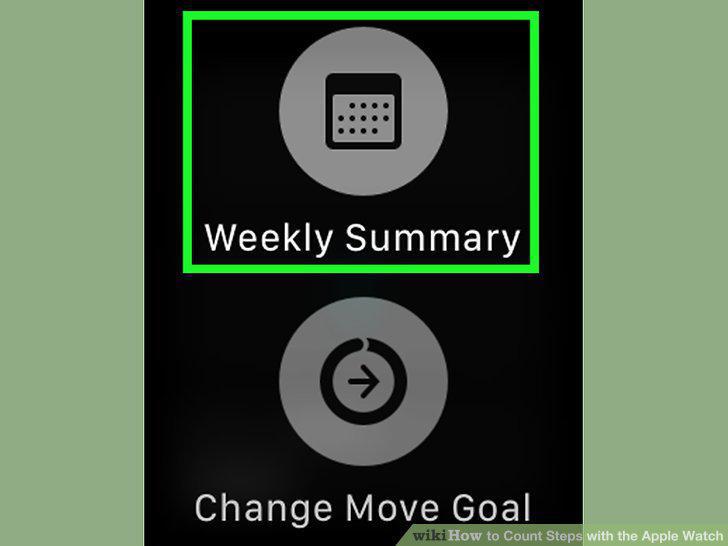
Find your number of steps for the week.
6
Open the Activity app on your iPhone.
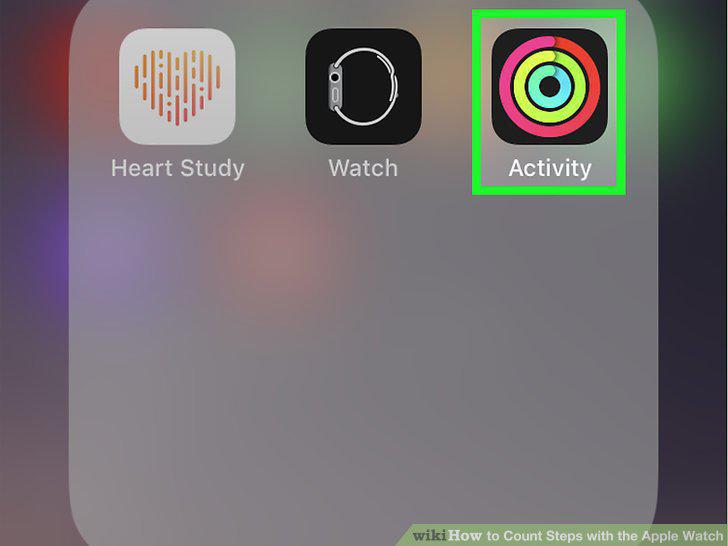
Open the Activity app on your iPhone.
7
Tap the History tab.
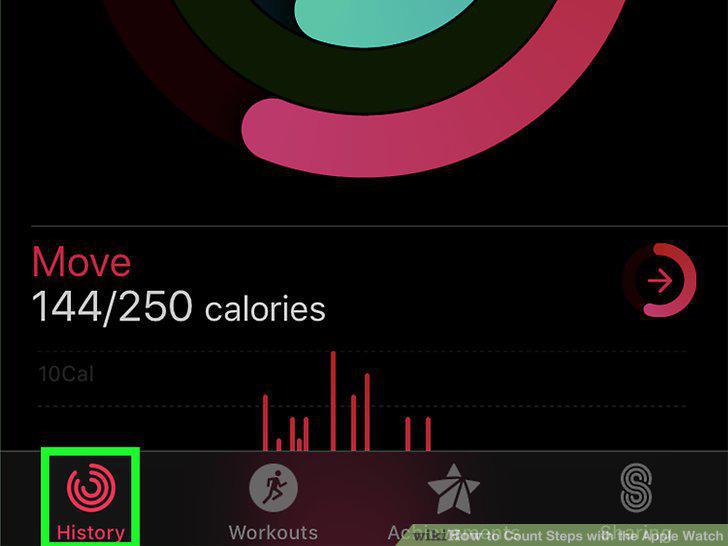
Tap the History tab.
8
Select a day.
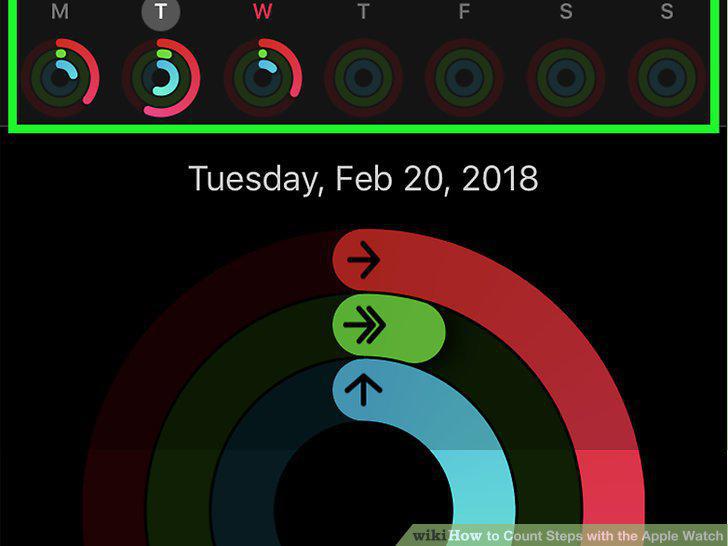
Select a day.
9
Scroll down to the "Steps" heading.
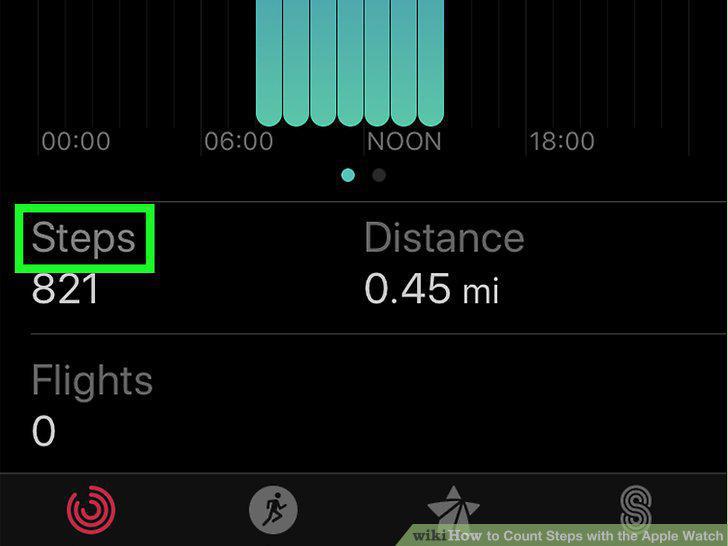
Scroll down to the "Steps" heading.
10
Review your number of steps.
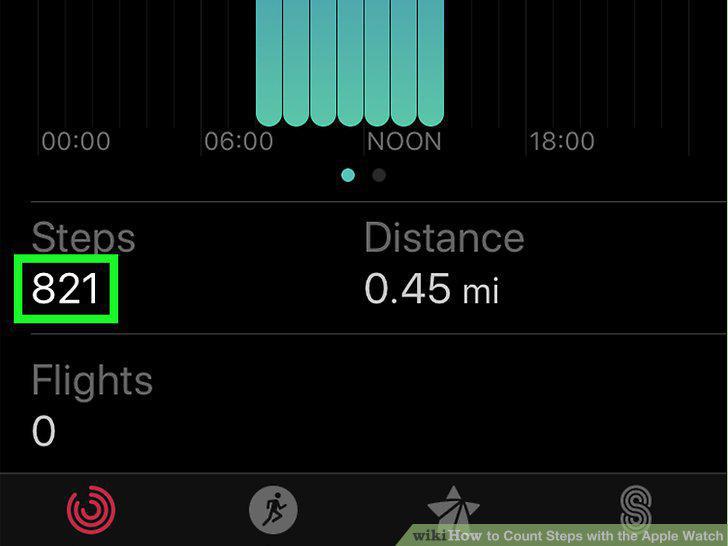
Review your number of steps.
Comments (0)
No comments yet. Be the first to share your thoughts!