How to Turn a Flash Drive Into a Xbox 360 Memory Unit
Update your console to the latest version.. Plug a USB flash drive into the Xbox 360.. Press the Guide button on the controller to open dashboard.
Steps
1
Update your console to the latest version.
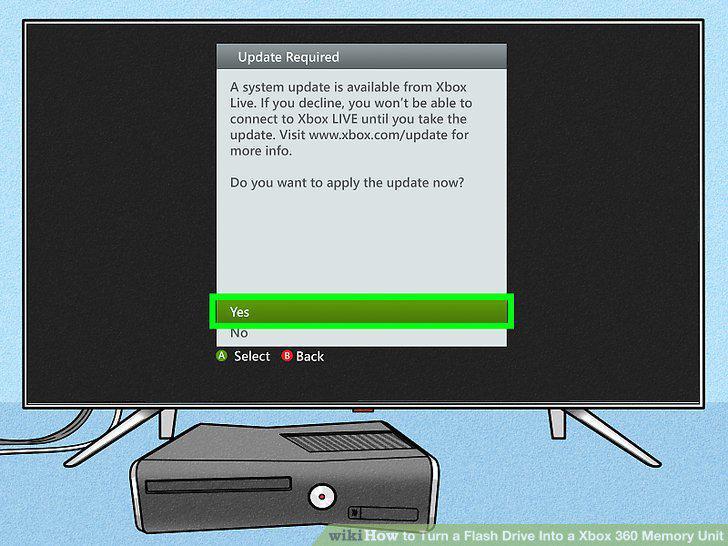
Update your console to the latest version.
2
Plug a USB flash drive into the Xbox 360.
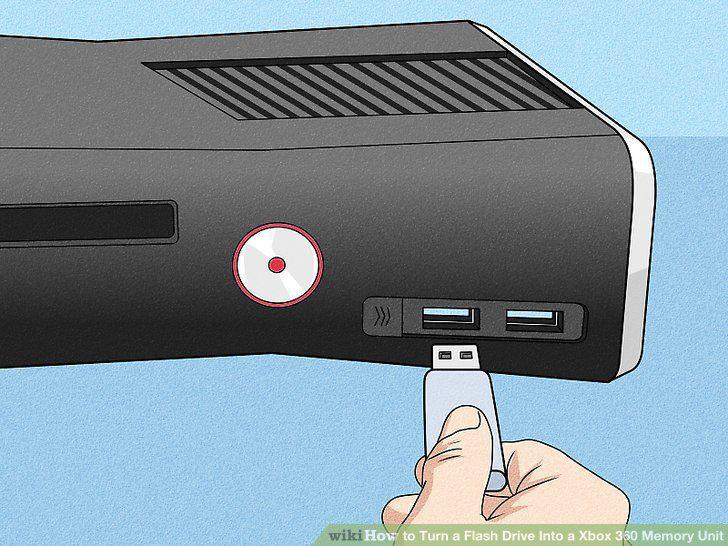
Plug a USB flash drive into the Xbox 360.
3
Press the Guide button on the controller to open dashboard.
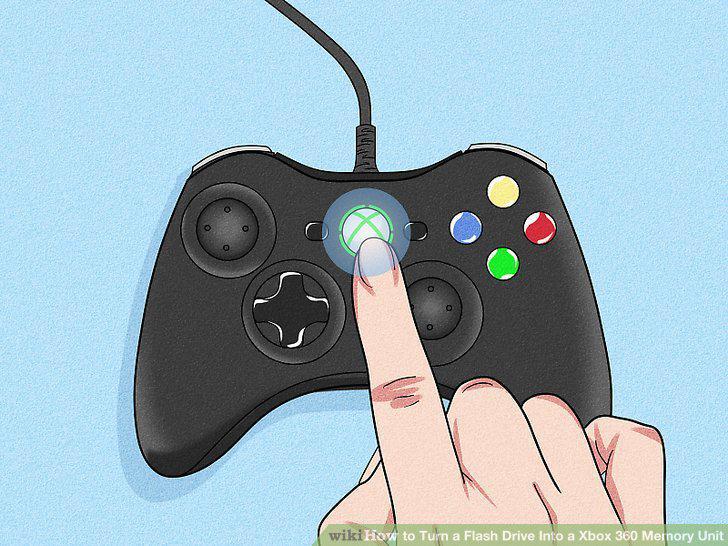
Press the Guide button on the controller to open dashboard.
4
Open the "settings" screen and select "System Settings."
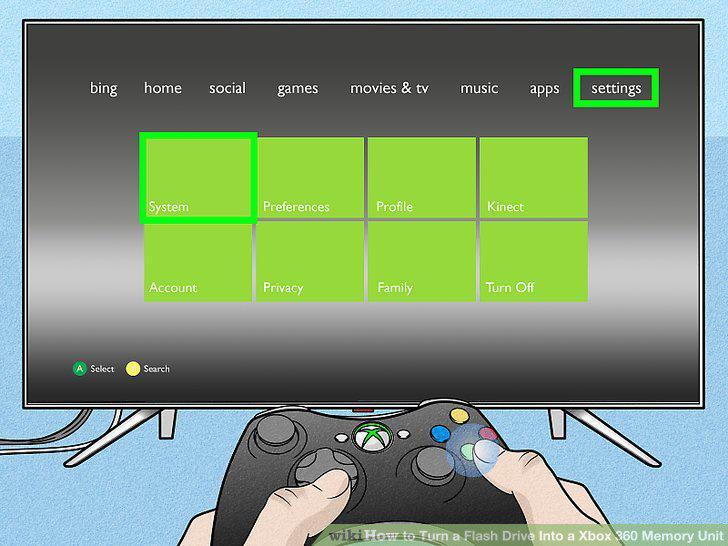
Open the "settings" screen and select "System Settings."
5
Select the "Storage" or "Memory" option.
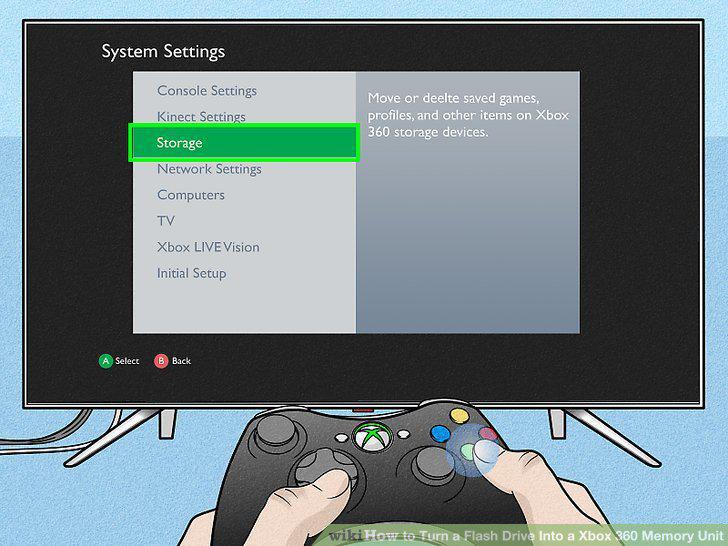
Select the "Storage" or "Memory" option.
6
Select "USB Storage Device."
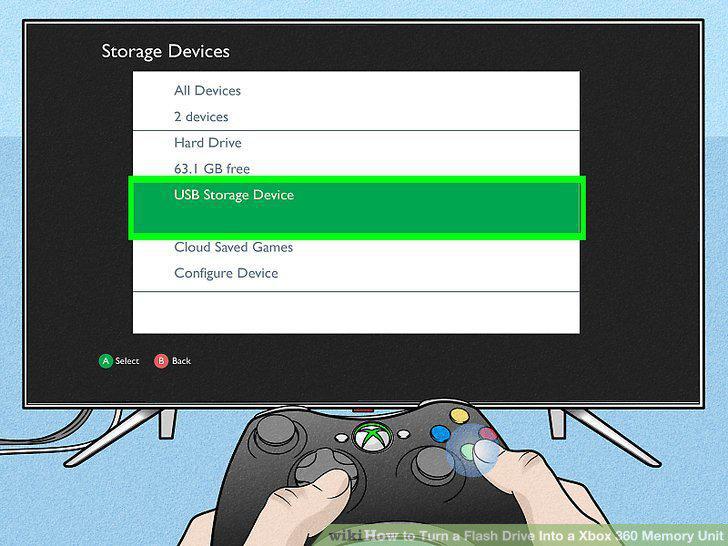
Select "USB Storage Device."
7
Choose either "Configure Now" or "Customize."
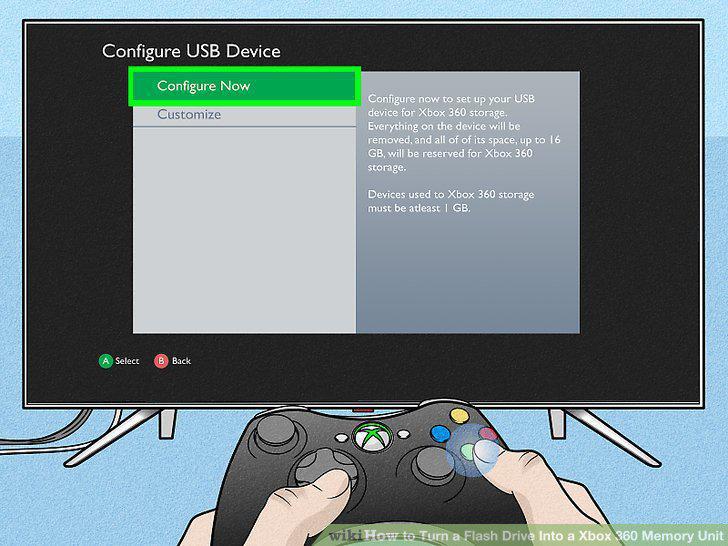
Choose either "Configure Now" or "Customize."
8
Wait while the USB drive is configured and tested.
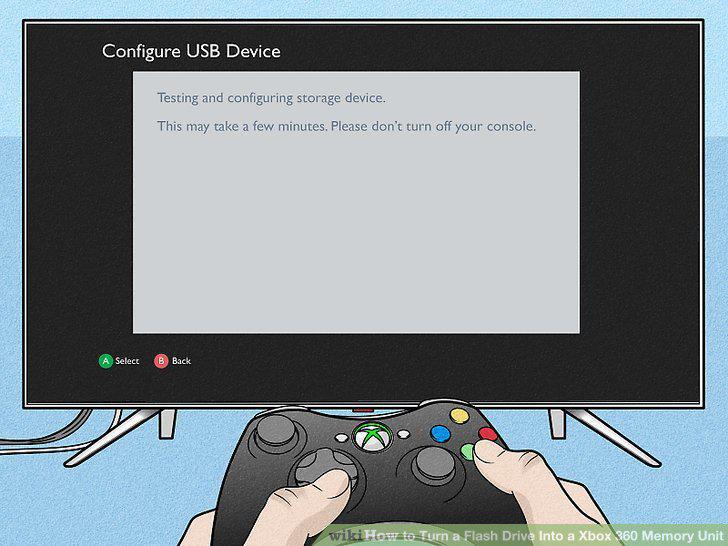
Wait while the USB drive is configured and tested.
9
Find your newly formatted drive.
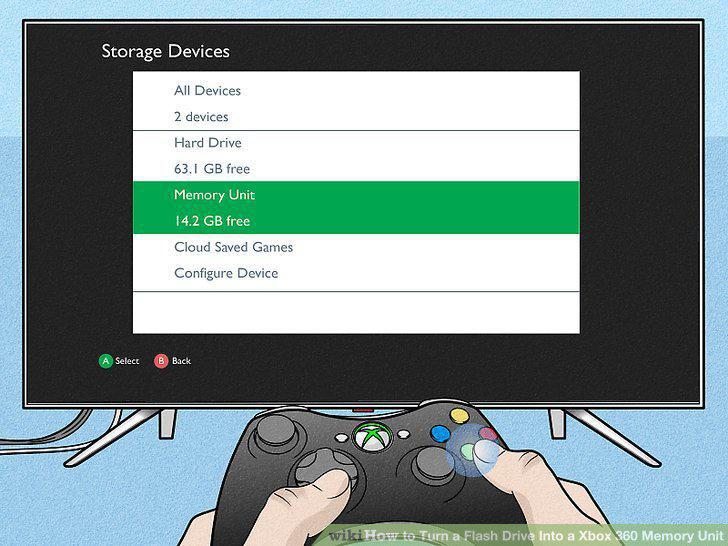
Find your newly formatted drive.
Comments (0)
No comments yet. Be the first to share your thoughts!