How to Cancel a Reservation on Airbnb
Go to https://www.airbnb.com/trips in a web browser.. Click or tap Show trip details on your trip.. Click or tap the Change or cancel button.
Steps
1
Go to https://www.airbnb.com/trips in a web browser.
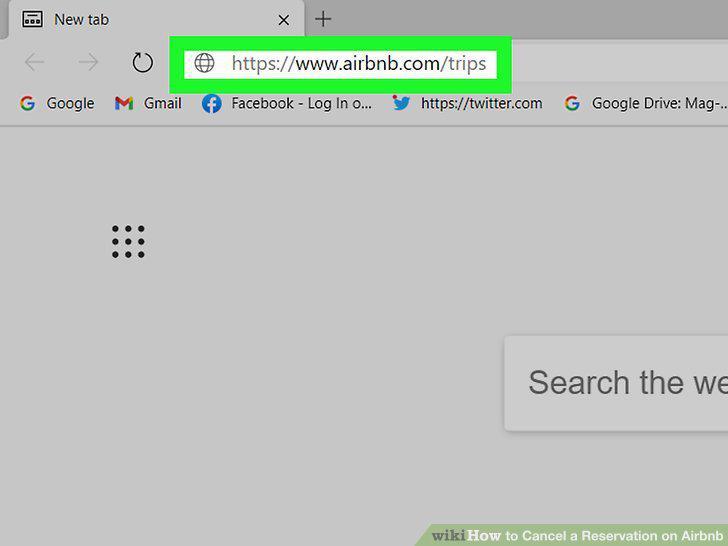
Go to https://www.airbnb.com/trips in a web browser.
2
Click or tap Show trip details on your trip.
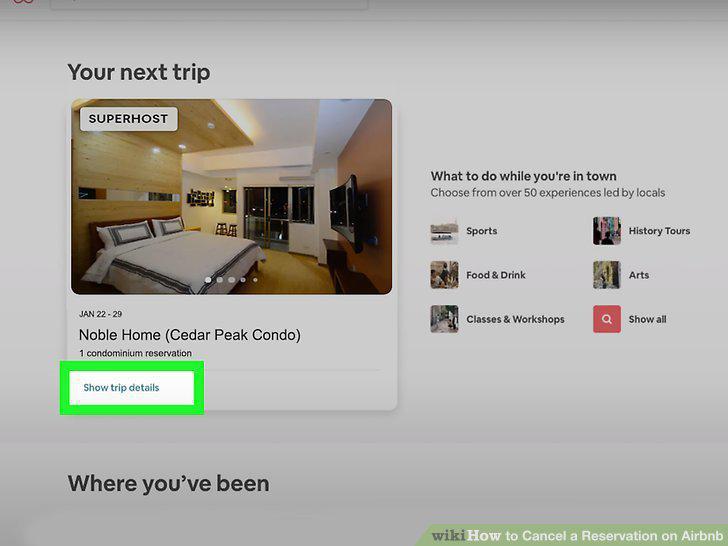
Click or tap Show trip details on your trip.
3
Click or tap the Change or cancel button.
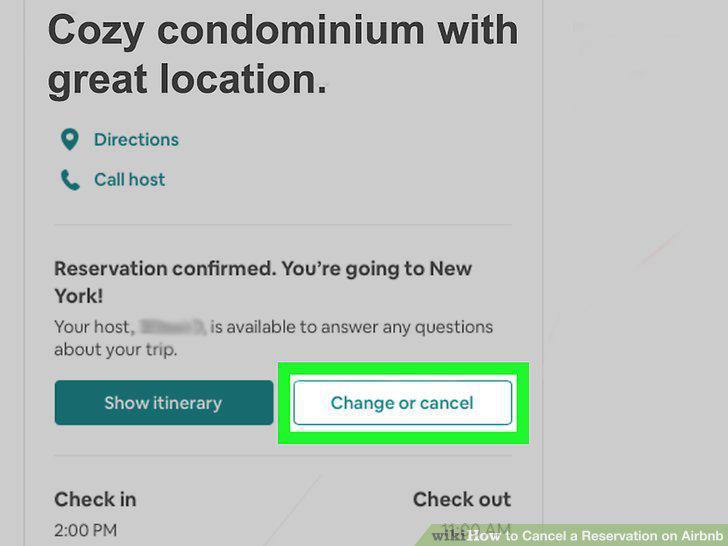
Click or tap the Change or cancel button.
4
Select a reason for cancellation.
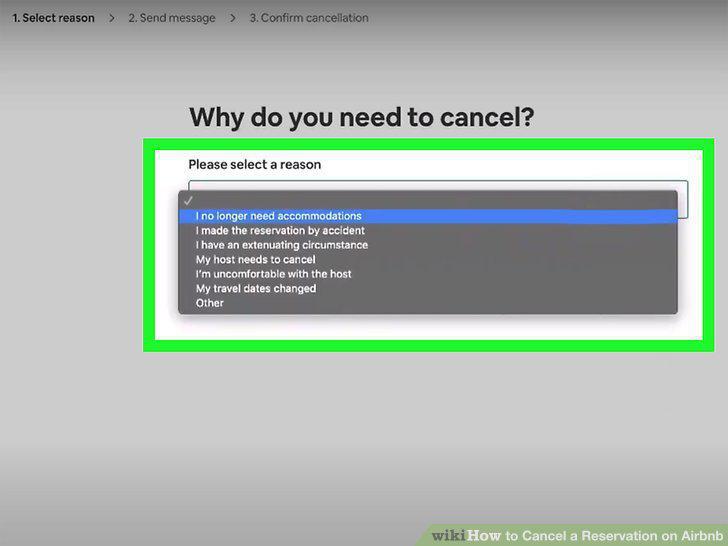
Select a reason for cancellation.
5
Click or tap Cancel reservation.
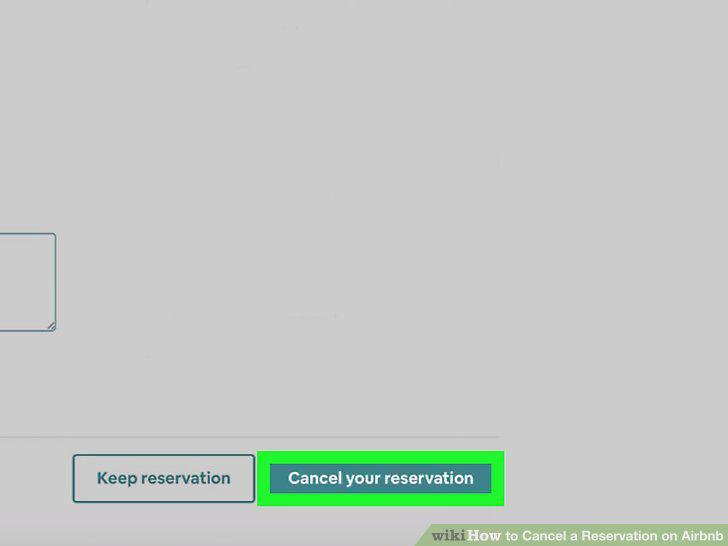
Click or tap Cancel reservation.
6
Click or tap Yes, cancel.
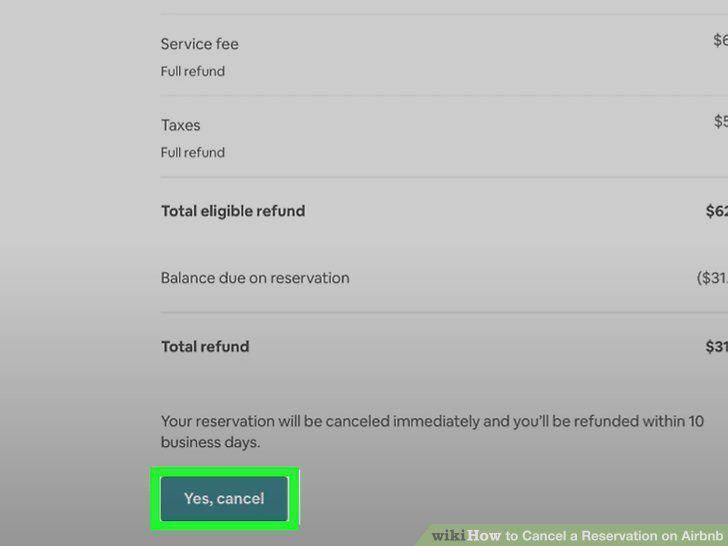
Click or tap Yes, cancel.
7
Go to https://www.airbnb.com/hosting/reservations/upcoming in a web browser.
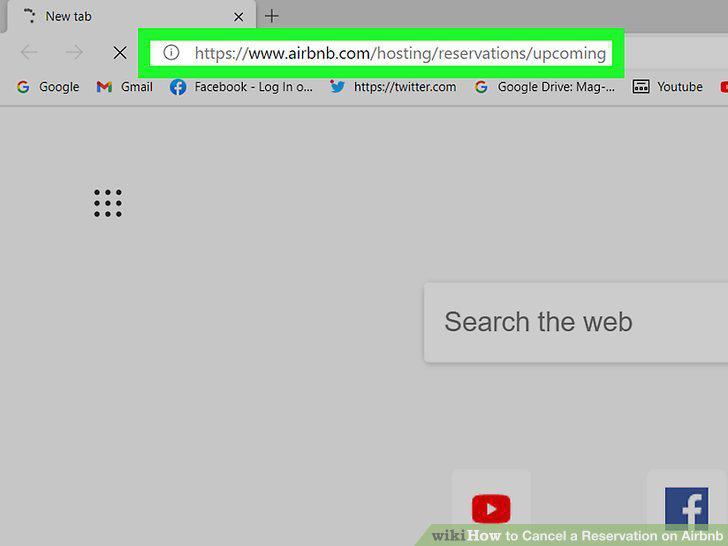
Go to https://www.airbnb.com/hosting/reservations/upcoming in a web browser.
8
Click or tap the three-dot menu on the reservation.
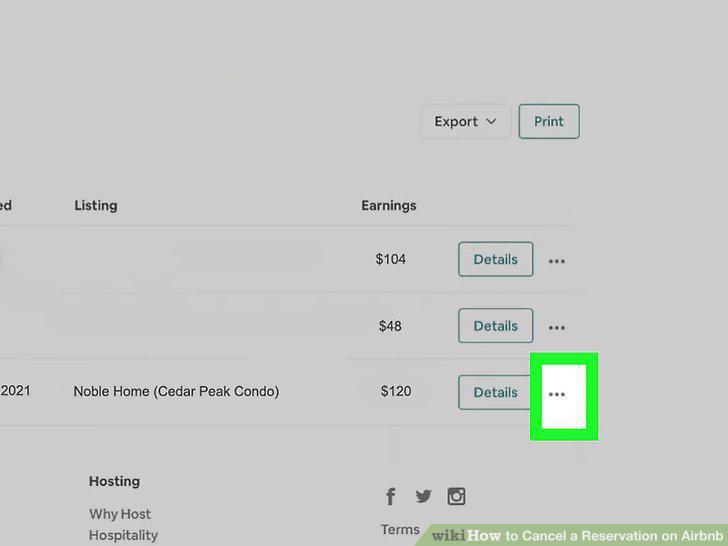
Click or tap the three-dot menu on the reservation.
9
Click or tap the Change or cancel button.
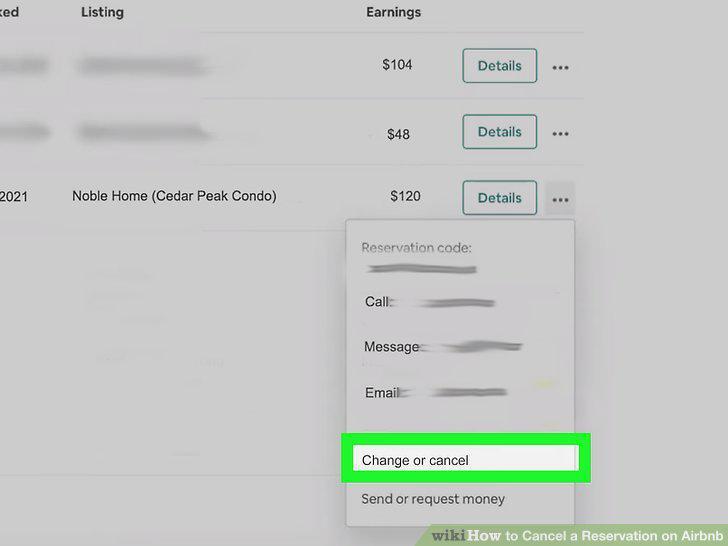
Click or tap the Change or cancel button.
10
Click or tap the Cancel reservation button.
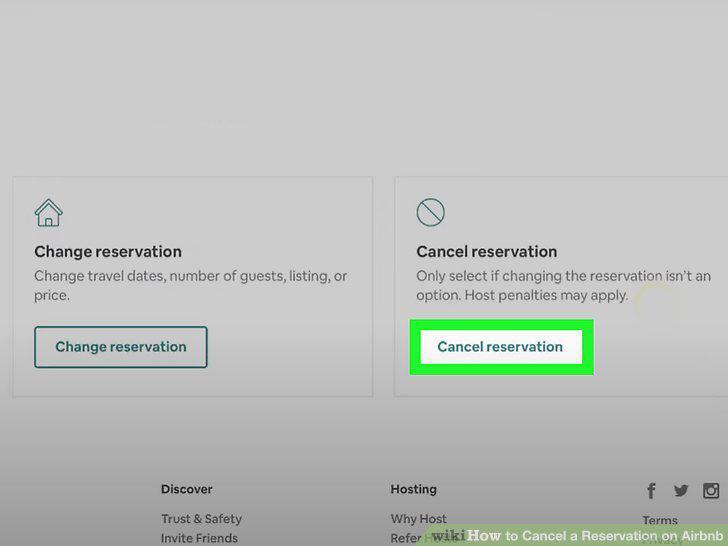
Click or tap the Cancel reservation button.
11
Select a reason for canceling.
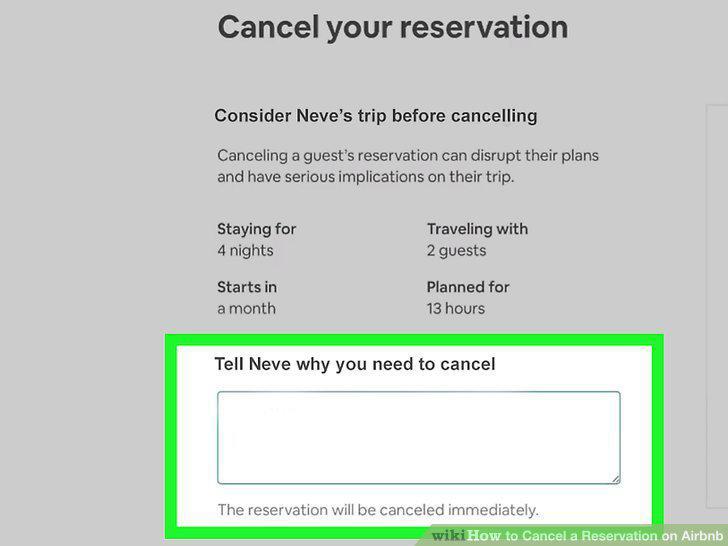
Select a reason for canceling.
12
Follow the on-screen instructions to confirm.
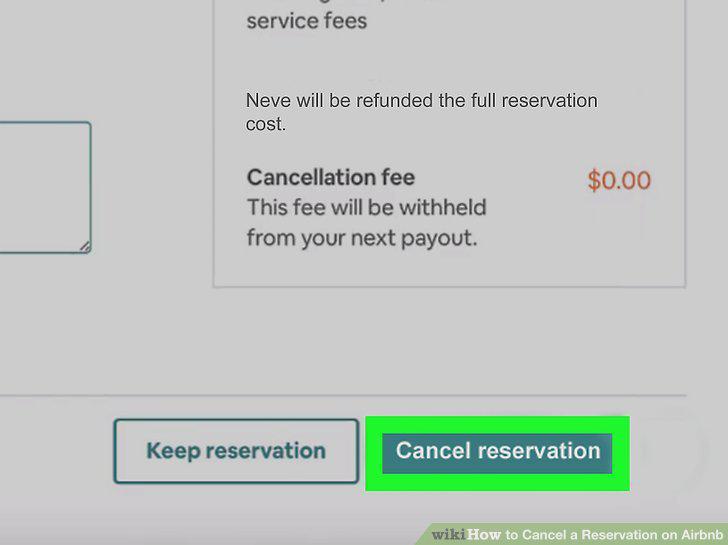
Follow the on-screen instructions to confirm.
Comments (0)
No comments yet. Be the first to share your thoughts!