How to Create QR Codes with an Android Phone
Open the Play Store.. Search for "QR code generator".. Tap "Install" to install the app.
Steps
1
Open the Play Store.
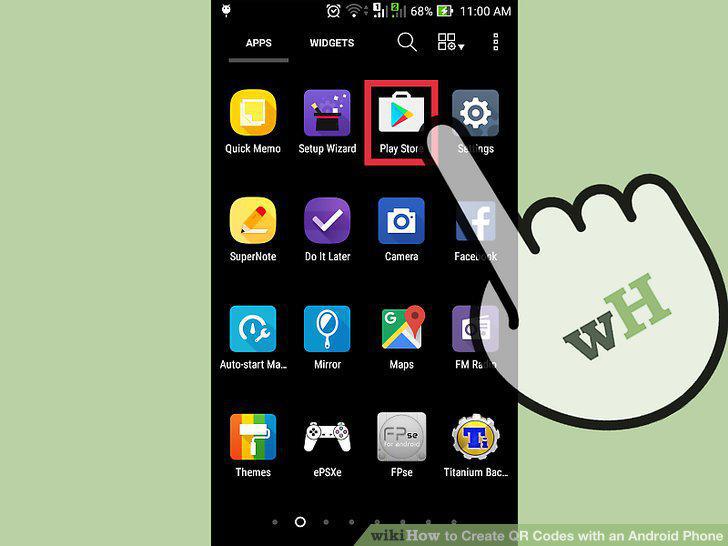
Open the Play Store.
2
Search for "QR code generator".
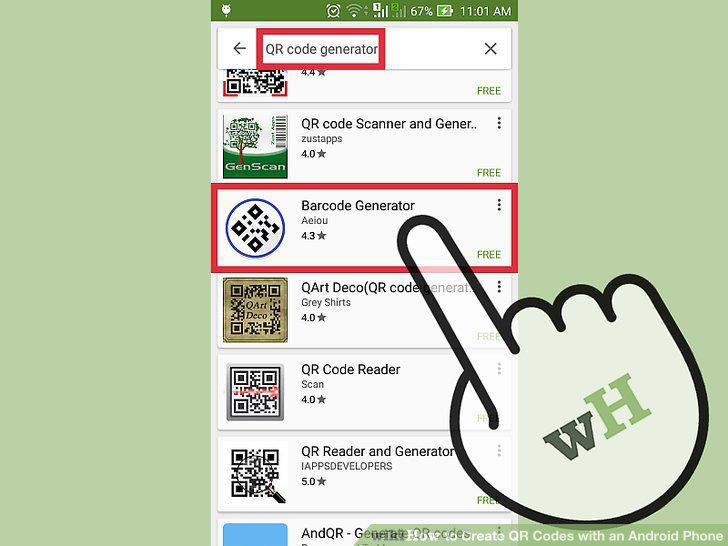
Search for "QR code generator".
3
Tap "Install" to install the app.
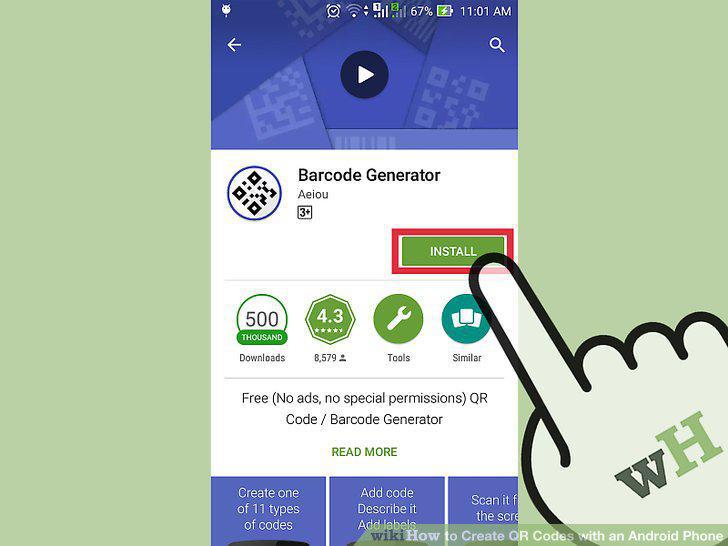
Tap "Install" to install the app.
4
Tap "Open" to launch the app.
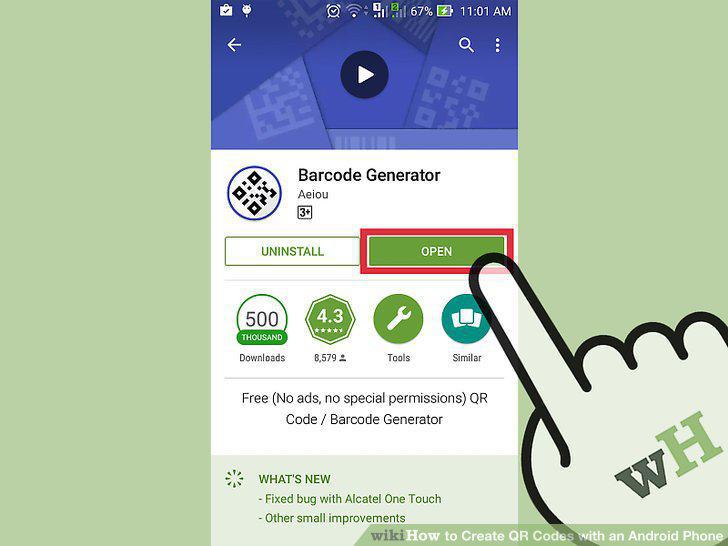
Tap "Open" to launch the app.
5
Locate and select the app's menu.
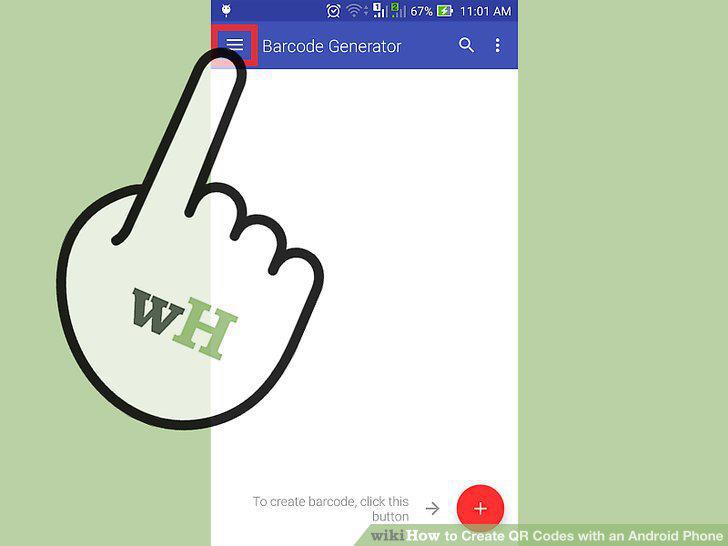
Locate and select the app's menu.
6
Tap "Create" or "New" to create your QR code.
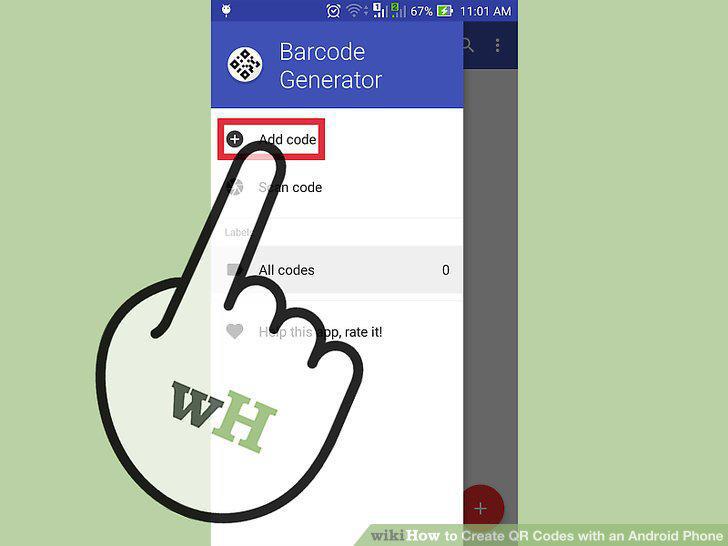
Tap "Create" or "New" to create your QR code.
7
Enter the URL or data into the provided blank.
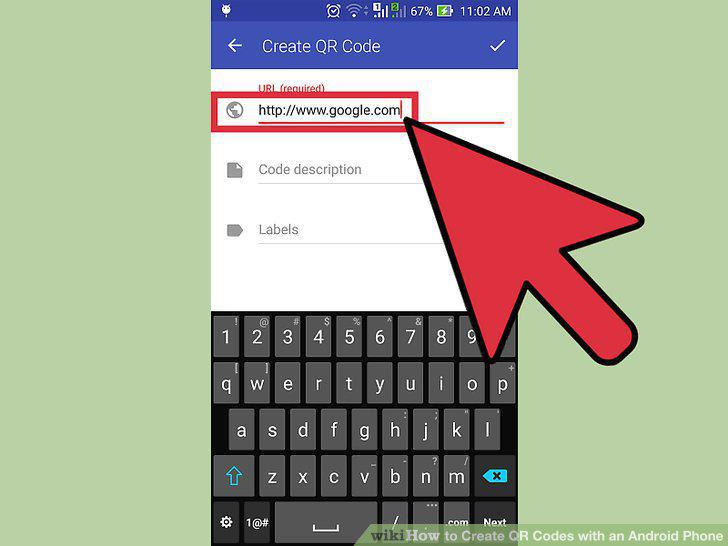
Enter the URL or data into the provided blank.
8
Tap "Generate" or "Create" to build your code.
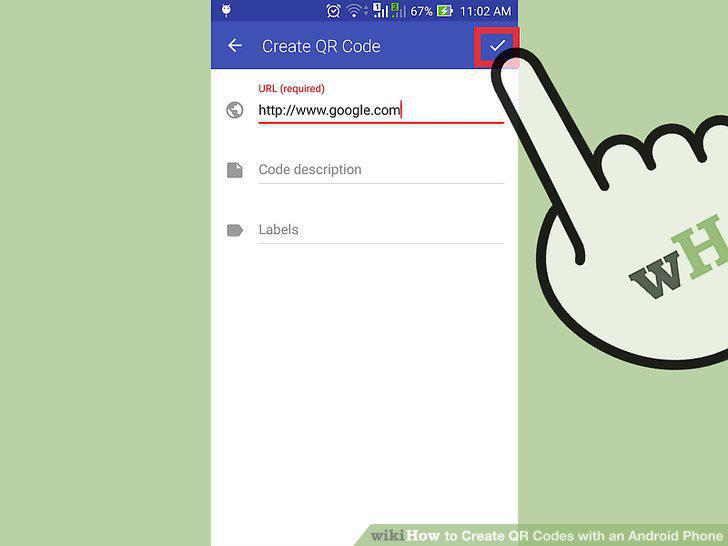
Tap "Generate" or "Create" to build your code.
9
Save and/or share your code.
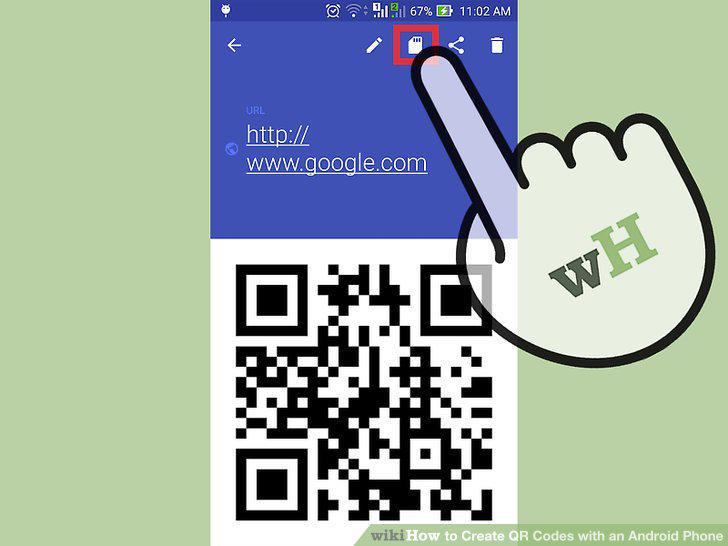
Save and/or share your code.
10
Launch a web browser on your Android.
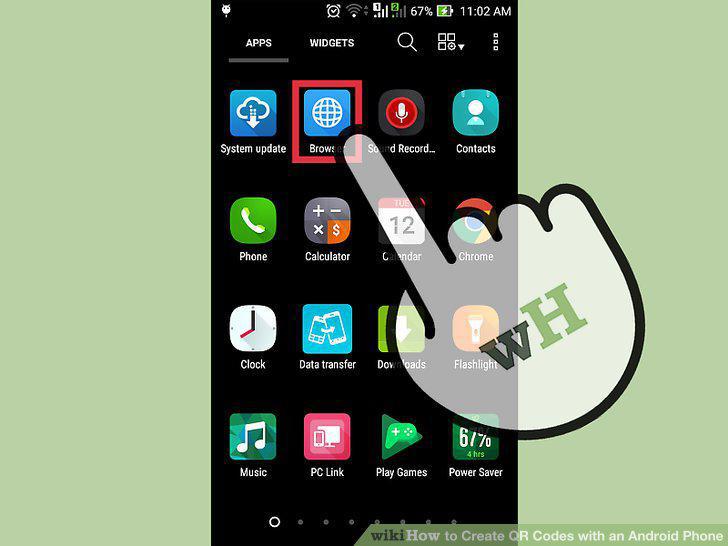
Launch a web browser on your Android.
11
Navigate to a QR generator website.
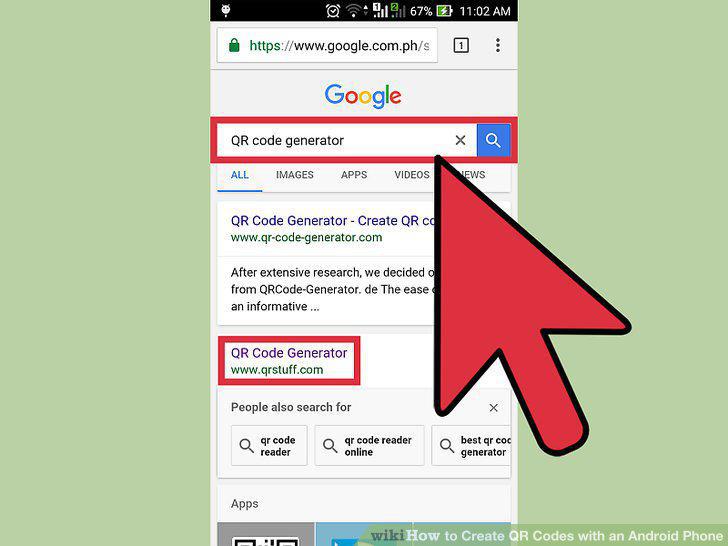
Navigate to a QR generator website.
12
Choose the type of QR code to create.
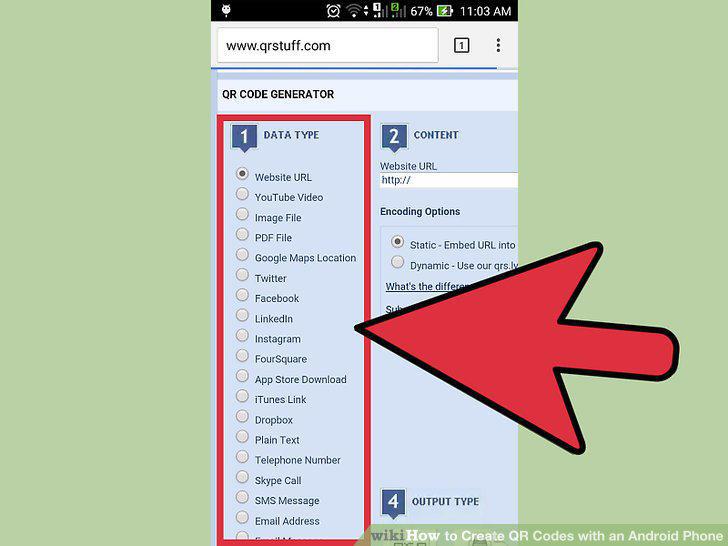
Choose the type of QR code to create.
13
Enter the information you would like stored.
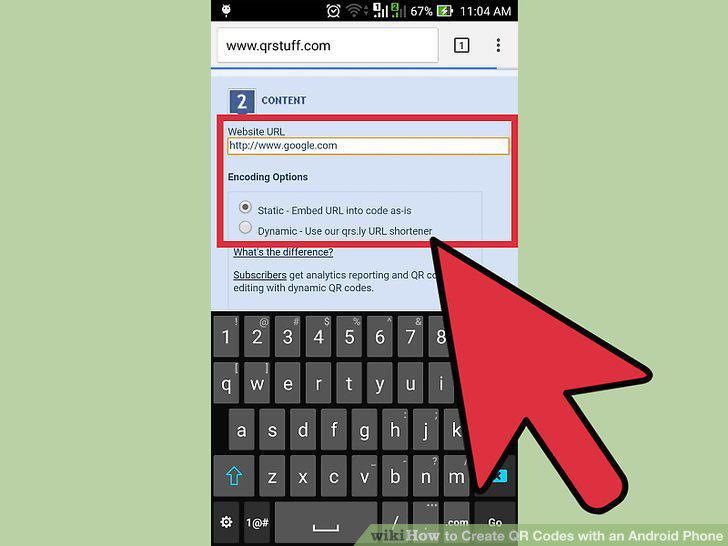
Enter the information you would like stored.
14
Click "Download" to save your QR code.
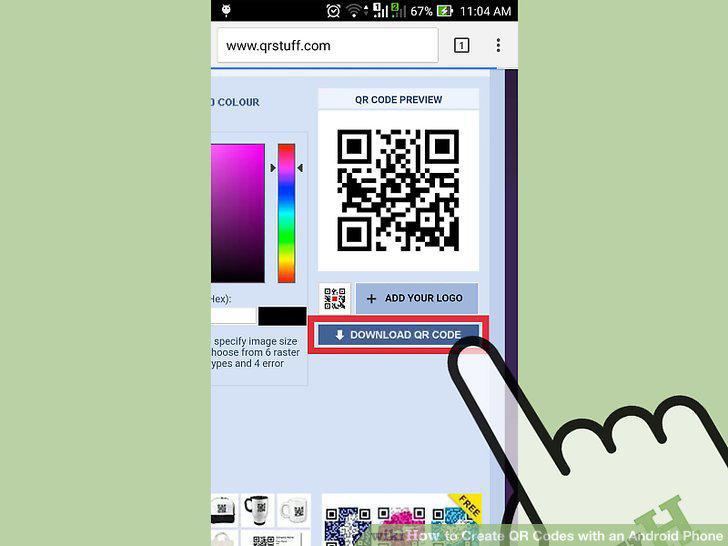
Click "Download" to save your QR code.
Comments (0)
No comments yet. Be the first to share your thoughts!