How to Add a New Bot in Counter Strike
Open Counter Strike:. Click PLAY.. Click OFFLINE WITH BOTS.
Steps
1
Open Counter Strike:
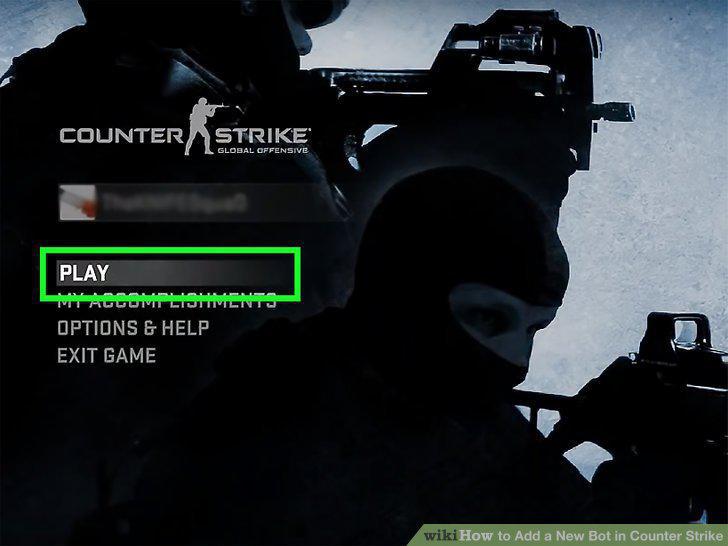
Open Counter Strike:
2
Click PLAY.
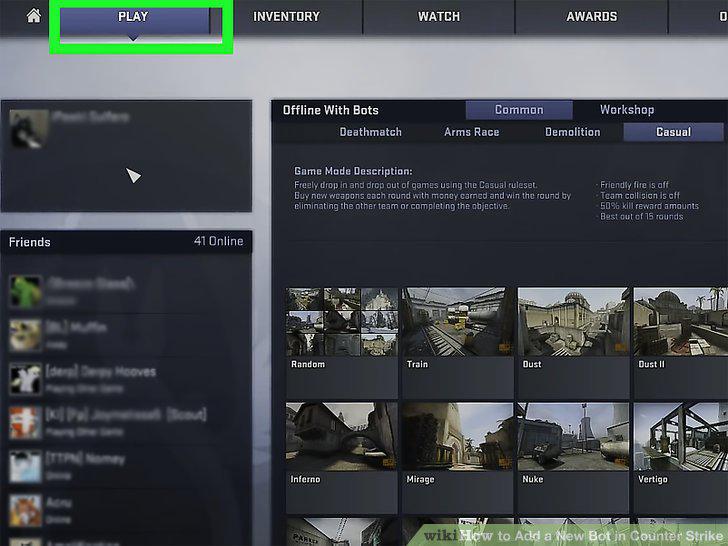
Click PLAY.
3
Click OFFLINE WITH BOTS.
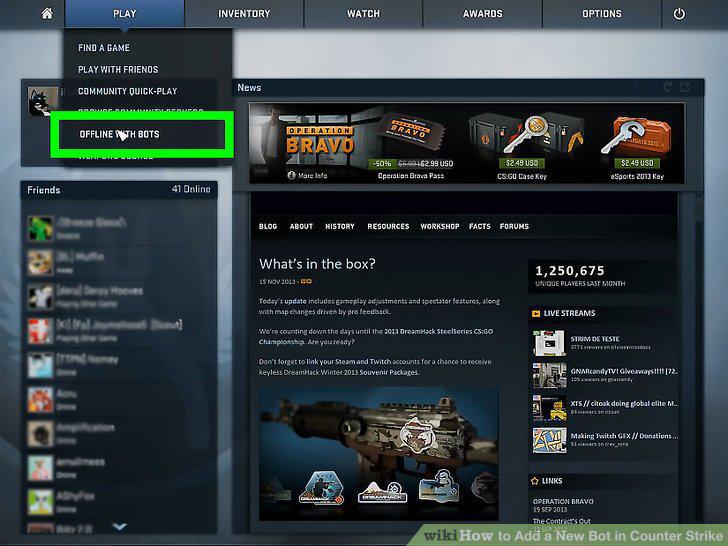
Click OFFLINE WITH BOTS.
4
Select a map.
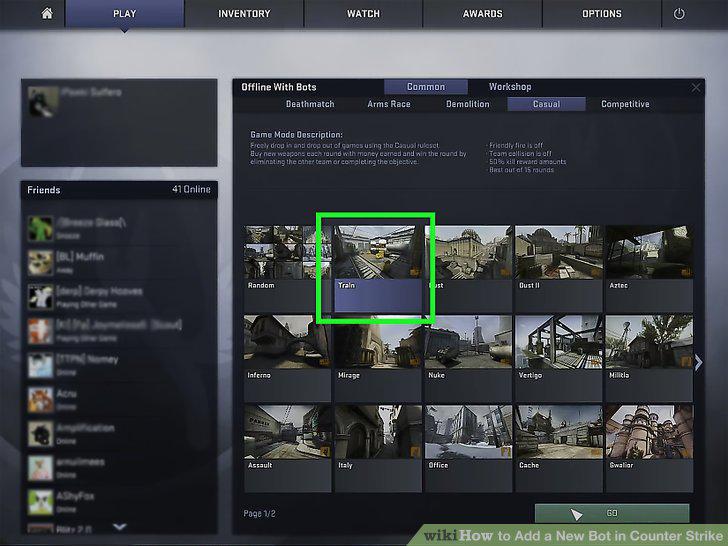
Select a map.
5
Choose bot difficulty.
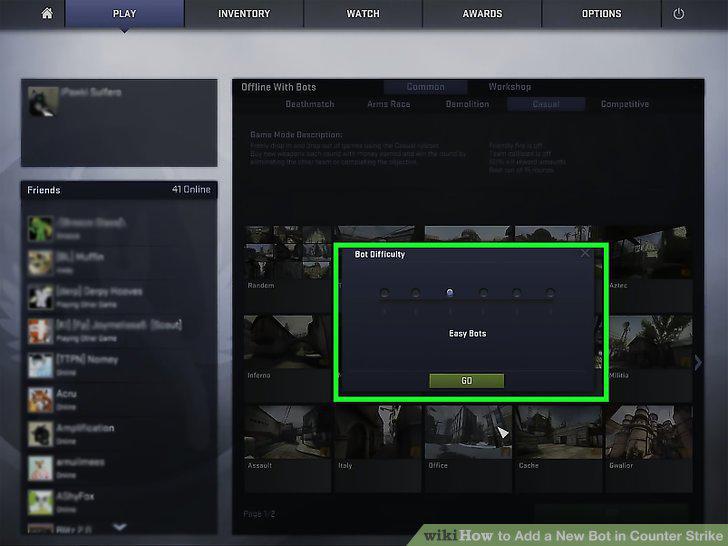
Choose bot difficulty.
6
Select a team.
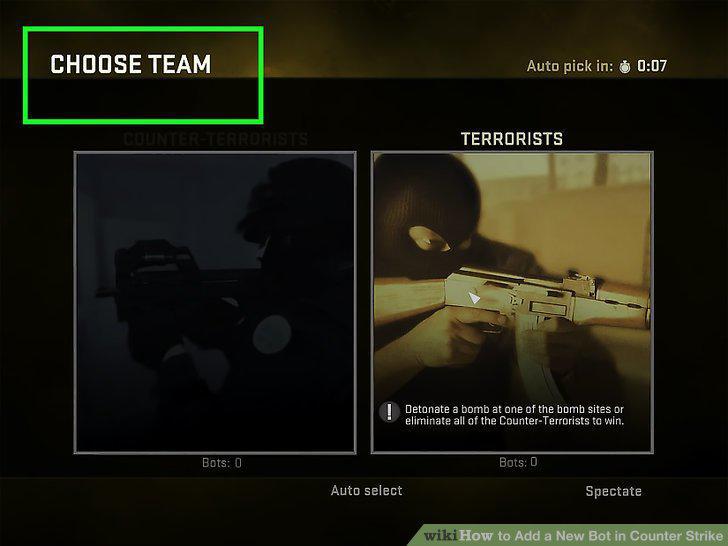
Select a team.
7
View your teams.
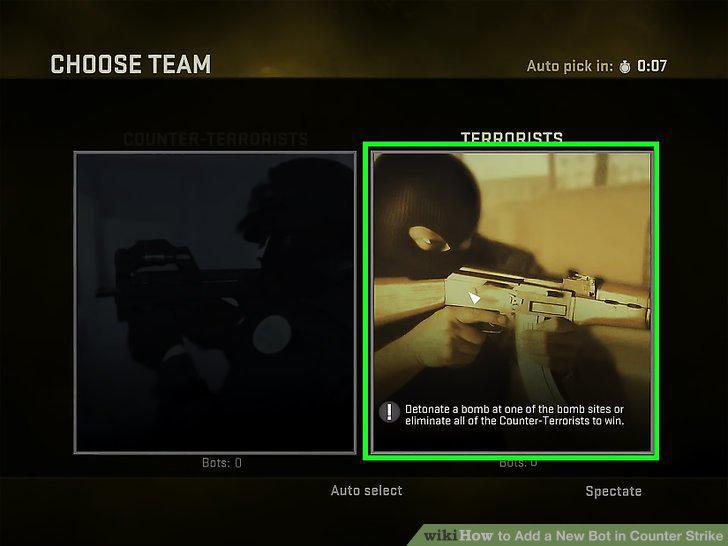
View your teams.
8
Use the developer console to add or remove bots.
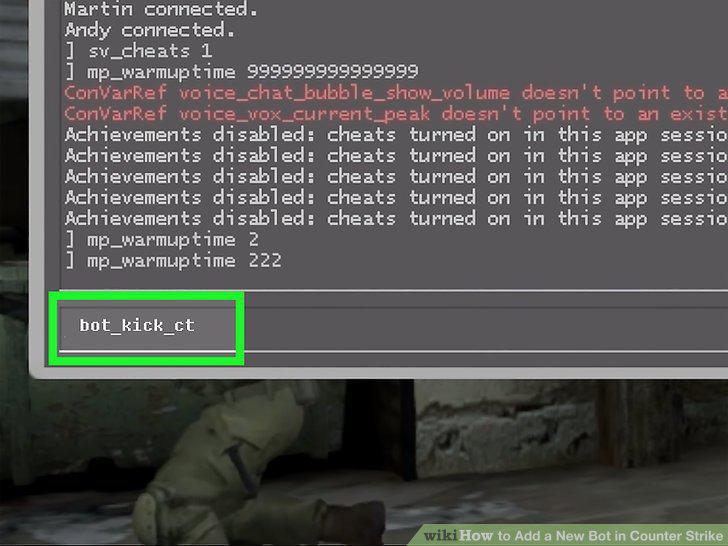
Use the developer console to add or remove bots.
9
Open a Counter-Strike game.
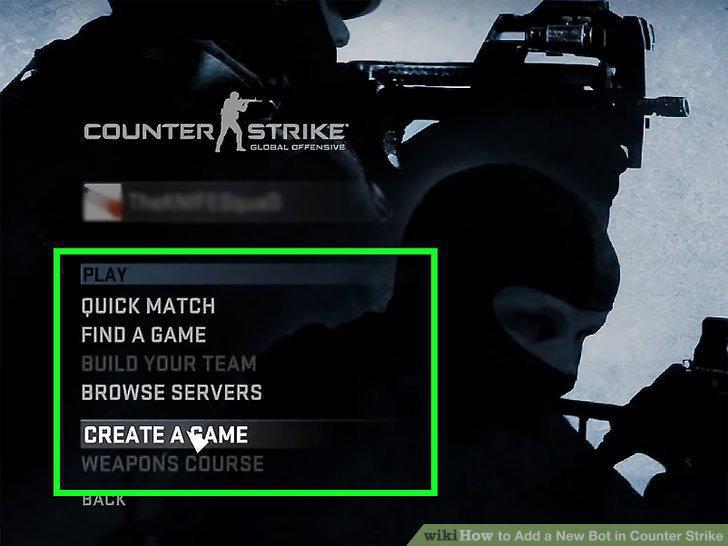
Open a Counter-Strike game.
10
Enable the developer console.
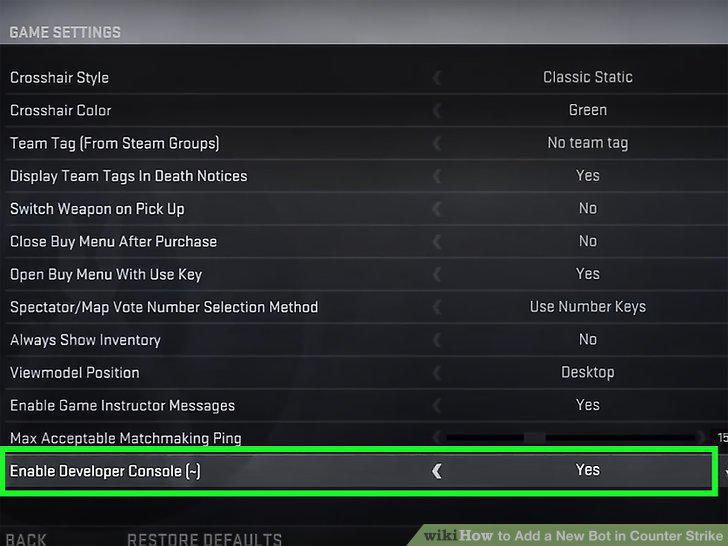
Enable the developer console.
11
Start a game.
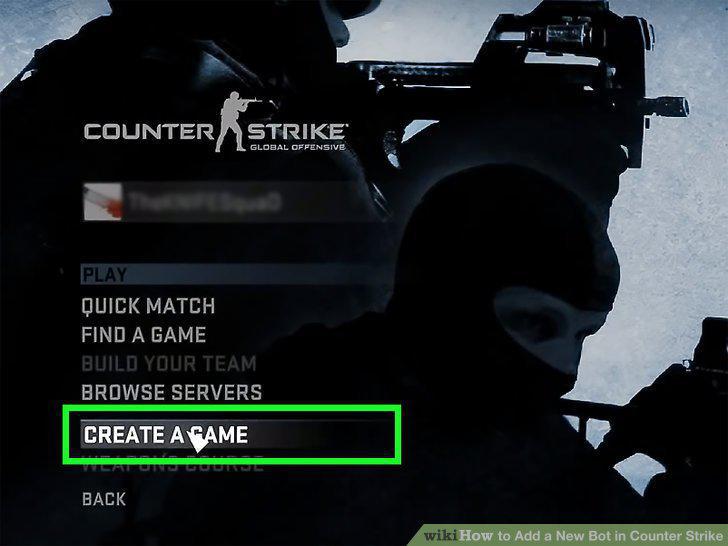
Start a game.
12
Press the ~ key.
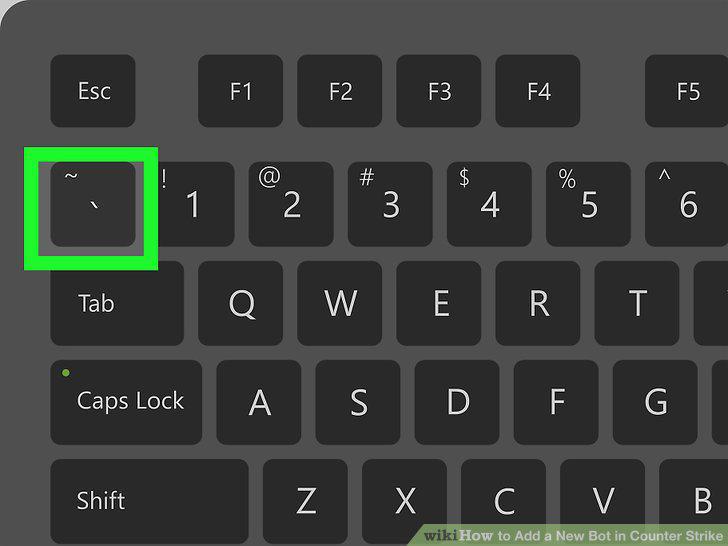
Press the ~ key.
13
Add a bot.
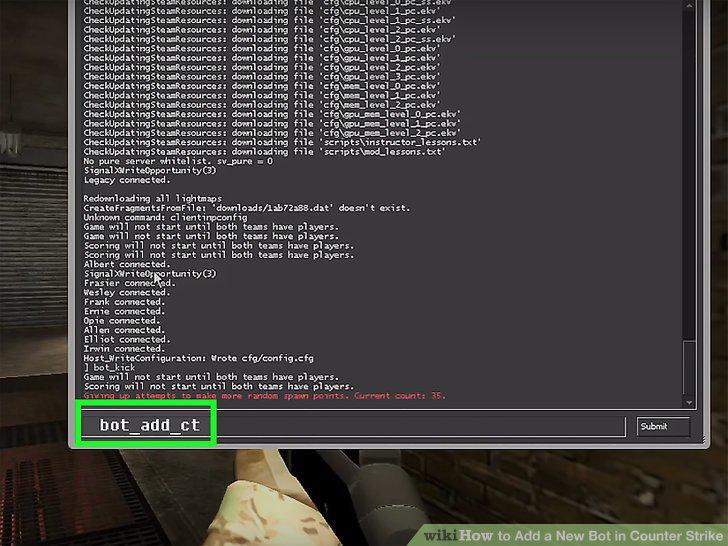
Add a bot.
14
Change a bot's difficulty.
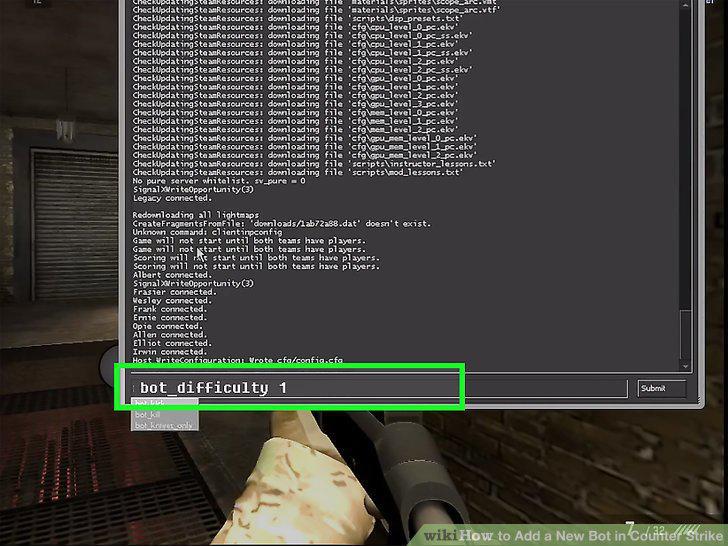
Change a bot's difficulty.
Comments (0)
No comments yet. Be the first to share your thoughts!