How to Install Master Controller on Sims 3
Set up your mod framework. Update your game if you aren't on the most recent patch.. Navigate to the NRaas website.
Steps
1
Set up your mod framework
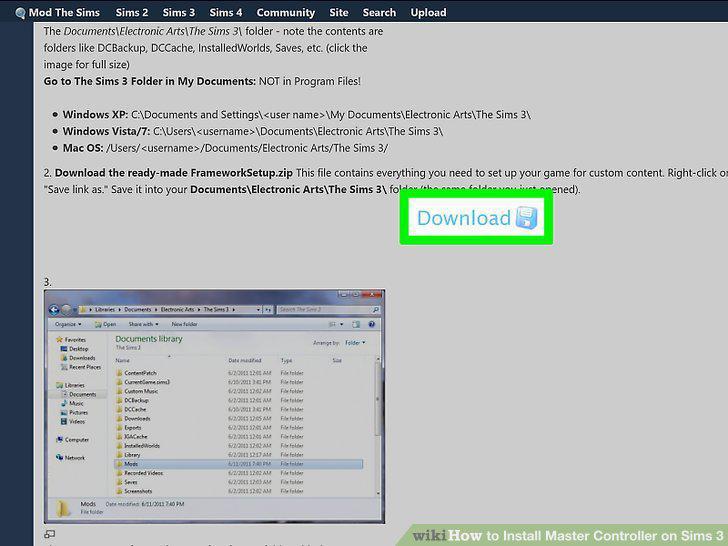
Set up your mod framework
2
Update your game if you aren't on the most recent patch.
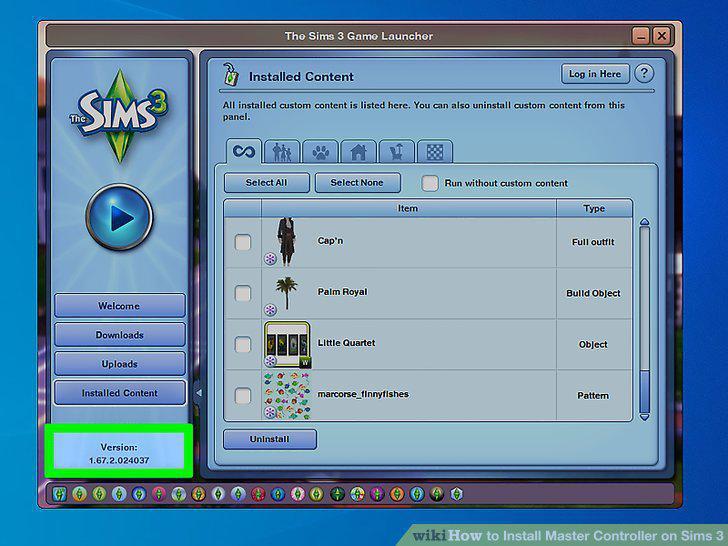
Update your game if you aren't on the most recent patch.
3
Navigate to the NRaas website.
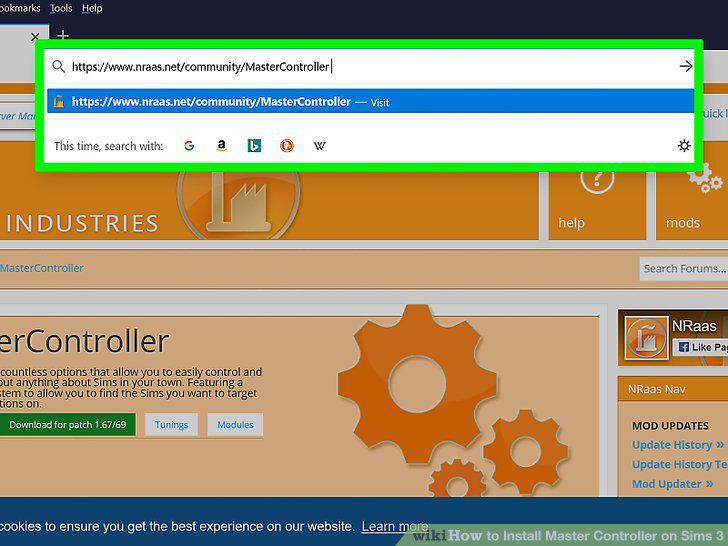
Navigate to the NRaas website.
4
Click the Download button.
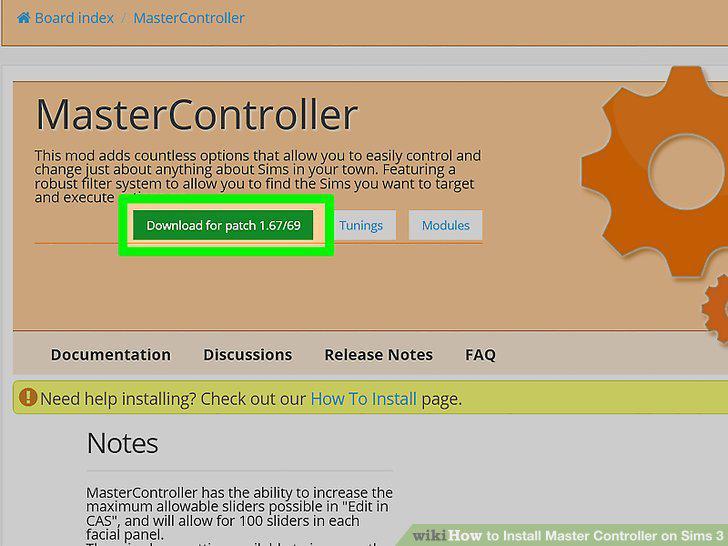
Click the Download button.
5
Extract the mod file from the zip.
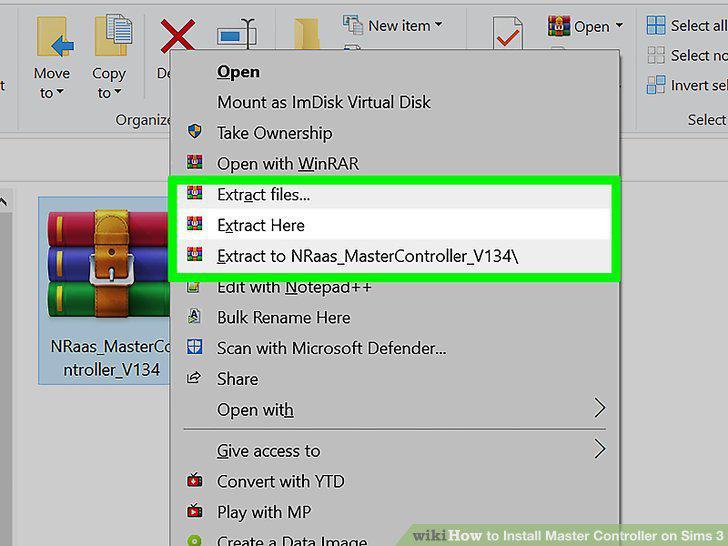
Extract the mod file from the zip.
6
Open your Packages folder.
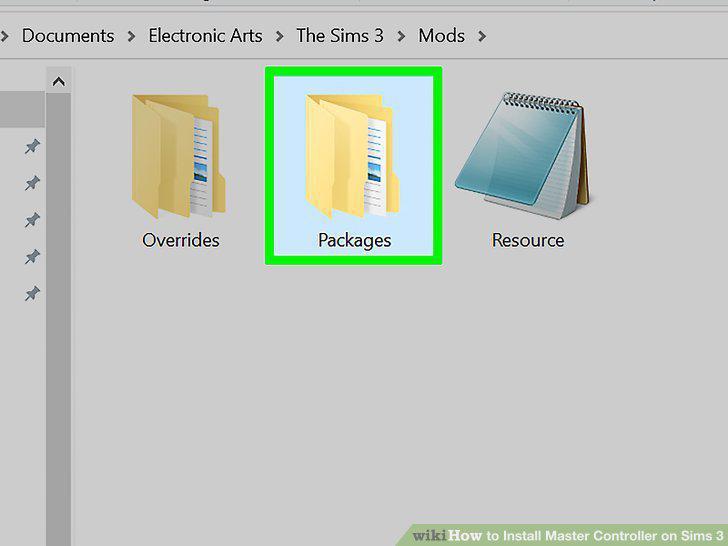
Open your Packages folder.
7
Move the package file into the Packages folder.
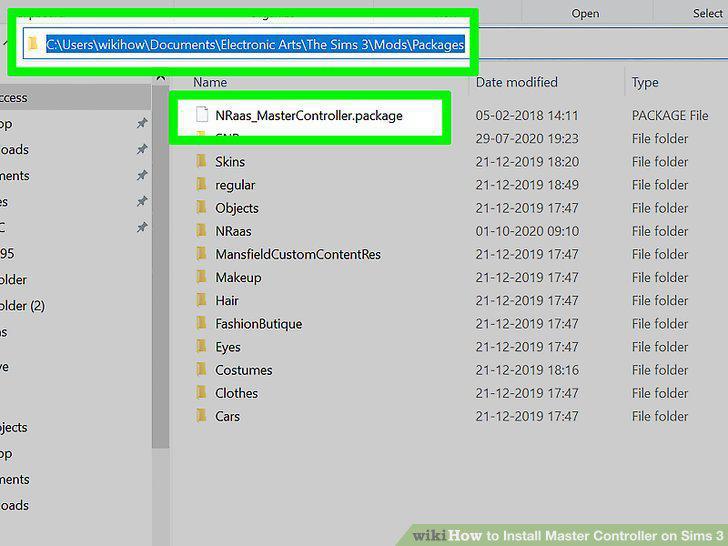
Move the package file into the Packages folder.
8
Launch The Sims 3 and click on a Sim.
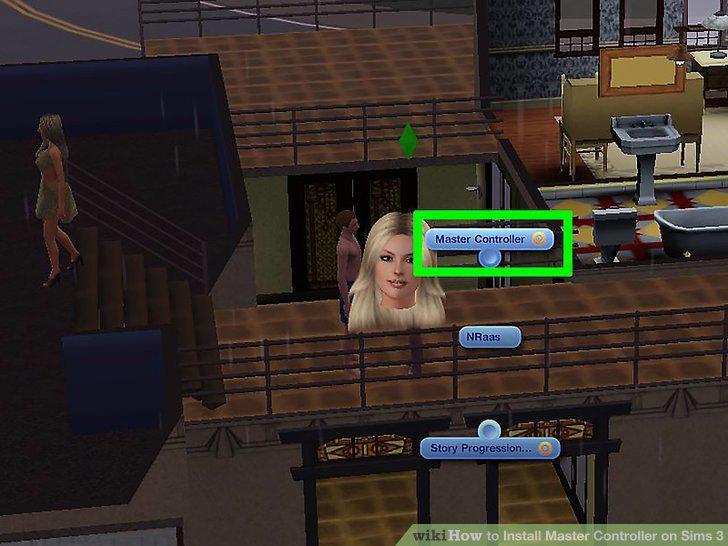
Launch The Sims 3 and click on a Sim.
Comments (0)
No comments yet. Be the first to share your thoughts!