How to Enable Education Edition in Minecraft
Create a new world.. Select Creative in the "Default Game Mode" drop-down.. Click the switch next to "Activate Cheats" to turn it on .
Steps
1
Create a new world.
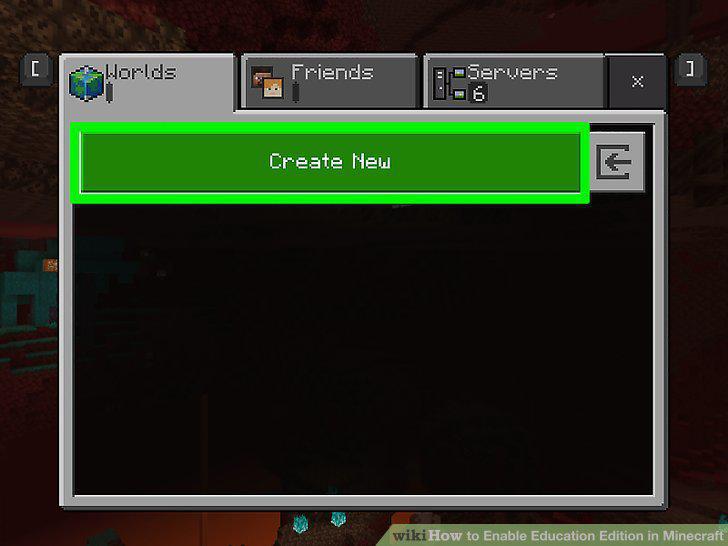
Create a new world.
2
Select Creative in the "Default Game Mode" drop-down.
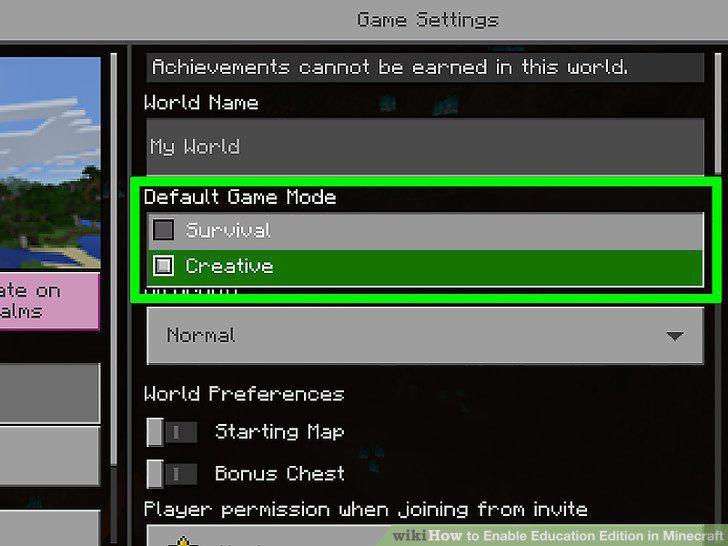
Select Creative in the "Default Game Mode" drop-down.
3
Click the switch next to "Activate Cheats" to turn it on .
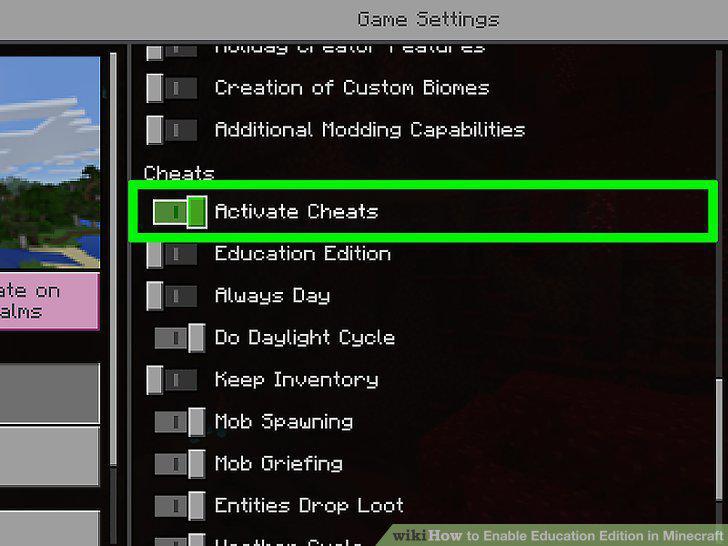
Click the switch next to "Activate Cheats" to turn it on .
4
Click the switch next to "Education Edition" to turn it on .
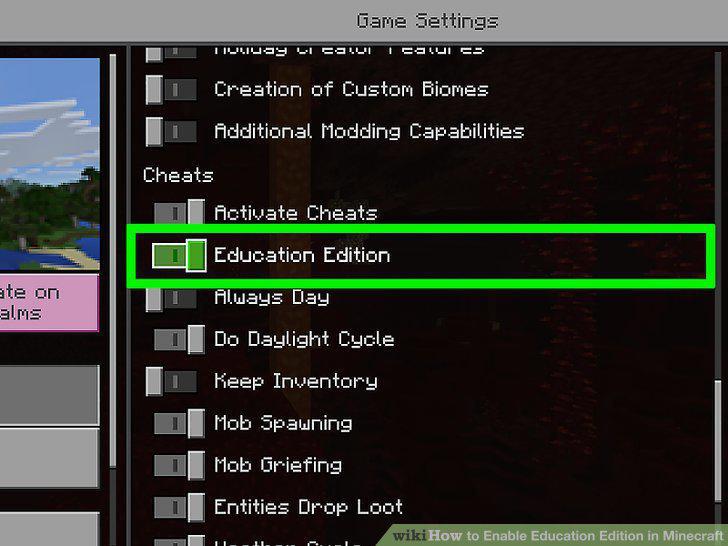
Click the switch next to "Education Edition" to turn it on .
5
Click Continue.
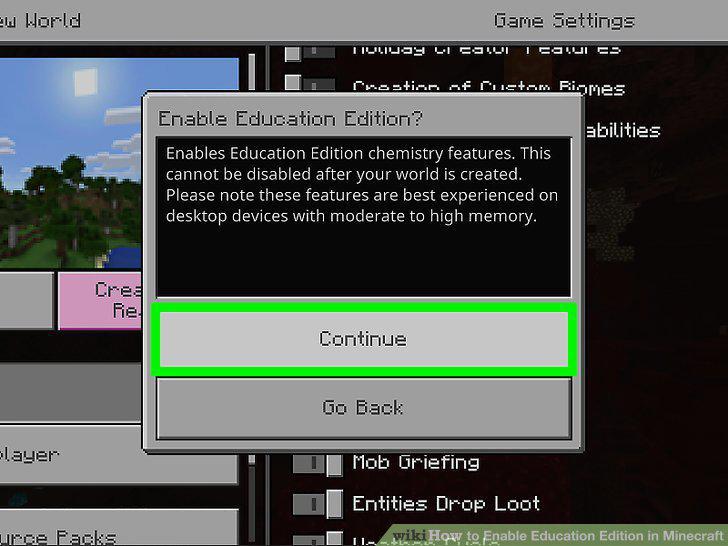
Click Continue.
6
Click Create.
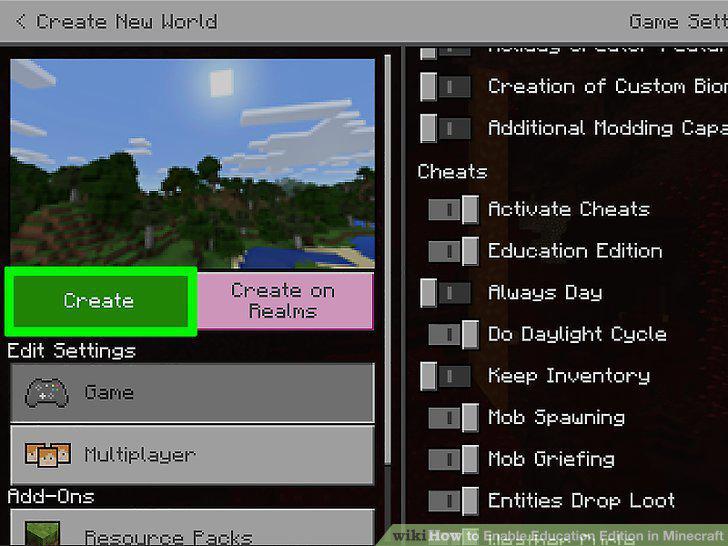
Click Create.
Comments (0)
No comments yet. Be the first to share your thoughts!