How to Share Steam Games with Family and Friends
Open Steam on your computer.. Click the Steam menu on the top-left.. Click Settings (Windows) or Preferences (Mac).
Steps
1
Open Steam on your computer.
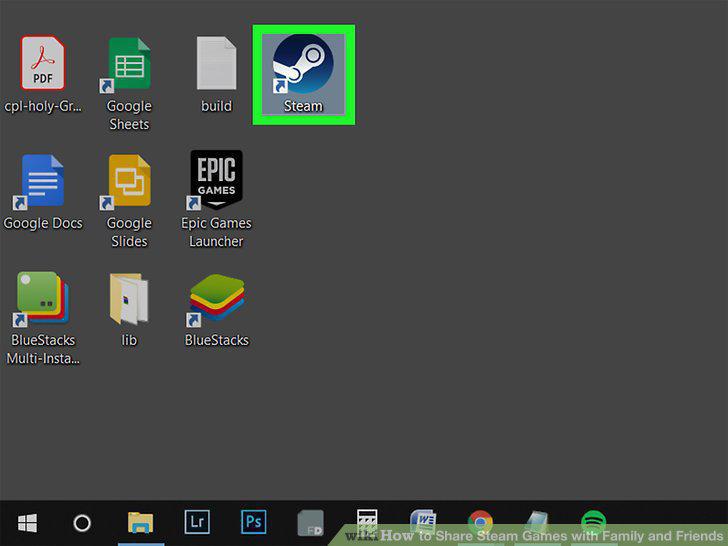
Open Steam on your computer.
2
Click the Steam menu on the top-left.
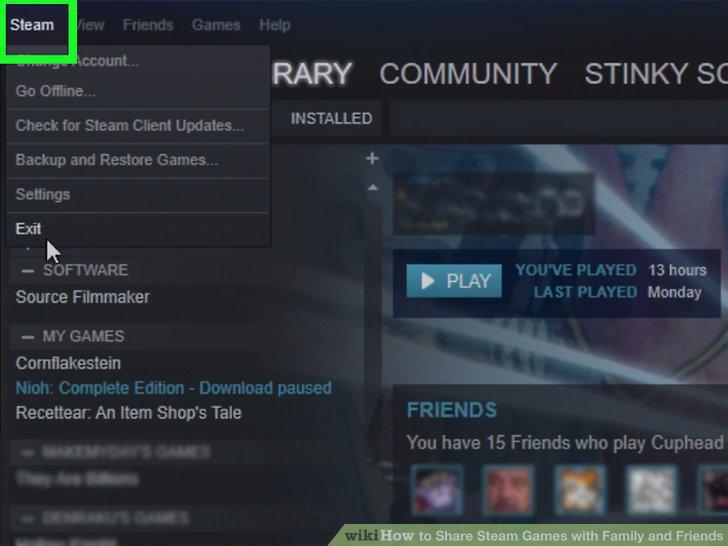
Click the Steam menu on the top-left.
3
Click Settings (Windows) or Preferences (Mac).
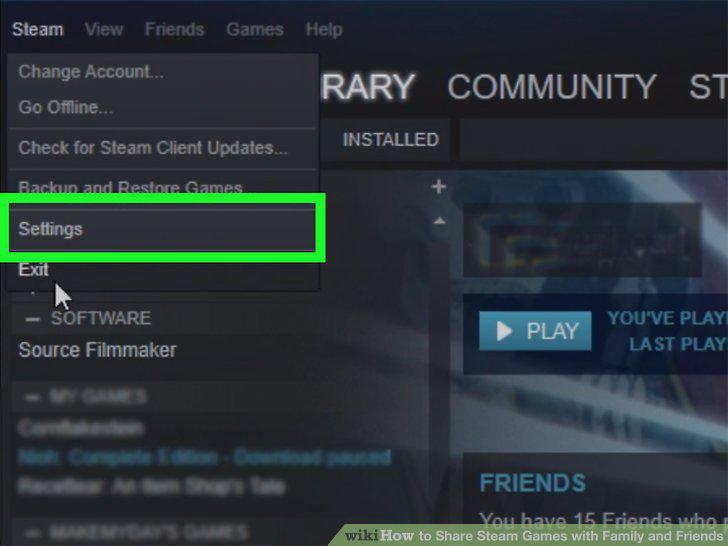
Click Settings (Windows) or Preferences (Mac).
4
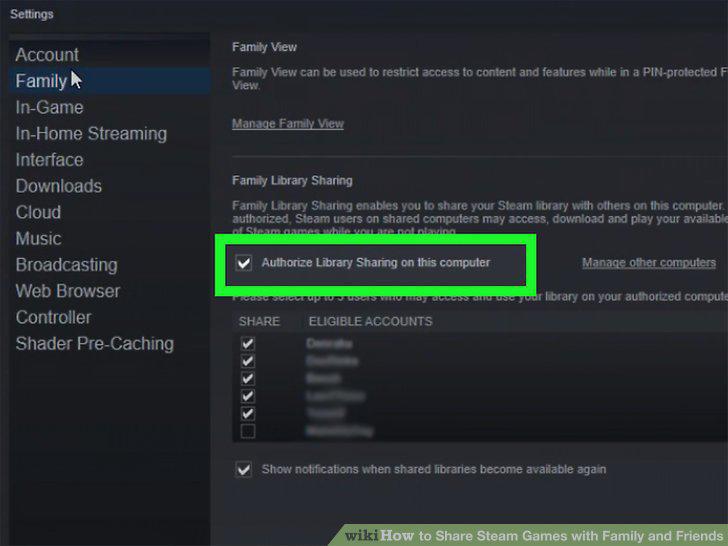
Click the Family tab on the left menu.
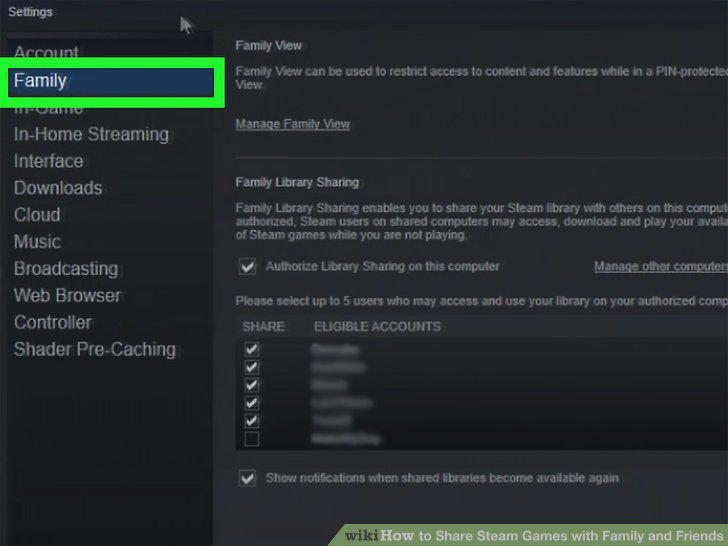
Click the Family tab on the left menu.
5
Check the Authorize Library Sharing on this computer option.
Check the Authorize Library Sharing on this computer option.
6
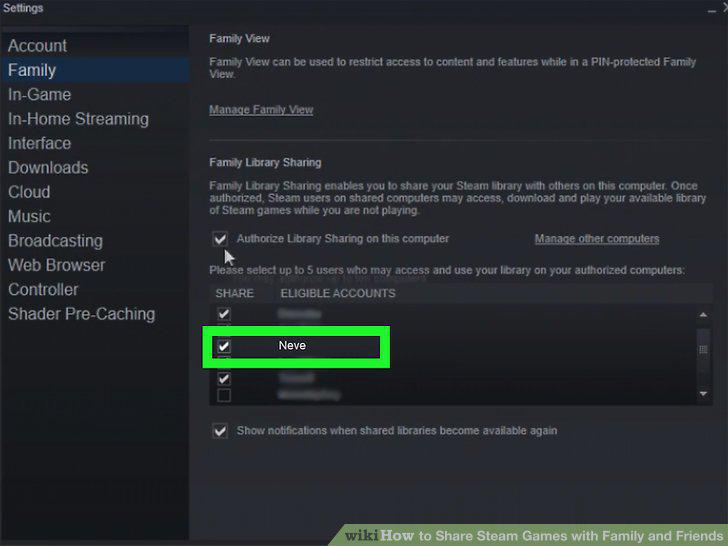
Check the box next to the users you want to share your library.
Check the box next to the users you want to share your library.
7
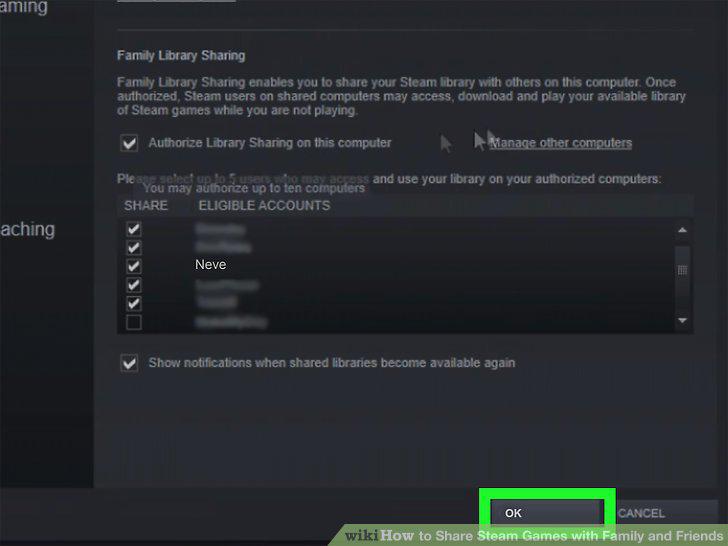
Click the OK button.
Click the OK button.
Comments (0)
No comments yet. Be the first to share your thoughts!