How to Avoid Toll Roads on Google Maps on PC or Mac
Go to https://maps.google.com in a web browser.. Click the blue arrow.. Click Choose starting point or click on the map.
Steps
1
Go to https://maps.google.com in a web browser.
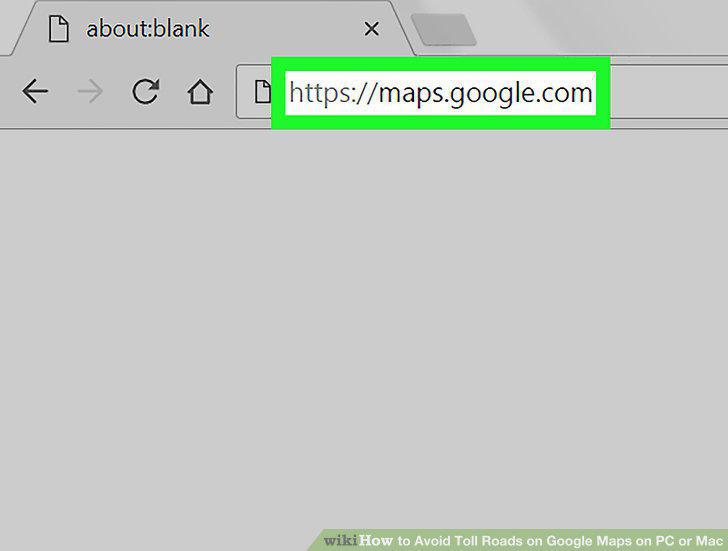
Go to https://maps.google.com in a web browser.
2
Click the blue arrow.
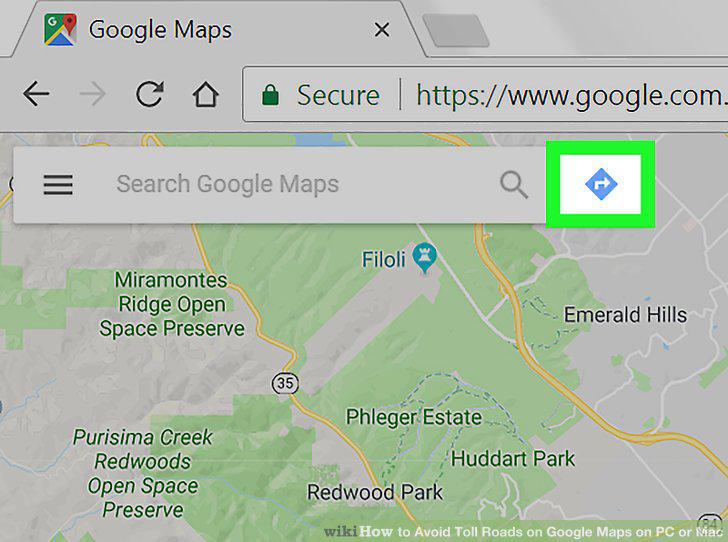
Click the blue arrow.
3
Click Choose starting point or click on the map.
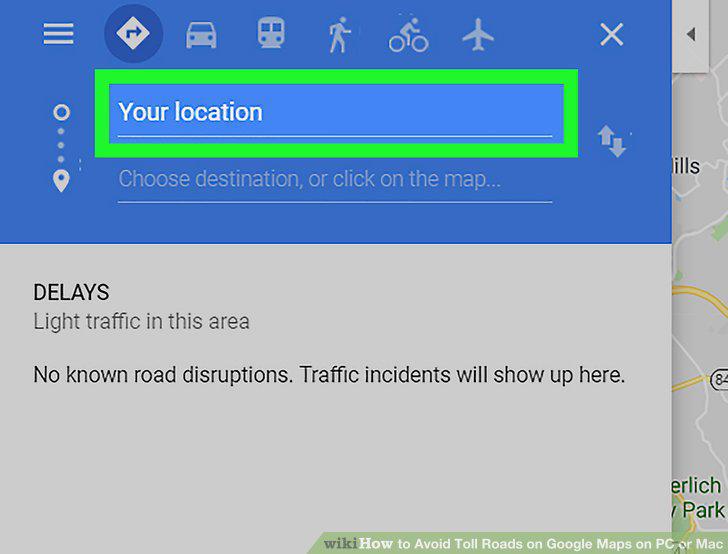
Click Choose starting point or click on the map.
4
Type an address or click a starting point.
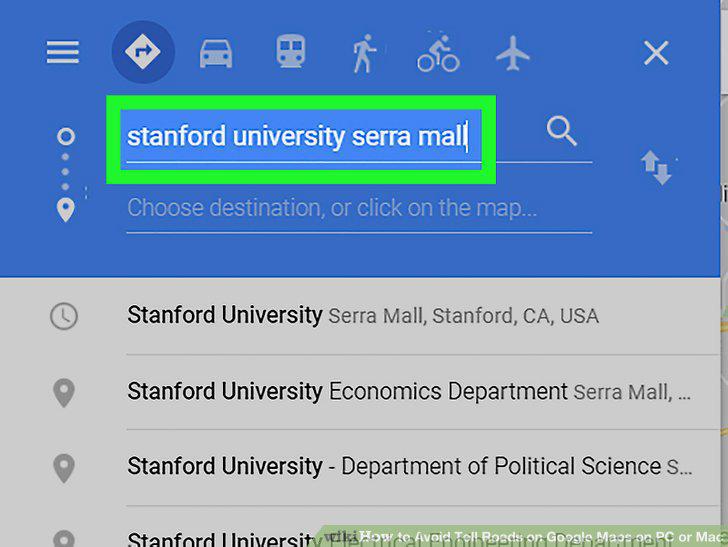
Type an address or click a starting point.
5
Click Choose destination.
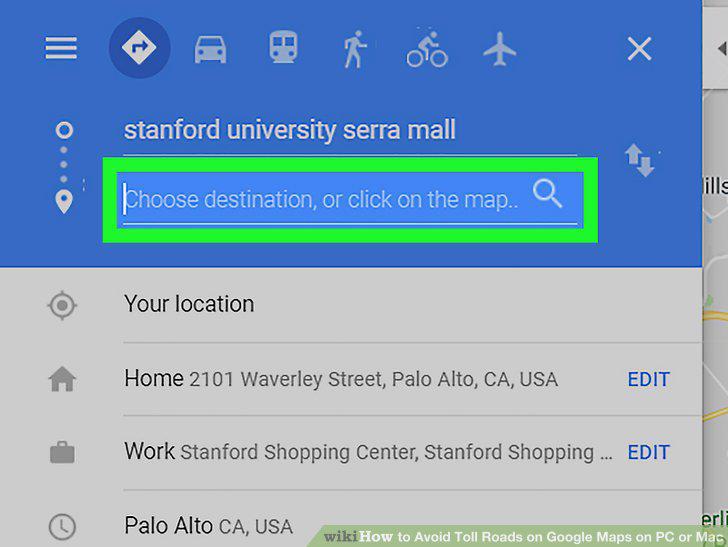
Click Choose destination.
6
Type an address or click a destination.
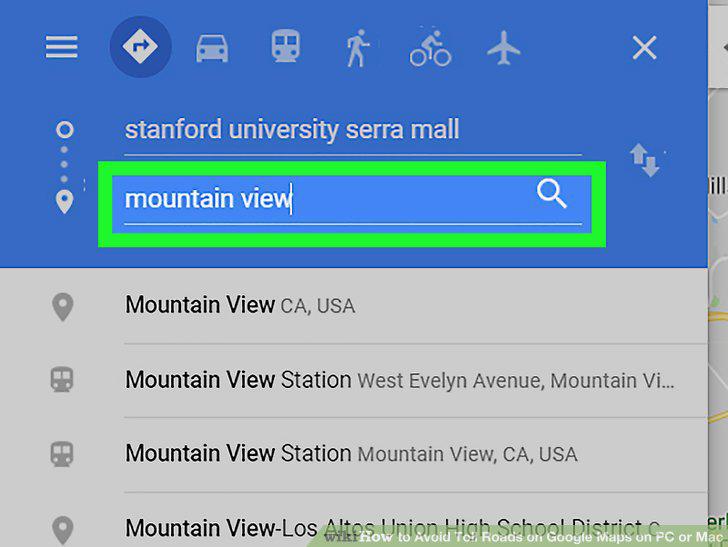
Type an address or click a destination.
7
Click the car icon.
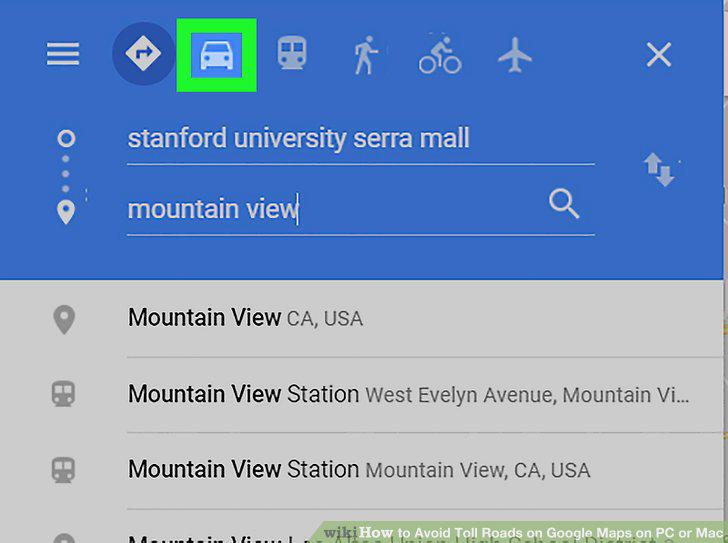
Click the car icon.
8
Click OPTIONS.
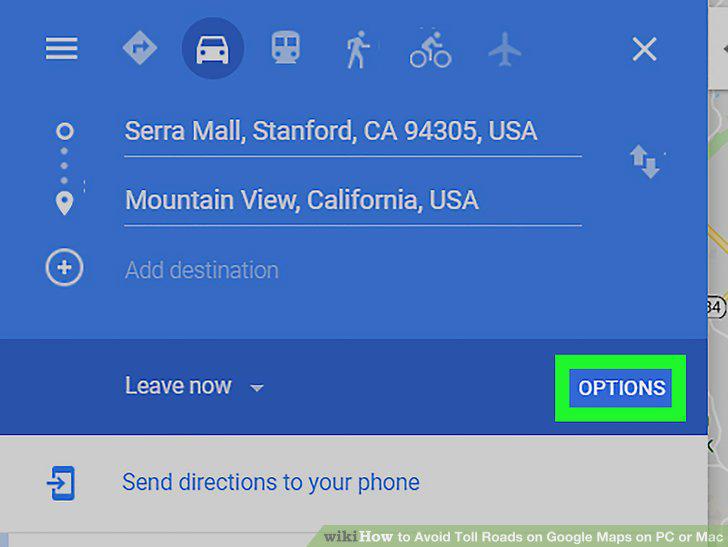
Click OPTIONS.
9
Check the box next to "Tolls" under the "Avoid" header.
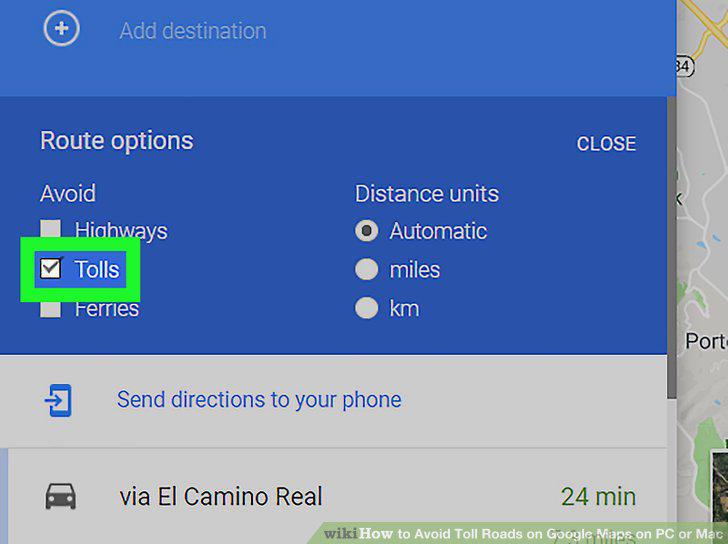
Check the box next to "Tolls" under the "Avoid" header.
10
Click CLOSE.
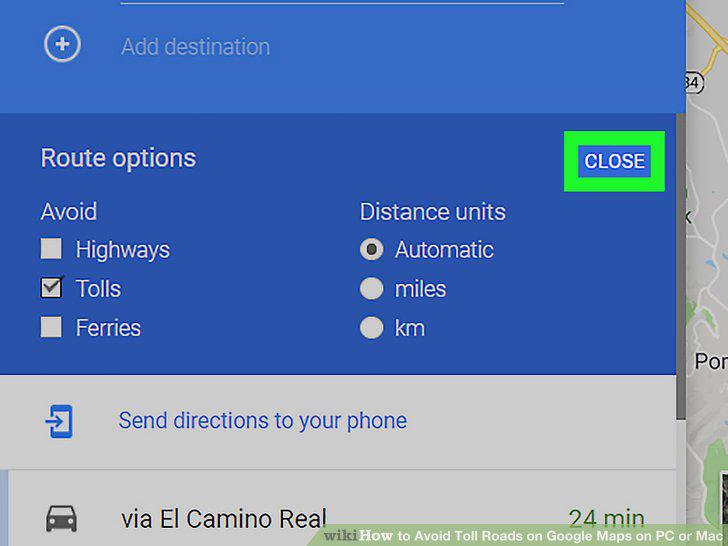
Click CLOSE.
Comments (0)
No comments yet. Be the first to share your thoughts!