How to Use Honey's Droplist
Navigate to an item you want to add to your Droplist.. Click the Honey icon (it looks like a cursive "h" on an orange background).. Click the arrow next to "Droplist this item.
Steps
1
Navigate to an item you want to add to your Droplist.
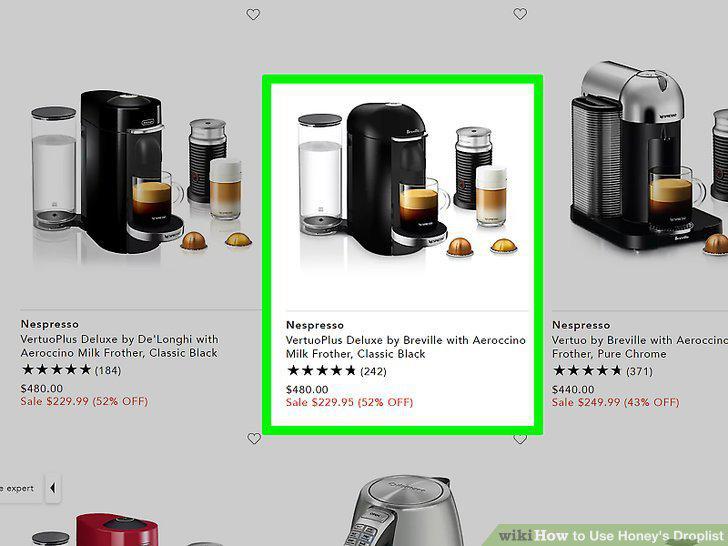
Navigate to an item you want to add to your Droplist.
2
Click the Honey icon (it looks like a cursive "h" on an orange background).
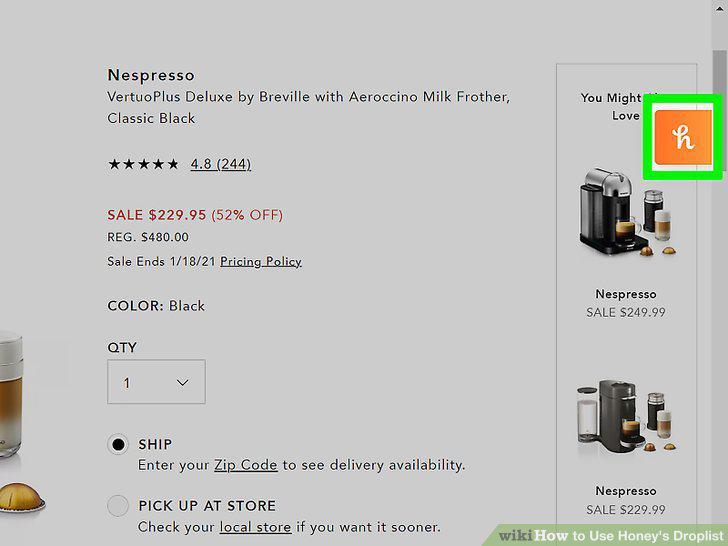
Click the Honey icon (it looks like a cursive "h" on an orange background).
3
Click the arrow next to "Droplist this item.
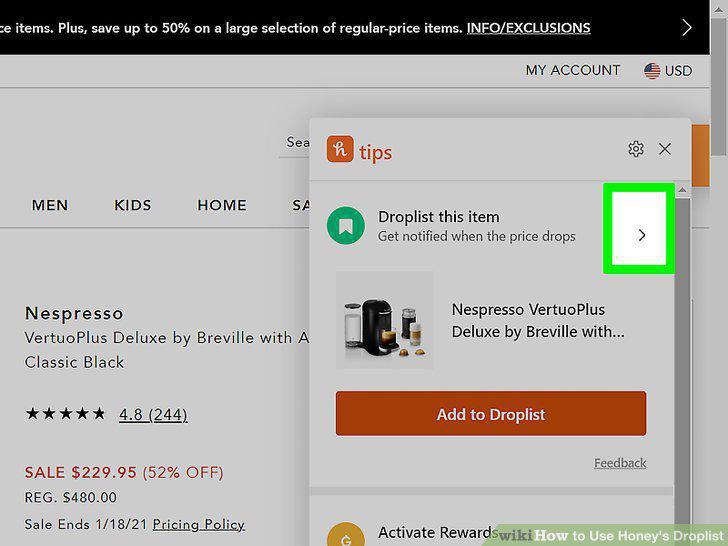
Click the arrow next to "Droplist this item.
4
Set your Droplist notifications and settings.
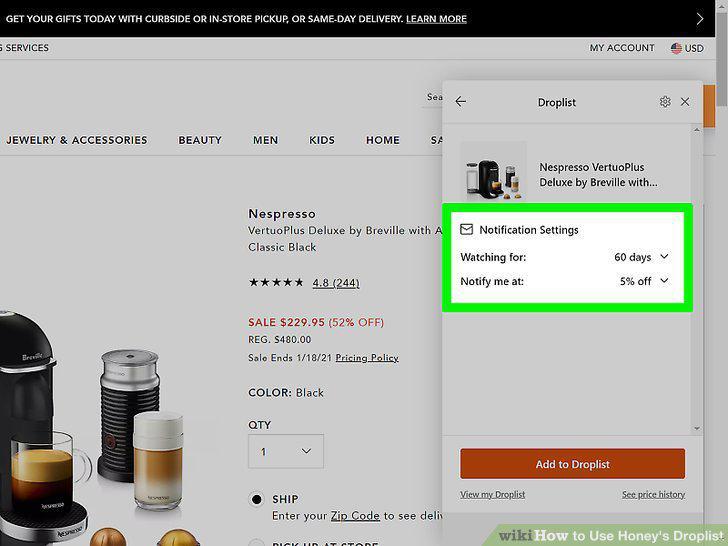
Set your Droplist notifications and settings.
5
Click Add to Droplist.
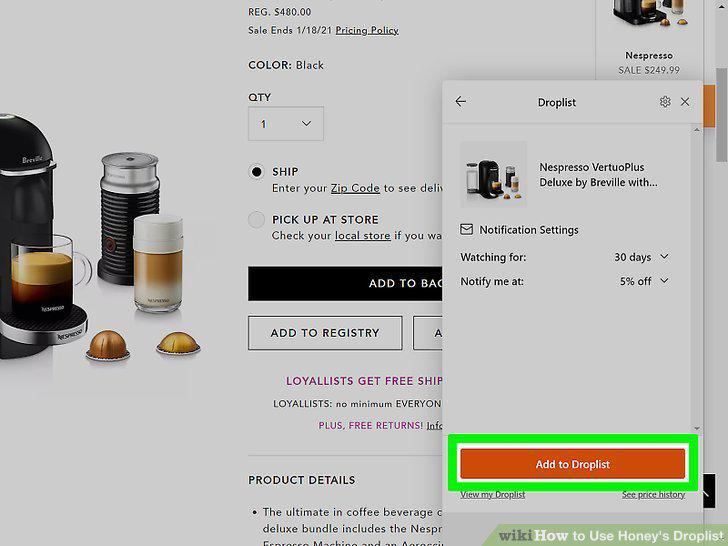
Click Add to Droplist.
Comments (0)
No comments yet. Be the first to share your thoughts!