How to Pay As a Guest on PayPal on iPhone or iPad
Complete shopping on the seller's website.. Tap the PayPal option on the checkout page.. Tap Pay with Debit or Credit Card or Check Out as a Guest.
Steps
1
Complete shopping on the seller's website.

Complete shopping on the seller's website.
2
Tap the PayPal option on the checkout page.
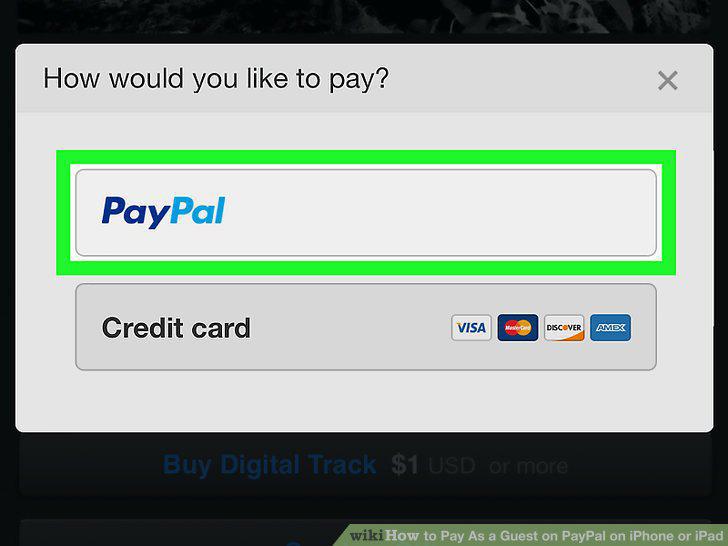
Tap the PayPal option on the checkout page.
3
Tap Pay with Debit or Credit Card or Check Out as a Guest.
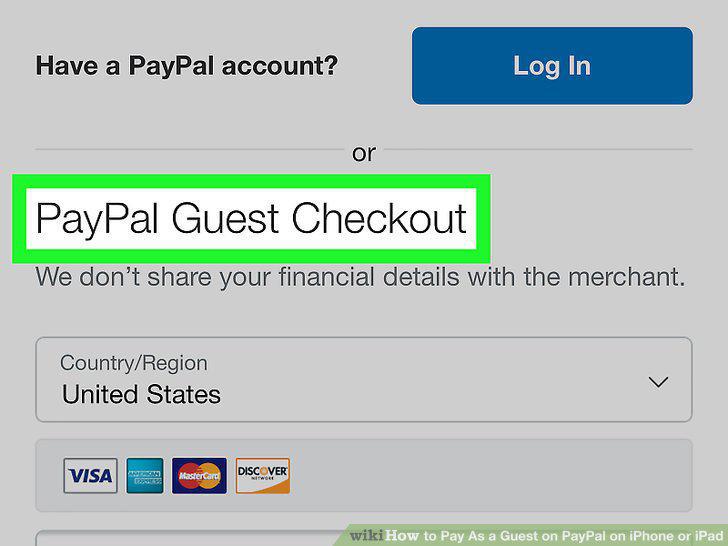
Tap Pay with Debit or Credit Card or Check Out as a Guest.
4
Enter your debit or credit card information.
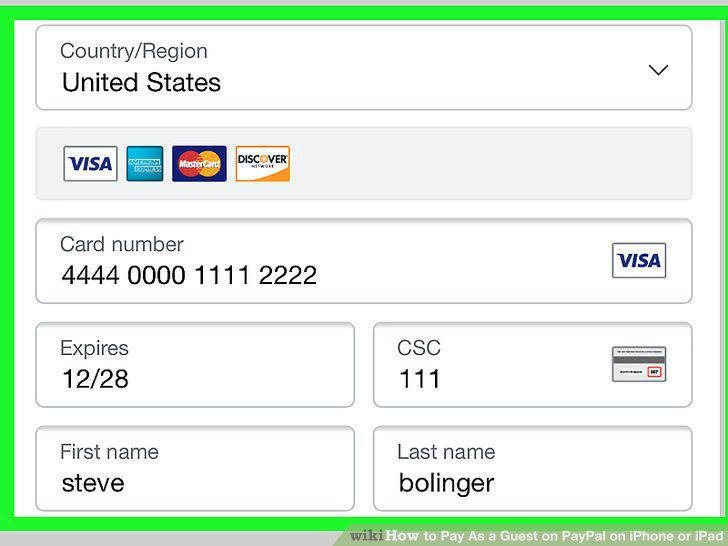
Enter your debit or credit card information.
5
Tap Pay Now at the bottom.
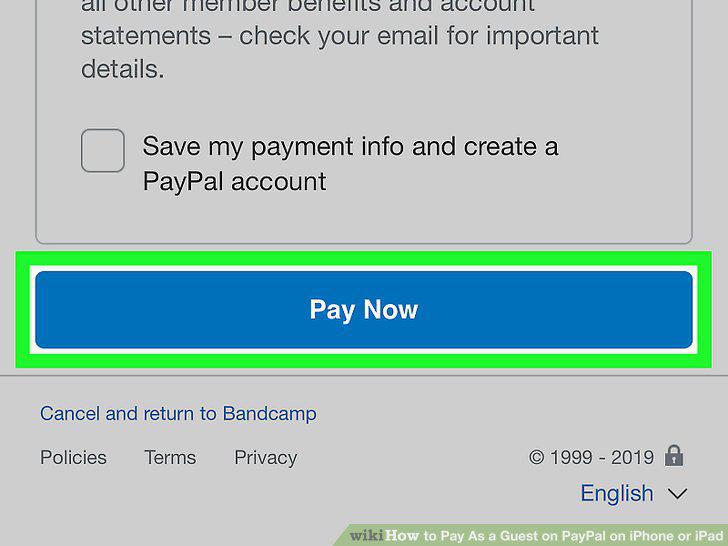
Tap Pay Now at the bottom.
Comments (0)
No comments yet. Be the first to share your thoughts!