How to Check Mouse Sensitivity (Dpi) on PC or Mac
Open the Windows search bar.. Type mouse into the search bar.. Click Mouse & touchpad settings.
Steps
1
Open the Windows search bar.
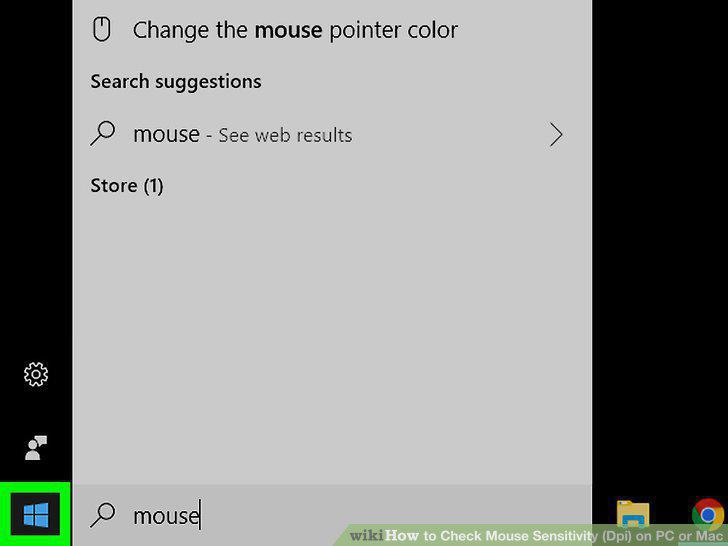
Open the Windows search bar.
2
Type mouse into the search bar.
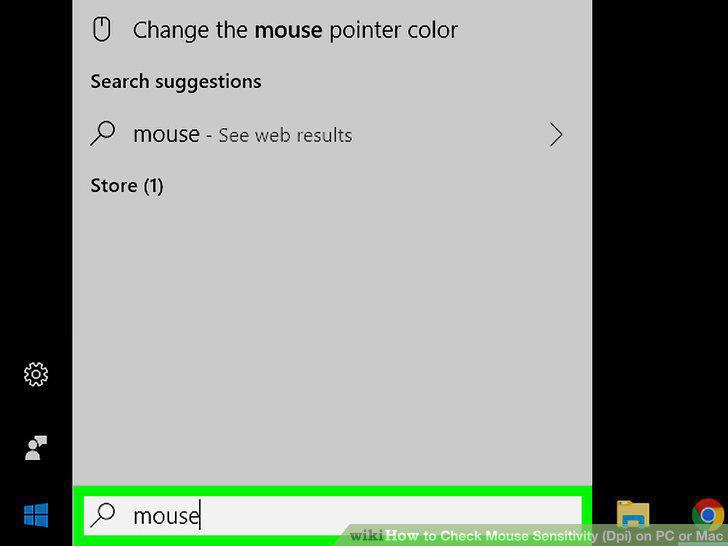
Type mouse into the search bar.
3
Click Mouse & touchpad settings.
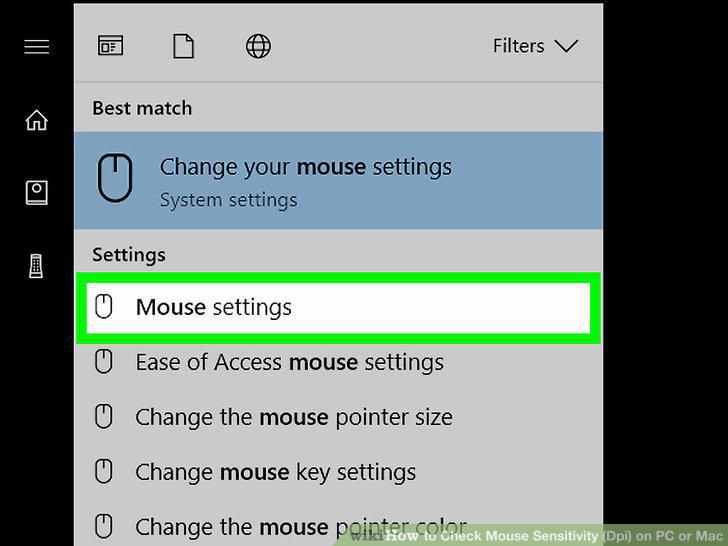
Click Mouse & touchpad settings.
4
Scroll down and click Additional mouse options.
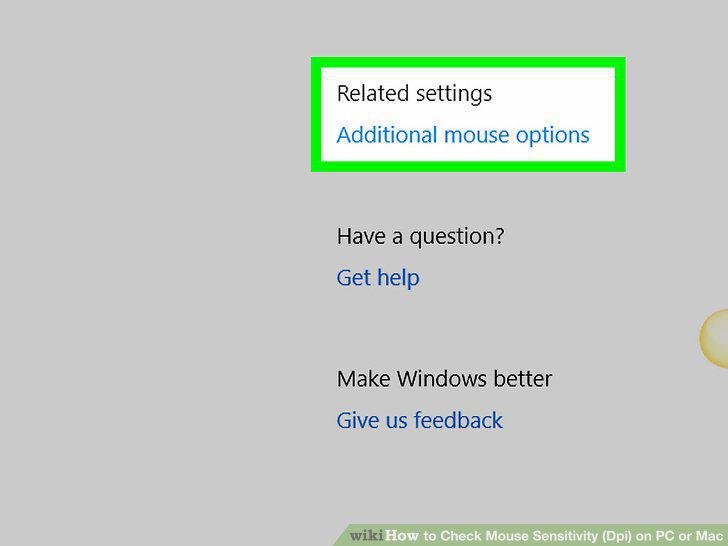
Scroll down and click Additional mouse options.
5
Click the Pointer Options tab.
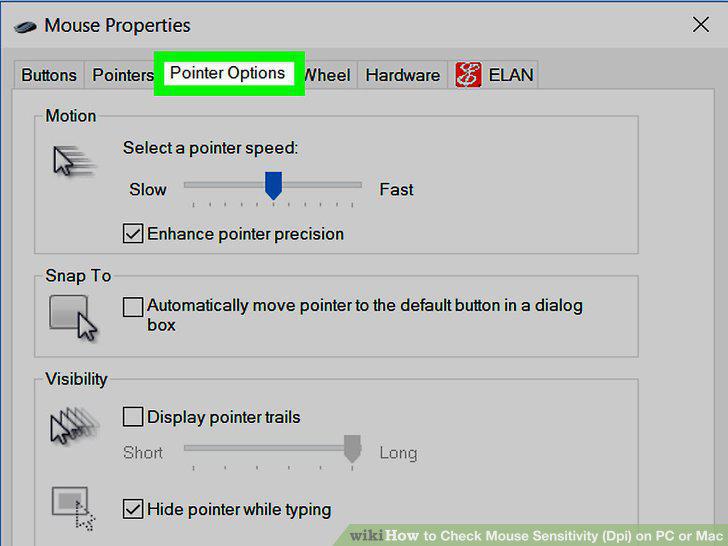
Click the Pointer Options tab.
6
Find the pointer sensitivity under the "Motion" header.
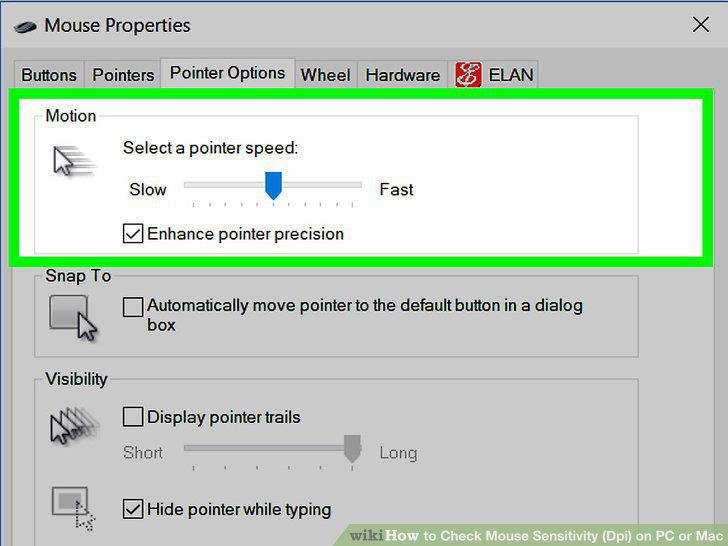
Find the pointer sensitivity under the "Motion" header.
7
Click the menu.
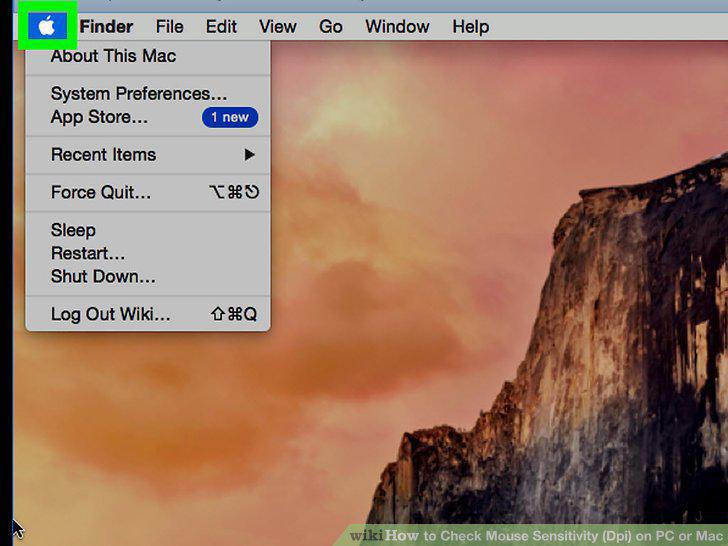
Click the menu.
8
Click System Preferences.
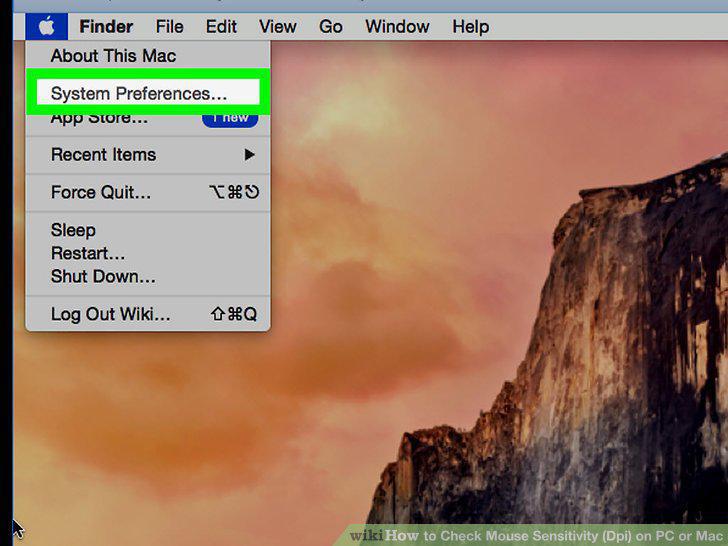
Click System Preferences.
9
Click Mouse.
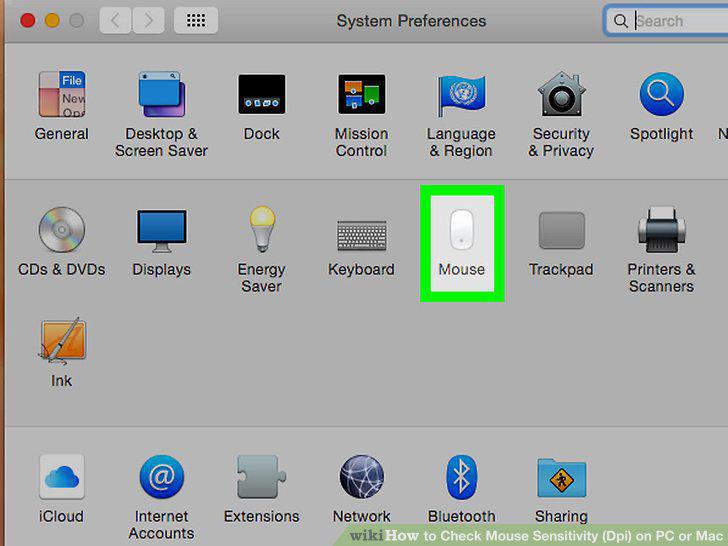
Click Mouse.
10
Click the Point & Click tab.
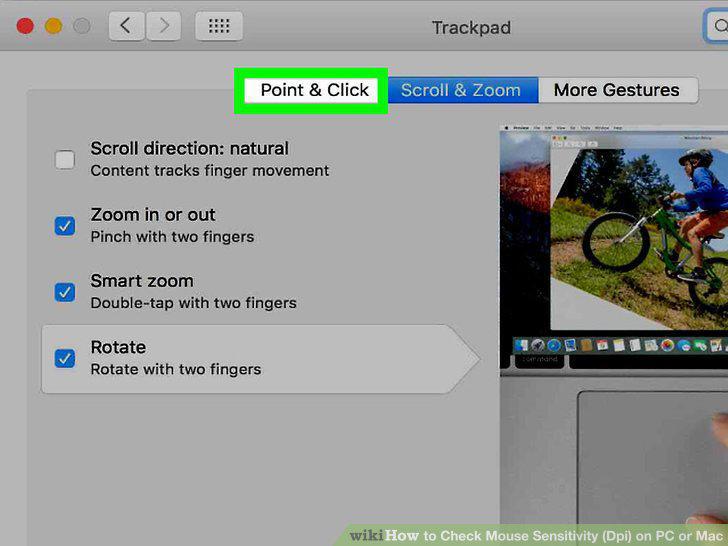
Click the Point & Click tab.
11
Find the pointer sensitivity under the "Tracking speed.
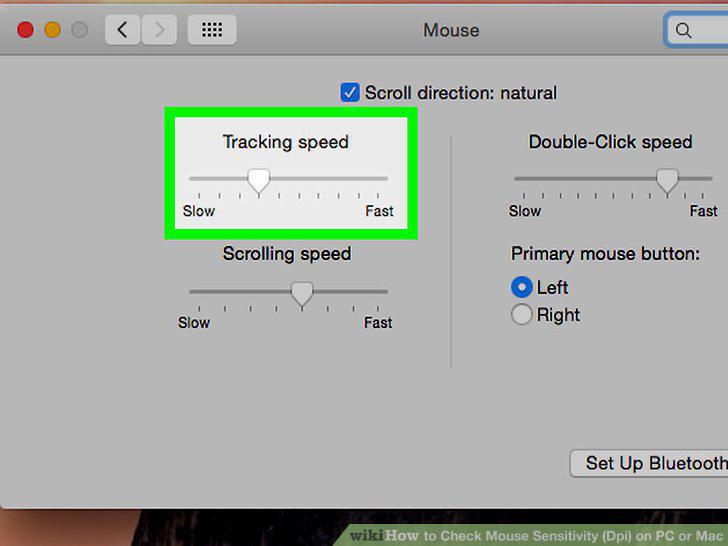
Find the pointer sensitivity under the "Tracking speed.
Comments (0)
No comments yet. Be the first to share your thoughts!