How to Convert Image to Text (OCR) on Google Drive
Open Google Drive in your internet browser.. Click the blue NEW button.. Click File upload on the menu.
Steps
1
Open Google Drive in your internet browser.
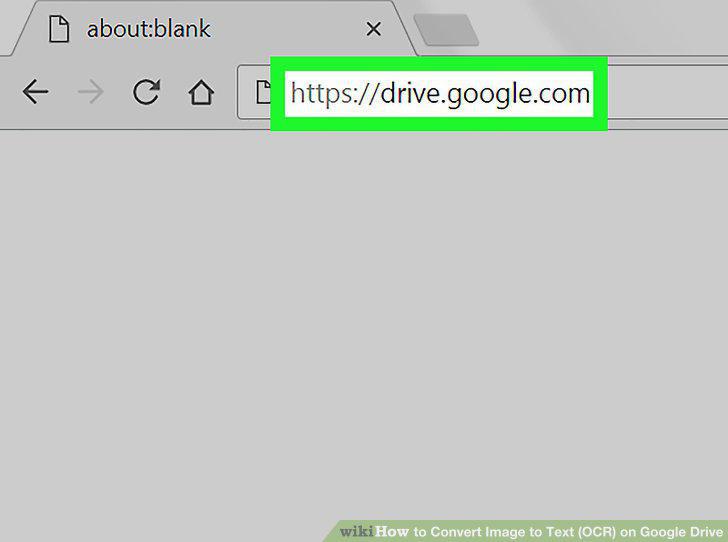
Open Google Drive in your internet browser.
2
Click the blue NEW button.
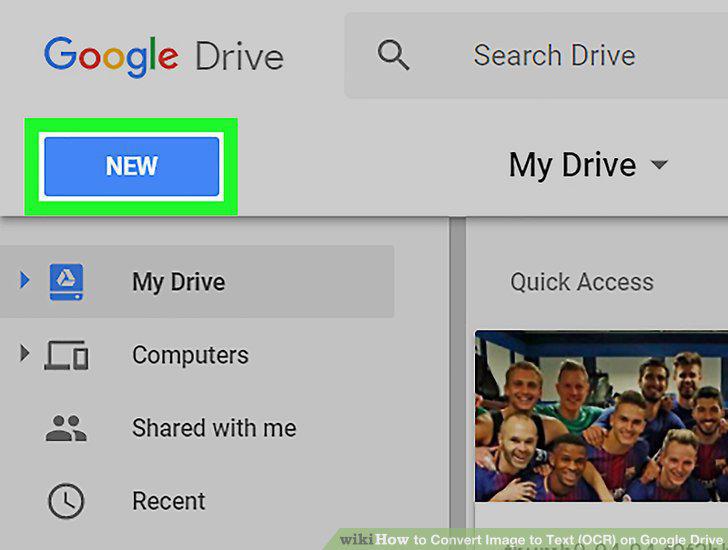
Click the blue NEW button.
3
Click File upload on the menu.
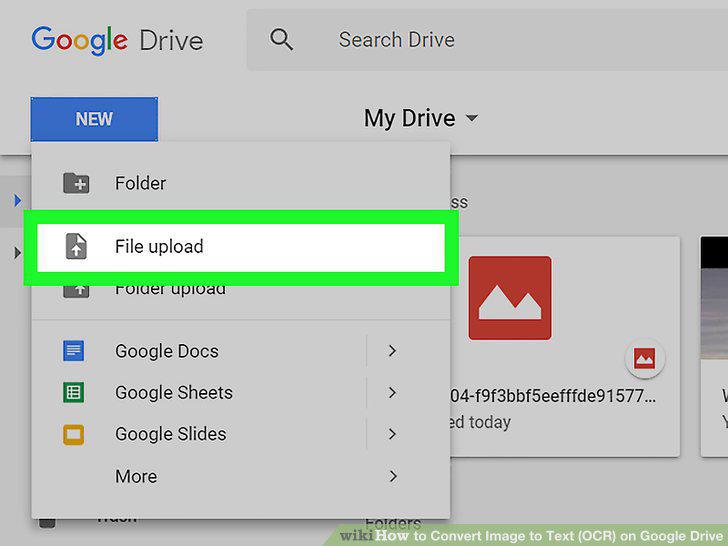
Click File upload on the menu.
4
Select the image you want to convert.
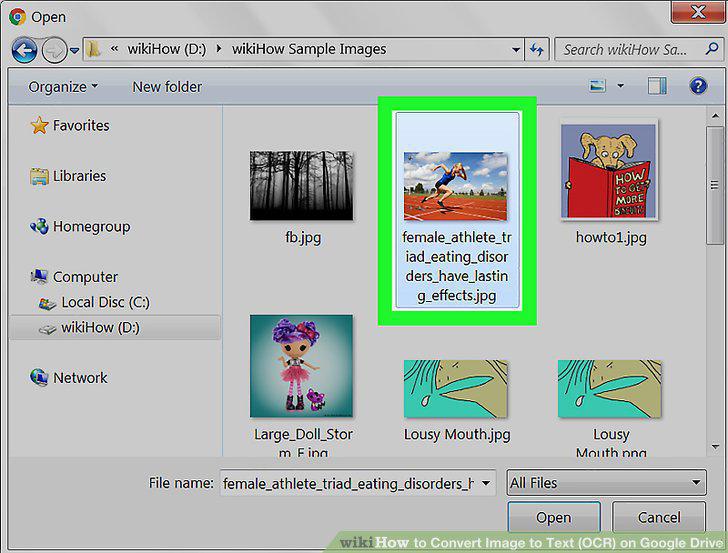
Select the image you want to convert.
5
Click the Open button.
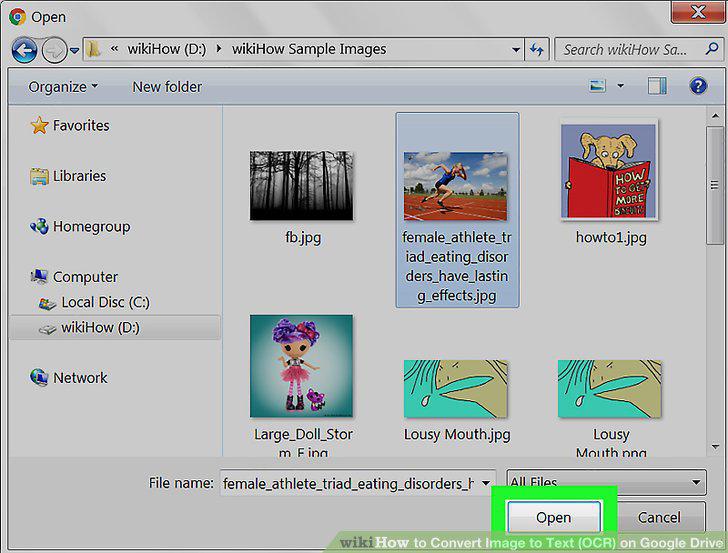
Click the Open button.
6
Right-click the image file you want to convert.
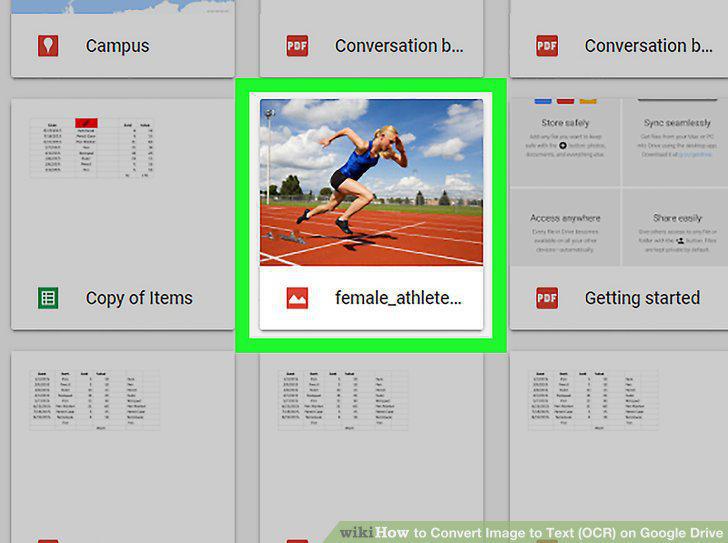
Right-click the image file you want to convert.
7
Hover over Open with on the right-click menu.
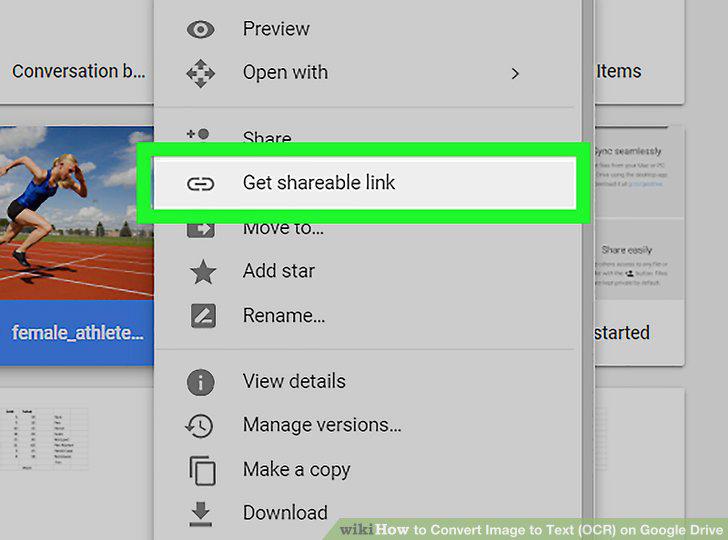
Hover over Open with on the right-click menu.
8
Select Google Docs on the Open with sub-menu.
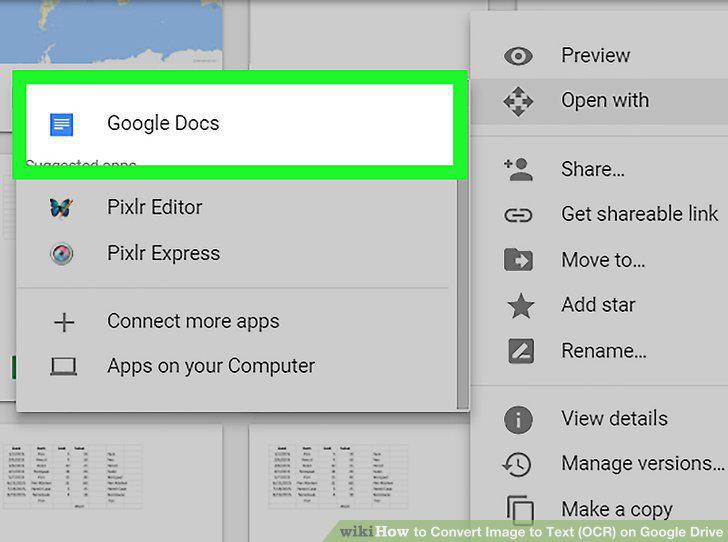
Select Google Docs on the Open with sub-menu.
9
Scroll down and find the OCR text below the image.

Scroll down and find the OCR text below the image.
Comments (0)
No comments yet. Be the first to share your thoughts!