How to Extend a Partition in Ubuntu
Open GParted.. Click the partition you want to resize from the menu in the upper right corner.. Right-click a partition and click Resize.
Steps
1
Open GParted.
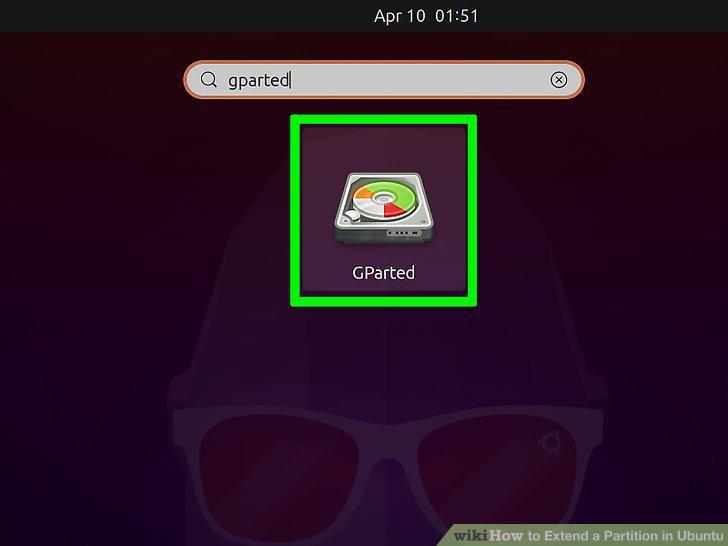
Open GParted.
2
Click the partition you want to resize from the menu in the upper right corner.
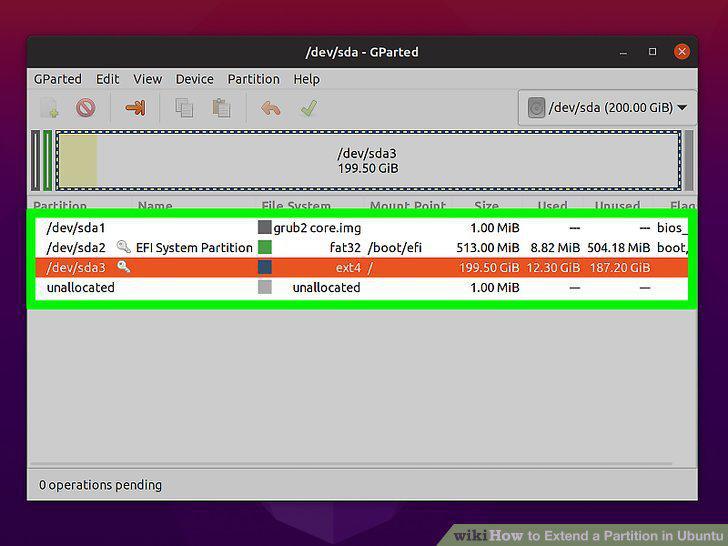
Click the partition you want to resize from the menu in the upper right corner.
3
Right-click a partition and click Resize.
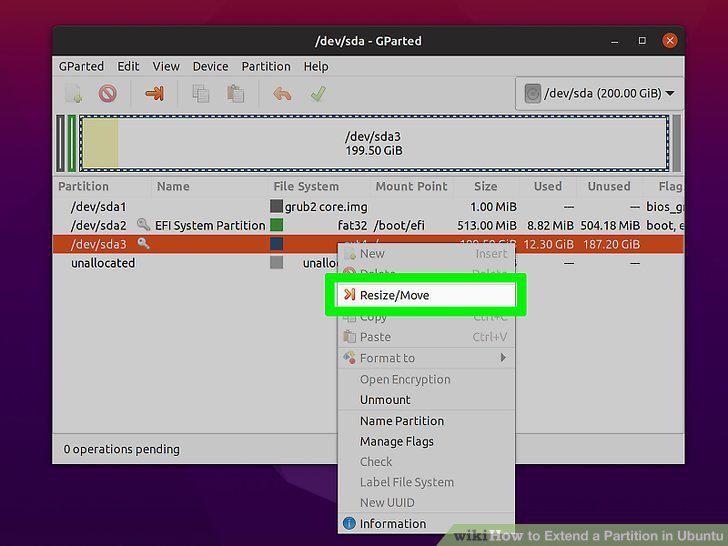
Right-click a partition and click Resize.
4
Click and drag the handles on either side of the bar to expand the space.
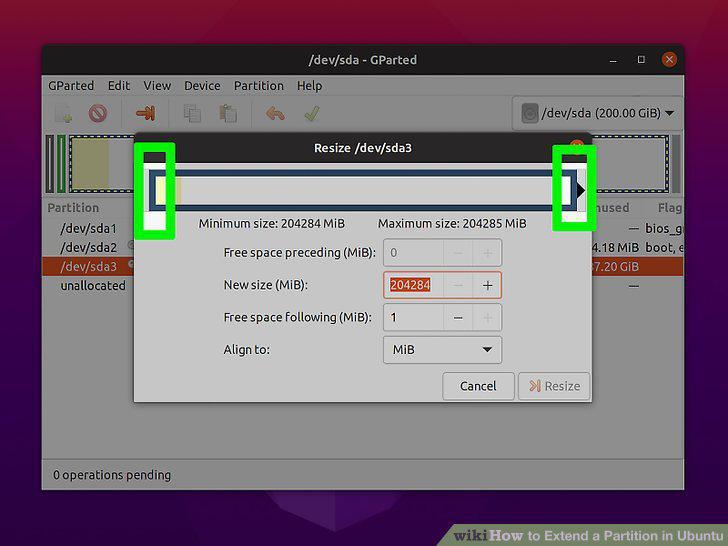
Click and drag the handles on either side of the bar to expand the space.
5
Click Resize/Move and Apply.
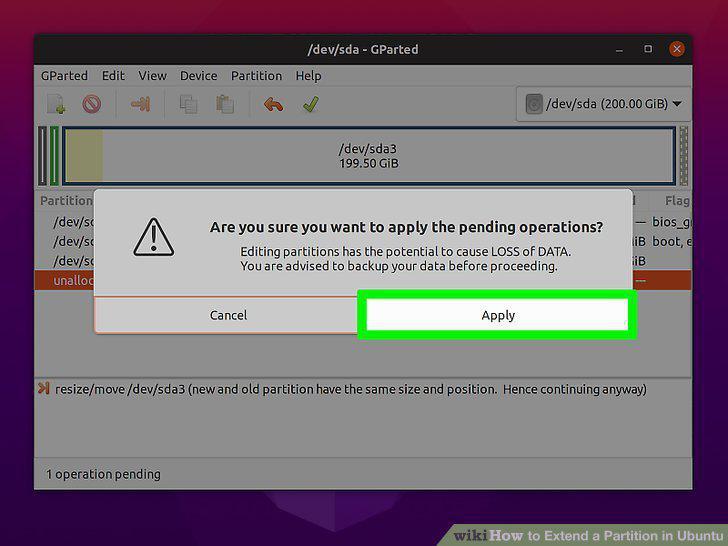
Click Resize/Move and Apply.
6
Restart your computer.
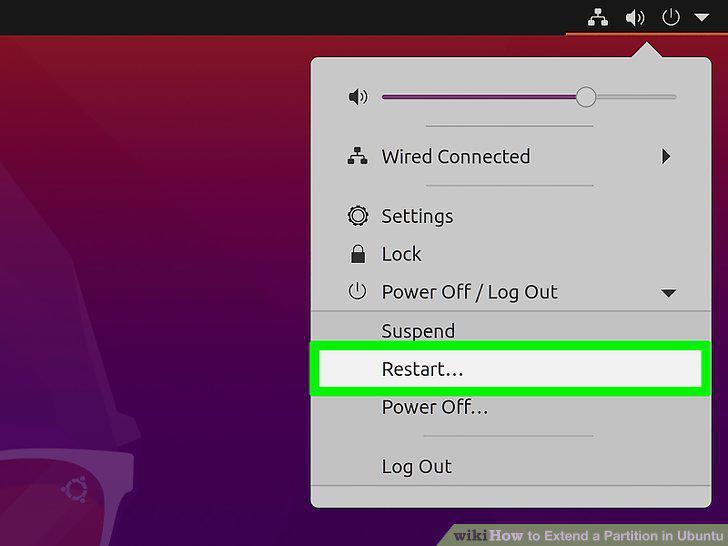
Restart your computer.
Comments (0)
No comments yet. Be the first to share your thoughts!