How to Change the Taskbar Color in Windows
Open Settings.. Click Personalization.. Click Colors.
Steps
1
Open Settings.
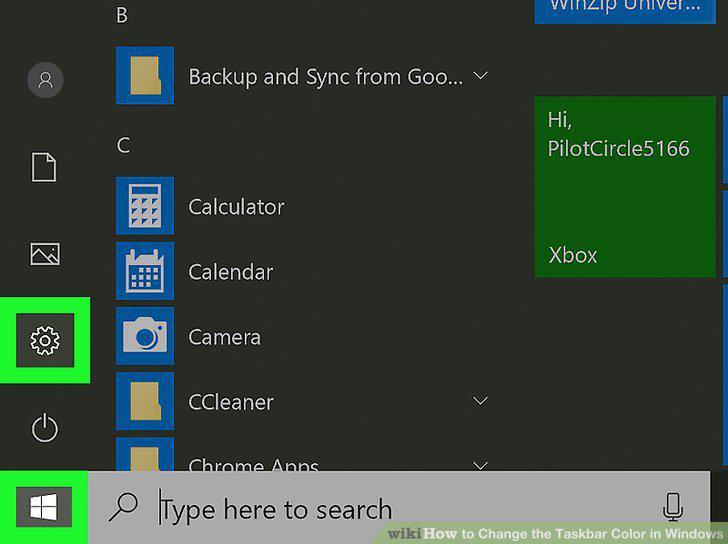
Open Settings.
2
Click Personalization.
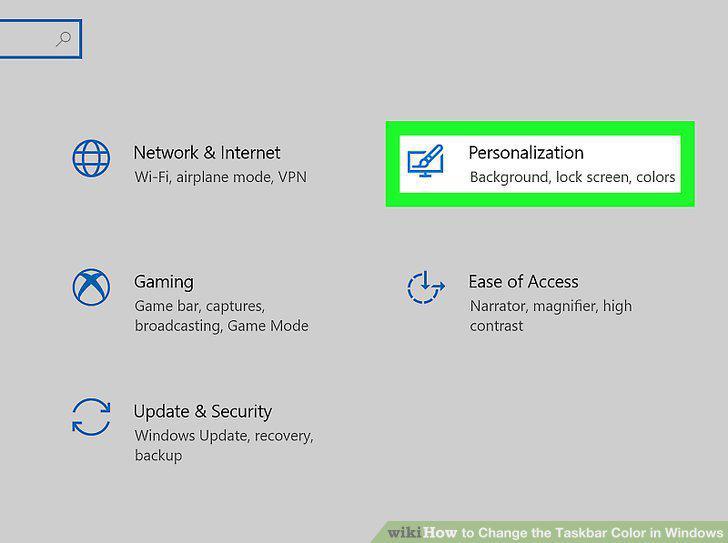
Click Personalization.
3
Click Colors.
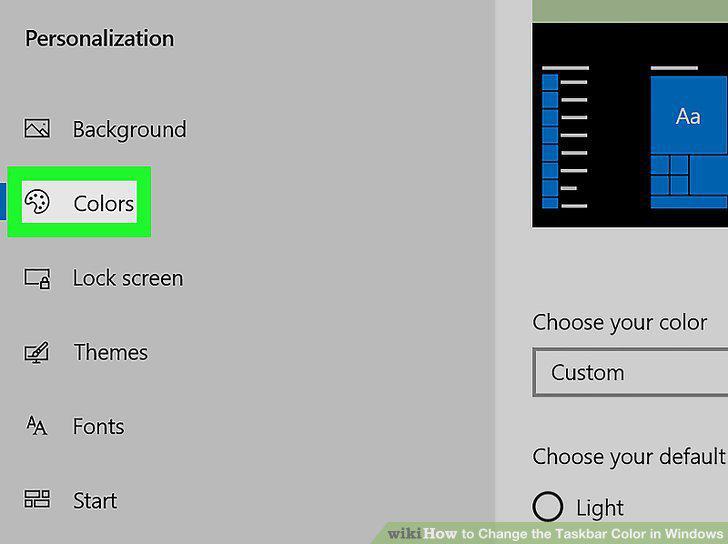
Click Colors.
4
Click to pick a color.
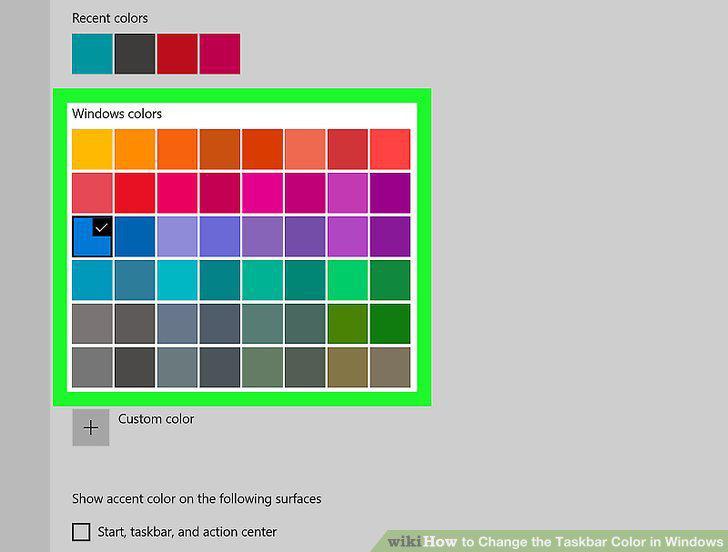
Click to pick a color.
5
Click the box to select it next to "Start, taskbar, and action center.
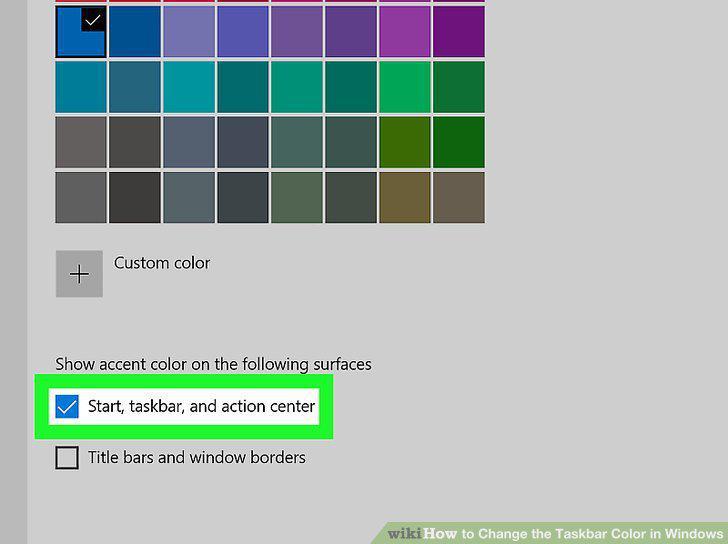
Click the box to select it next to "Start, taskbar, and action center.
Comments (0)
No comments yet. Be the first to share your thoughts!