How to Change NTFS Permissions on Windows
Open File Explorer .. Right-click a drive, folder, or file.. Click Properties.
Steps
1
Open File Explorer .
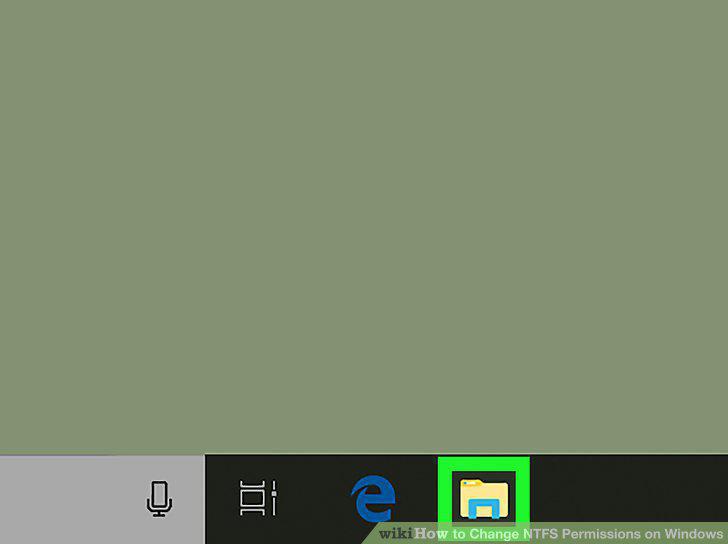
Open File Explorer .
2
Right-click a drive, folder, or file.
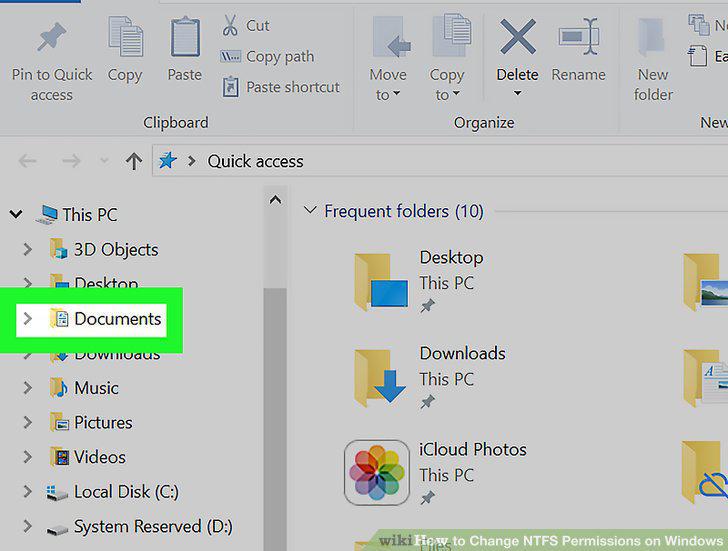
Right-click a drive, folder, or file.
3
Click Properties.
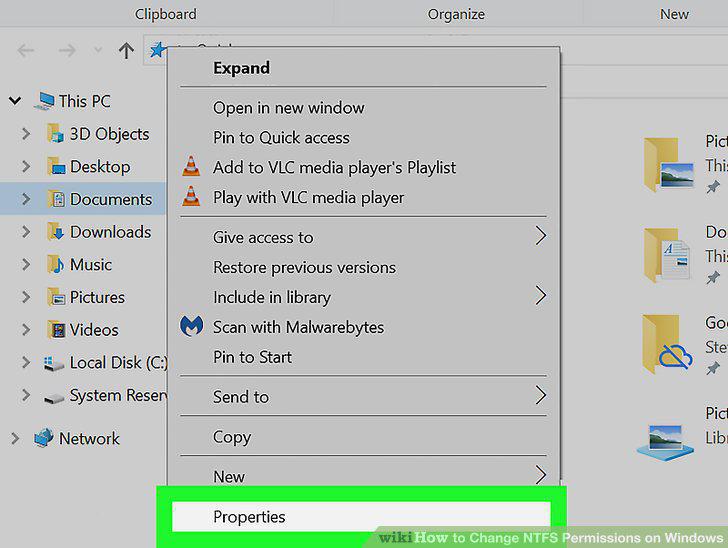
Click Properties.
4
Click the Security tab.
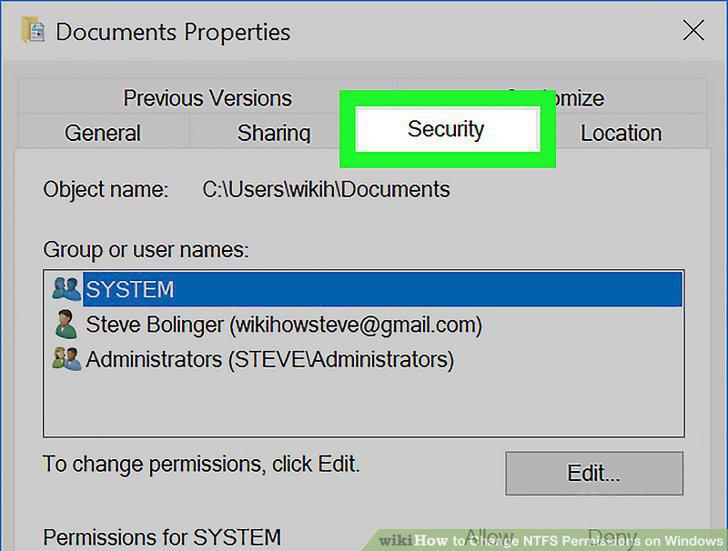
Click the Security tab.
5
Click a user or group.
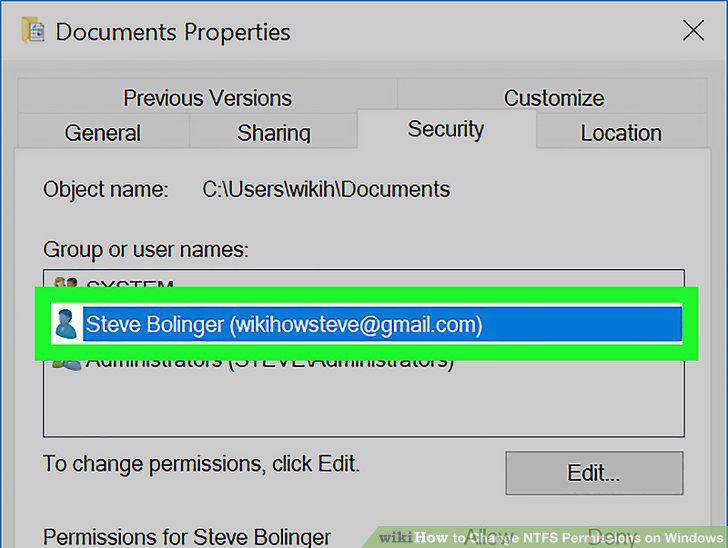
Click a user or group.
6
Click Edit.
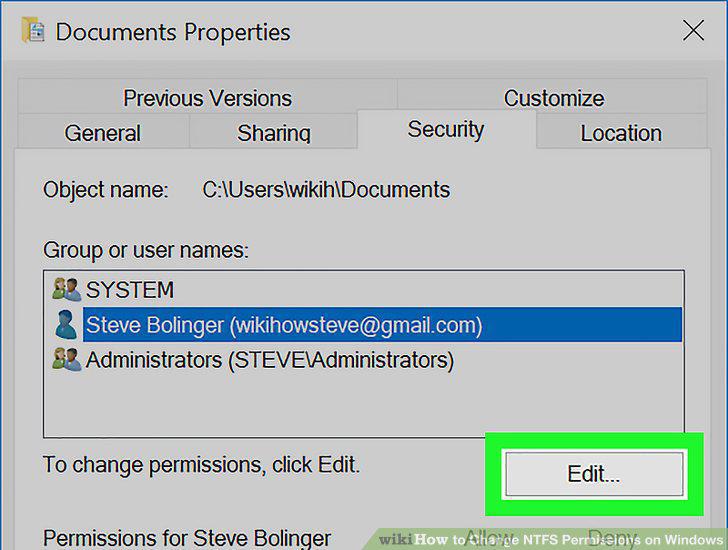
Click Edit.
7
Check the box below "Deny" next to permissions.
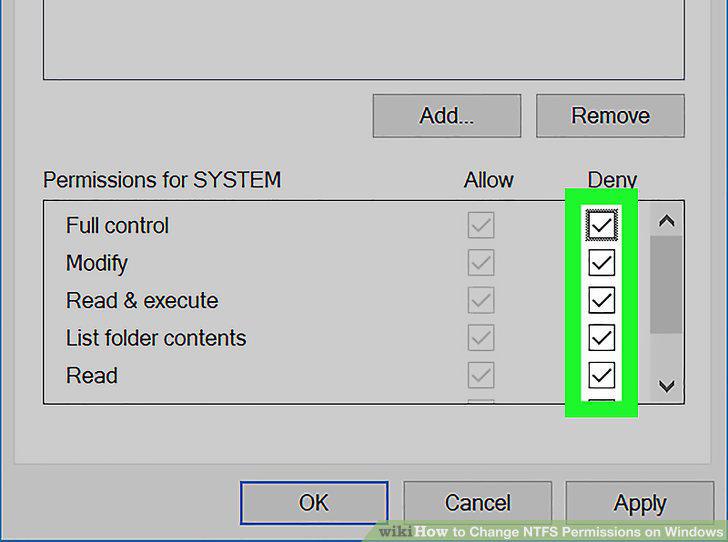
Check the box below "Deny" next to permissions.
8
Click Apply.
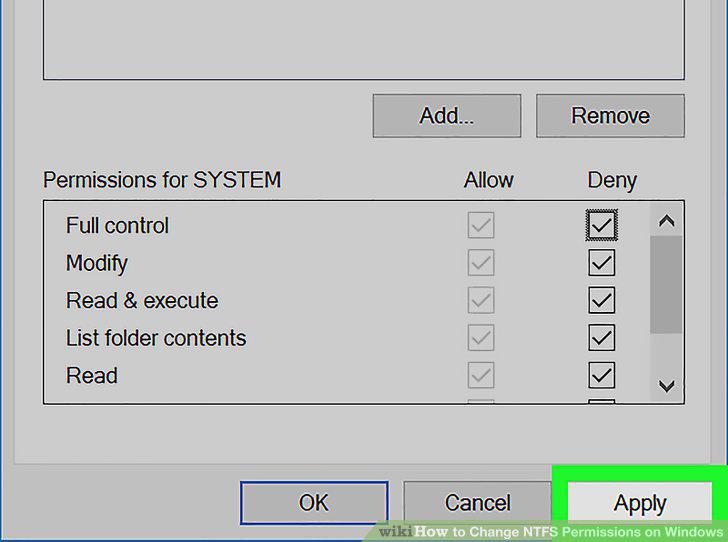
Click Apply.
Comments (0)
No comments yet. Be the first to share your thoughts!