How to Check Your Total Talk Time on an iPhone
Open your iPhone's settings.. Tap Cellular.. Scroll down to the "Call Time" section.
Steps
1
Open your iPhone's settings.
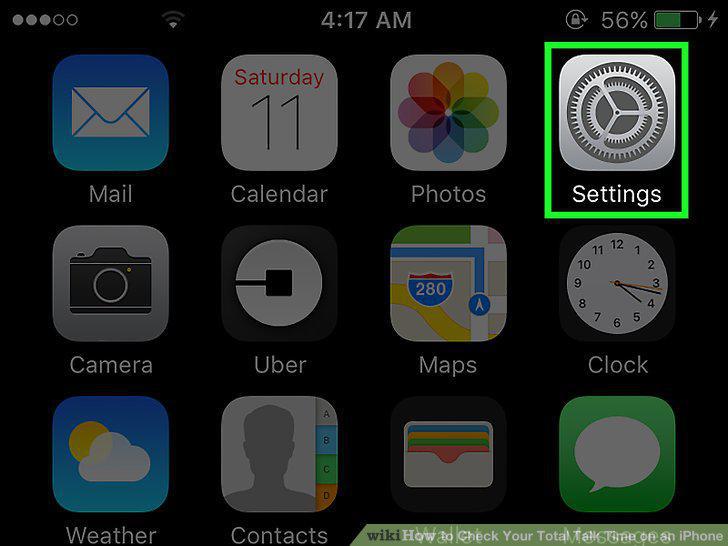
Open your iPhone's settings.
2
Tap Cellular.
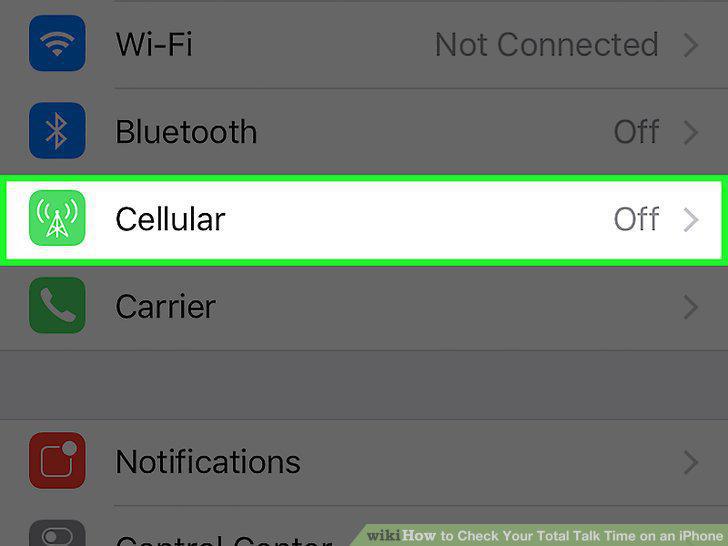
Tap Cellular.
3
Scroll down to the "Call Time" section.
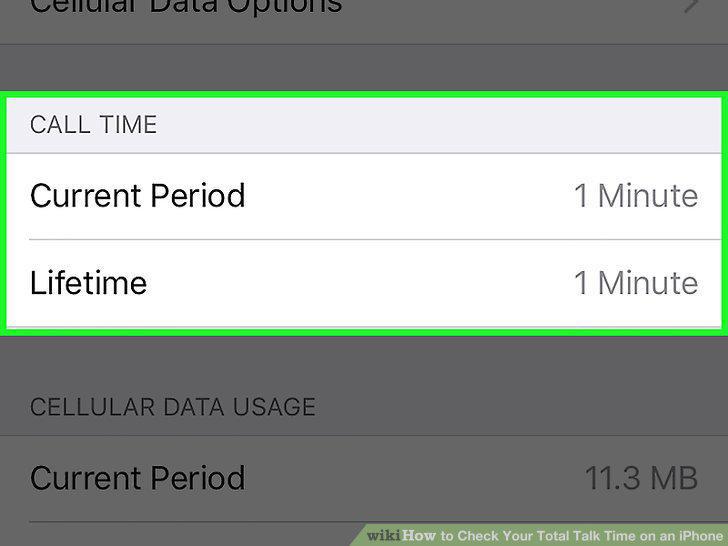
Scroll down to the "Call Time" section.
4
Tap Reset Statistics to reset the "Current Period.
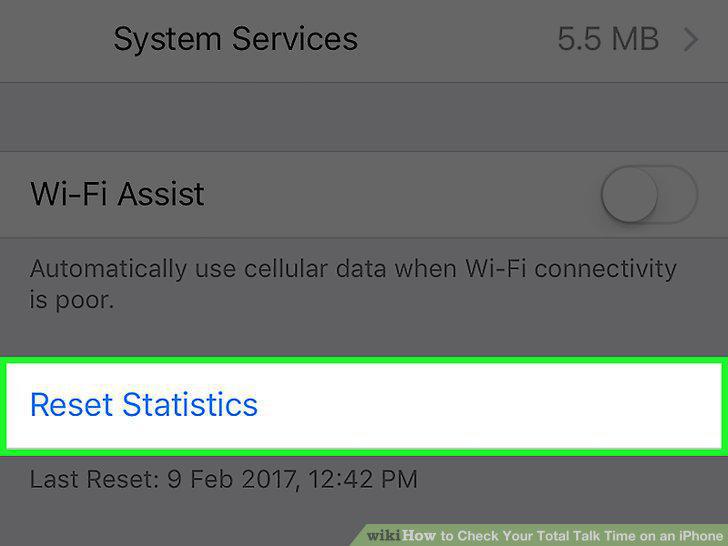
Tap Reset Statistics to reset the "Current Period.
Comments (0)
No comments yet. Be the first to share your thoughts!