How to Access a Router
Make sure your computer is connected to the Internet.. Open Start .. Click Settings .
Steps
1
Make sure your computer is connected to the Internet.
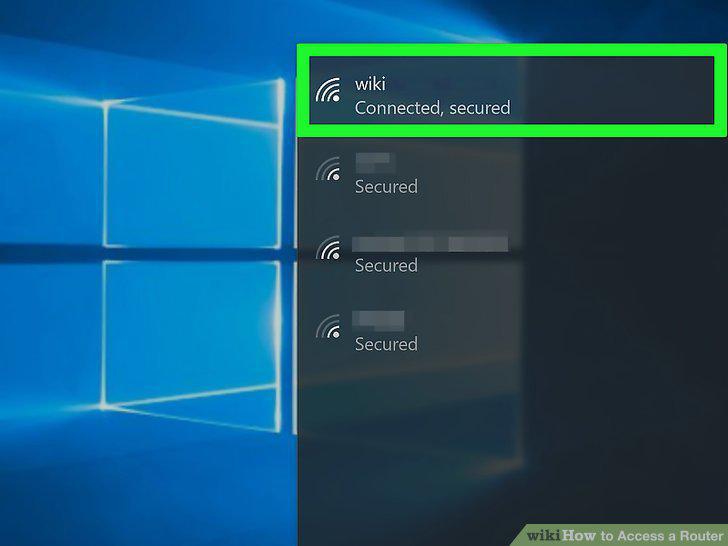
Make sure your computer is connected to the Internet.
2
Open Start .
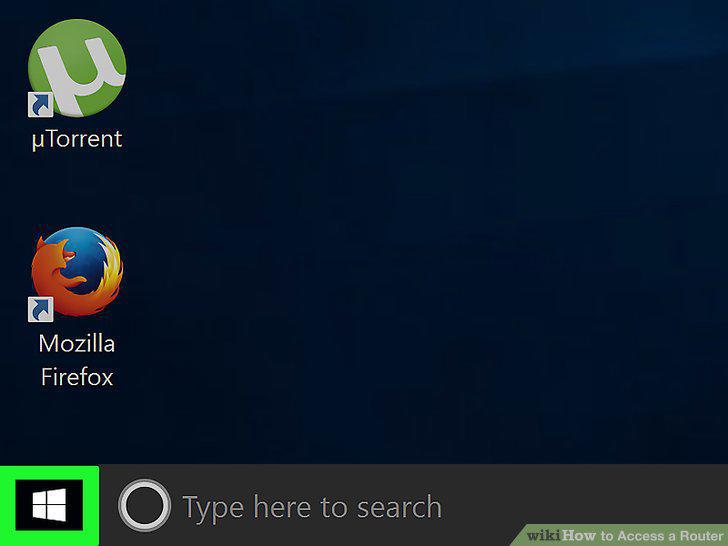
Open Start .
3
Click Settings .
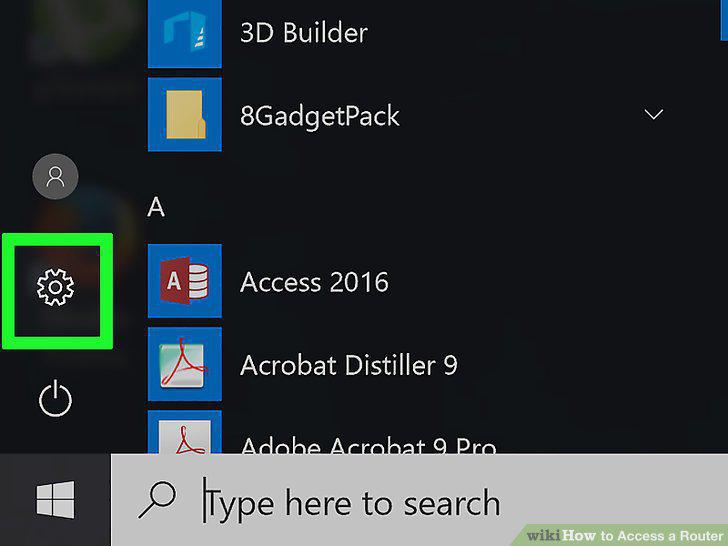
Click Settings .
4
Click Network & Internet.
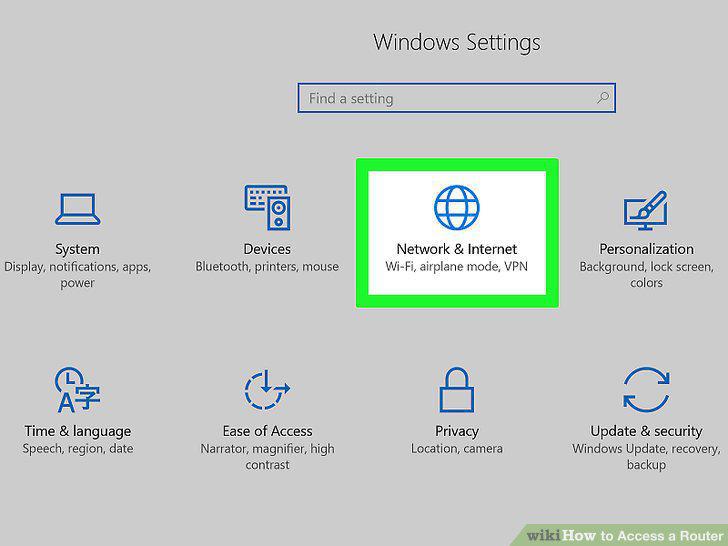
Click Network & Internet.
5
Click View your network properties.
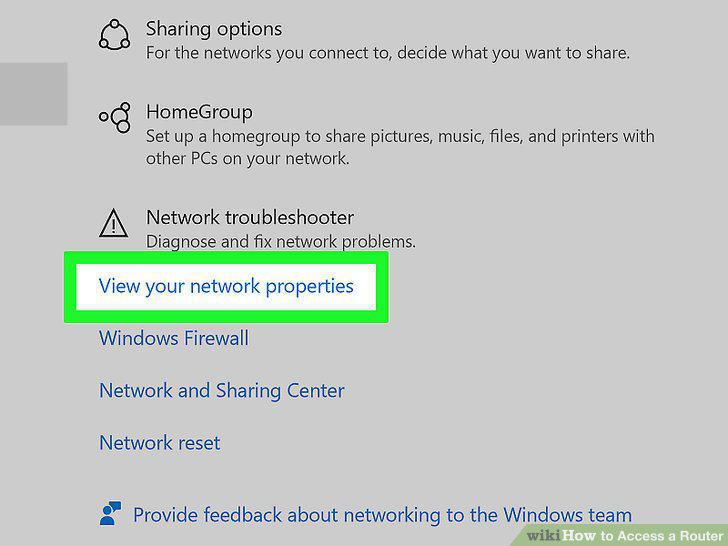
Click View your network properties.
6
Note the number next to the "Default gateway" heading.
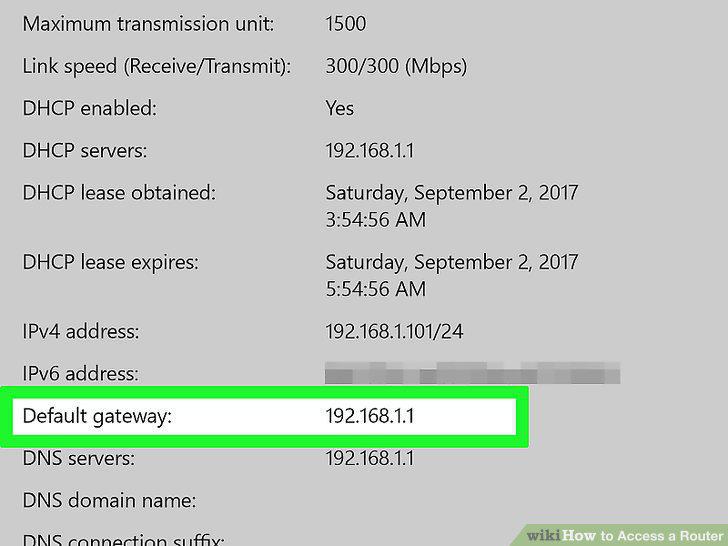
Note the number next to the "Default gateway" heading.
7
Make sure your computer is connected to the Internet.
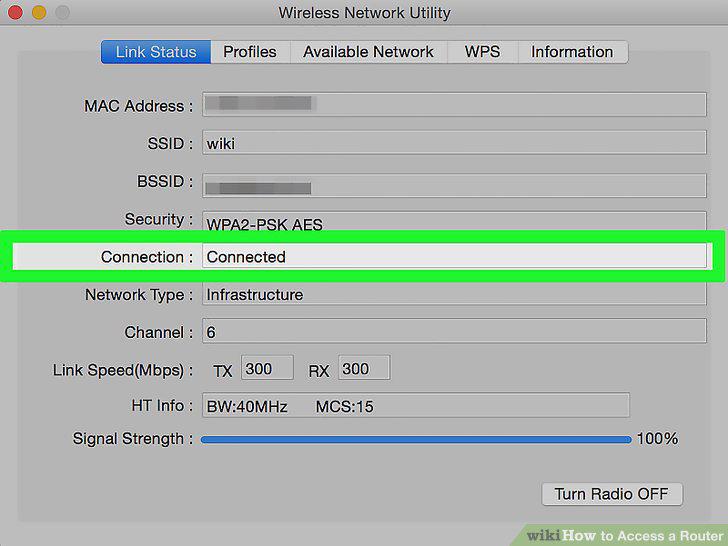
Make sure your computer is connected to the Internet.
8
Open the Apple menu .
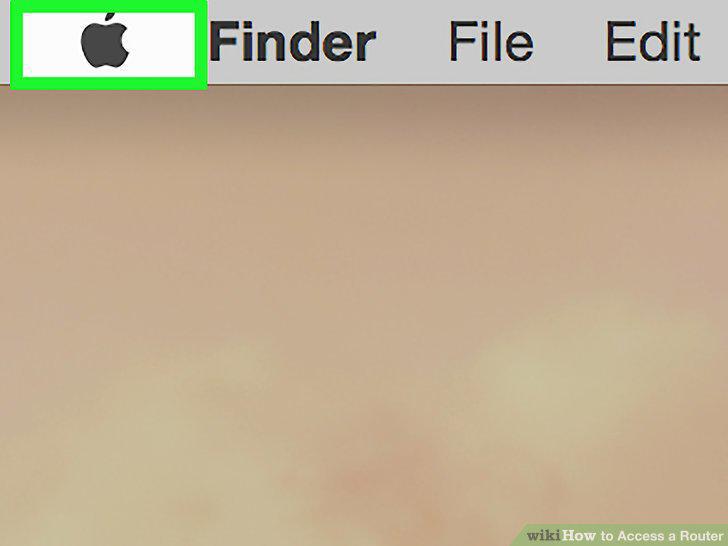
Open the Apple menu .
9
Click System Preferences.
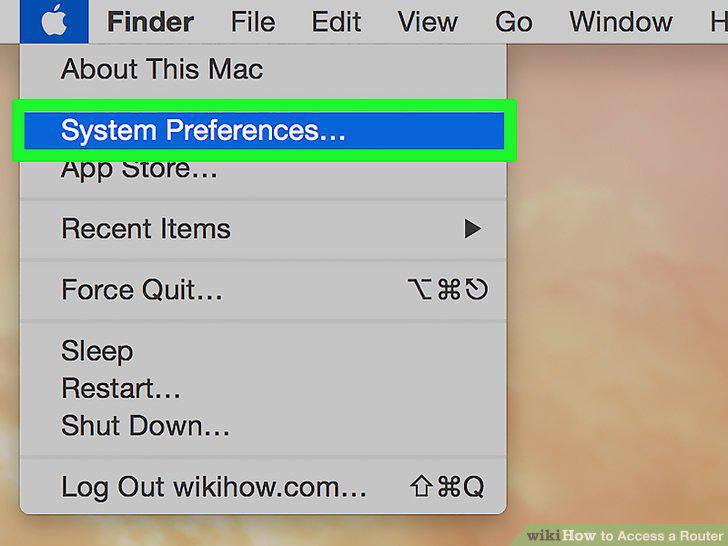
Click System Preferences.
10
Click Network.
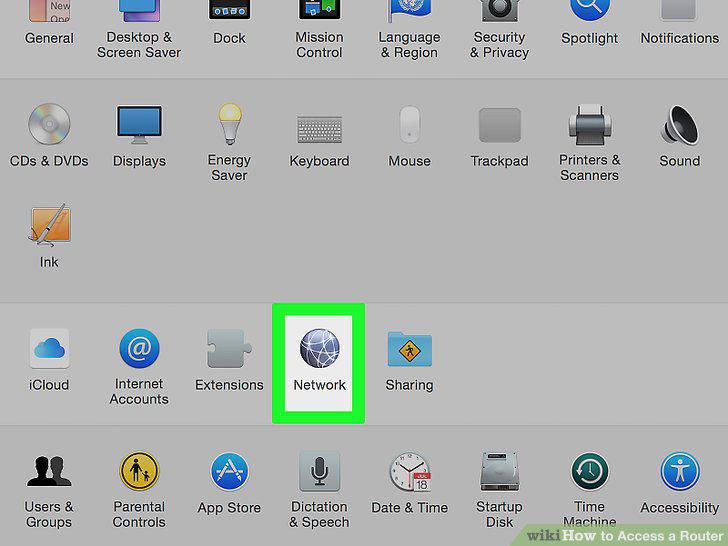
Click Network.
11
Click Advanced.
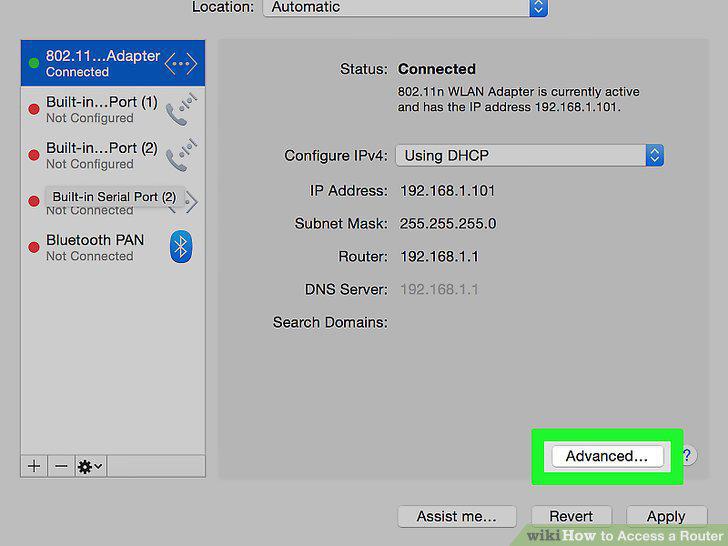
Click Advanced.
12
Click the TCP/IP tab.
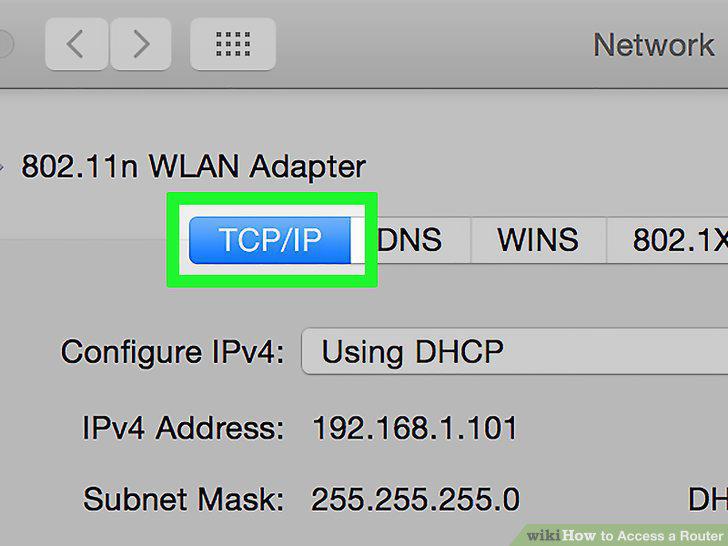
Click the TCP/IP tab.
13
Note the number next to the '"Router:" heading.
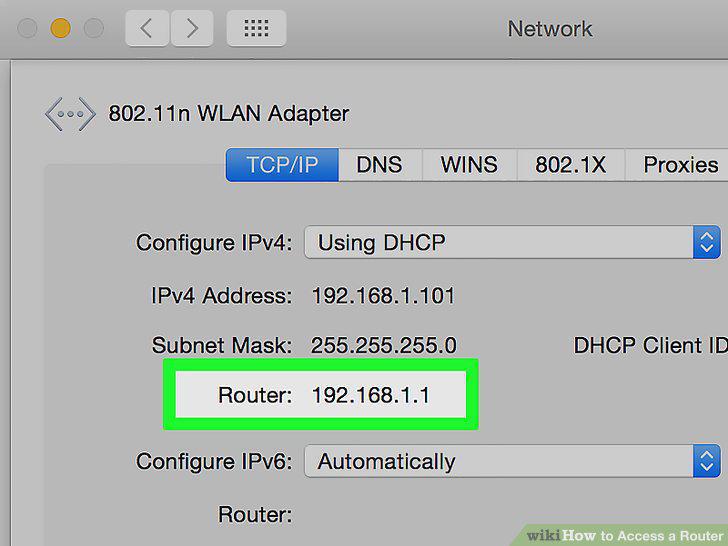
Note the number next to the '"Router:" heading.
14
Open a web browser.
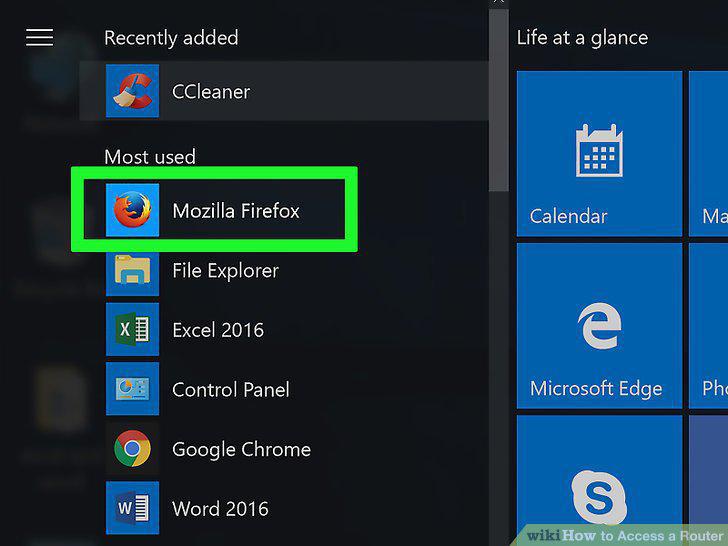
Open a web browser.
15
Enter your router's address.
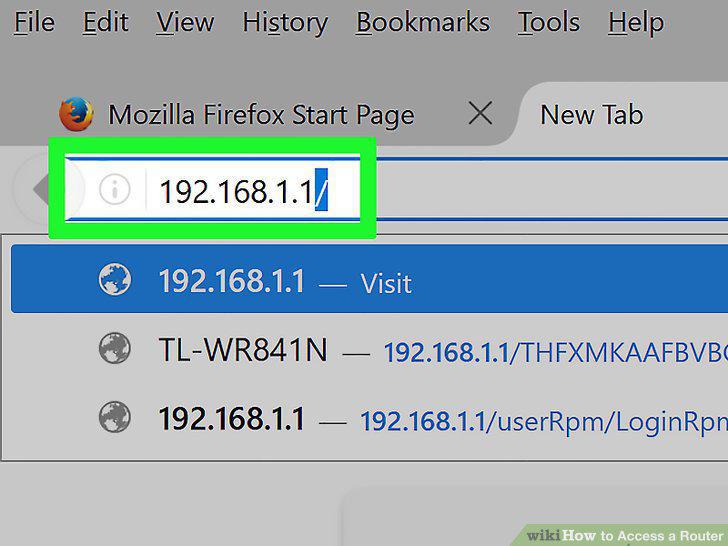
Enter your router's address.
16
Enter your router's username and password if prompted.
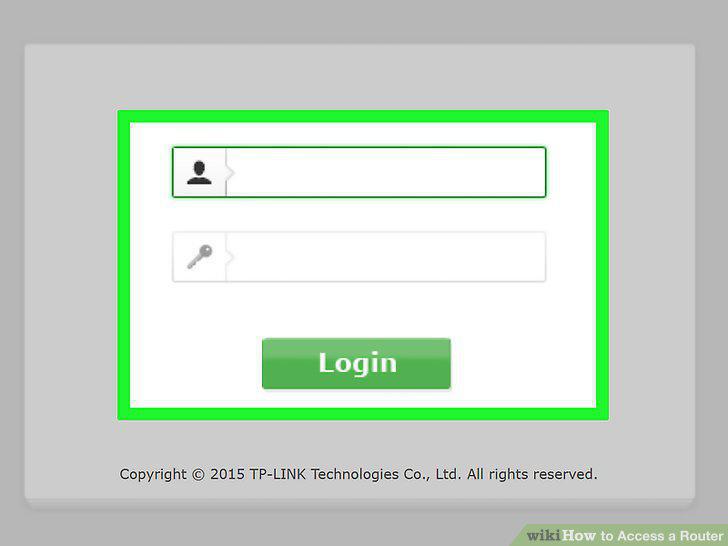
Enter your router's username and password if prompted.
17
Review your router's settings.
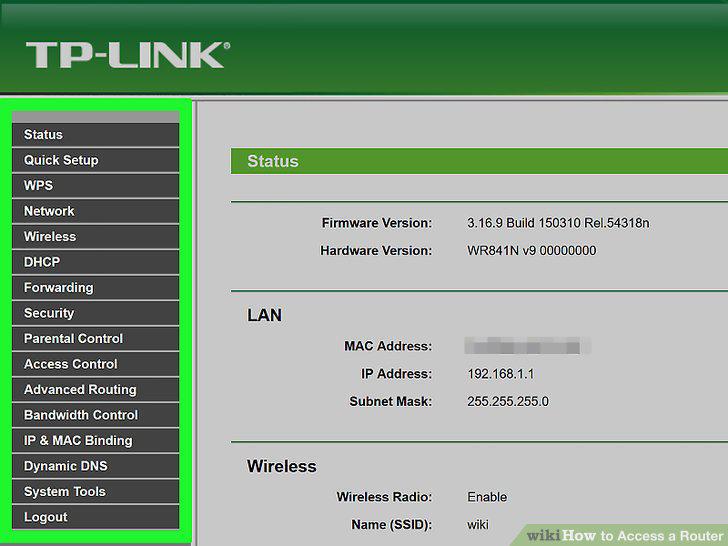
Review your router's settings.
18
Change your wireless network's name.
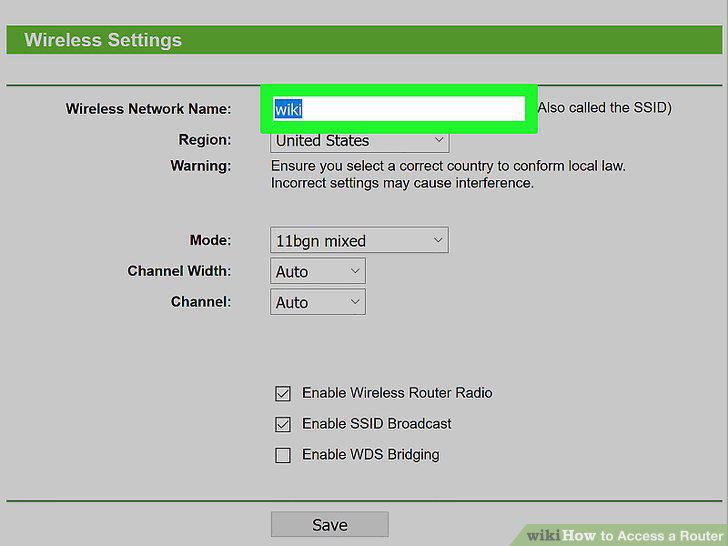
Change your wireless network's name.
19
Secure your wireless network.
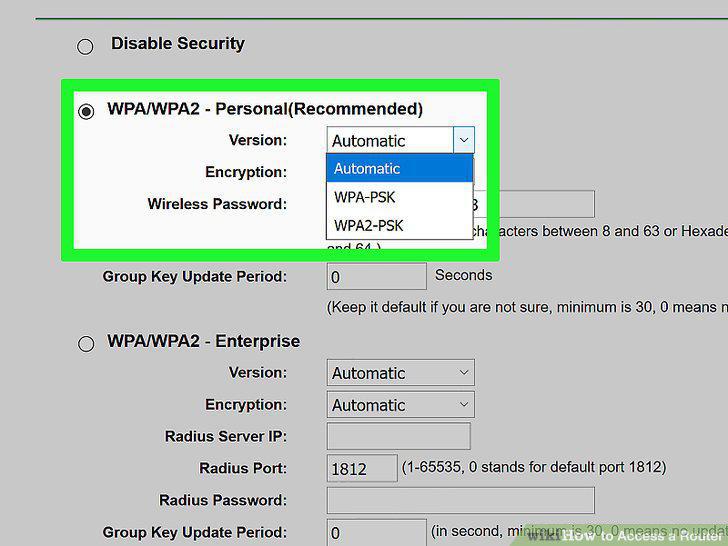
Secure your wireless network.
20
Assign your router a new username and password.
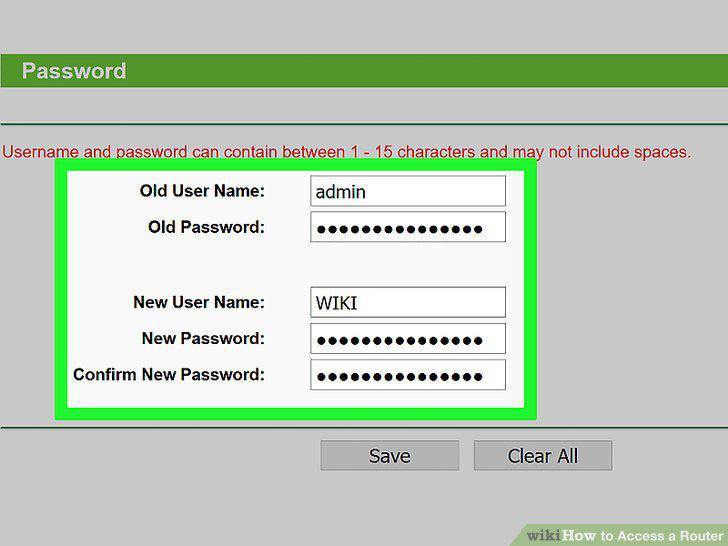
Assign your router a new username and password.
Comments (0)
No comments yet. Be the first to share your thoughts!