How to Limit the Volume on an iPad or iPhone
Open your device's Settings.. Scroll down and tap Music.. Scroll down and tap Volume Limit.
Steps
1
Open your device's Settings.
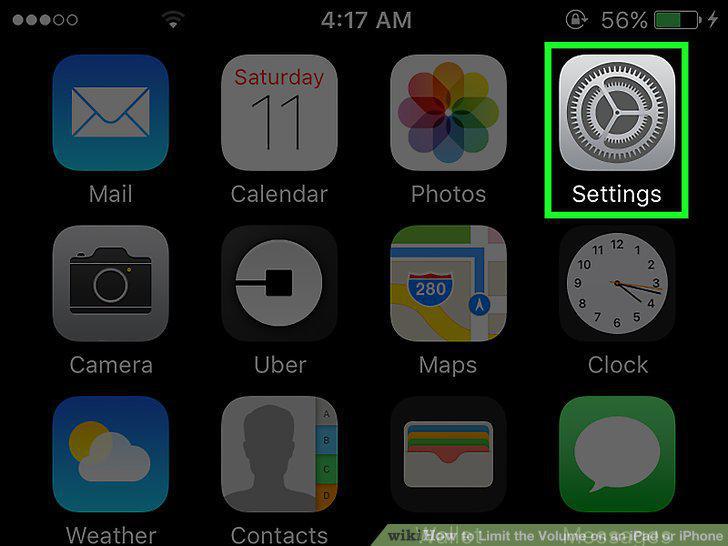
Open your device's Settings.
2
Scroll down and tap Music.
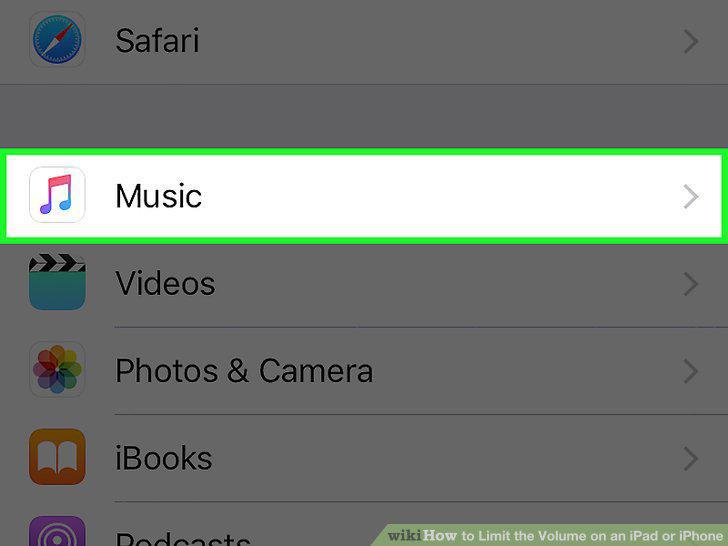
Scroll down and tap Music.
3
Scroll down and tap Volume Limit.
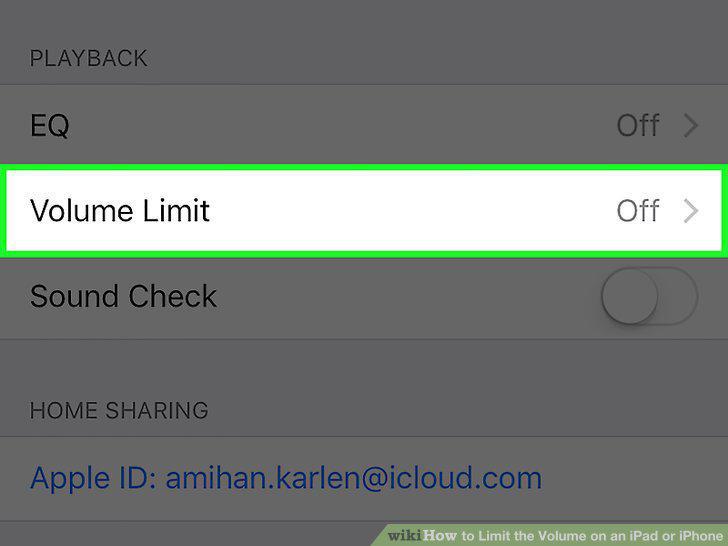
Scroll down and tap Volume Limit.
4
Drag the slider button left or right to increase/decrease the volume limit.
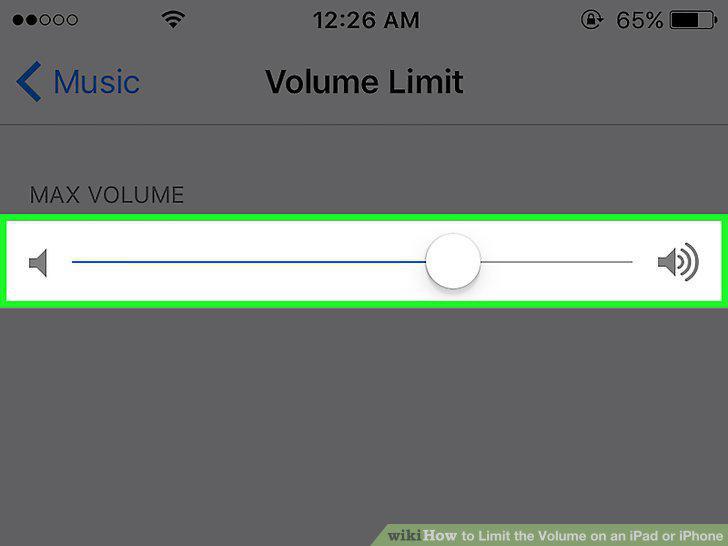
Drag the slider button left or right to increase/decrease the volume limit.
5
Open your device's Settings.
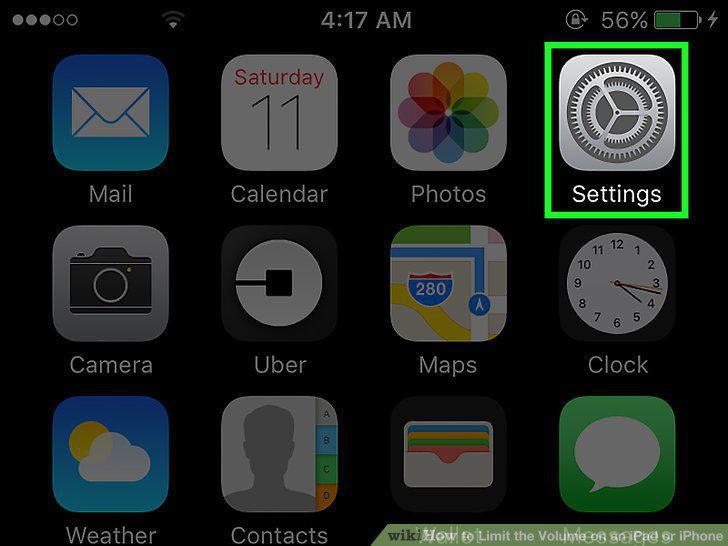
Open your device's Settings.
6
Tap General.
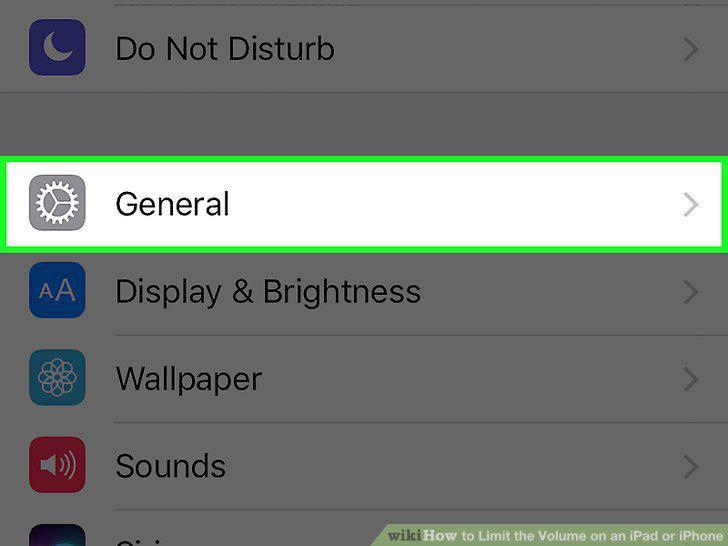
Tap General.
7
Scroll down and tap Restrictions.
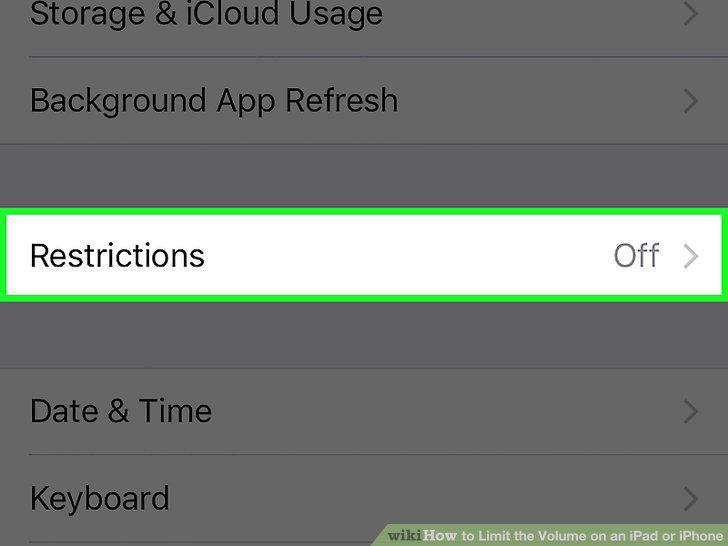
Scroll down and tap Restrictions.
8
Tap Enable Restrictions.
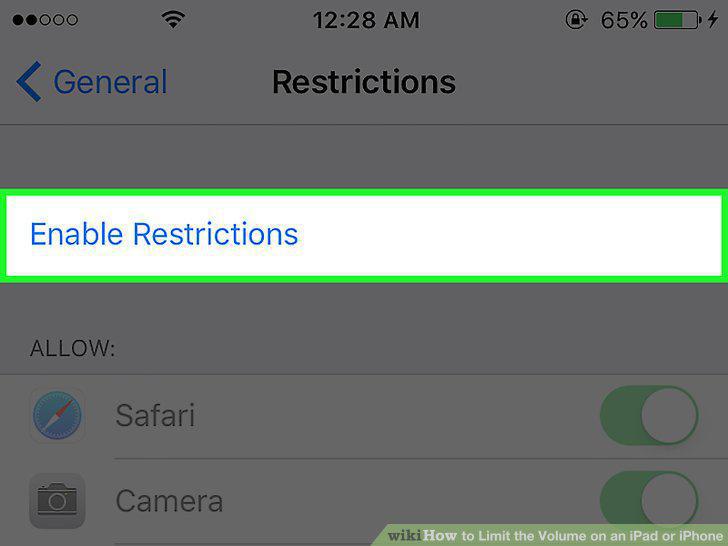
Tap Enable Restrictions.
9
Scroll down and tap Volume Limit.
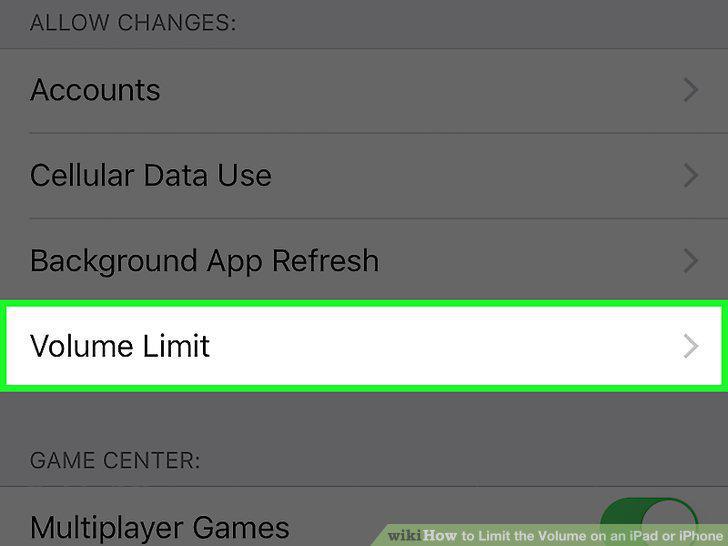
Scroll down and tap Volume Limit.
10
Tap Don't Allow Changes.
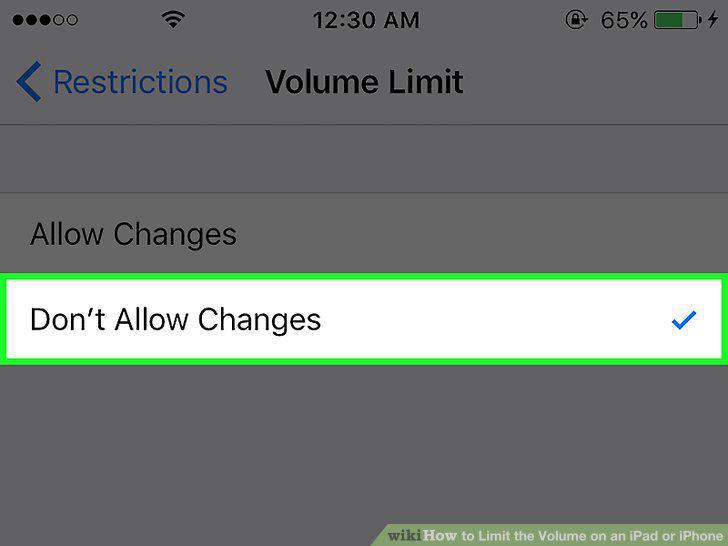
Tap Don't Allow Changes.
Comments (0)
No comments yet. Be the first to share your thoughts!