How to Turn on the Built-In VPN for Opera Browser
Open Opera on your Android.. Tap the red "O" icon.. Tap Settings on the menu.
Steps
1
Open Opera on your Android.

Open Opera on your Android.
2
Tap the red "O" icon.

Tap the red "O" icon.
3
Tap Settings on the menu.
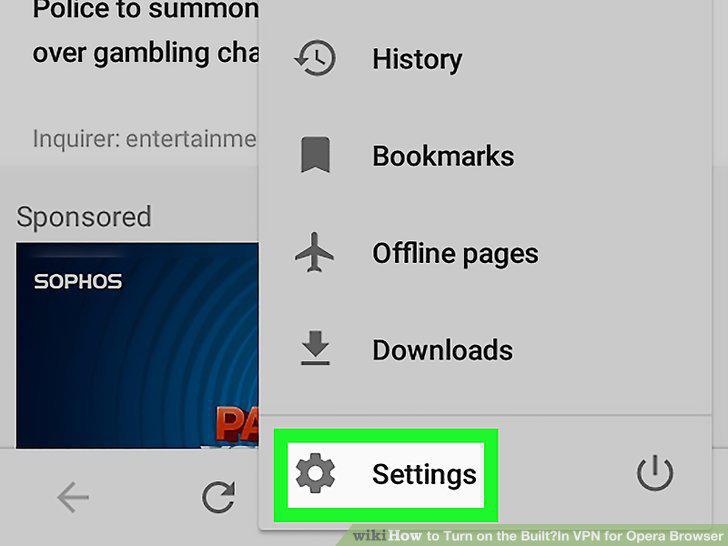
Tap Settings on the menu.
4
Slide the "VPN" switch to the On position.
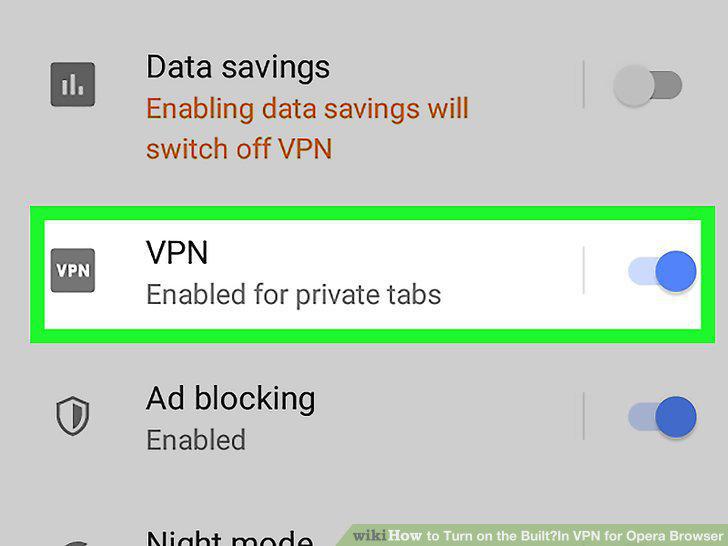
Slide the "VPN" switch to the On position.
5
Adjust your VPN settings.
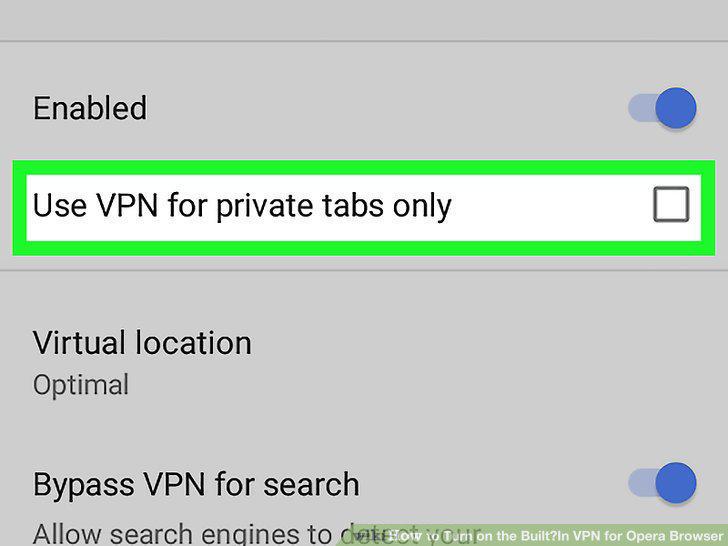
Adjust your VPN settings.
6
Open Opera on your computer.
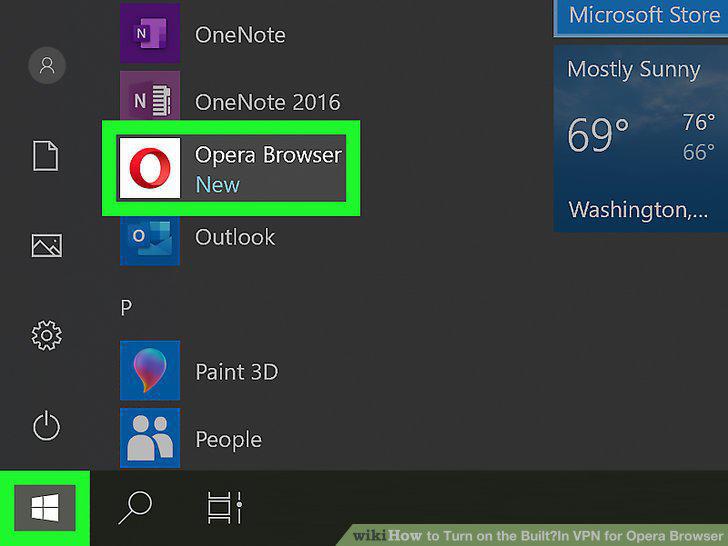
Open Opera on your computer.
7
Open your settings.
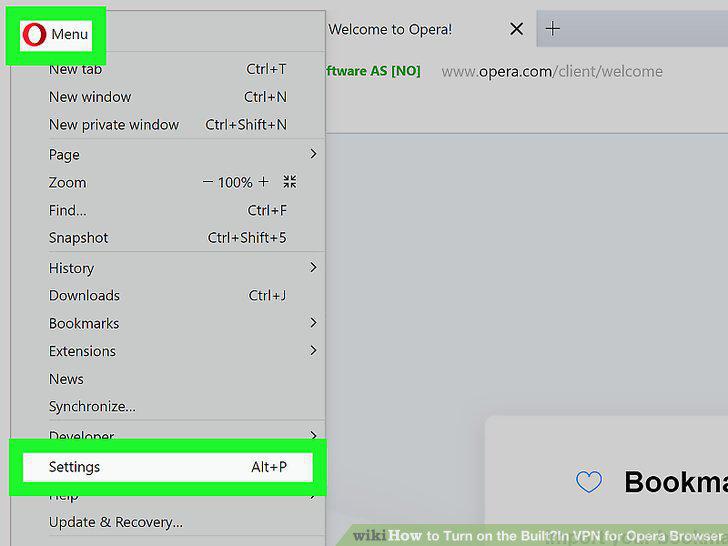
Open your settings.
8
Click Advanced.
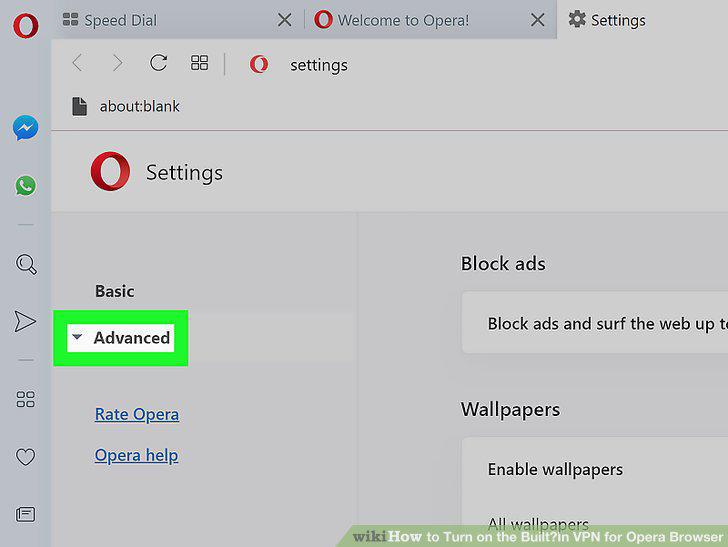
Click Advanced.
9
Click Privacy and security.
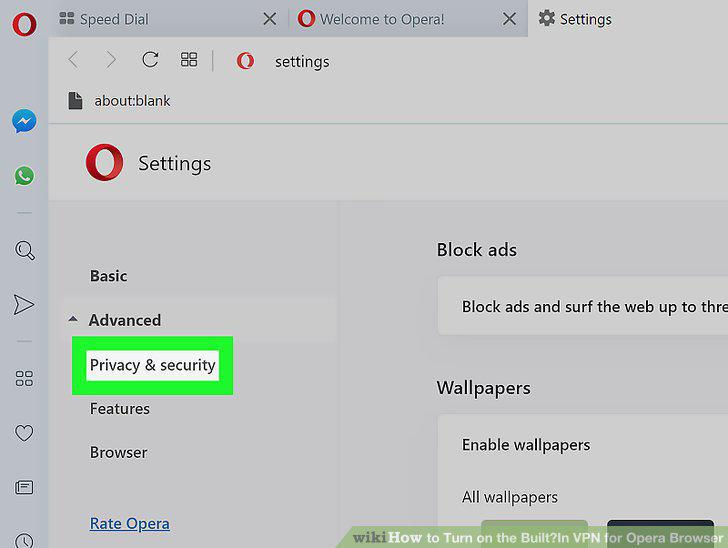
Click Privacy and security.
10
Scroll down and select Enable VPN.
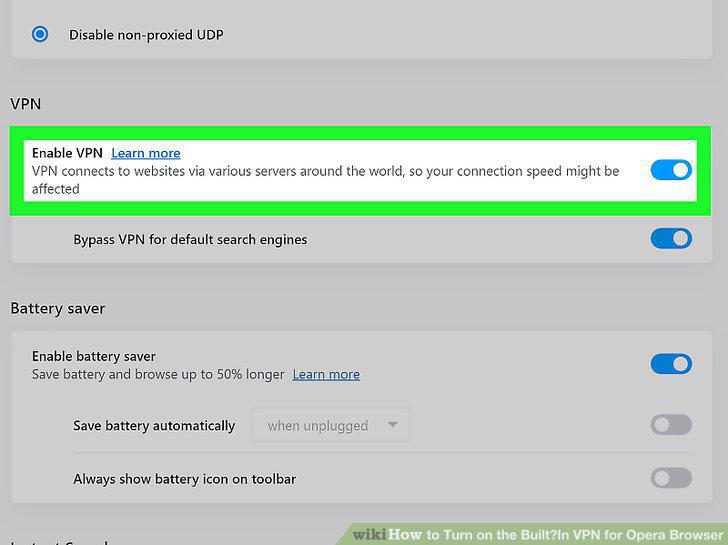
Scroll down and select Enable VPN.
11
Toggle the VPN on or off as needed.
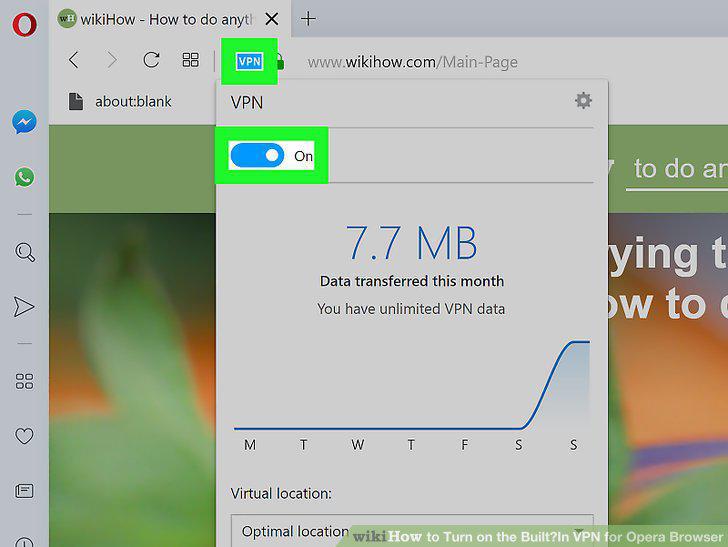
Toggle the VPN on or off as needed.
12
Change your VPN location (optional).
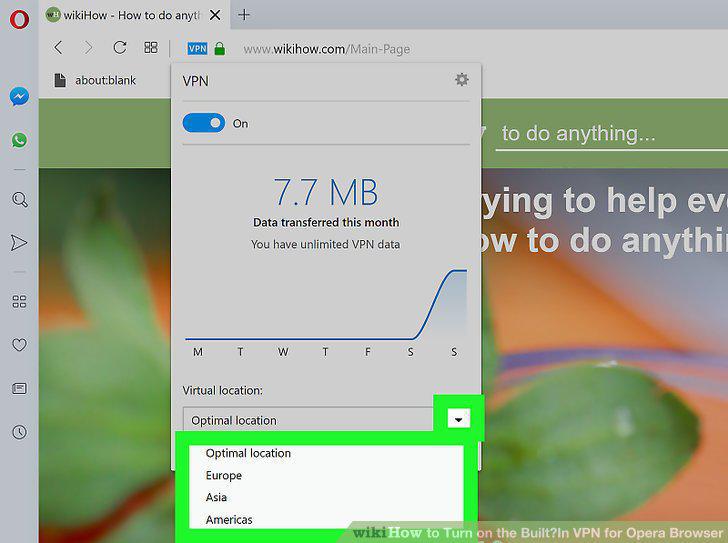
Change your VPN location (optional).
Comments (0)
No comments yet. Be the first to share your thoughts!