How to Call a Function in Python
Open your Python editor.. Define a function.. Add the call to the code.
Steps
1
Open your Python editor.
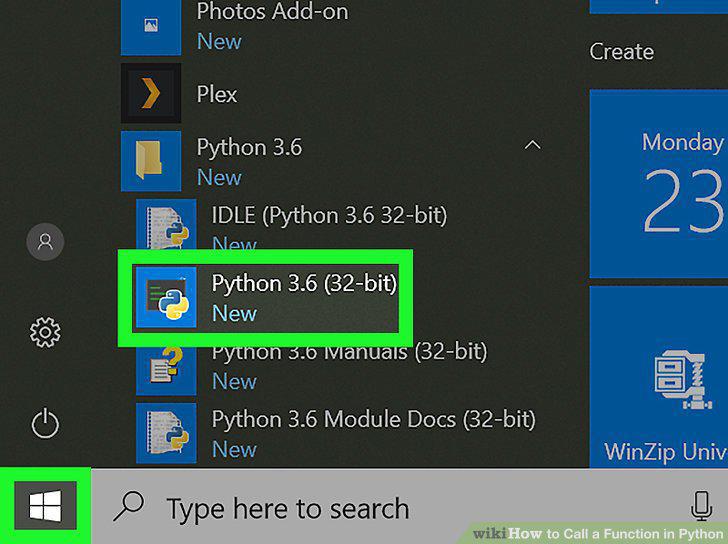
Open your Python editor.
2
Define a function.
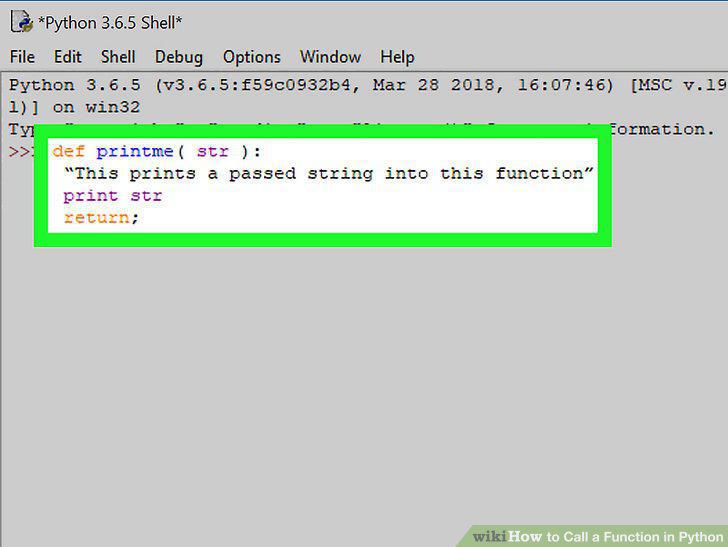
Define a function.
3
Add the call to the code.
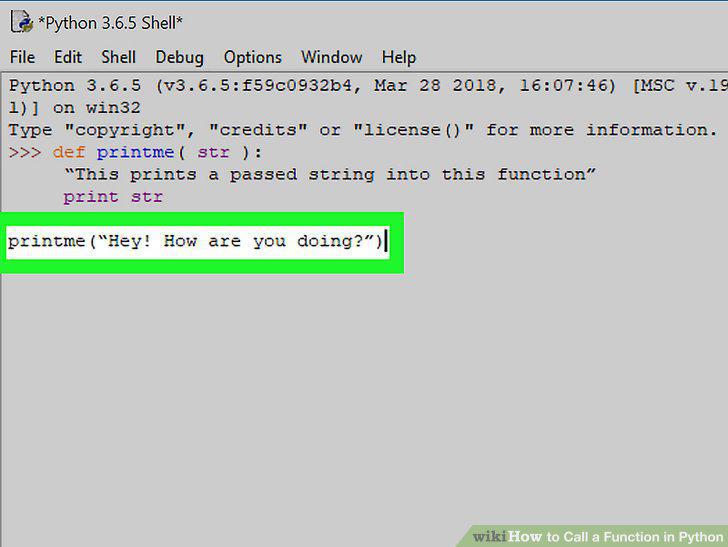
Add the call to the code.
4
Save the code as a .py file.
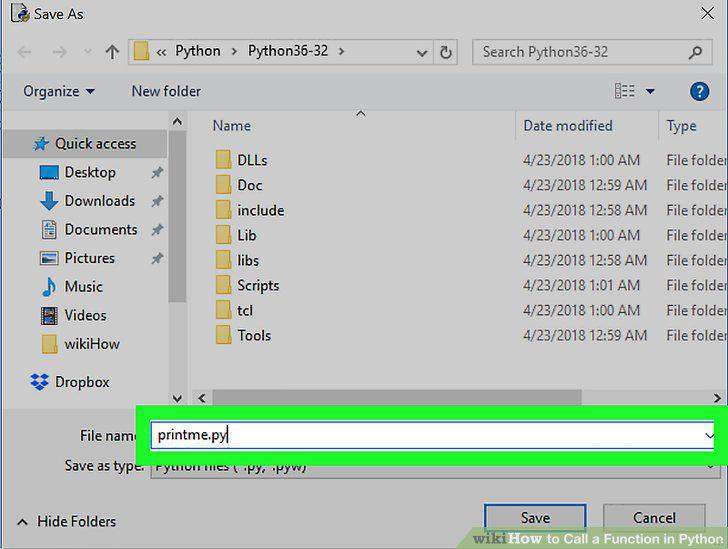
Save the code as a .py file.
5
Open the command prompt (Windows) or a Terminal window (macOS).
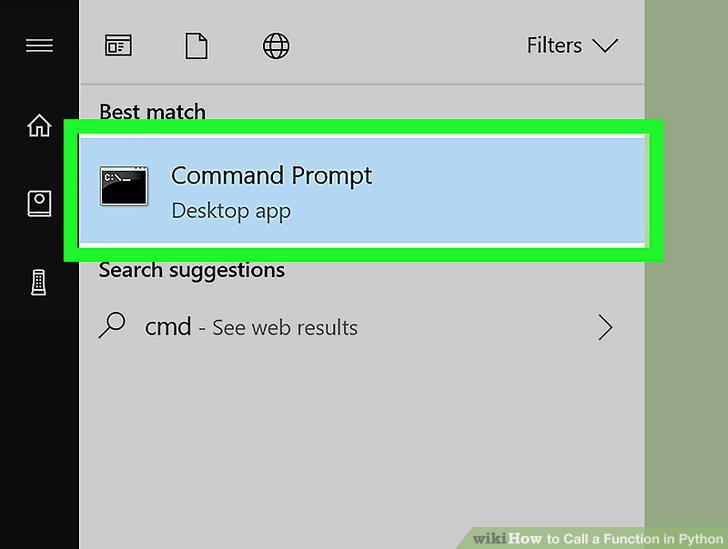
Open the command prompt (Windows) or a Terminal window (macOS).
6
Navigate to the directory that contains your Python code.
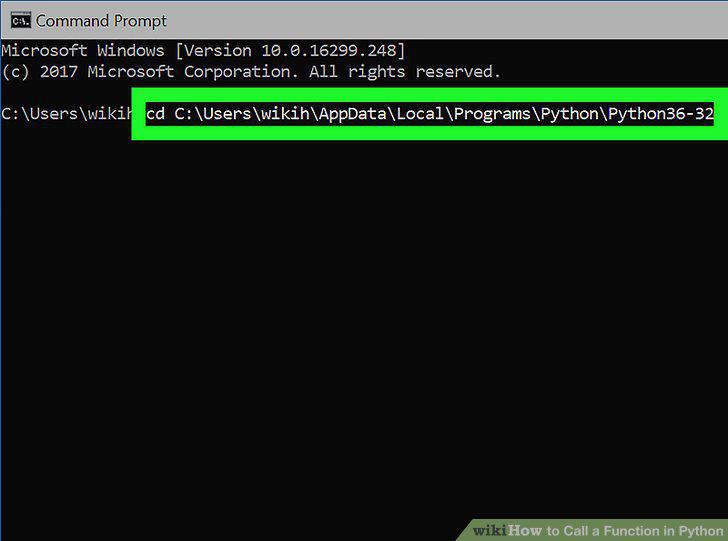
Navigate to the directory that contains your Python code.
7
Run the script.
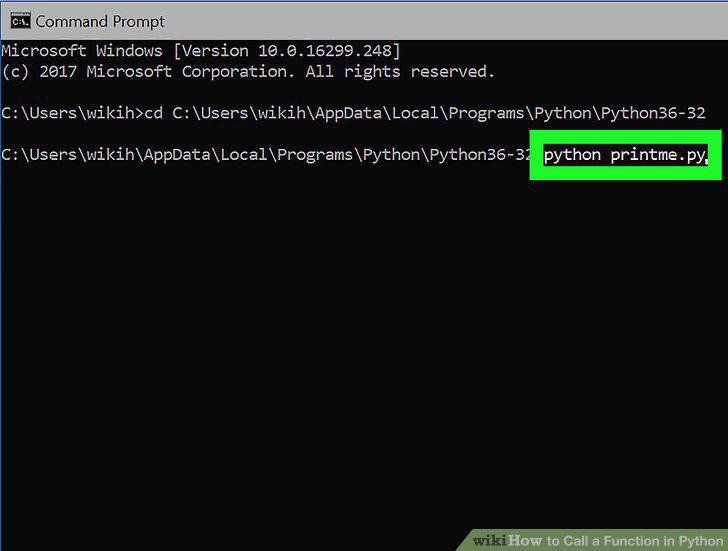
Run the script.
Comments (0)
No comments yet. Be the first to share your thoughts!