How to Listen to Skype Voice Messages on PC or Mac
Open Skype on your computer.. Click the chat on the left sidebar.. Click the Play button next to the voice message.
Steps
1
Open Skype on your computer.

Open Skype on your computer.
2
Click the chat on the left sidebar.
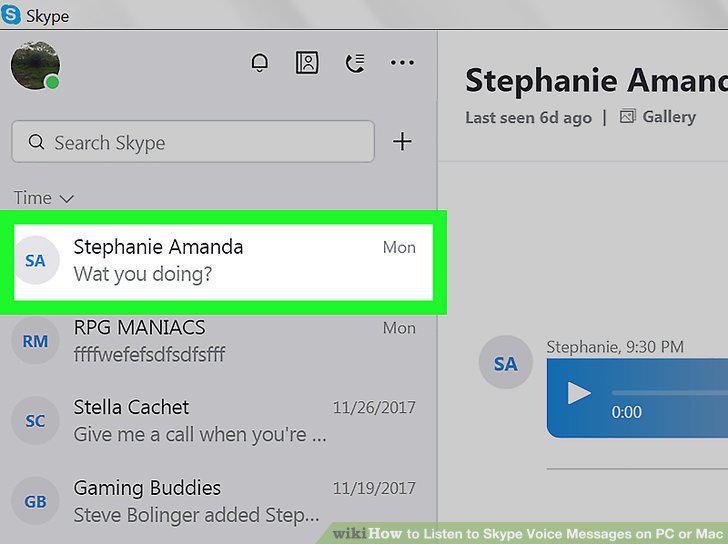
Click the chat on the left sidebar.
3
Click the Play button next to the voice message.
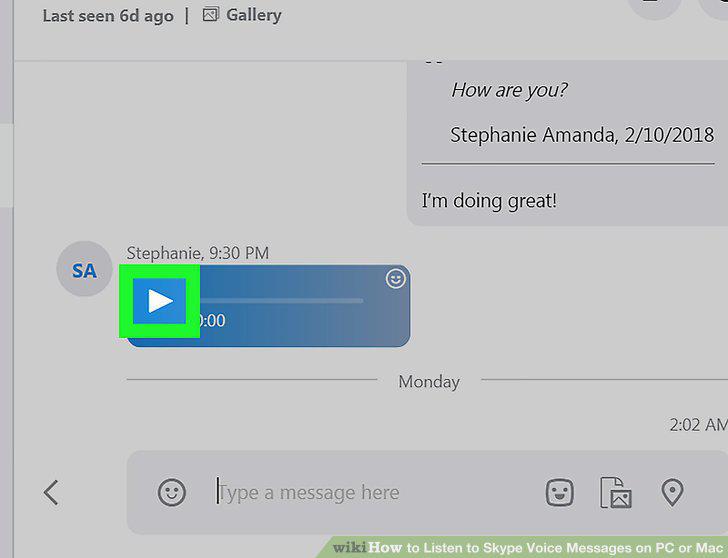
Click the Play button next to the voice message.
Comments (0)
No comments yet. Be the first to share your thoughts!