How to Insert a Page Break in an Excel Worksheet
Open your spreadsheet.. Open the Page Setup options.. Enable adjusted scaling.
Steps
1
Open your spreadsheet.
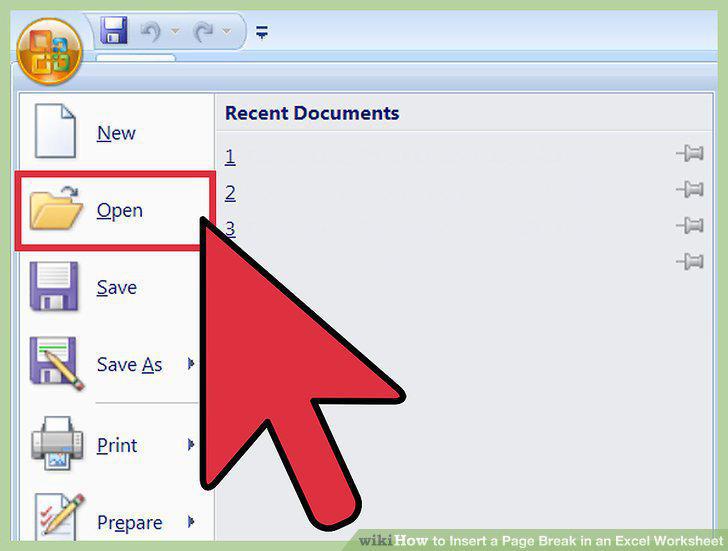
Open your spreadsheet.
2
Open the Page Setup options.
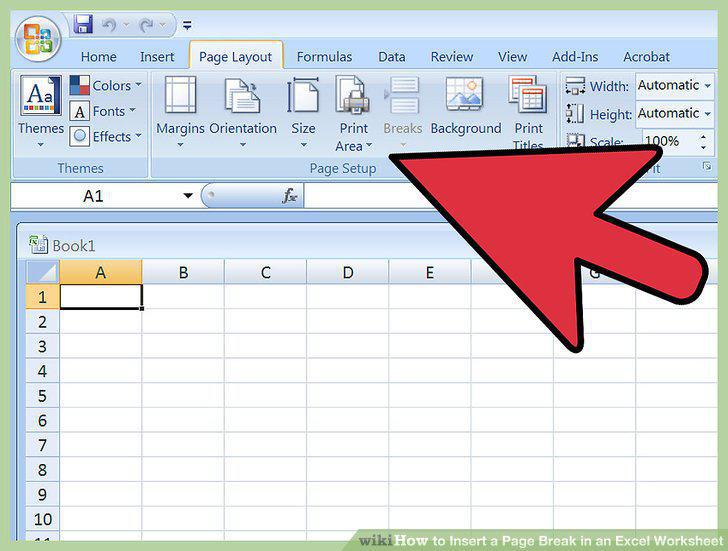
Open the Page Setup options.
3
Enable adjusted scaling.
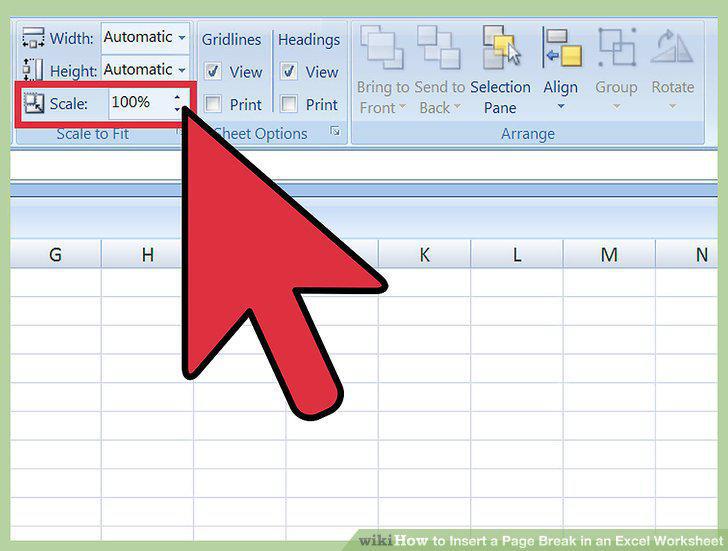
Enable adjusted scaling.
4
Enter Page Break view.
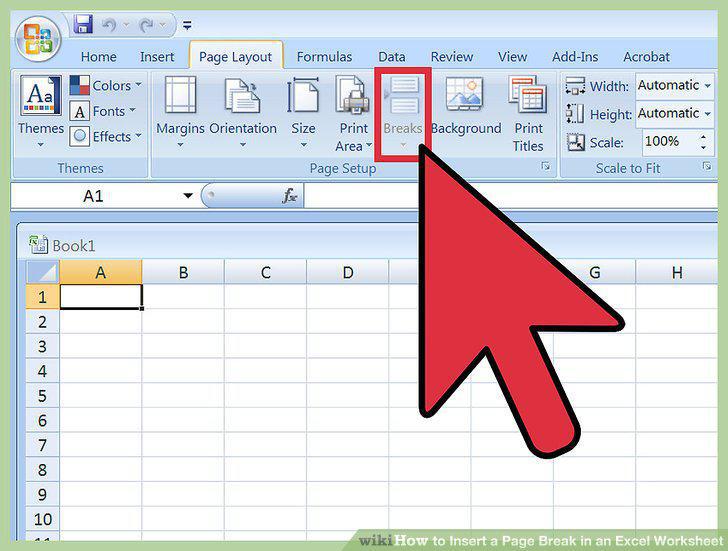
Enter Page Break view.
5
Click the row below your desired horizontal page break location.
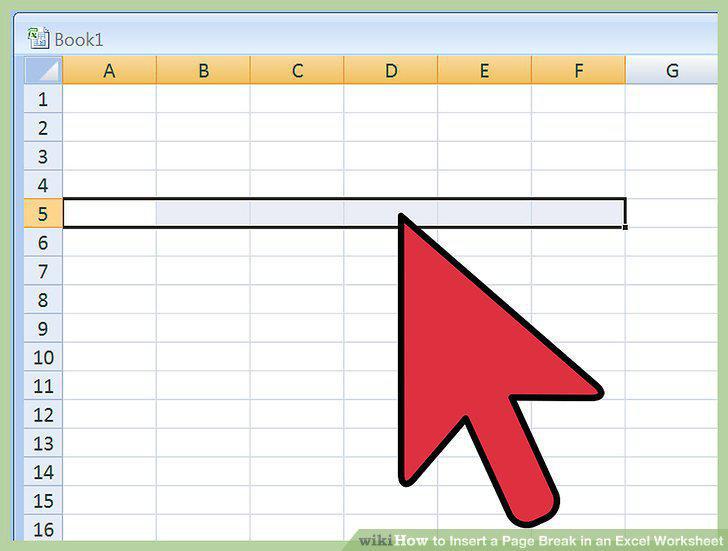
Click the row below your desired horizontal page break location.
6
Insert the horizontal page break.
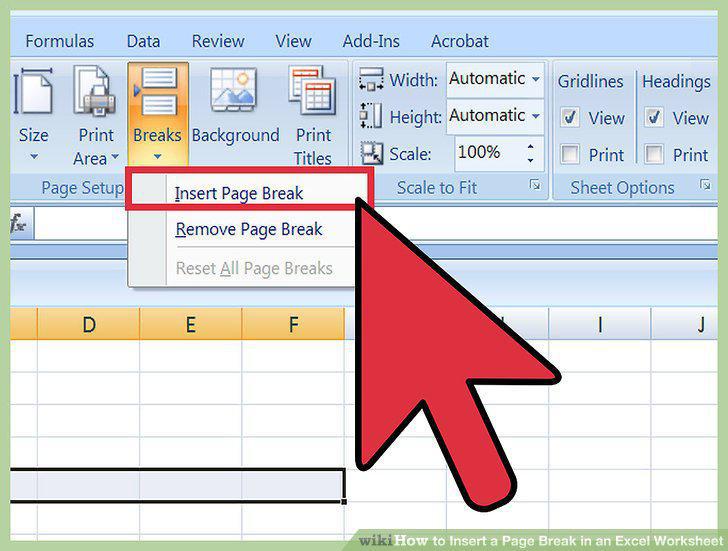
Insert the horizontal page break.
7
Select the column to the right of your desired vertical line break.
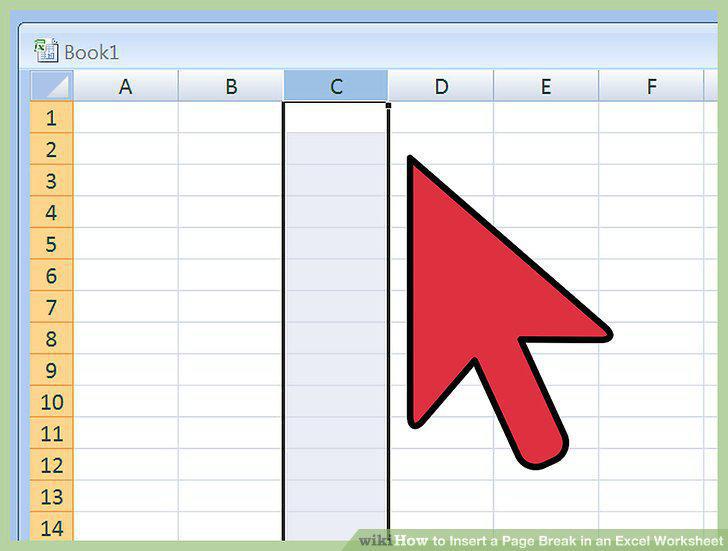
Select the column to the right of your desired vertical line break.
8
Insert the vertical page break.
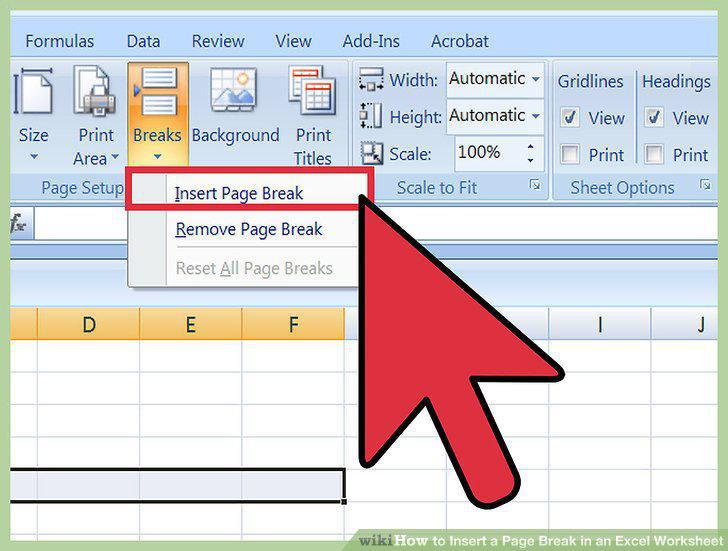
Insert the vertical page break.
9
Move your page break.
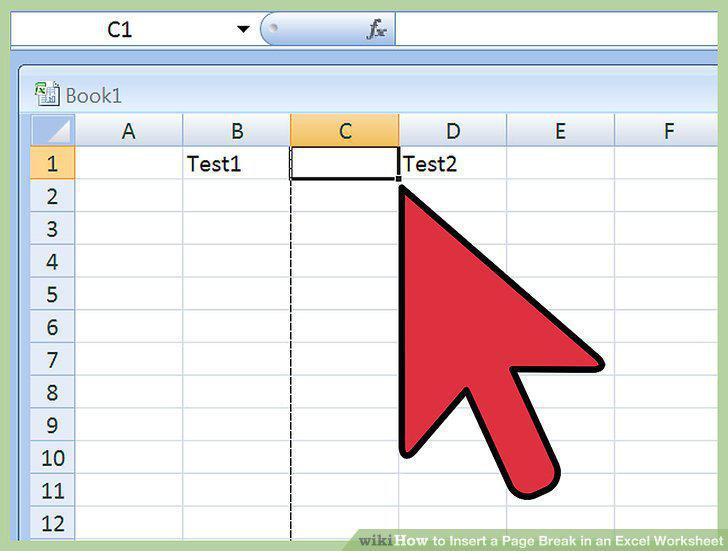
Move your page break.
10
Delete a page break.
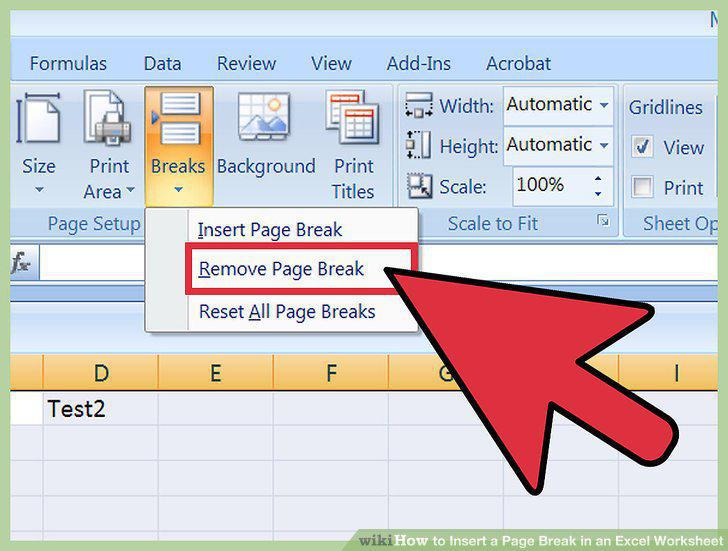
Delete a page break.
11
Return to Normal view.
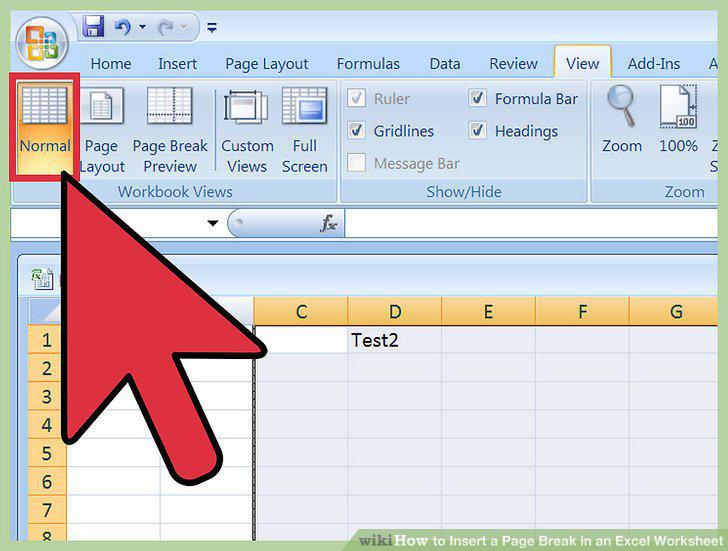
Return to Normal view.
Comments (0)
No comments yet. Be the first to share your thoughts!