How to Restore Your Windows XP Computer
Open the Start menu.. Click on the All Programs link.. Open the Accessories folder.
Steps
1
Open the Start menu.

Open the Start menu.
2
Click on the All Programs link.
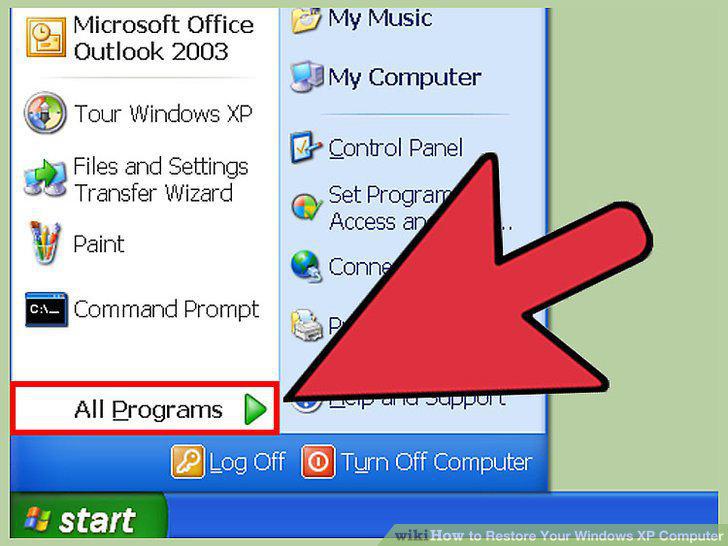
Click on the All Programs link.
3
Open the Accessories folder.
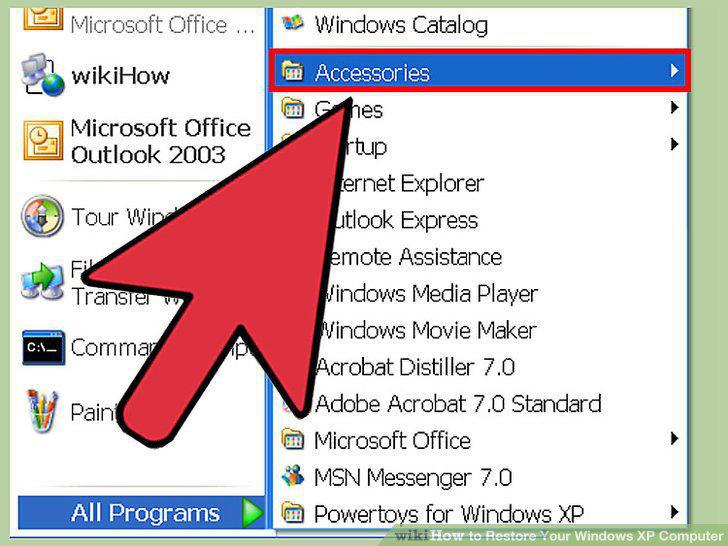
Open the Accessories folder.
4
Open the System Tools folder.
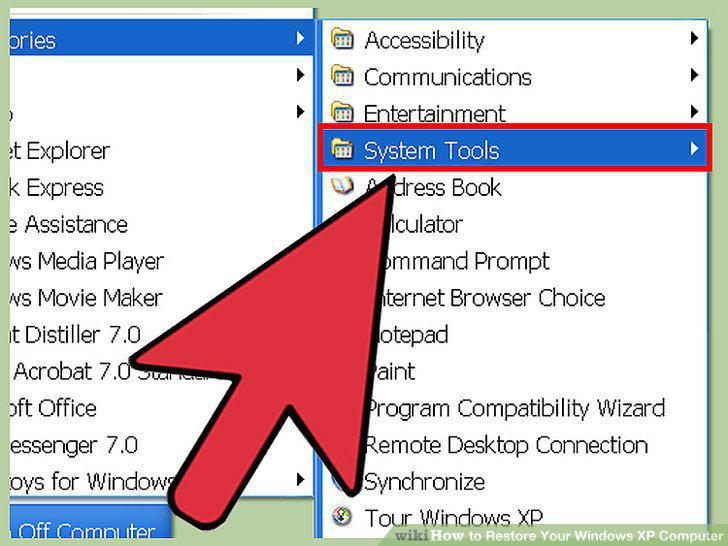
Open the System Tools folder.
5
Click on the System Restore guide.
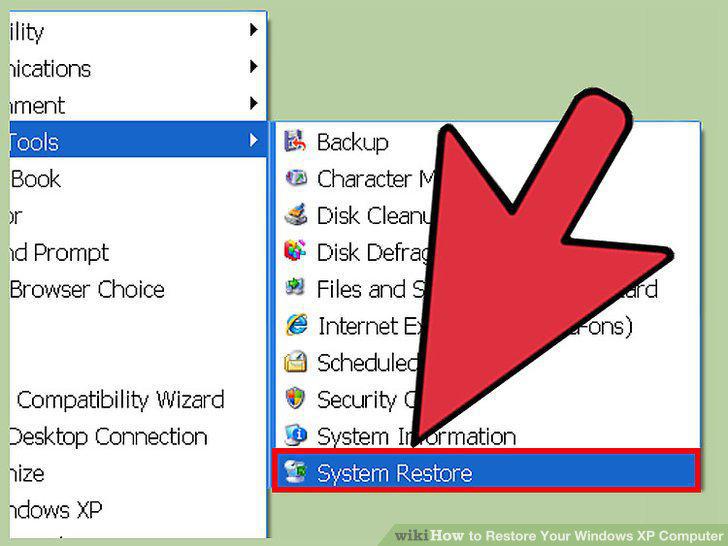
Click on the System Restore guide.
6
Select Restore my computer to an earlier time.
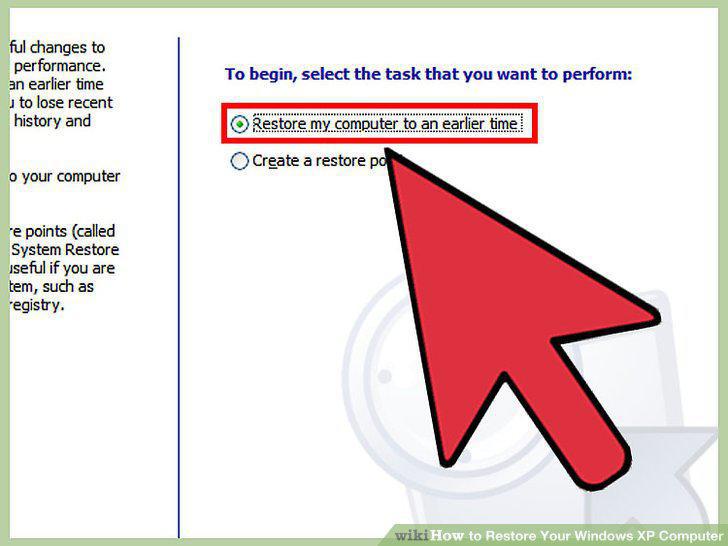
Select Restore my computer to an earlier time.
7
Select a Date to restore your system to.
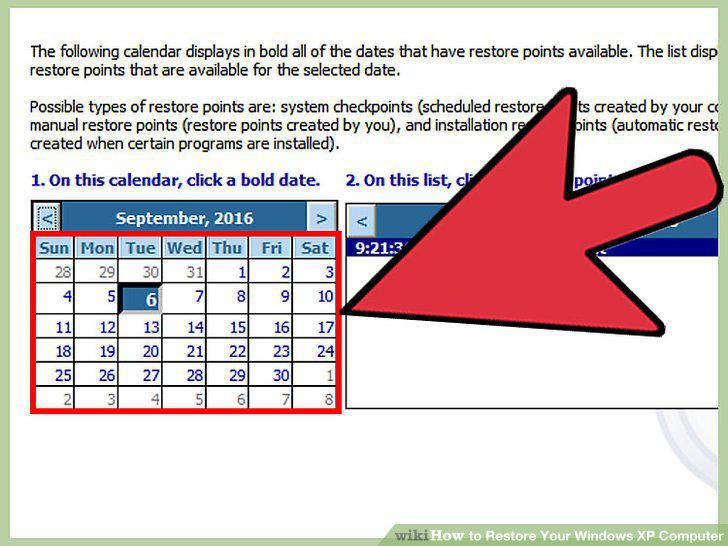
Select a Date to restore your system to.
8
Click Next to activate the System Restore.
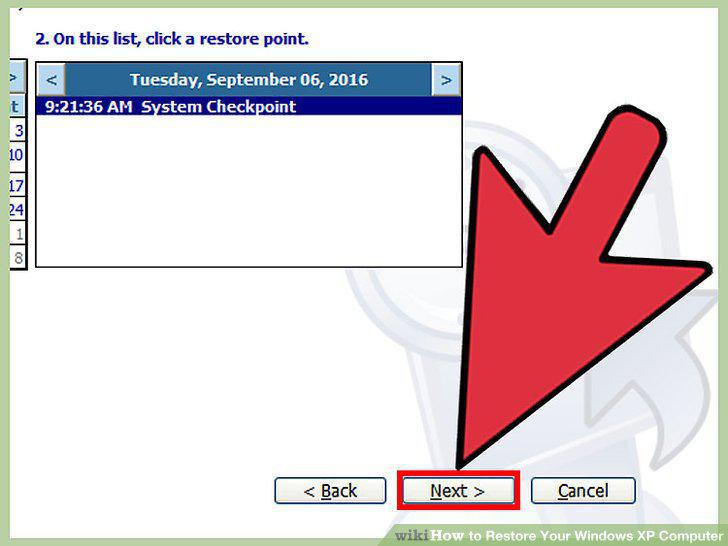
Click Next to activate the System Restore.
9
Click OK when the system starts up.

Click OK when the system starts up.
10
Repeat Steps 1-6 above.
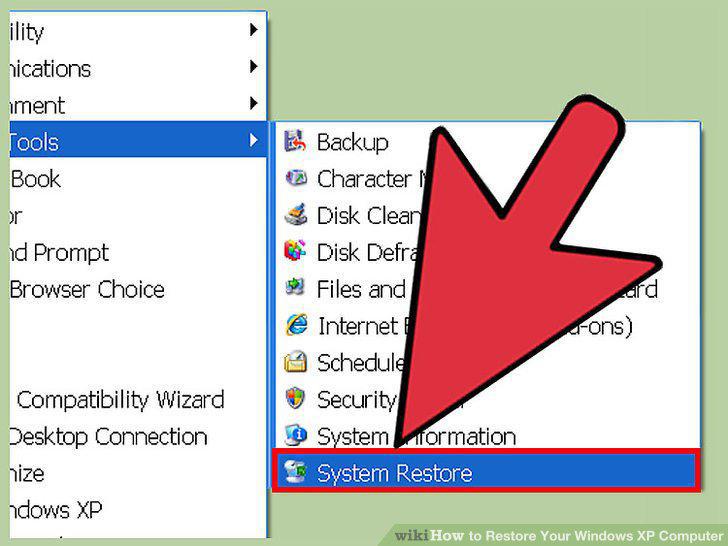
Repeat Steps 1-6 above.
11
Select Undo my last restoration.
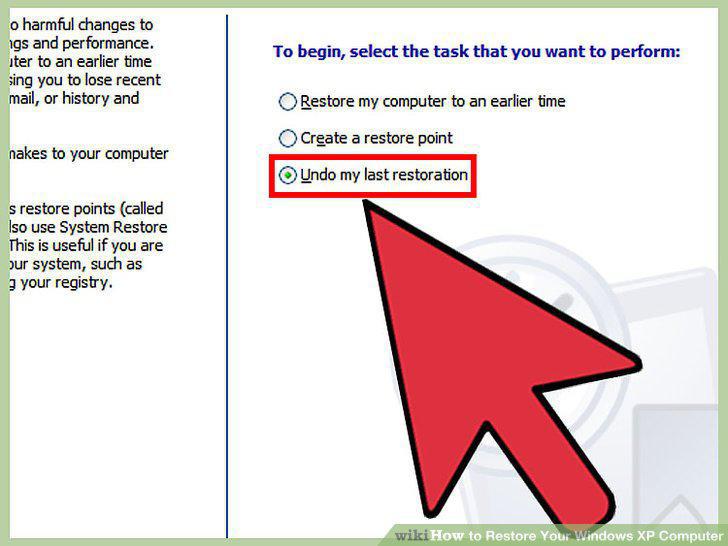
Select Undo my last restoration.
12
Click Next to confirm.
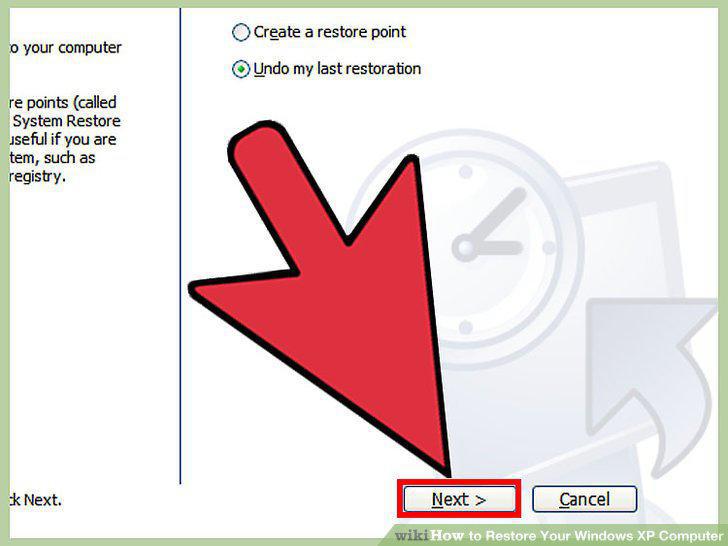
Click Next to confirm.
13
Click OK when the system starts up.

Click OK when the system starts up.
Comments (0)
No comments yet. Be the first to share your thoughts!