How to Disable Game Center
Open the Settings app on your device.. Scroll down and tap "Game Center.". Tap your Apple ID.
Steps
1
Open the Settings app on your device.
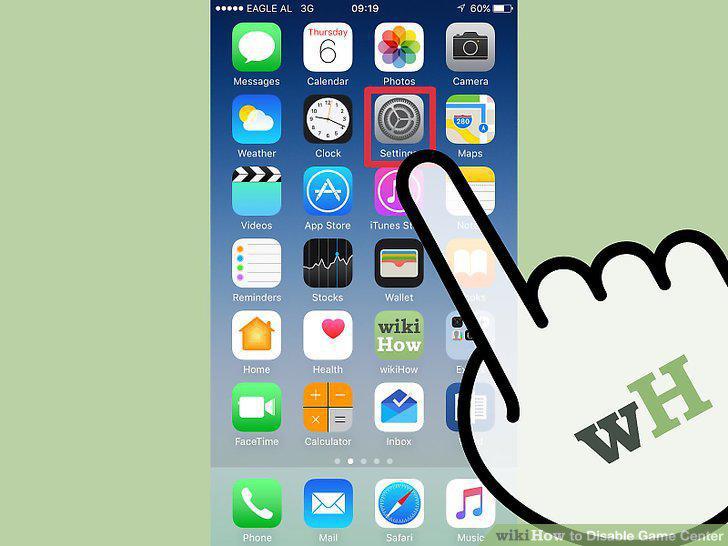
Open the Settings app on your device.
2
Scroll down and tap "Game Center."
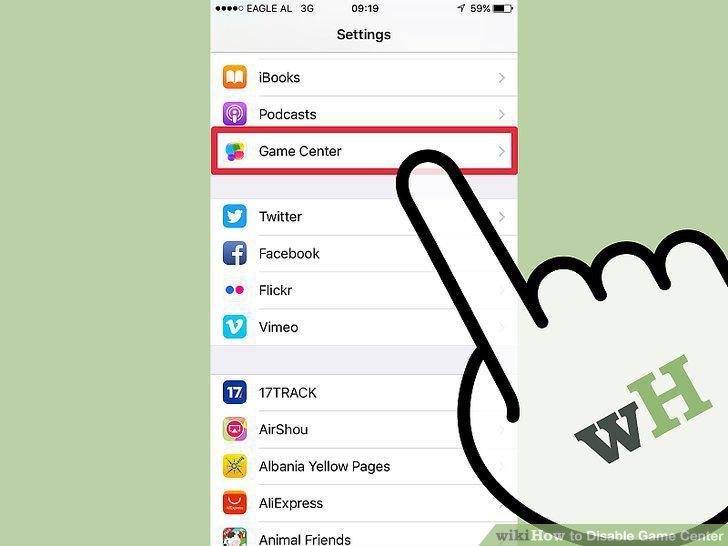
Scroll down and tap "Game Center."
3
Tap your Apple ID.
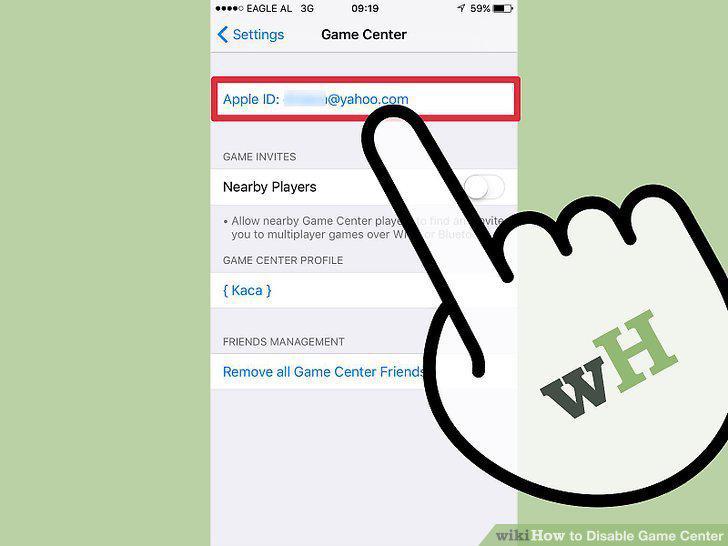
Tap your Apple ID.
4
Tap "Sign Out."
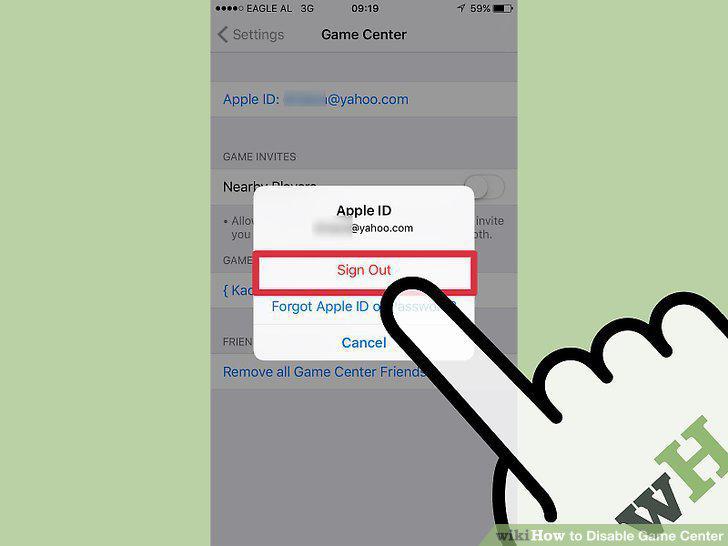
Tap "Sign Out."
5
Open the "Notifications" menu in the Settings app.
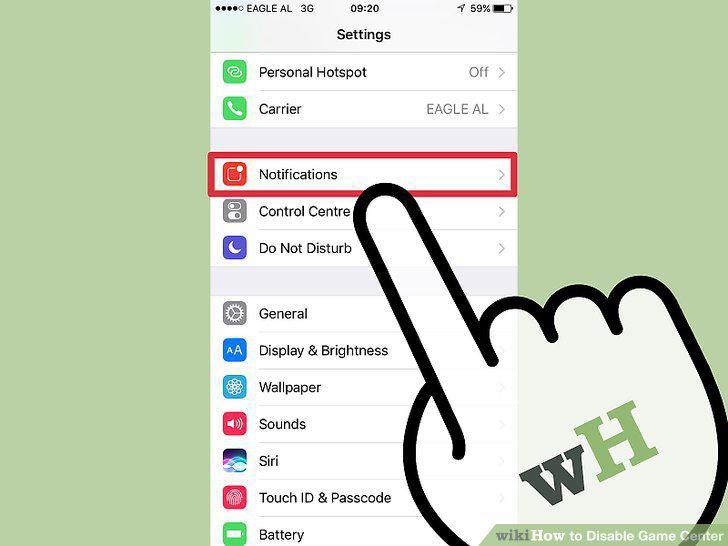
Open the "Notifications" menu in the Settings app.
6
Select "Game Center" (iOS 9) or "Games" (iOS 10) from the list of apps.
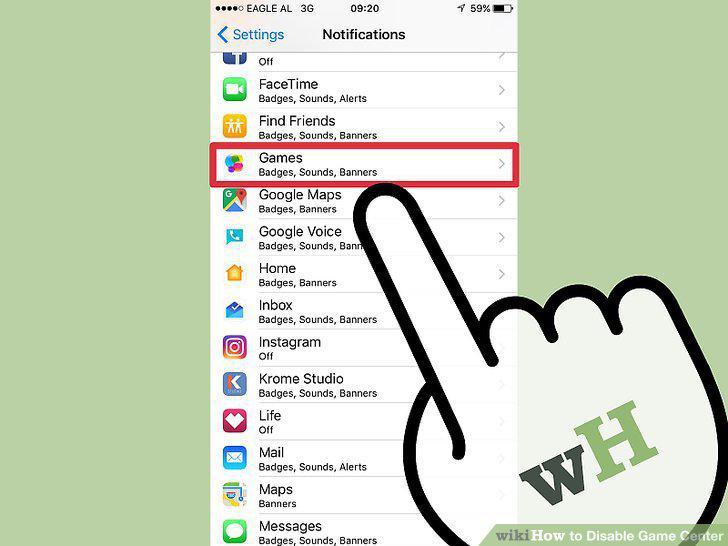
Select "Game Center" (iOS 9) or "Games" (iOS 10) from the list of apps.
7
Toggle "Allow Notifications" off.
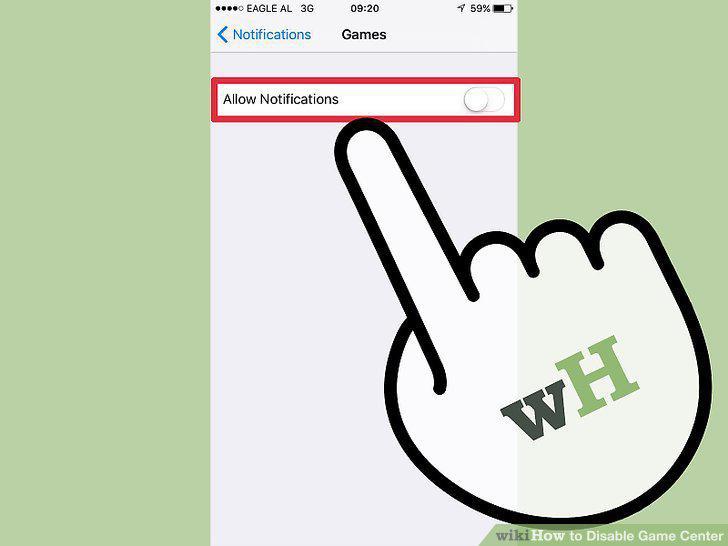
Toggle "Allow Notifications" off.
8
Cancel any Game Center windows that appear four times.
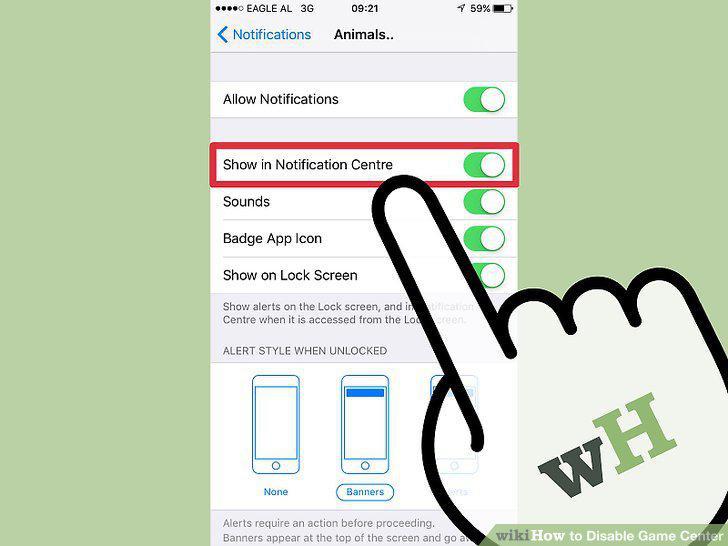
Cancel any Game Center windows that appear four times.
Comments (0)
No comments yet. Be the first to share your thoughts!