How to Format the C Drive With Windows 7
Back up and save your files.. Obtain your computer name if connected to a network.. Insert the Windows 7 installation disc.
Steps
1
Back up and save your files.
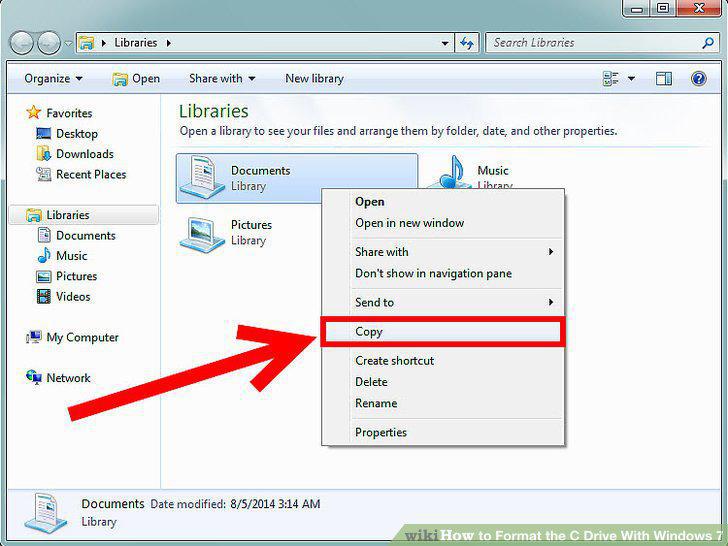
Back up and save your files.
2
Obtain your computer name if connected to a network.
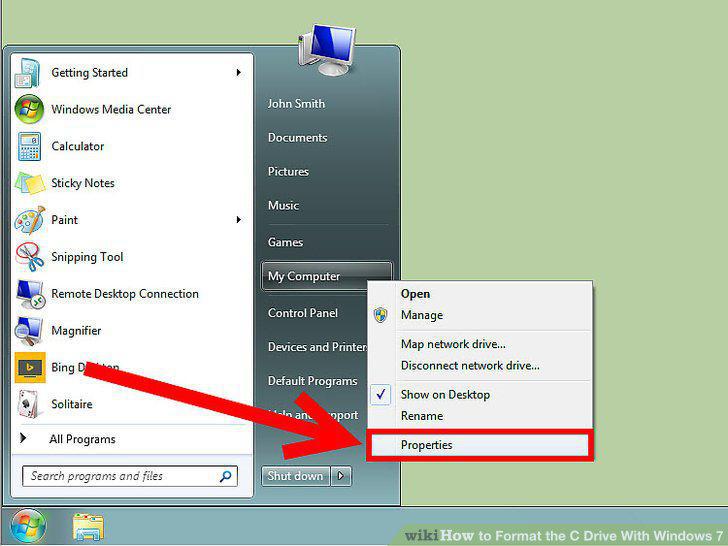
Obtain your computer name if connected to a network.
3
Insert the Windows 7 installation disc.
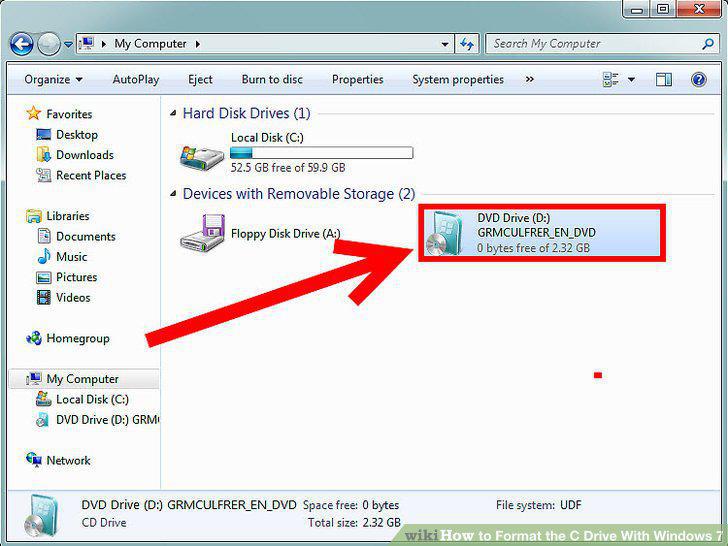
Insert the Windows 7 installation disc.
4
Turn off your computer.
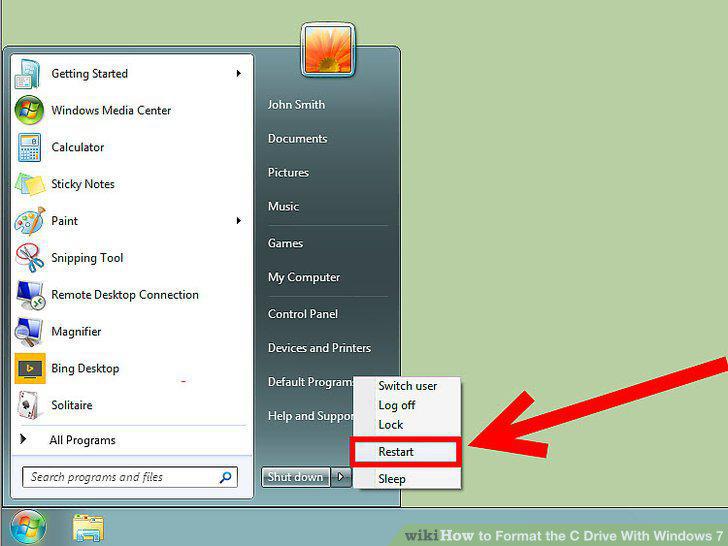
Turn off your computer.
5
Power on your computer.
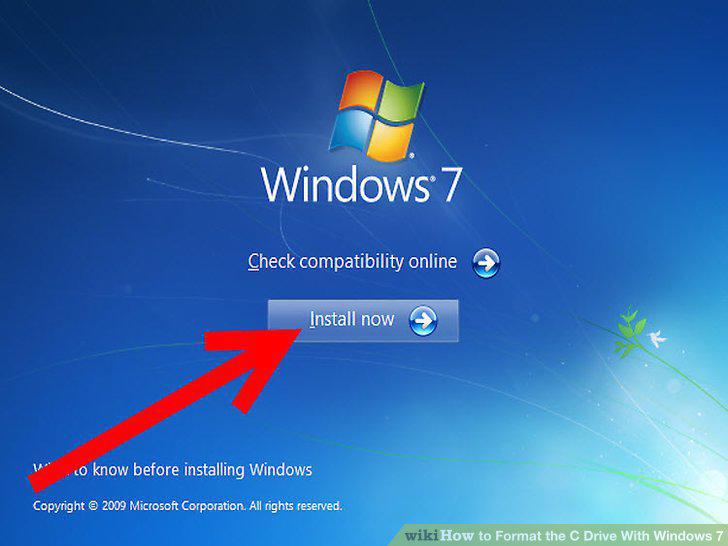
Power on your computer.
6
Format your C drive.
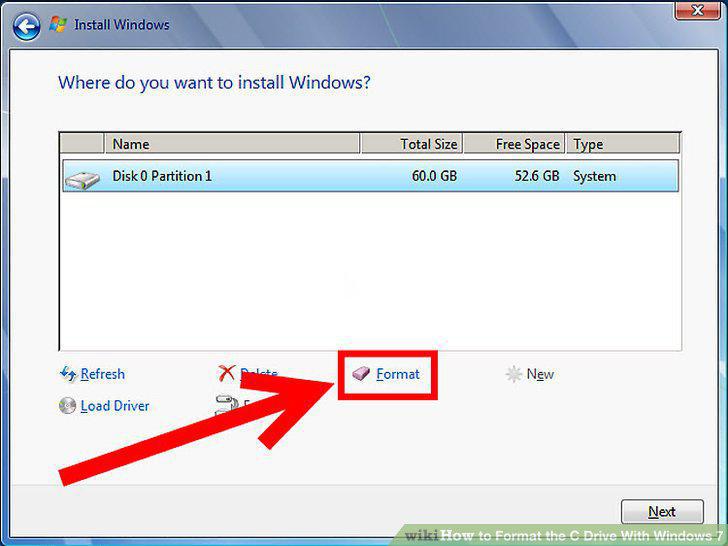
Format your C drive.
7
Re-install Windows 7 on your C drive.
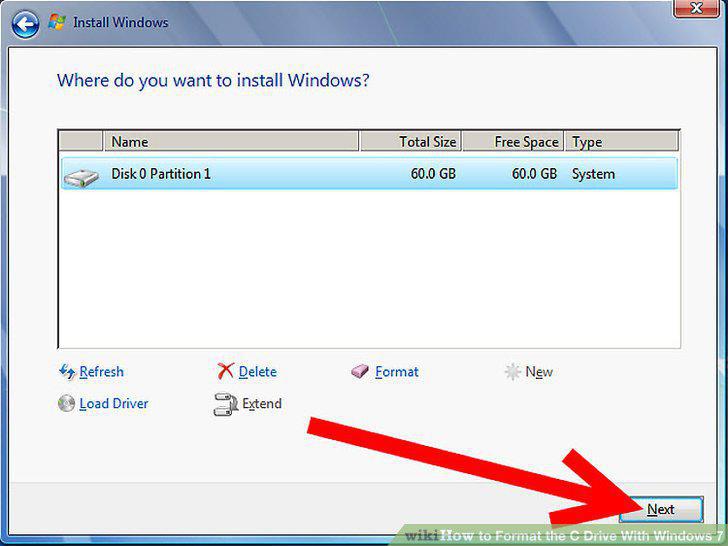
Re-install Windows 7 on your C drive.
8
Restore your saved files.
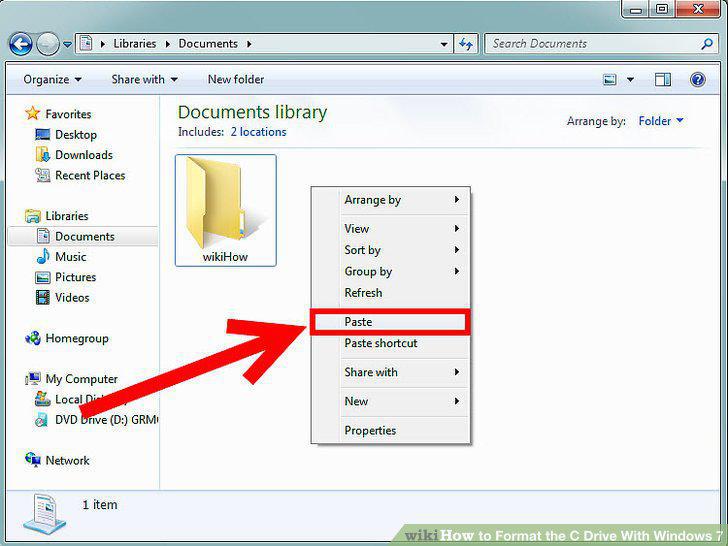
Restore your saved files.
Comments (0)
No comments yet. Be the first to share your thoughts!