How to Track a Samsung Phone
Open your Samsung's Settings app.. Scroll down and tap Lock screen and security.. Tap Find my mobile.
Steps
1
Open your Samsung's Settings app.
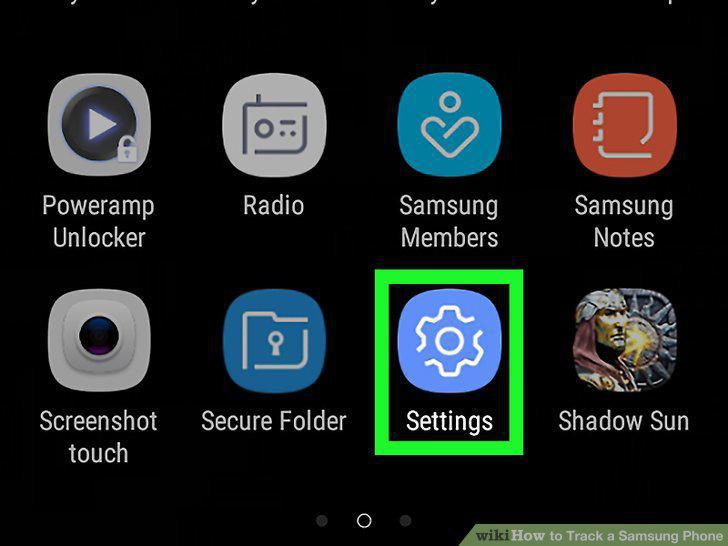
Open your Samsung's Settings app.
2
Scroll down and tap Lock screen and security.
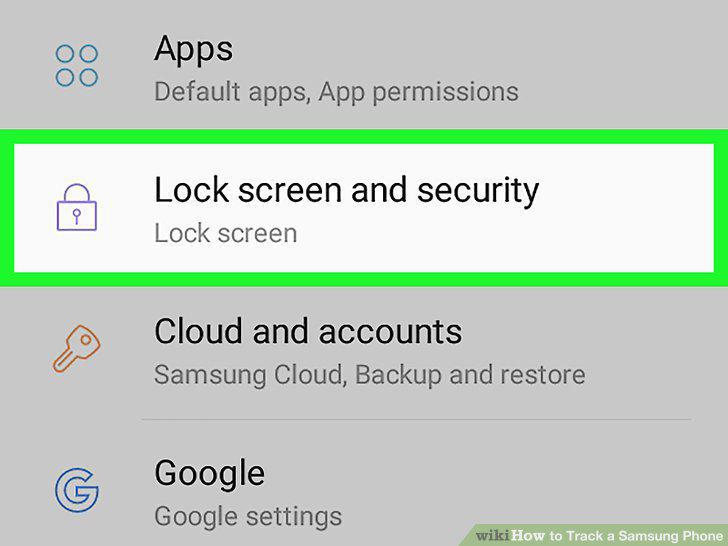
Scroll down and tap Lock screen and security.
3
Tap Find my mobile.
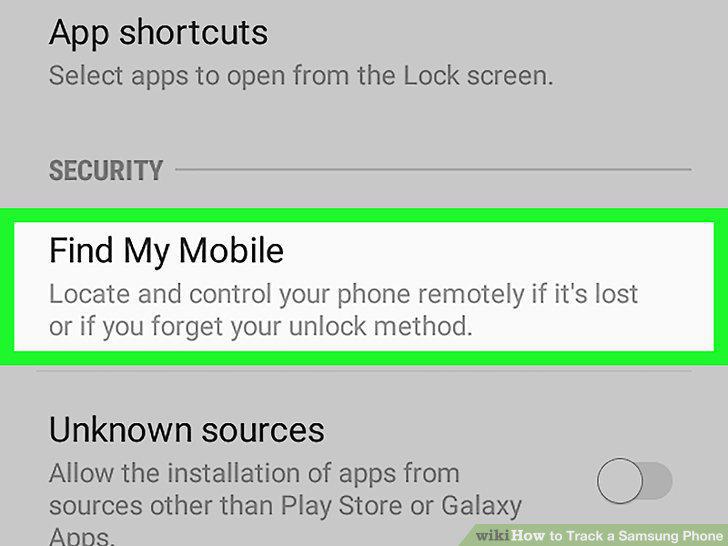
Tap Find my mobile.
4
Slide the Send last location switch to .
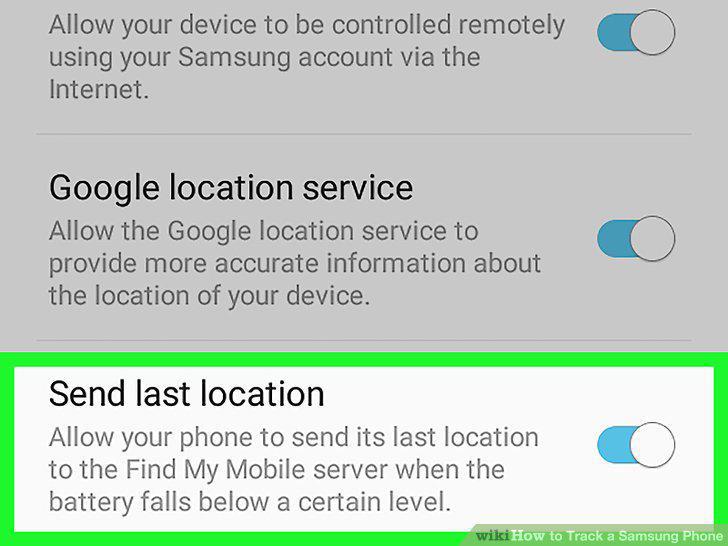
Slide the Send last location switch to .
5
Open the Find My Mobile page in your internet browser.
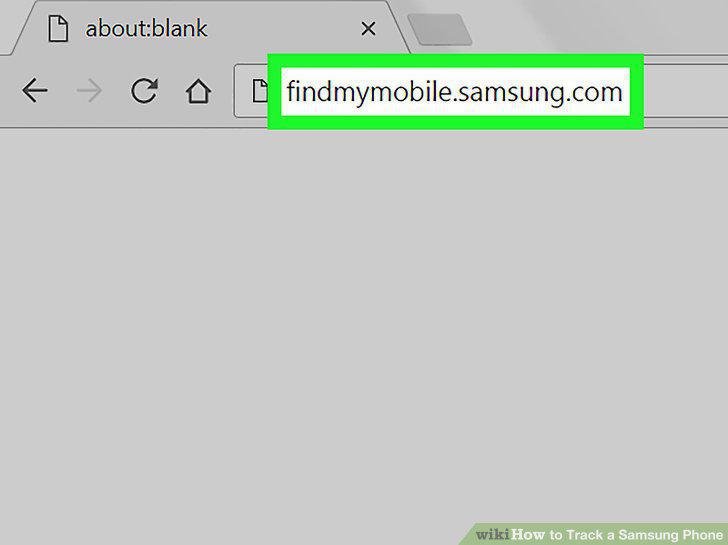
Open the Find My Mobile page in your internet browser.
6
Click the SIGN IN button.
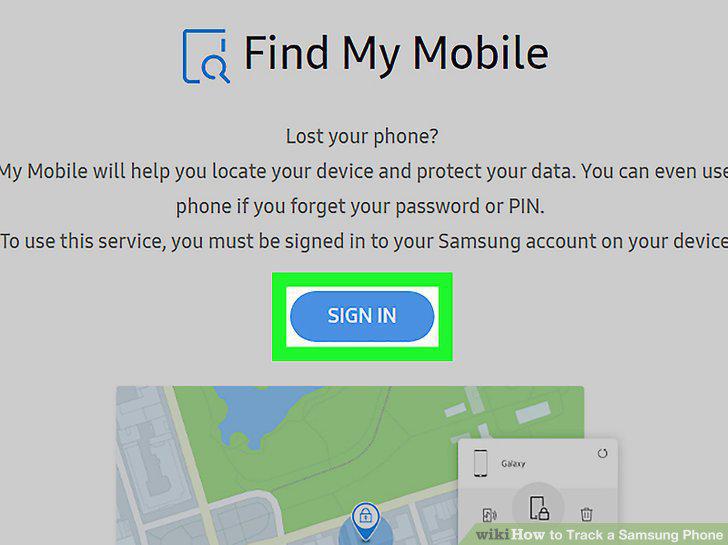
Click the SIGN IN button.
7
Sign into your Samsung account.
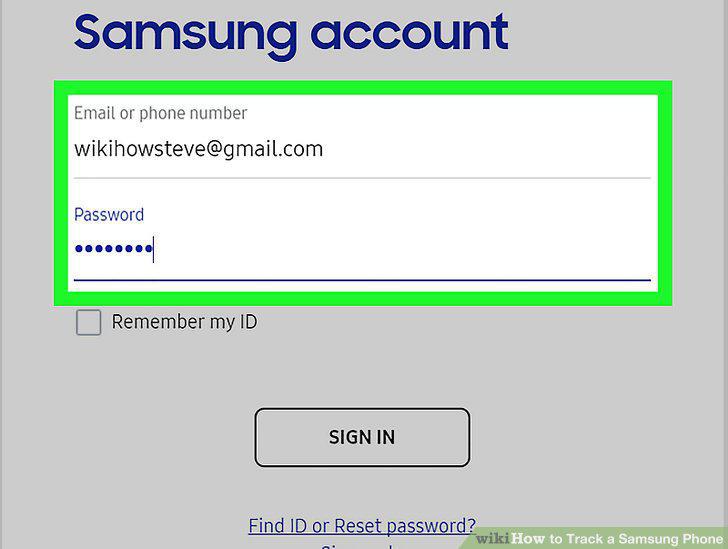
Sign into your Samsung account.
8
Find your phone on the map.
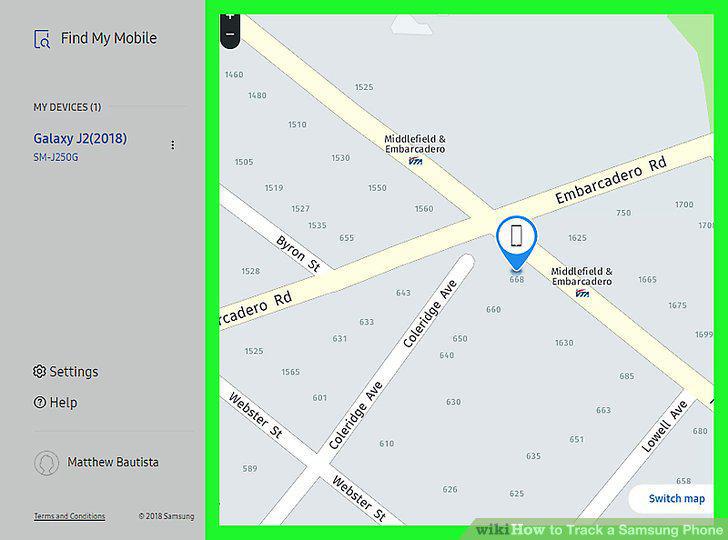
Find your phone on the map.
9
Click the RING MY DEVICE button.
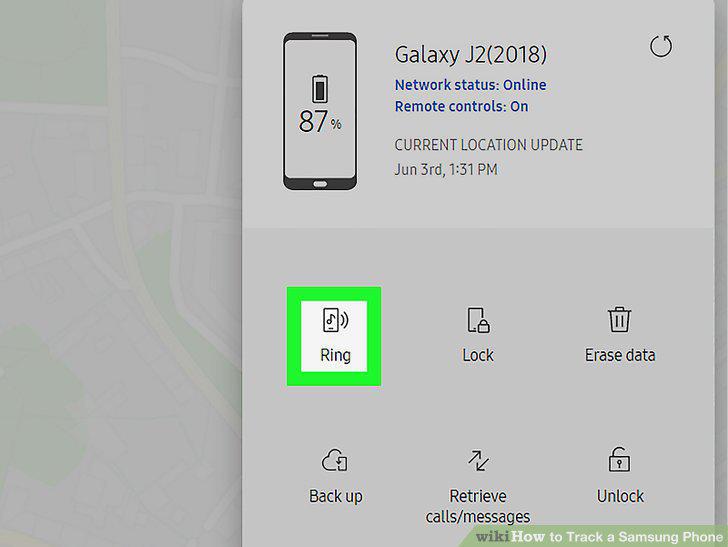
Click the RING MY DEVICE button.
Comments (0)
No comments yet. Be the first to share your thoughts!