How to Convert a Webm File to an MP4 with VLC
Open VLC Media Player on your Windows PC.. Click the Media menu and select Convert/Save.. Click the Add button.
Steps
1
Open VLC Media Player on your Windows PC.
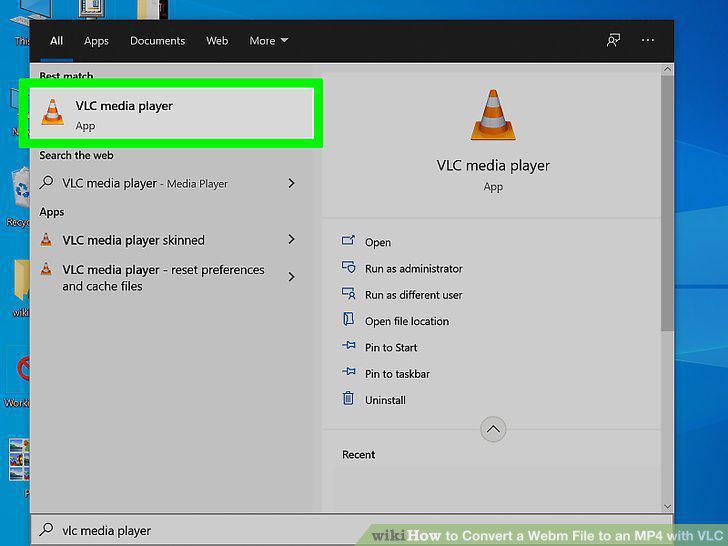
Open VLC Media Player on your Windows PC.
2
Click the Media menu and select Convert/Save.
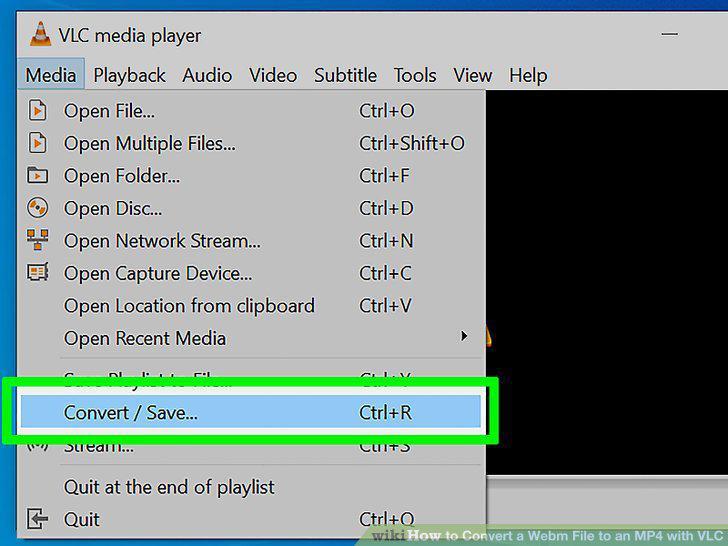
Click the Media menu and select Convert/Save.
3
Click the Add button.
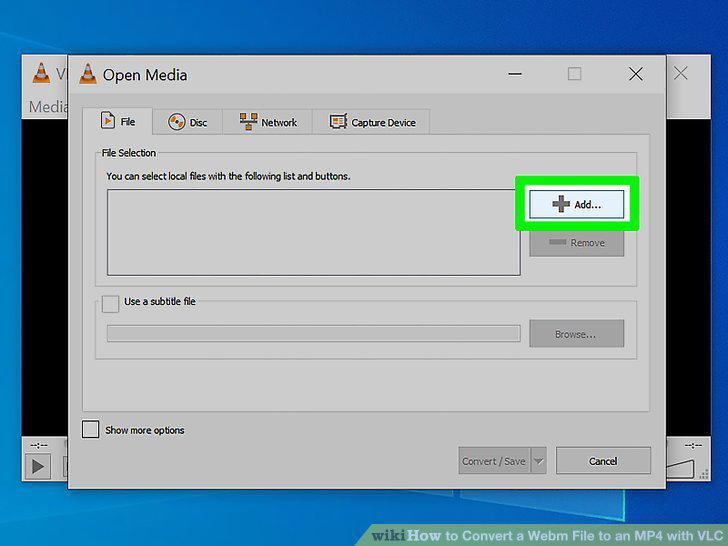
Click the Add button.
4
Select the WebM file and click Open.
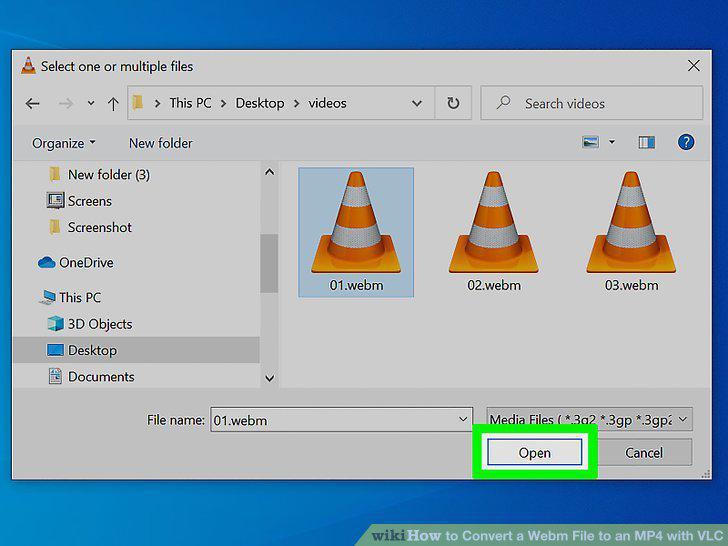
Select the WebM file and click Open.
5
Click the Convert button.
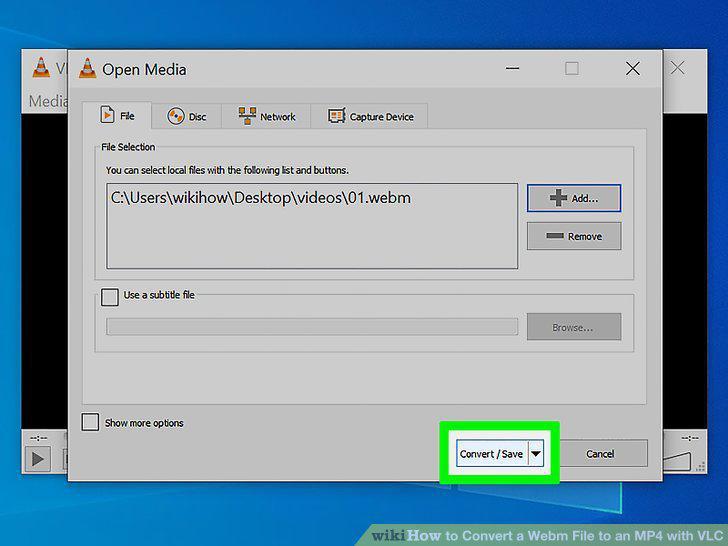
Click the Convert button.
6
Select the MP4 format from the "Profile" menu.
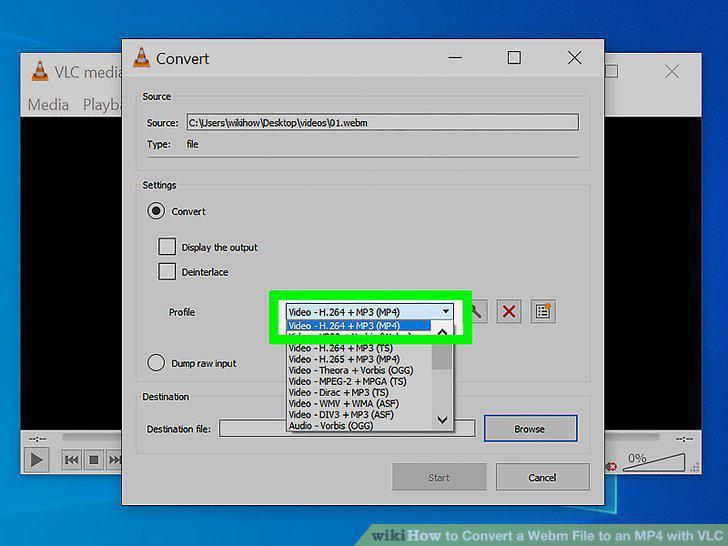
Select the MP4 format from the "Profile" menu.
7
Click the Browse button.
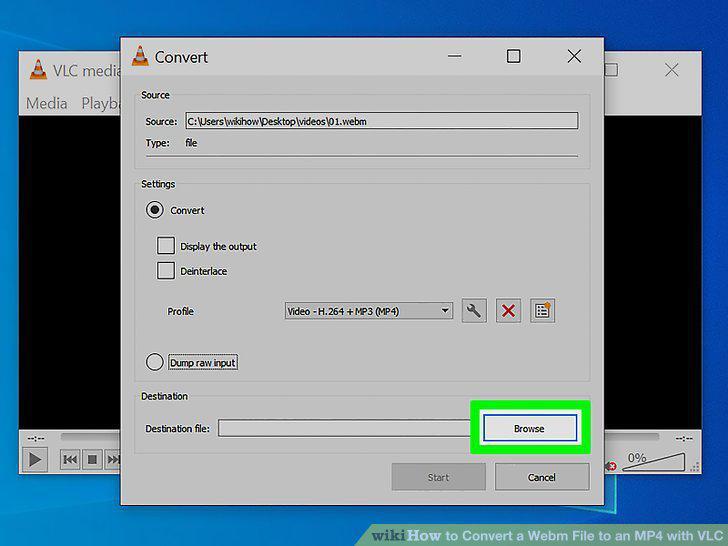
Click the Browse button.
8
Rename the file and click Save.
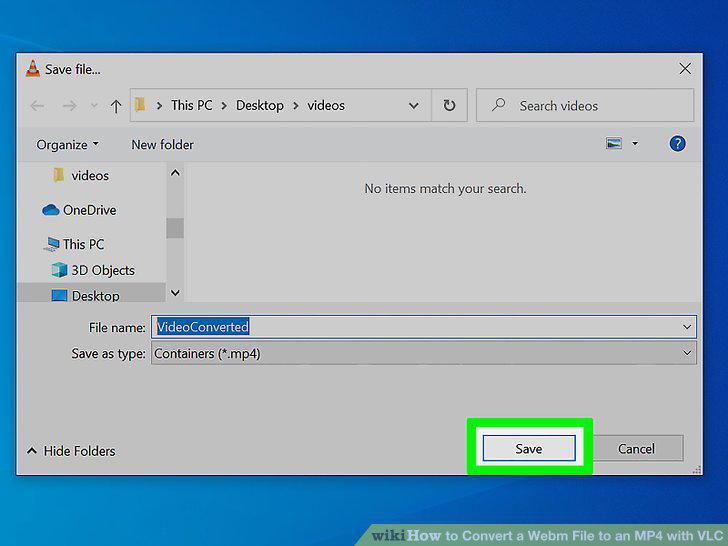
Rename the file and click Save.
9
Click the Start button.
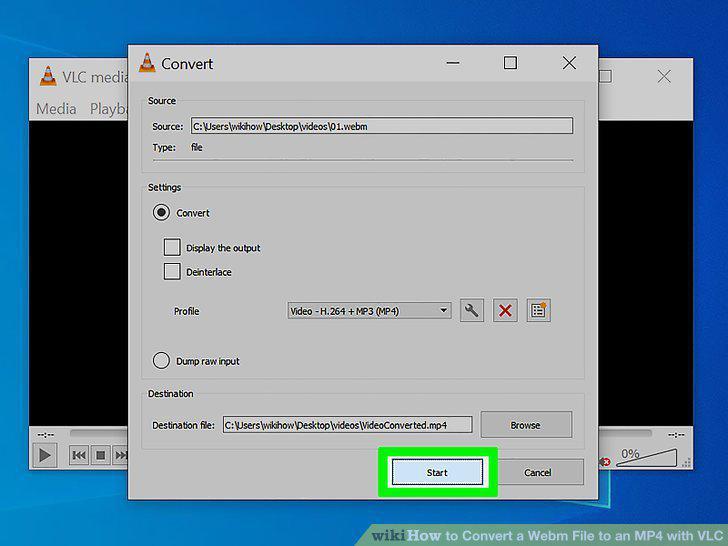
Click the Start button.
10
Open VLC Media Player on your Mac.
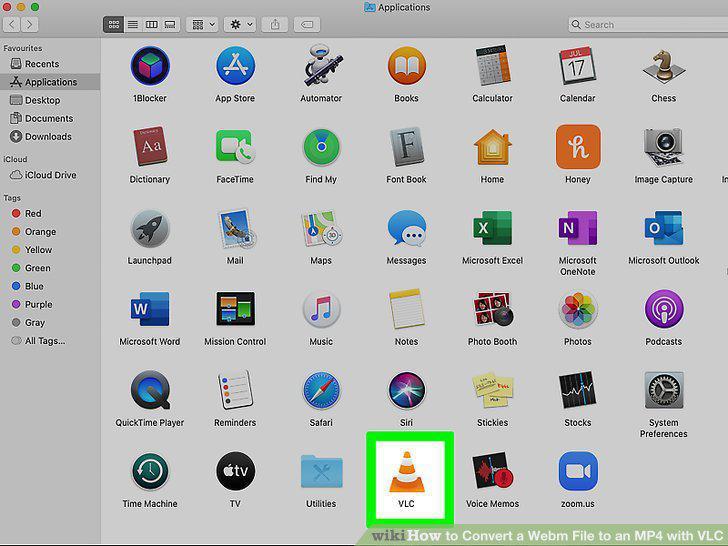
Open VLC Media Player on your Mac.
11
Click the File menu and select Convert/Stream.
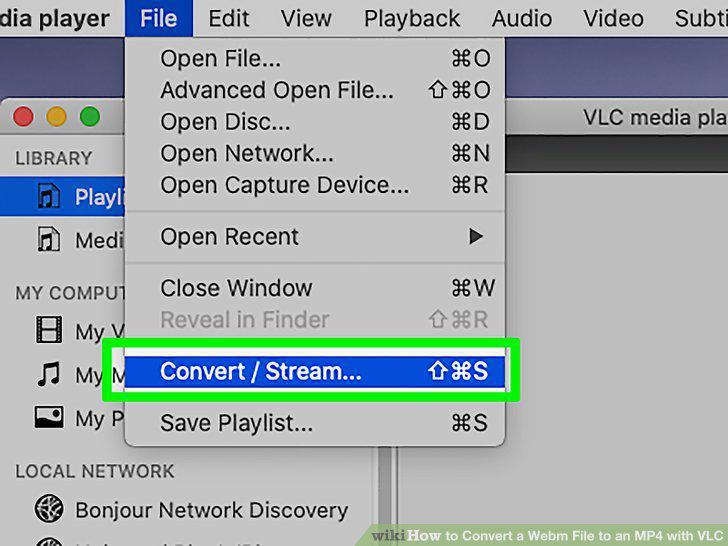
Click the File menu and select Convert/Stream.
12
Drag the WebM file to the "Drop media here" rectangle.
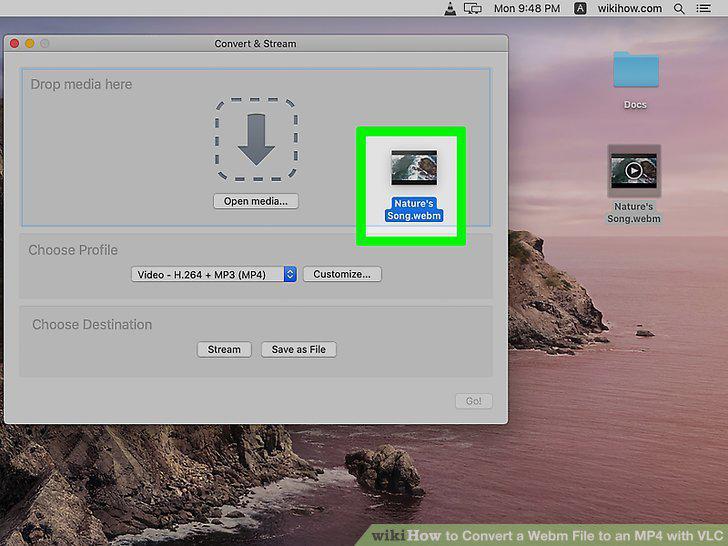
Drag the WebM file to the "Drop media here" rectangle.
13
Select the MP4 format from the "Choose Profile" menu.
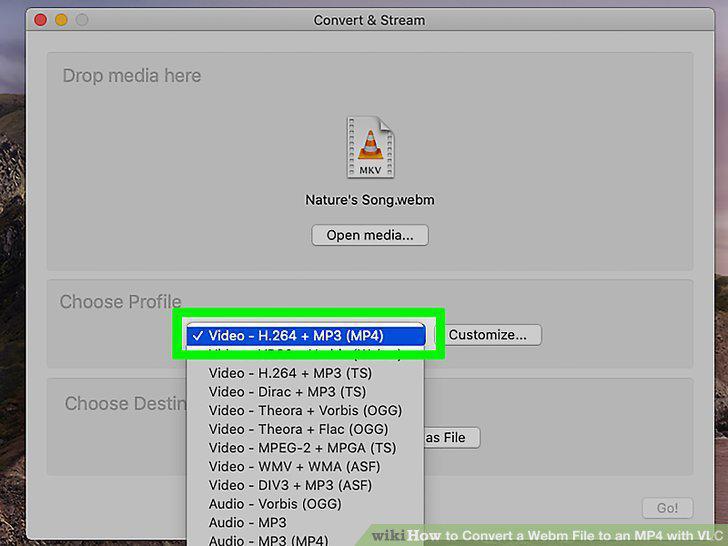
Select the MP4 format from the "Choose Profile" menu.
14
Click the Save as File button.
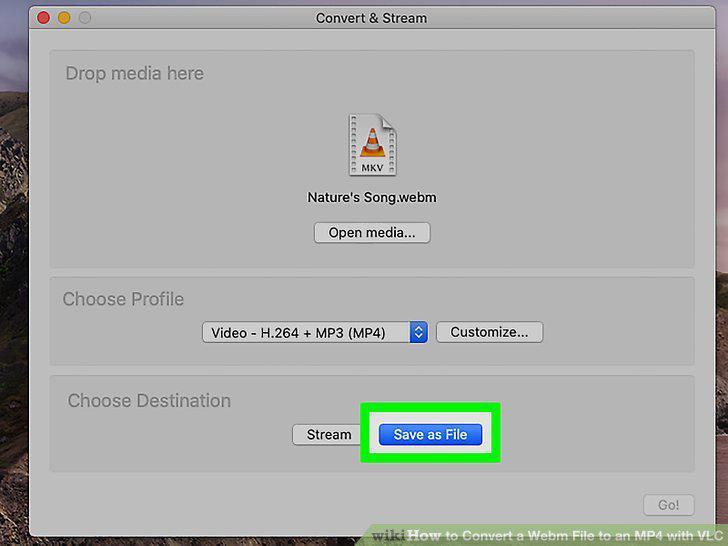
Click the Save as File button.
15
Enter a file name and select a destination.
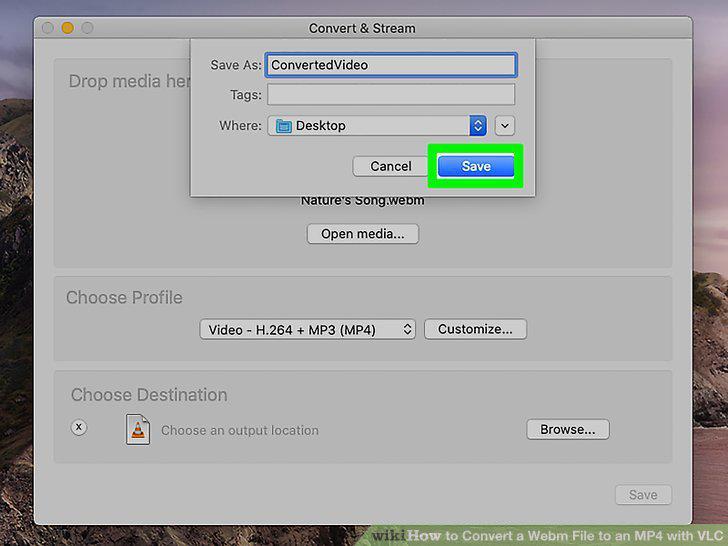
Enter a file name and select a destination.
16
Click the Save button.
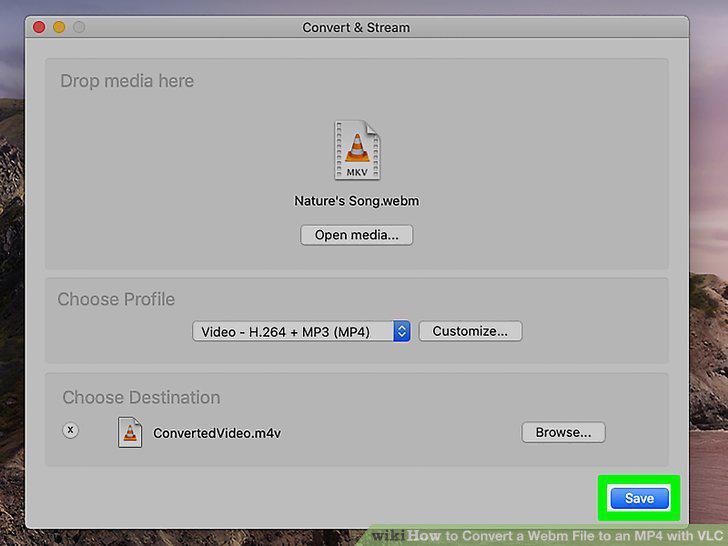
Click the Save button.
Comments (0)
No comments yet. Be the first to share your thoughts!