How to Get Skype Credit
Open Skype on your computer, phone, or tablet.. Click your profile photo.. Click Skype to Phone.
Steps
Open Skype on your computer, phone, or tablet.
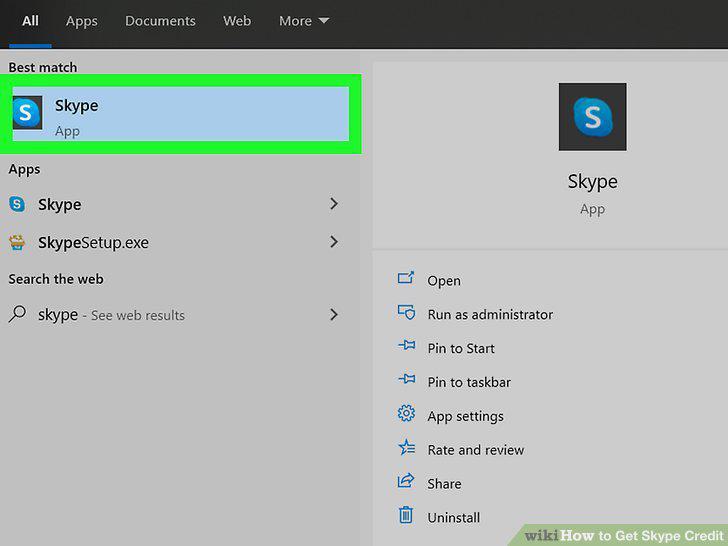
Open Skype on your computer, phone, or tablet.
Click your profile photo.
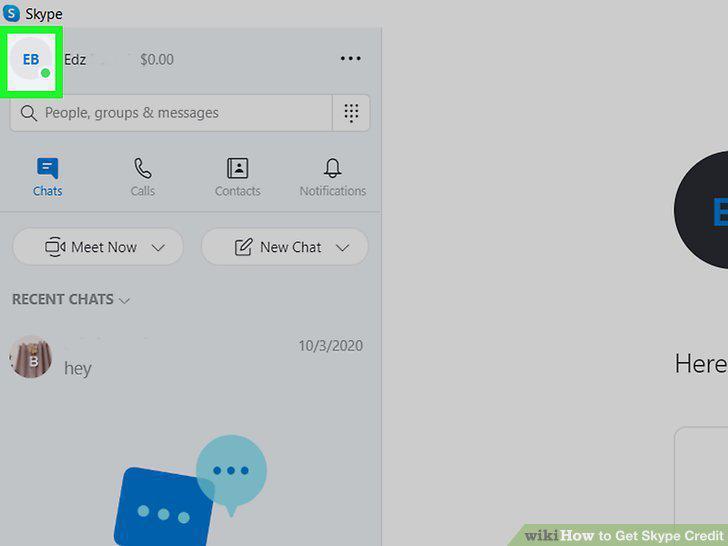
Click your profile photo.
Click Skype to Phone.
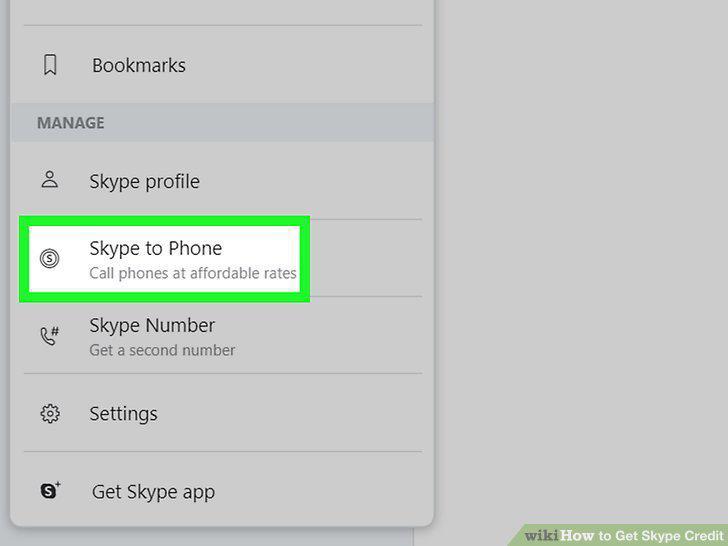
Click Skype to Phone.
Review the description and click Continue.
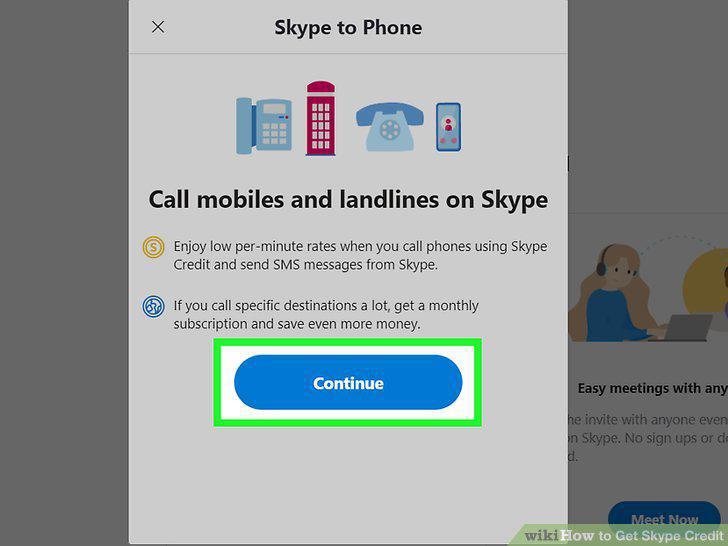
Review the description and click Continue.
Select the amount you want to purchase.
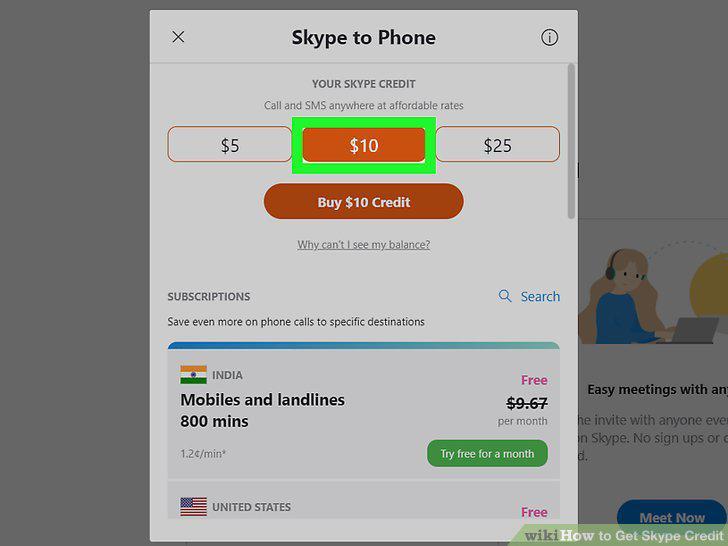
Select the amount you want to purchase.
Click Buy Credit.
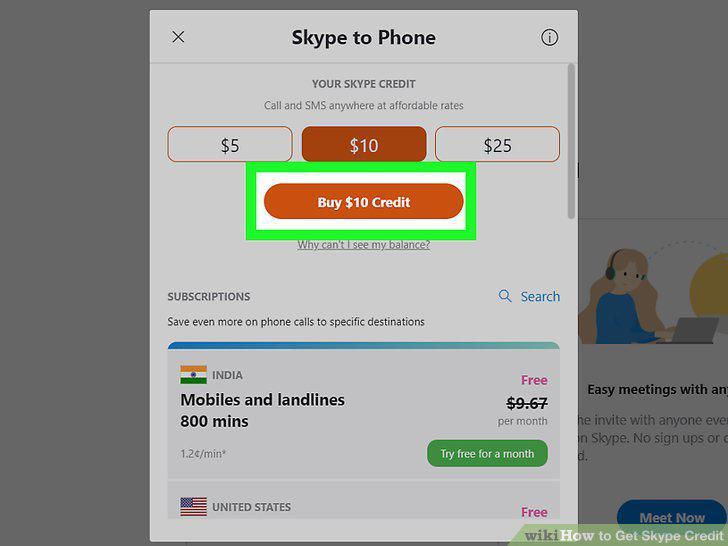
Click Buy Credit.
Follow the on-screen instructions to complete your purchase.
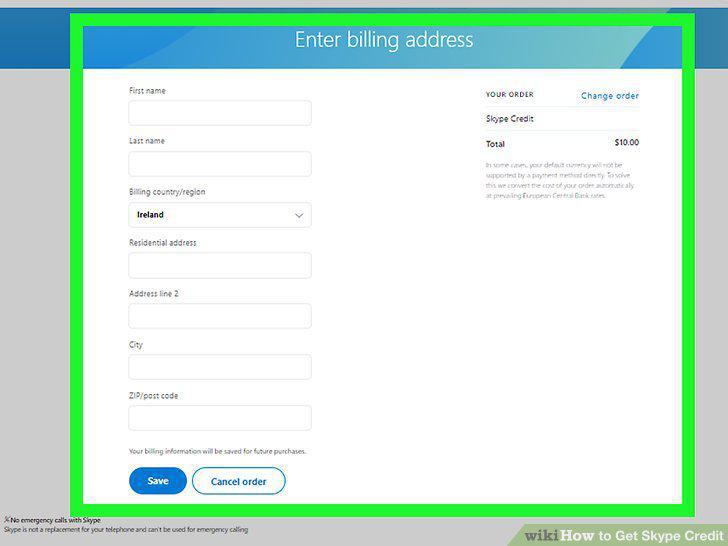
Follow the on-screen instructions to complete your purchase.
Go to http://www.skype.com/go/myaccount in a web browser.
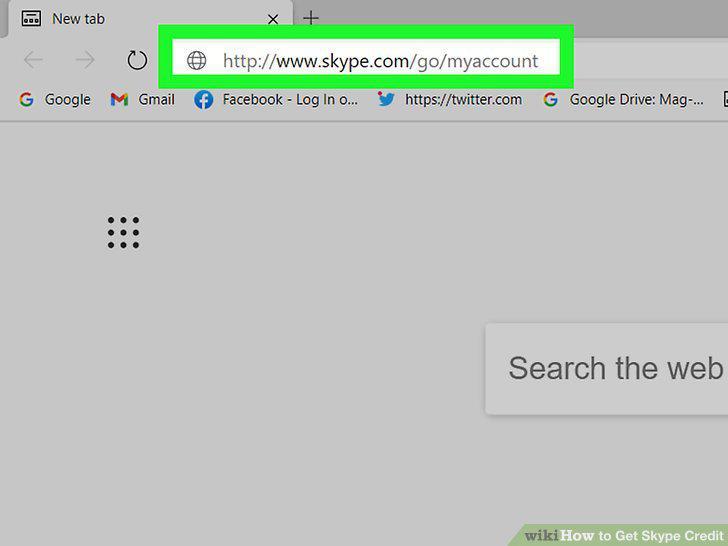
Go to http://www.skype.com/go/myaccount in a web browser.
Click Discover Credit.
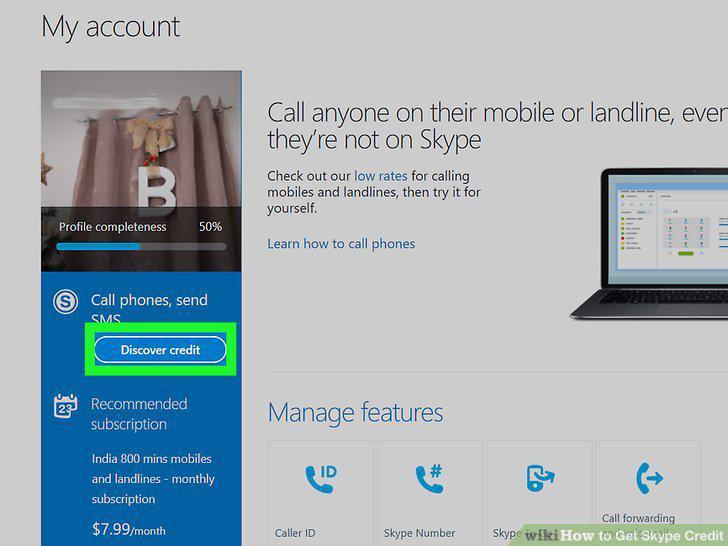
Click Discover Credit.
Click Continue under the amount of credits you want to buy.
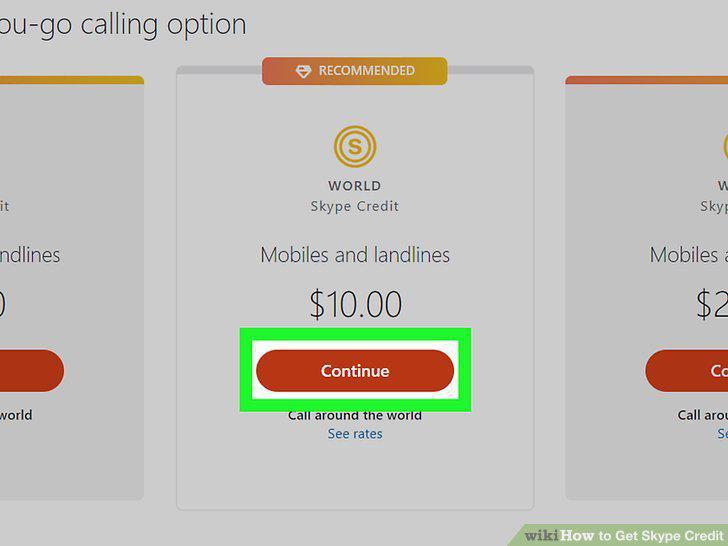
Click Continue under the amount of credits you want to buy.
Choose whether to enable auto-recharge.
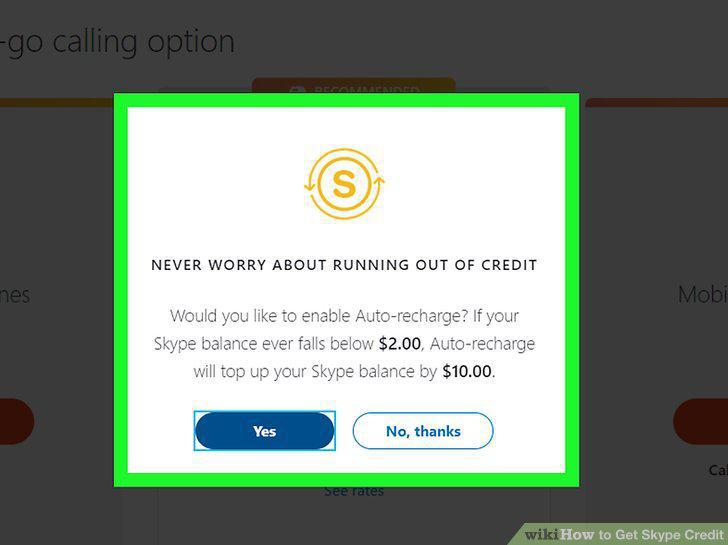
Choose whether to enable auto-recharge.
Enter your billing information.
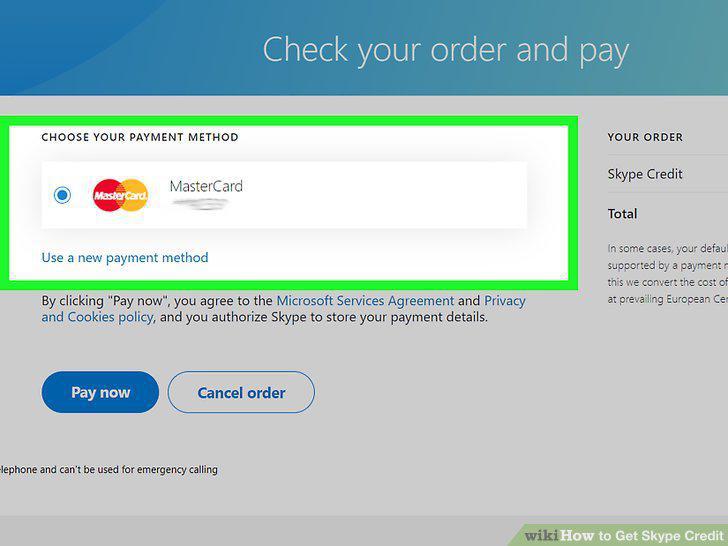
Enter your billing information.
Click Pay now.
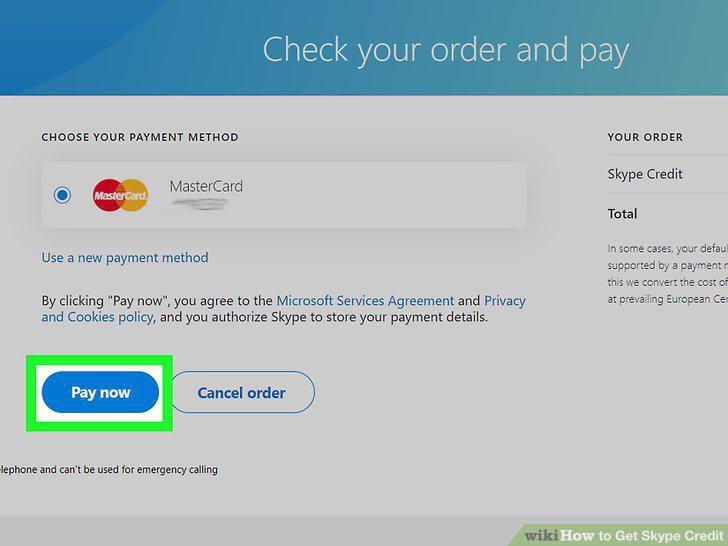
Click Pay now.
Purchase a card or voucher for the desired amount.
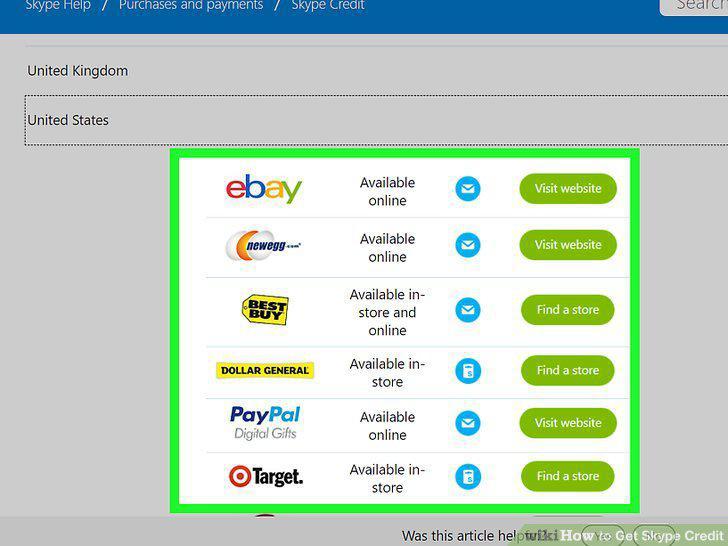
Purchase a card or voucher for the desired amount.
Go to http://www.skype.com/go/myaccount in a web browser.
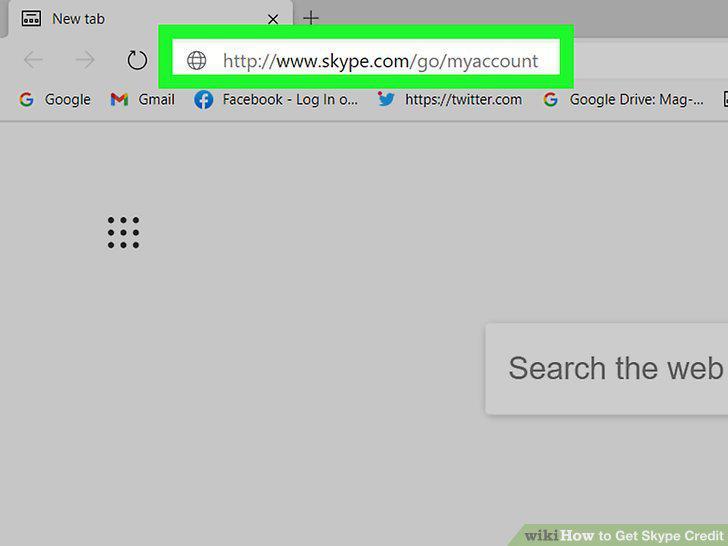
Go to http://www.skype.com/go/myaccount in a web browser.
Scroll down and click Redeem voucher.
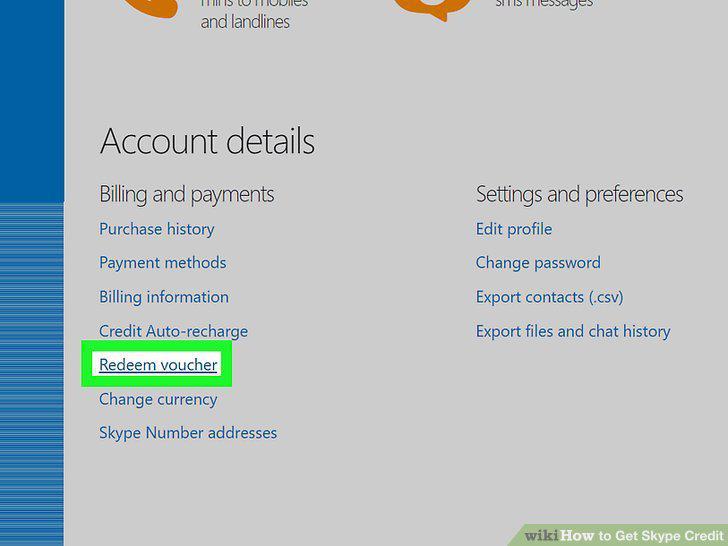
Scroll down and click Redeem voucher.
Enter the ID number from your card or voucher.
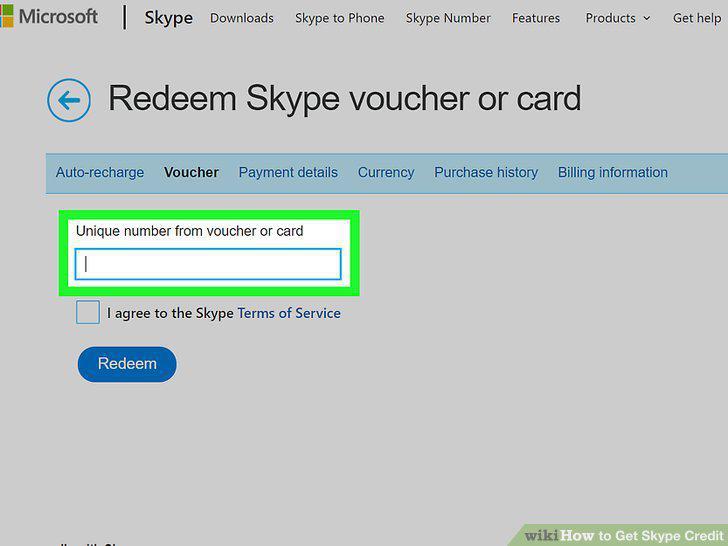
Enter the ID number from your card or voucher.
Check the box next to "I agree to Skype Terms of Service.
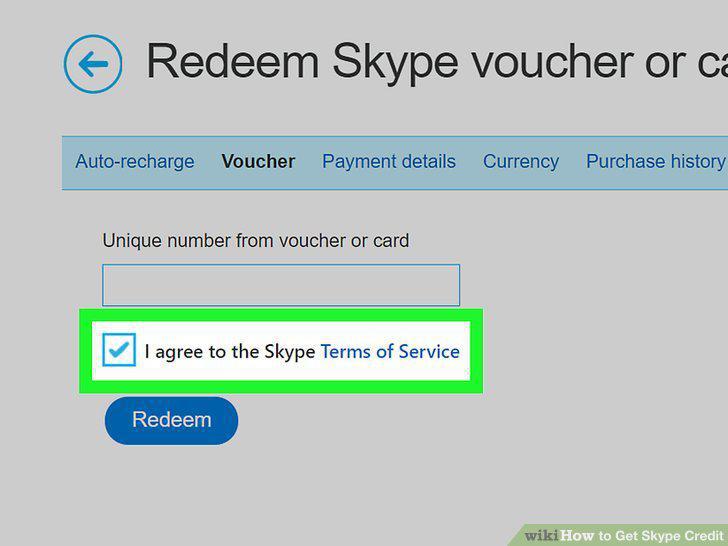
Check the box next to "I agree to Skype Terms of Service.
Click the blue Redeem button.

Click the blue Redeem button.
Comments (0)
No comments yet. Be the first to share your thoughts!