How to Hide Connections on Linkedin
Locate the thumbnail of your profile picture.. Hover over the icon of your profile picture to launch a drop-down menu.. Click on "Manage" next to "Privacy and Settings".
Steps
1
Locate the thumbnail of your profile picture.
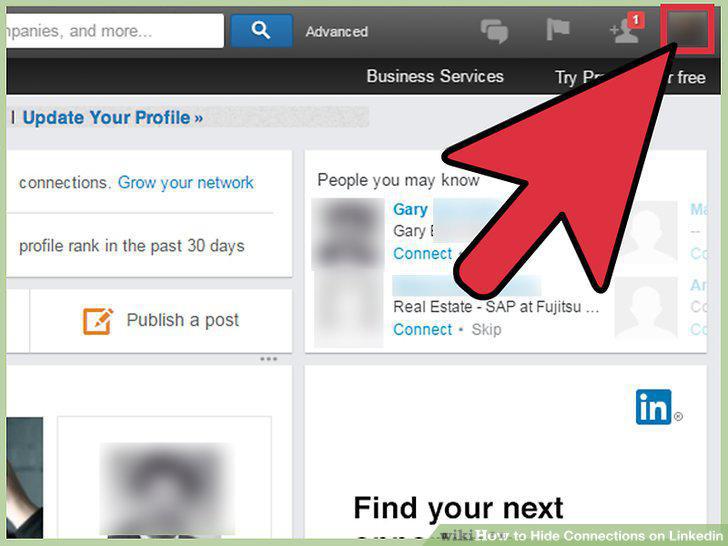
Locate the thumbnail of your profile picture.
2
Hover over the icon of your profile picture to launch a drop-down menu.
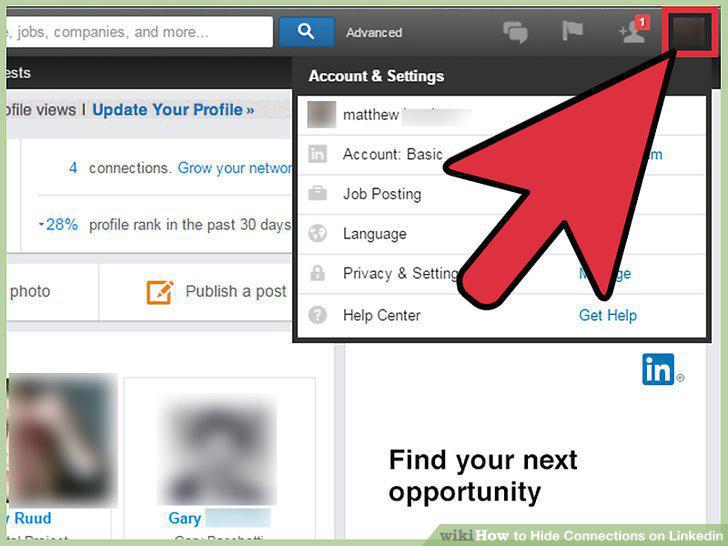
Hover over the icon of your profile picture to launch a drop-down menu.
3
Click on "Manage" next to "Privacy and Settings".
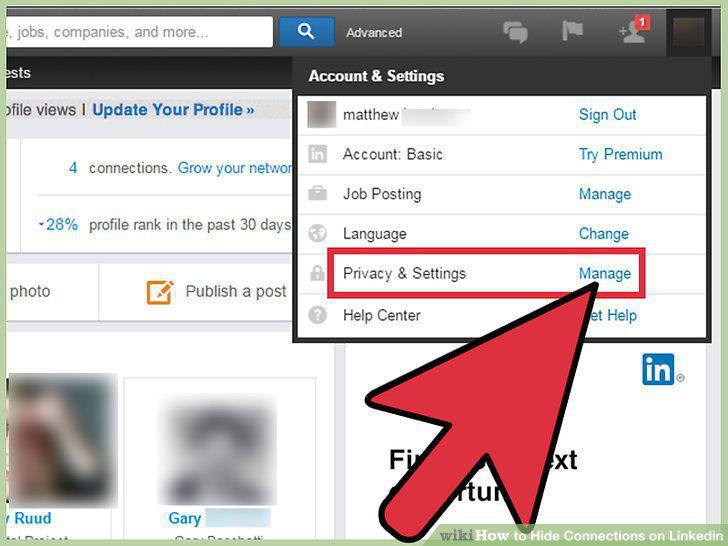
Click on "Manage" next to "Privacy and Settings".
4
Select the "Privacy" tab.
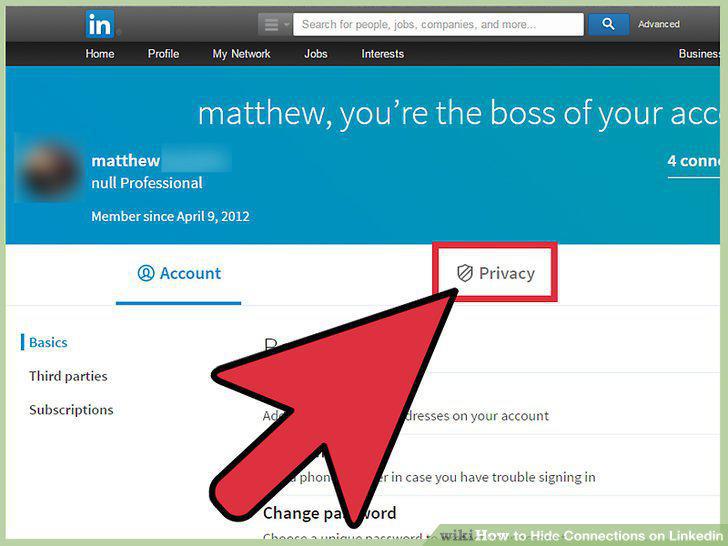
Select the "Privacy" tab.
5
Click "Who can see your connections.
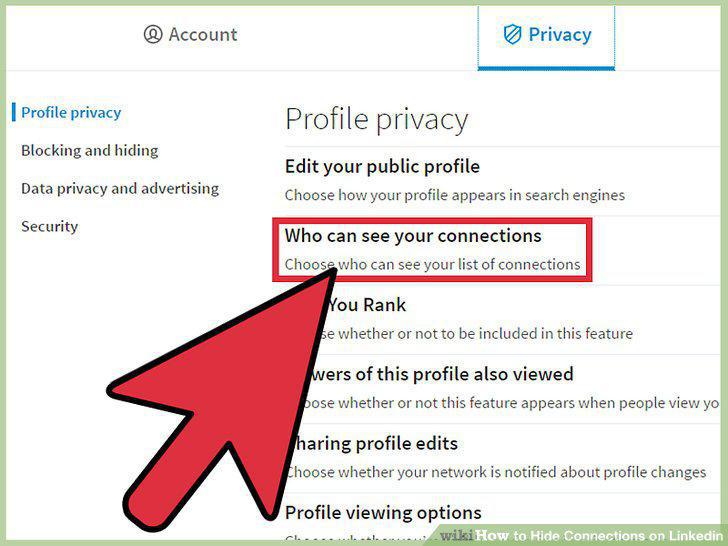
Click "Who can see your connections.
6
Click on "Your connections" and locate the drop down menu in this section.
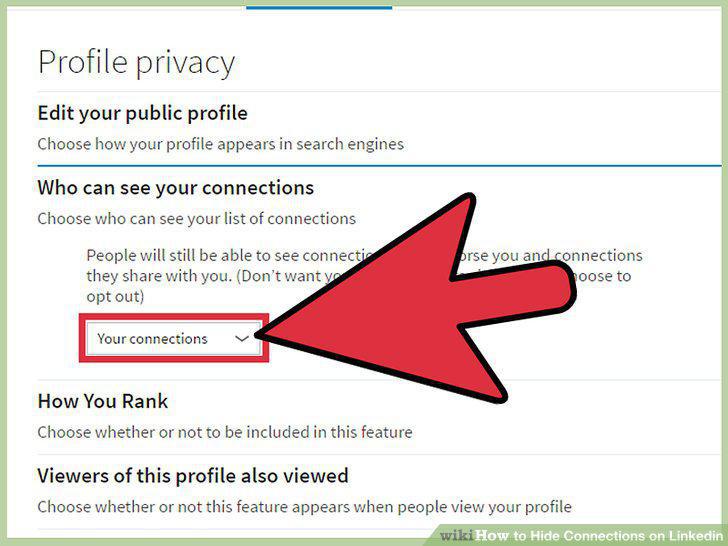
Click on "Your connections" and locate the drop down menu in this section.
7
Choose "Only you".
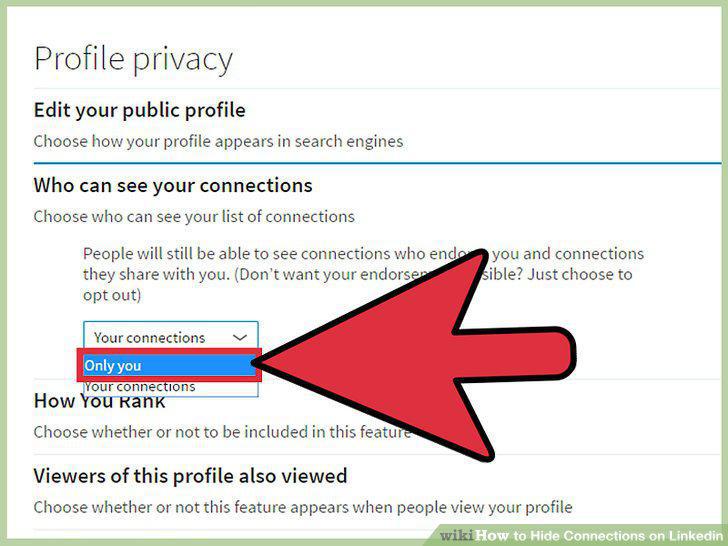
Choose "Only you".
8
Search a connection's name or click their picture to visit their profile.
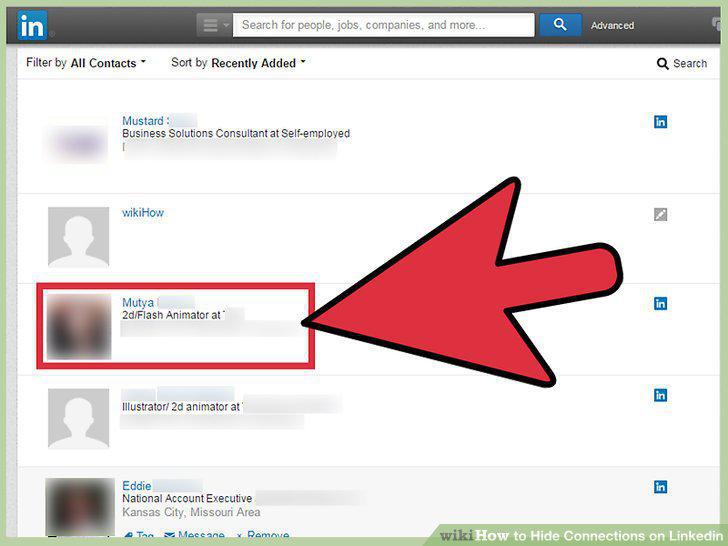
Search a connection's name or click their picture to visit their profile.
9
Access their connections list.
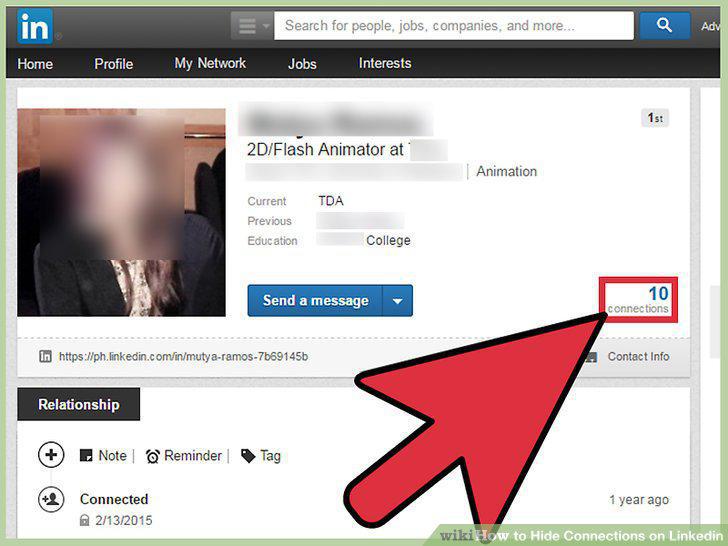
Access their connections list.
10
View their connections.
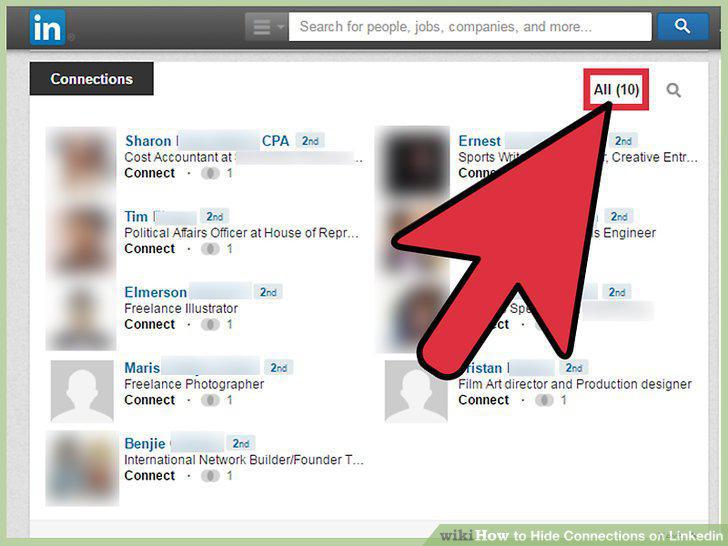
View their connections.
Comments (0)
No comments yet. Be the first to share your thoughts!