How to Uninstall Windows Live Mail
Open the Start menu.. Click Control Panel.. Click Uninstall a program.
Steps
1
Open the Start menu.
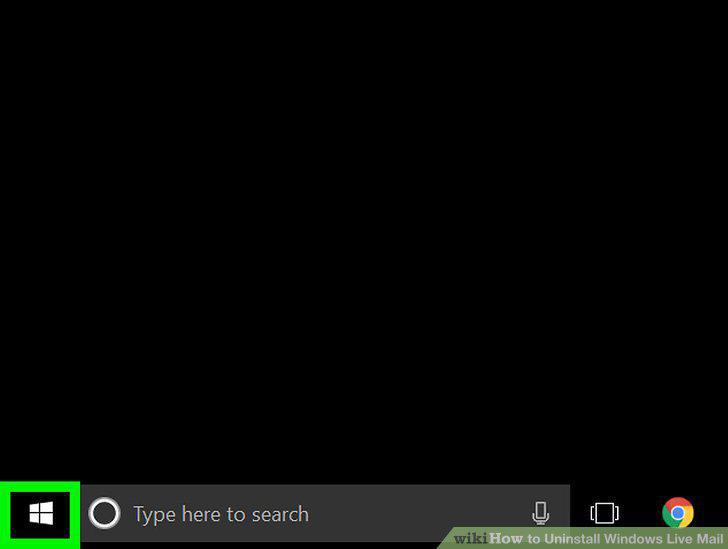
Open the Start menu.
2
Click Control Panel.
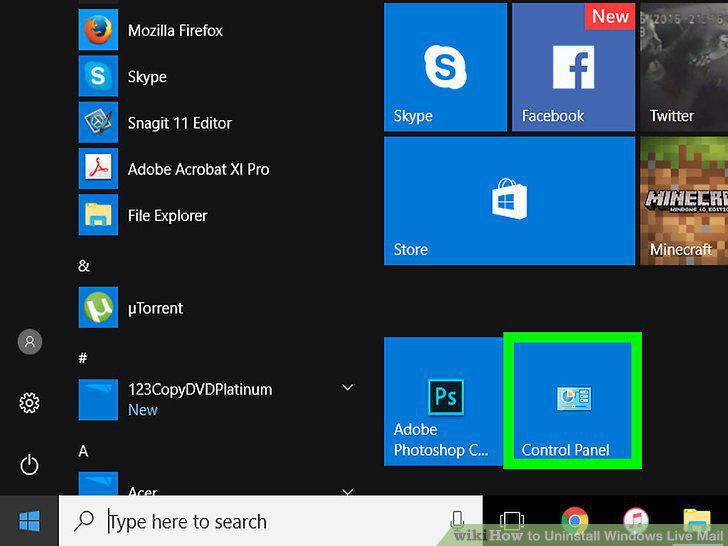
Click Control Panel.
3
Click Uninstall a program.
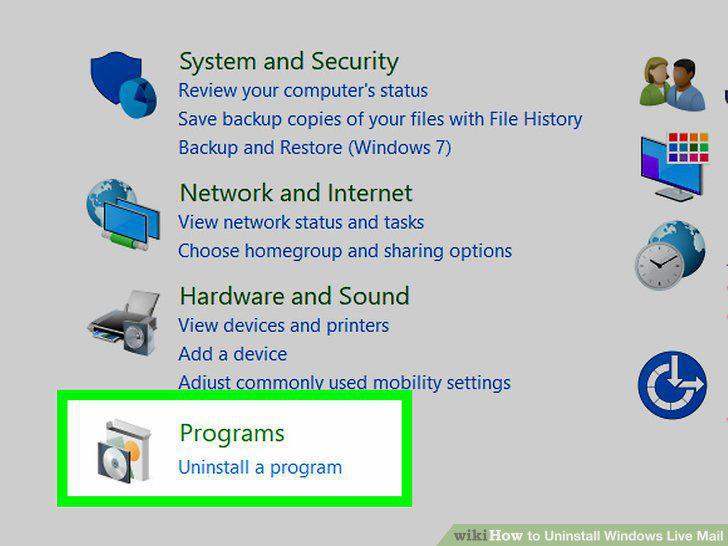
Click Uninstall a program.
4
Locate the "Windows Live Essentials" program.
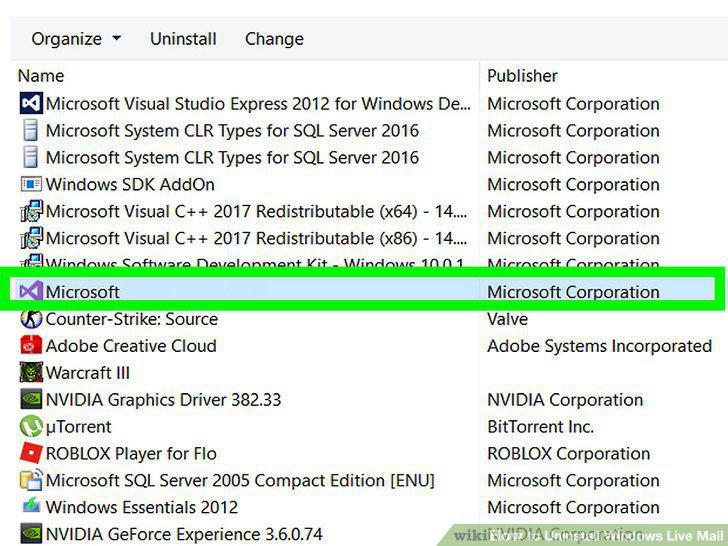
Locate the "Windows Live Essentials" program.
5
Click Windows Live Essentials.
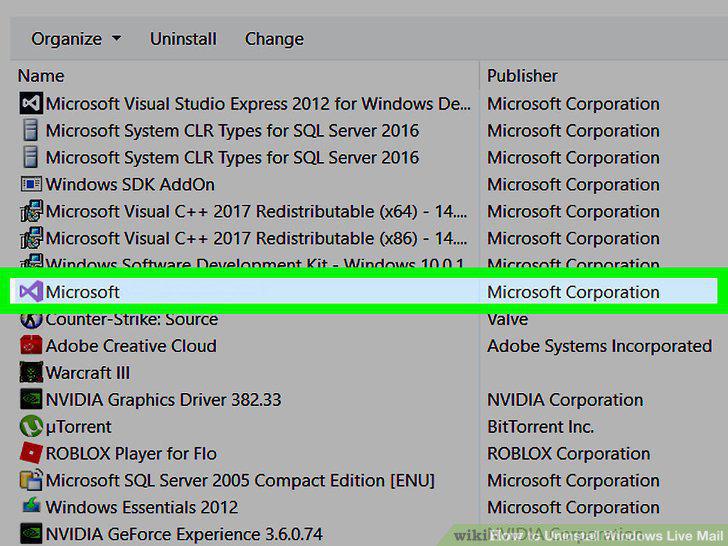
Click Windows Live Essentials.
6
Click Uninstall/Change.
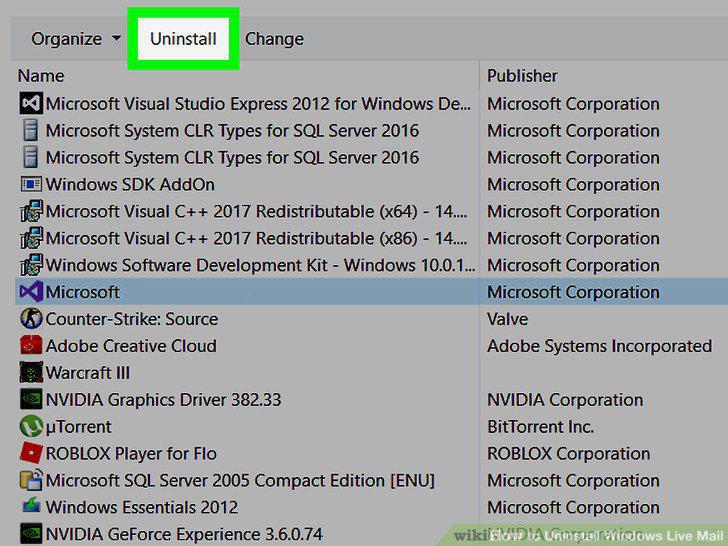
Click Uninstall/Change.
7
Click Remove one or more Windows Live programs.
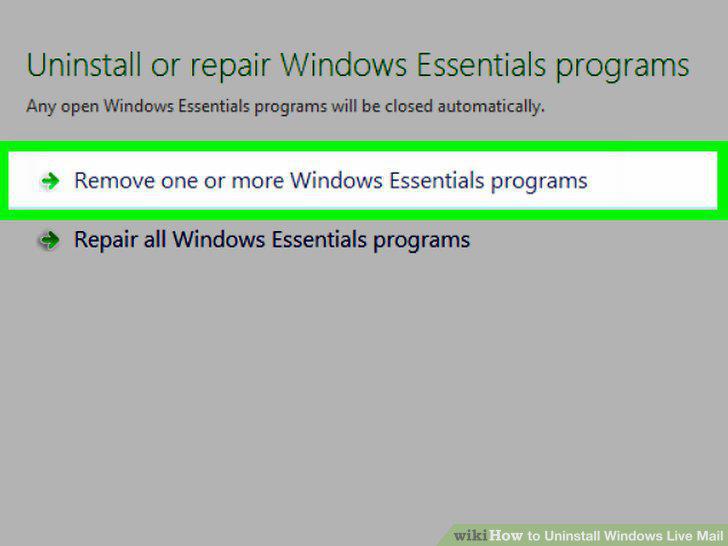
Click Remove one or more Windows Live programs.
8
Click the "Mail" checkbox.
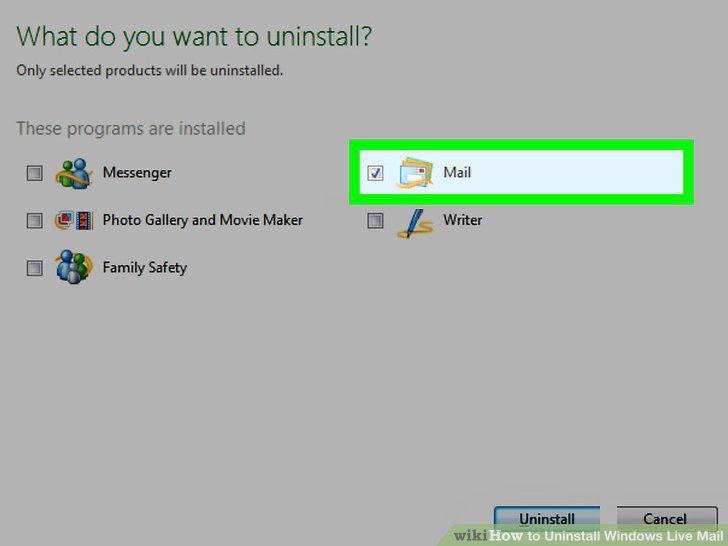
Click the "Mail" checkbox.
9
Click Uninstall.
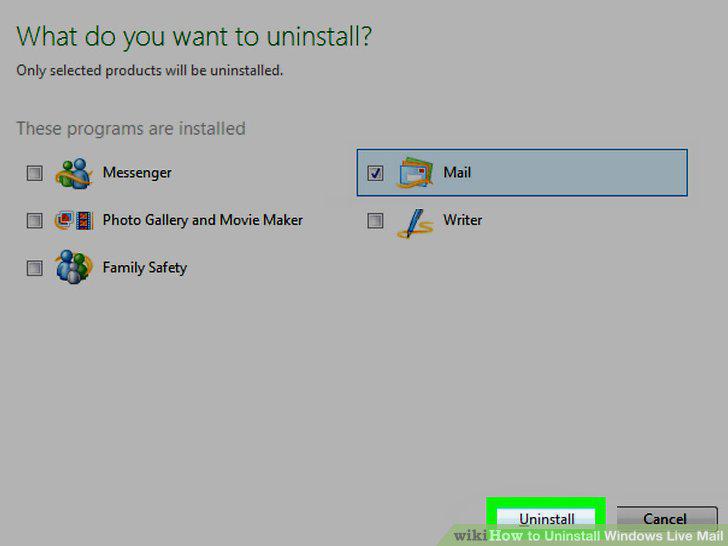
Click Uninstall.
Comments (0)
No comments yet. Be the first to share your thoughts!