How to Import Models Into Blender on PC or Mac
Open Blender on your computer.. Click the File menu on the top-left.. Hover over Import on the menu.
Steps
1
Open Blender on your computer.
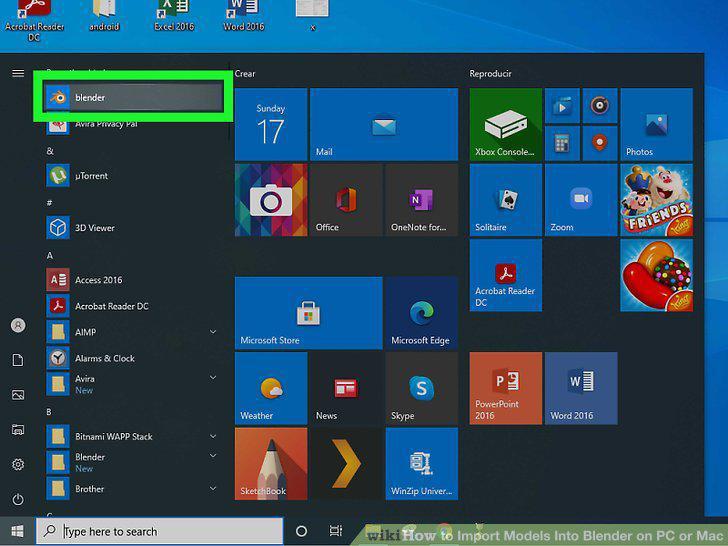
Open Blender on your computer.
2
Click the File menu on the top-left.
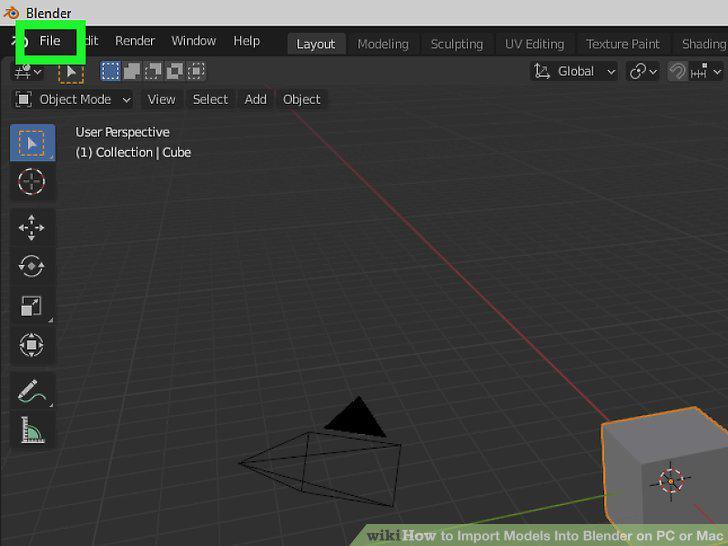
Click the File menu on the top-left.
3
Hover over Import on the menu.
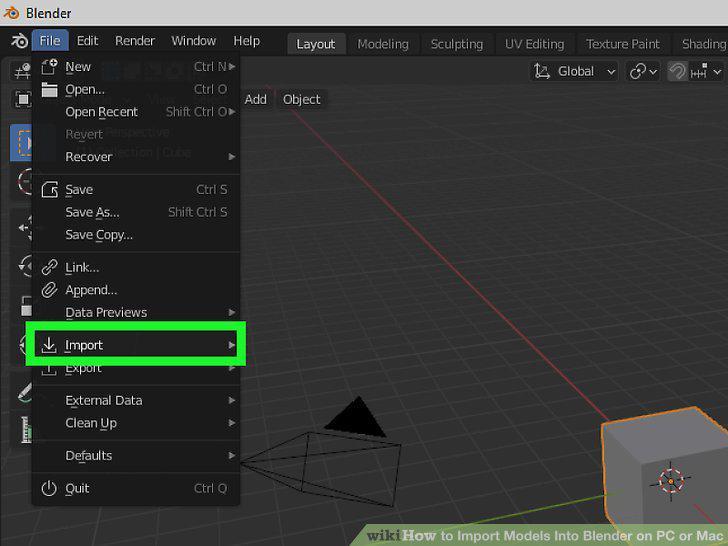
Hover over Import on the menu.
4
Select the format of the file you want to import.
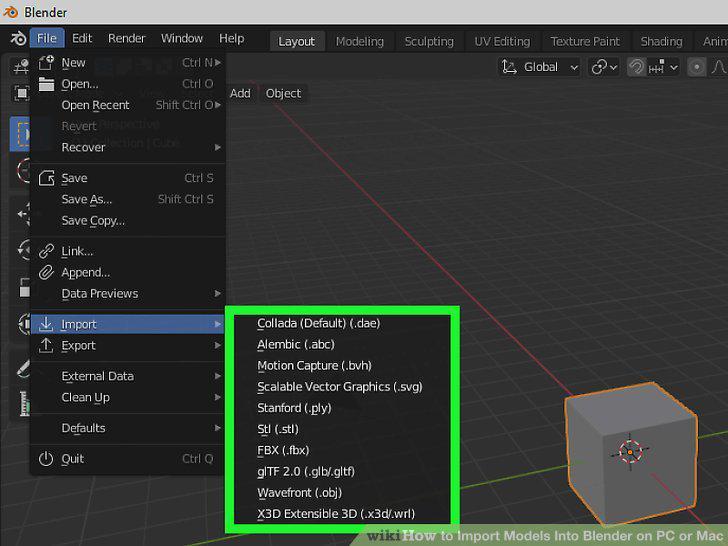
Select the format of the file you want to import.
5
Find and select the file you want to import.
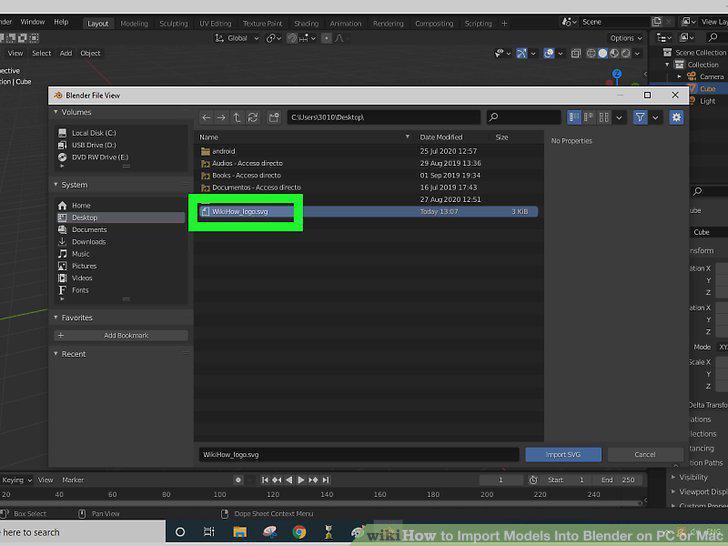
Find and select the file you want to import.
6
Click the Import button.
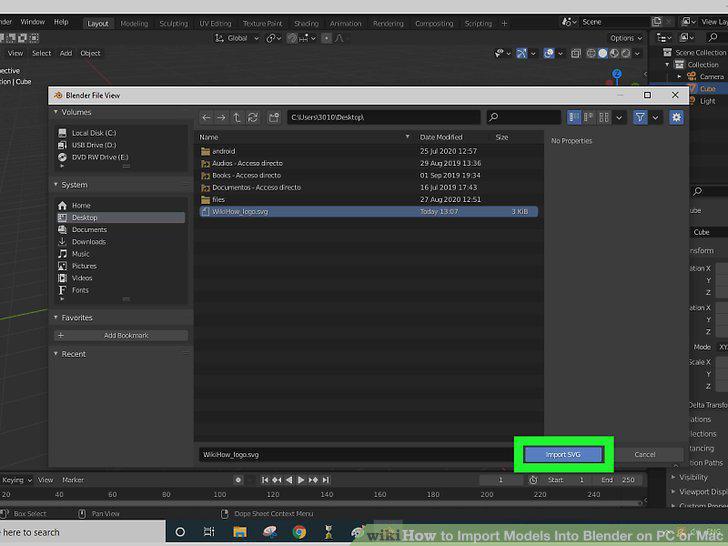
Click the Import button.
7
Open Blender on your computer.
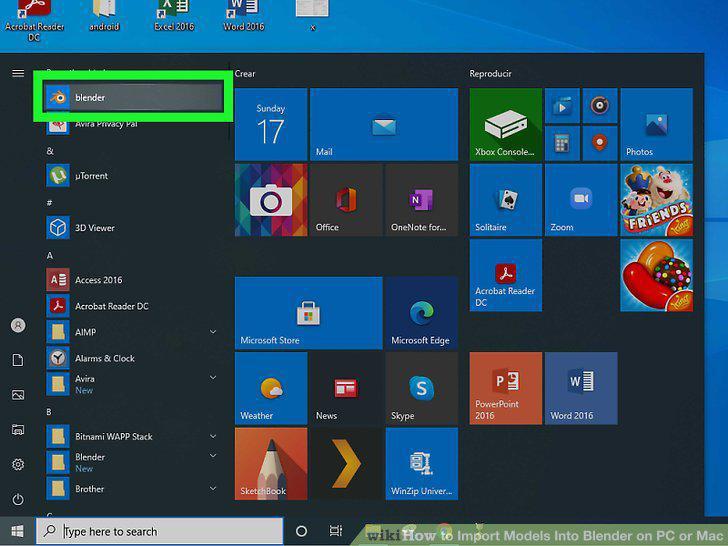
Open Blender on your computer.
8
Click the File menu.
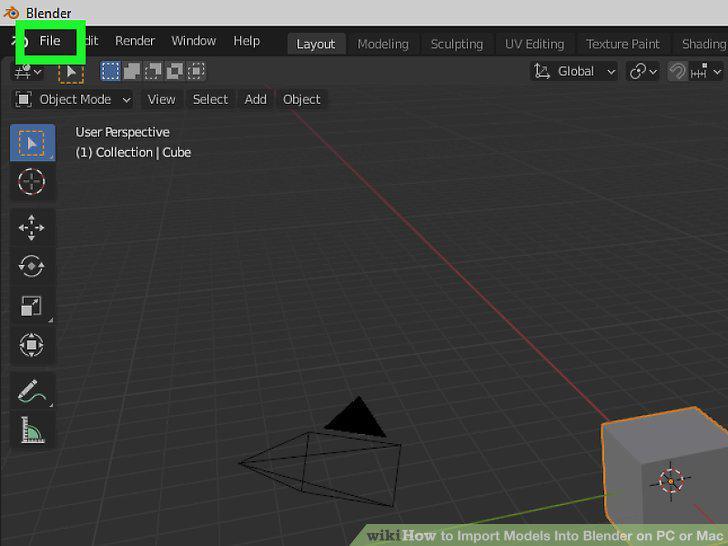
Click the File menu.
9
Click Append on the File menu.
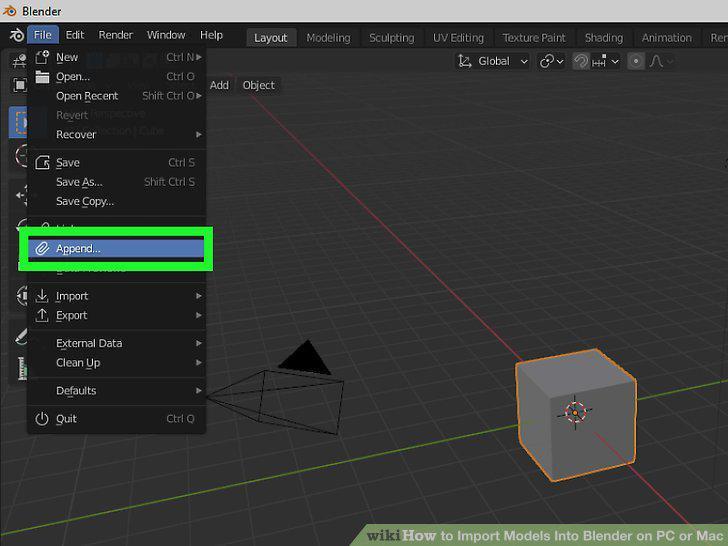
Click Append on the File menu.
10
Find and click the Blender file you want to import from.
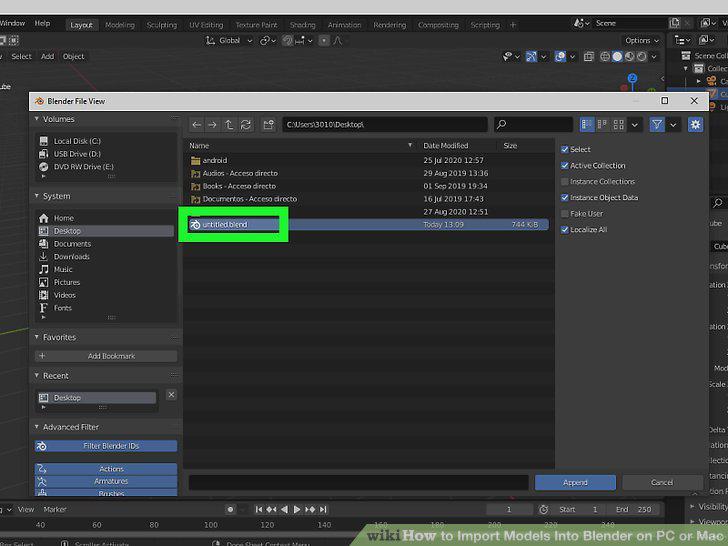
Find and click the Blender file you want to import from.
11
Click Append.
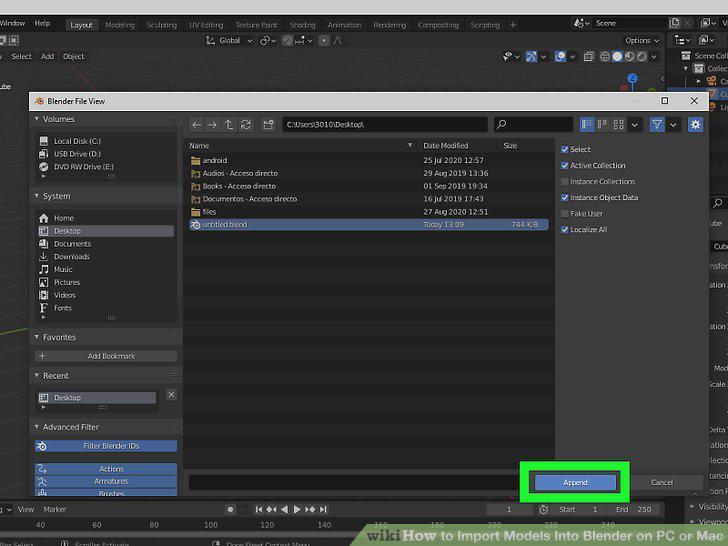
Click Append.
12
Click the folder that contains the object you want to import.
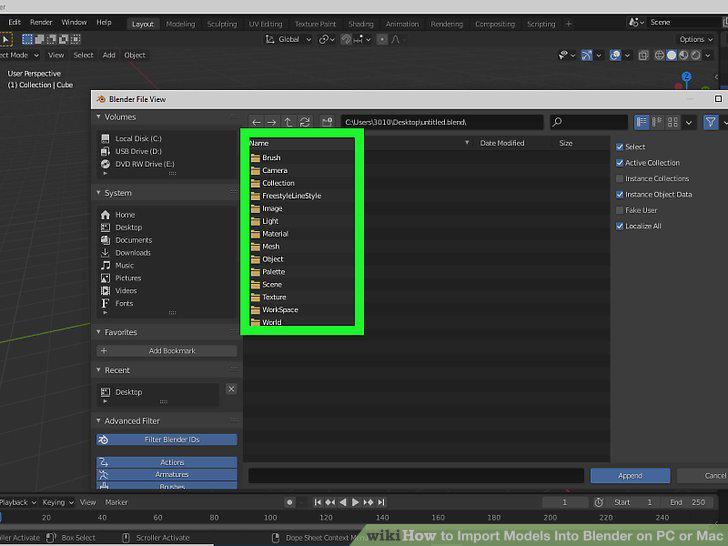
Click the folder that contains the object you want to import.
13
Select the object you want to import.
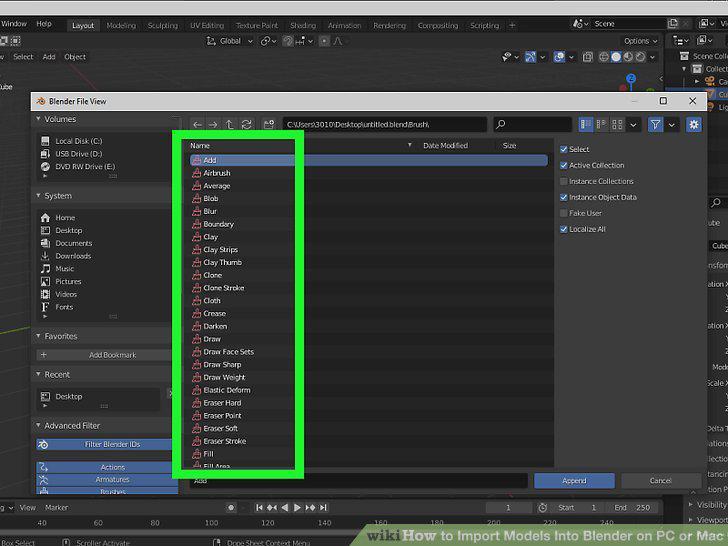
Select the object you want to import.
14
Click the Append button.
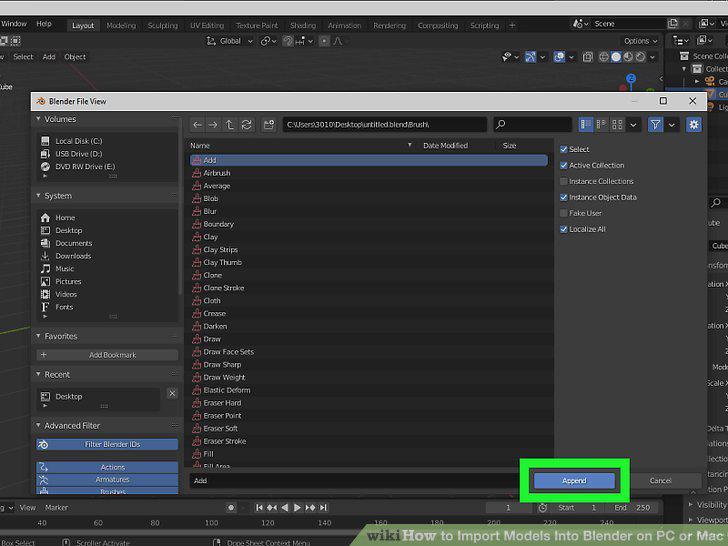
Click the Append button.
Comments (0)
No comments yet. Be the first to share your thoughts!