How to Convert M4A to MP3 with iTunes
Open iTunes.. Click Edit (PC) or iTunes (Mac).. Click Preferences.
Steps
1
Open iTunes.
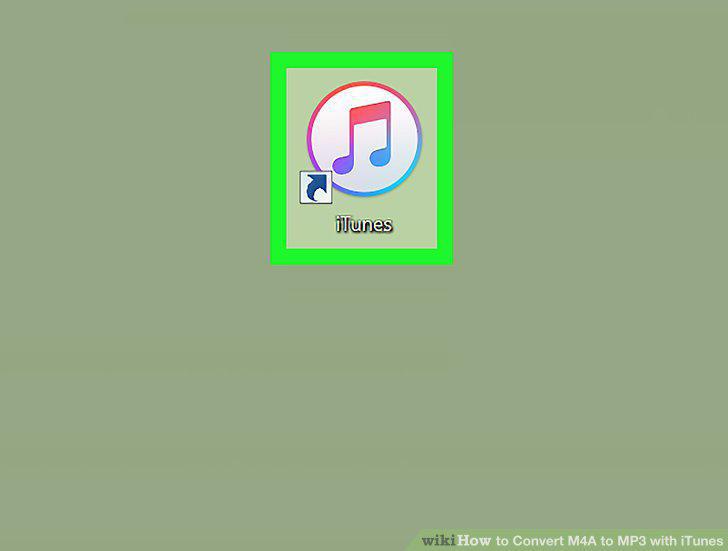
Open iTunes.
2
Click Edit (PC) or iTunes (Mac).
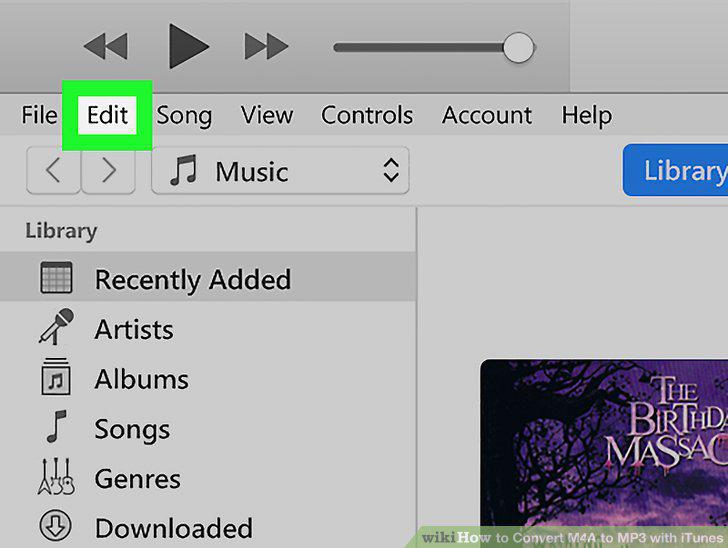
Click Edit (PC) or iTunes (Mac).
3
Click Preferences.
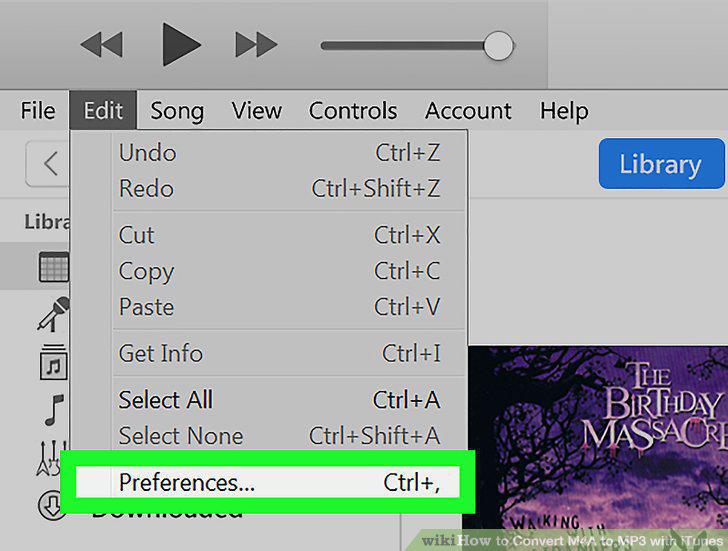
Click Preferences.
4
Click Import Settings.
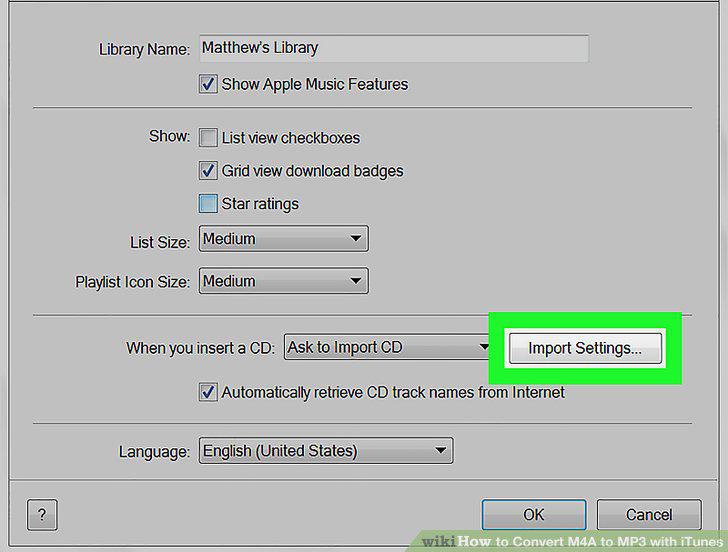
Click Import Settings.
5
Click the pulldown menu at the top and select "MP3 Encoder.
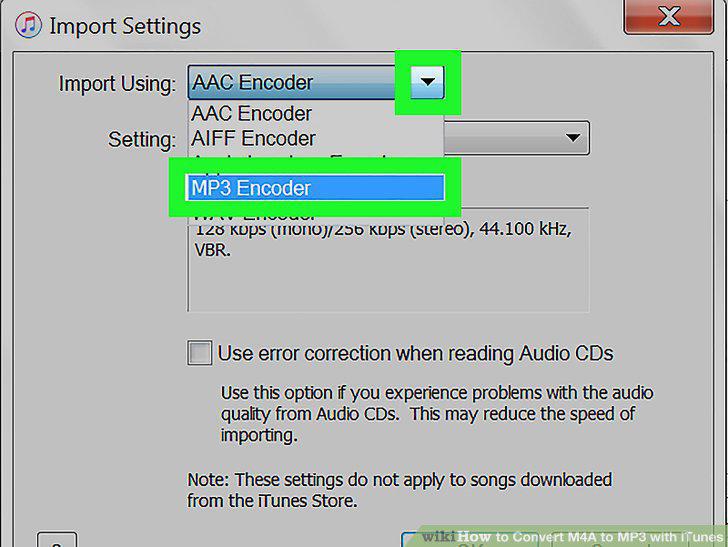
Click the pulldown menu at the top and select "MP3 Encoder.
6
Click OK.
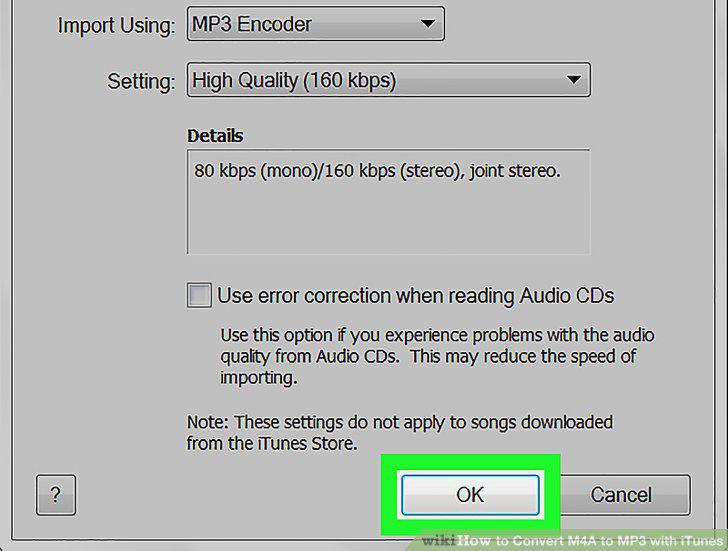
Click OK.
7
Click OK.
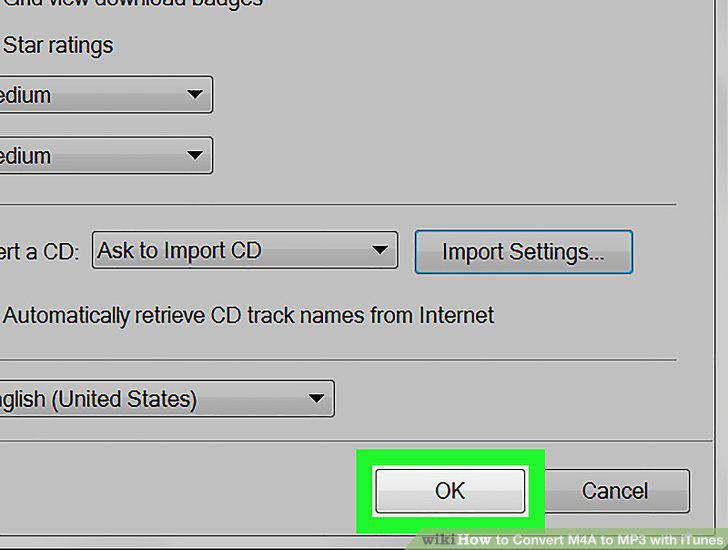
Click OK.
8
Select the song you want to convert.
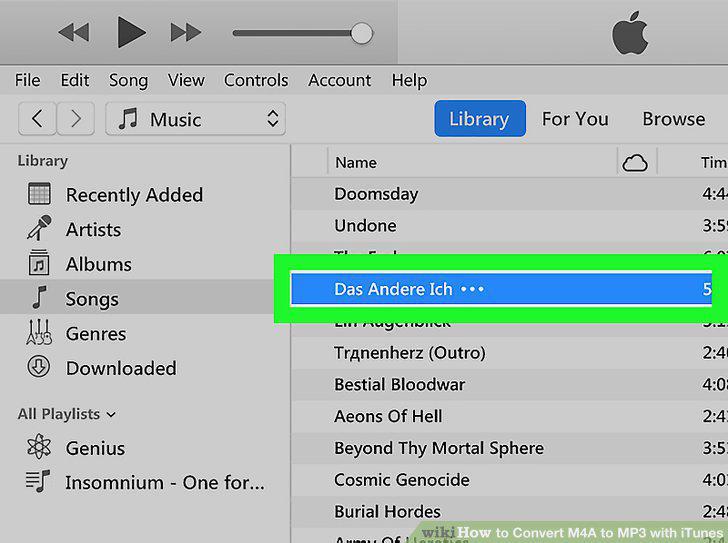
Select the song you want to convert.
9
Click File and select Convert.
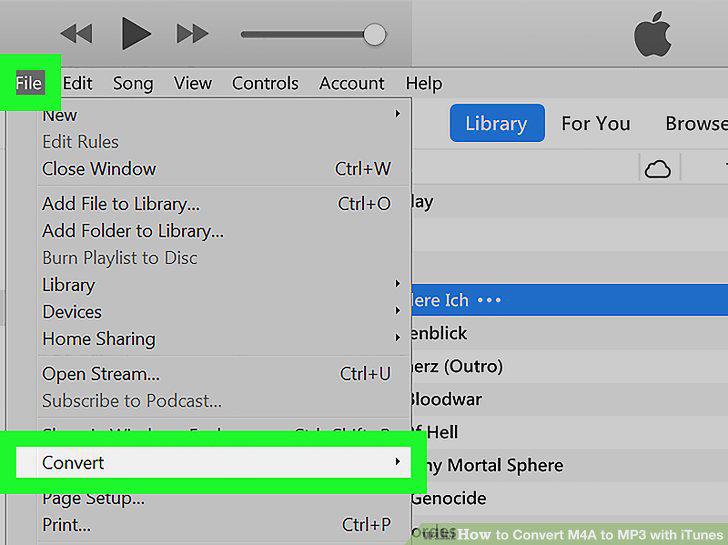
Click File and select Convert.
10
Click Create MP3 Version.
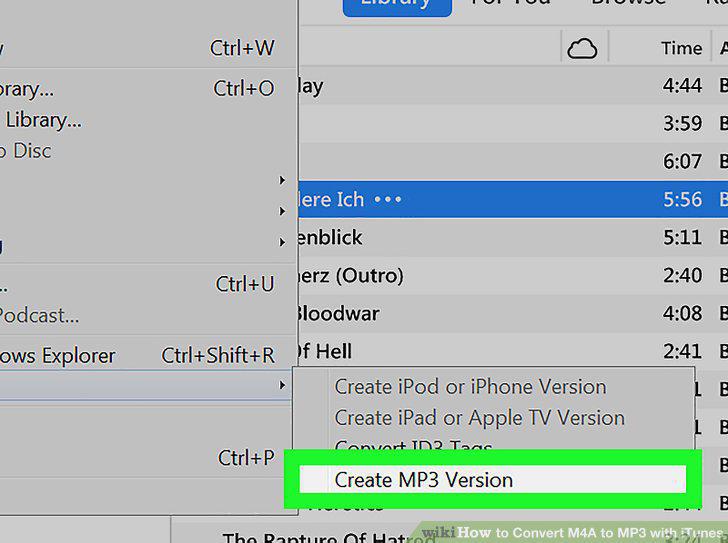
Click Create MP3 Version.
Comments (0)
No comments yet. Be the first to share your thoughts!