How to Program in Java
Download and install Java Runtime Environment.. Download and install Java Development Kit.. Download and install a Java IDE.
Steps
1
Download and install Java Runtime Environment.
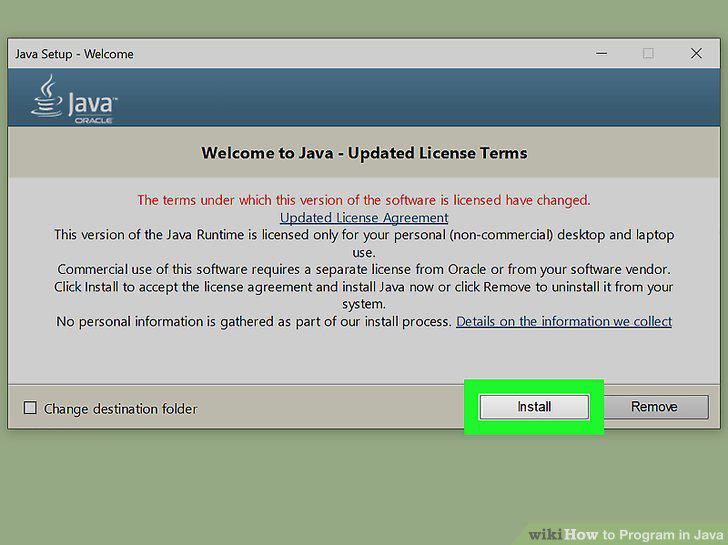
Download and install Java Runtime Environment.
2
Download and install Java Development Kit.
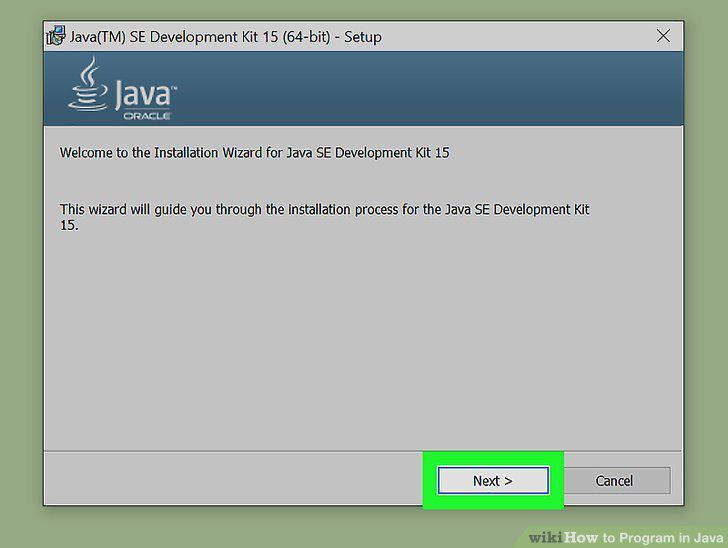
Download and install Java Development Kit.
3
Download and install a Java IDE.
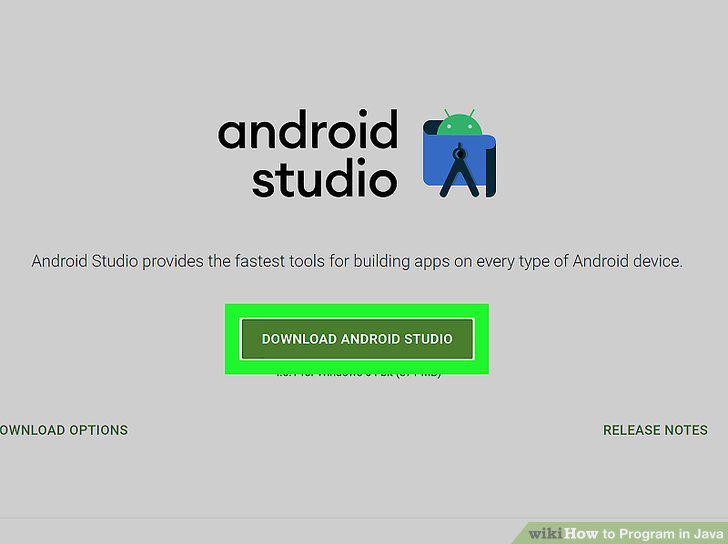
Download and install a Java IDE.
4
Open your Java IDE.
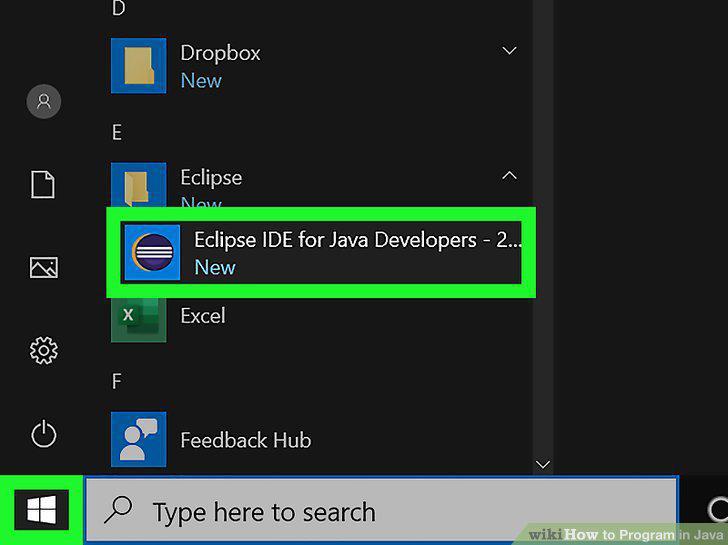
Open your Java IDE.
5
Create a new Java project.
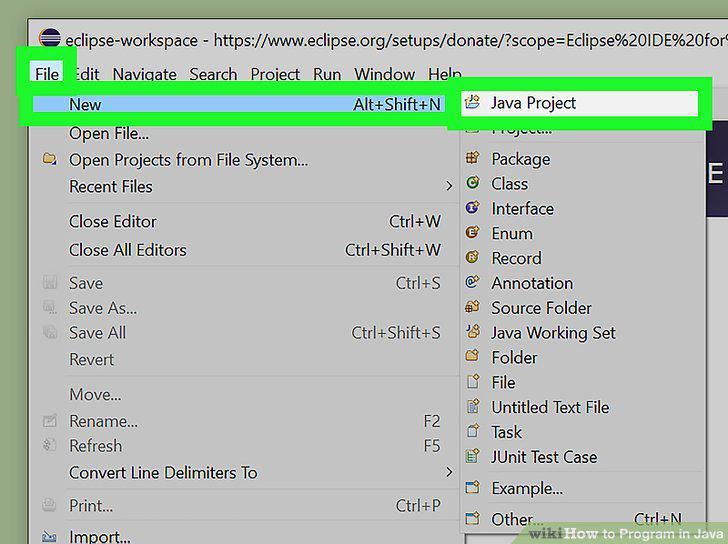
Create a new Java project.
6
Give your project a name.
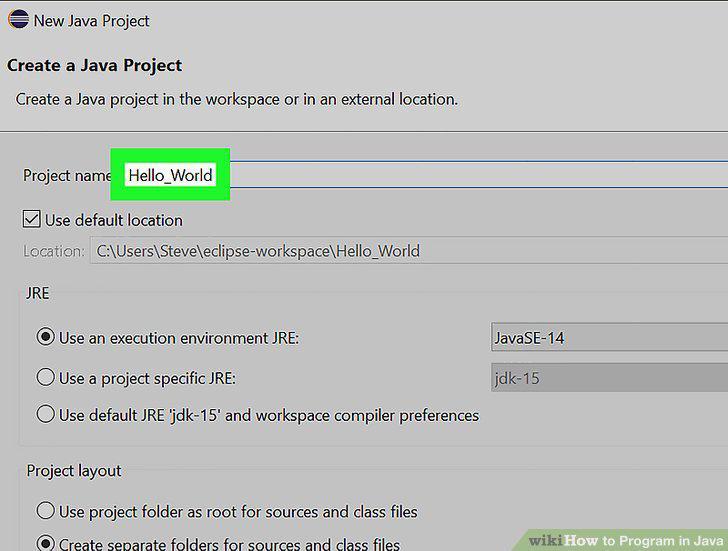
Give your project a name.
7
Create a new Java class.
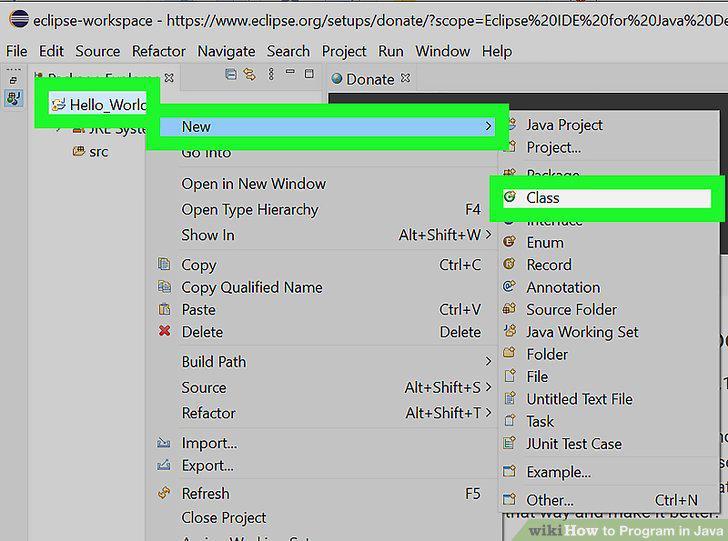
Create a new Java class.
8
Indent the next line and type public static void main(String[] args) { in the n
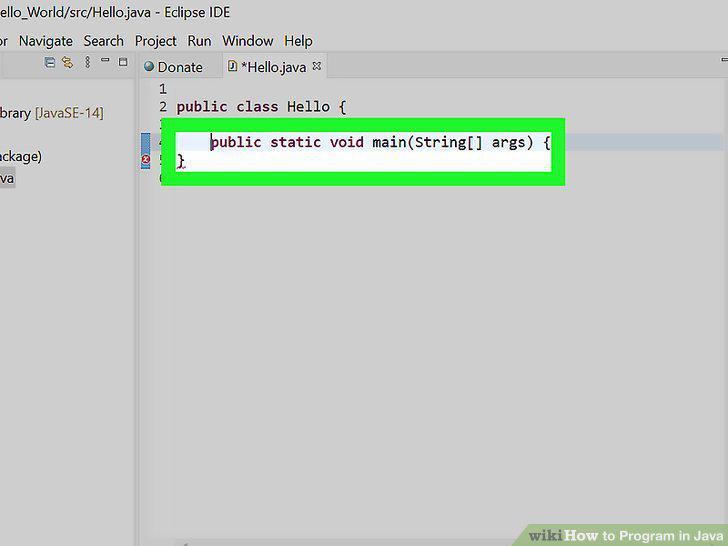
Indent the next line and type public static void main(String[] args) { in the next line.
9
Indent the next line and type System.out.println("Hello World");.
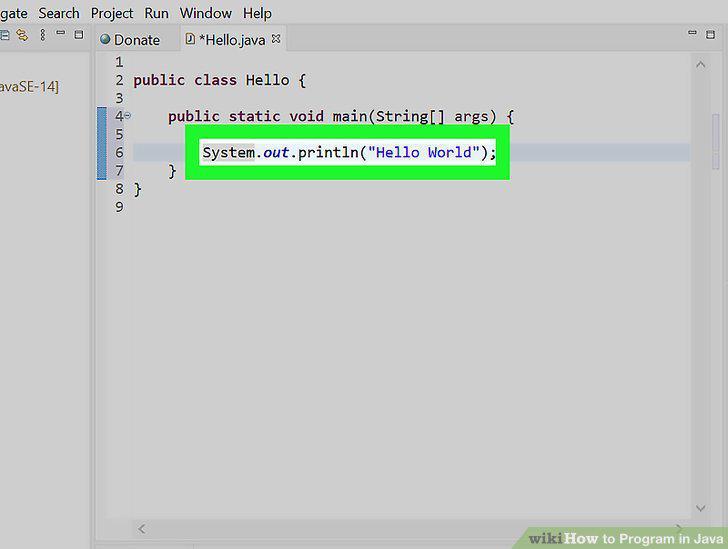
Indent the next line and type System.out.println("Hello World");.
10
Test your program.
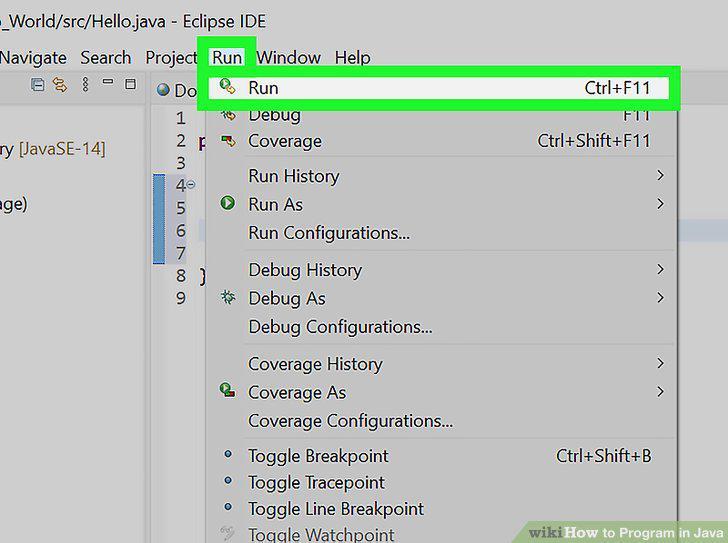
Test your program.
Comments (0)
No comments yet. Be the first to share your thoughts!