How to Remove a Virus and Repair Windows XP for Free
Try the Windows XP System Restore tool.. Download an antivirus program if you can.. Download other anti-malware software.
Steps
1
Try the Windows XP System Restore tool.
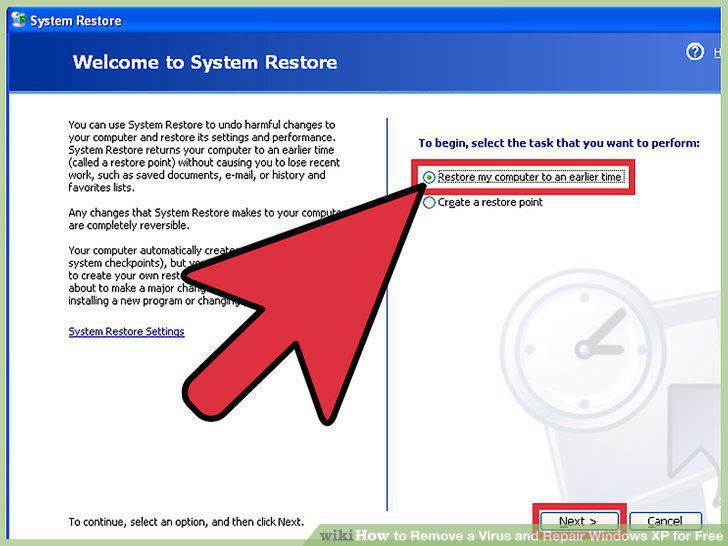
Try the Windows XP System Restore tool.
2
Download an antivirus program if you can.

Download an antivirus program if you can.
3
Download other anti-malware software.
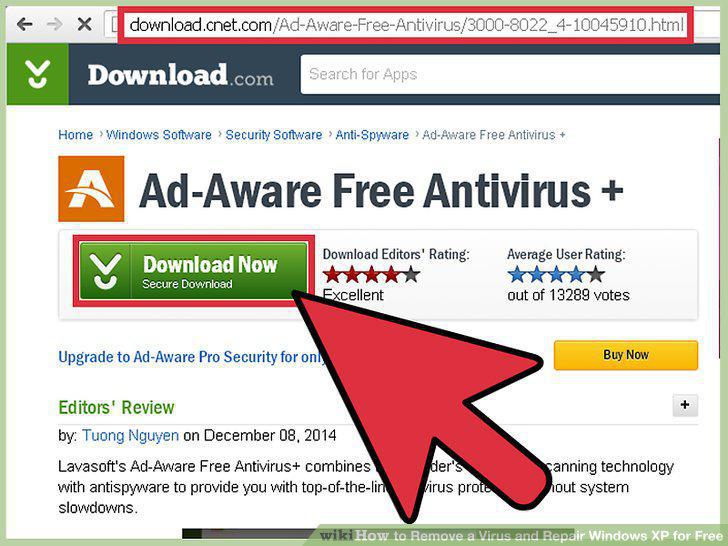
Download other anti-malware software.
4
Repair Windows if antivirus and other antimalware software don't work.
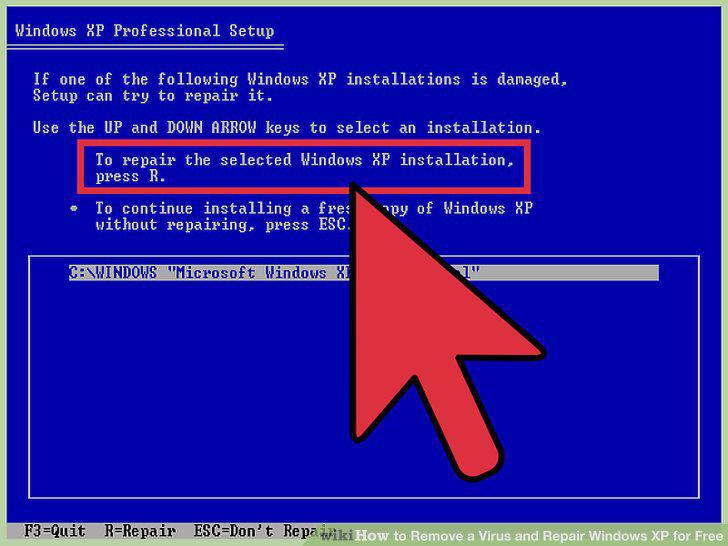
Repair Windows if antivirus and other antimalware software don't work.
5
Perform a total install of Windows.
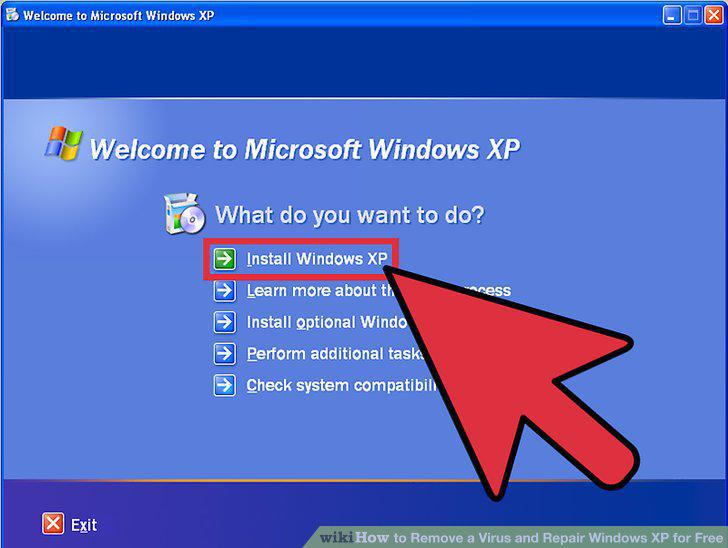
Perform a total install of Windows.
6
Turn off your computer's Wi-Fi or other Internet access.
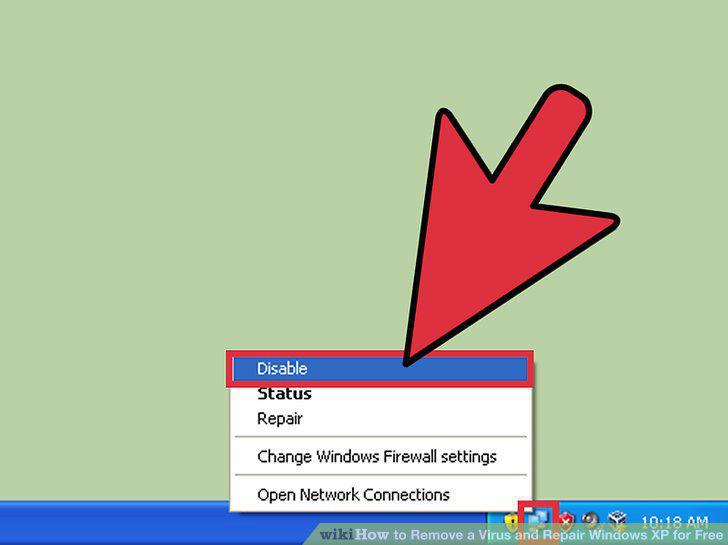
Turn off your computer's Wi-Fi or other Internet access.
7
Restart the computer.
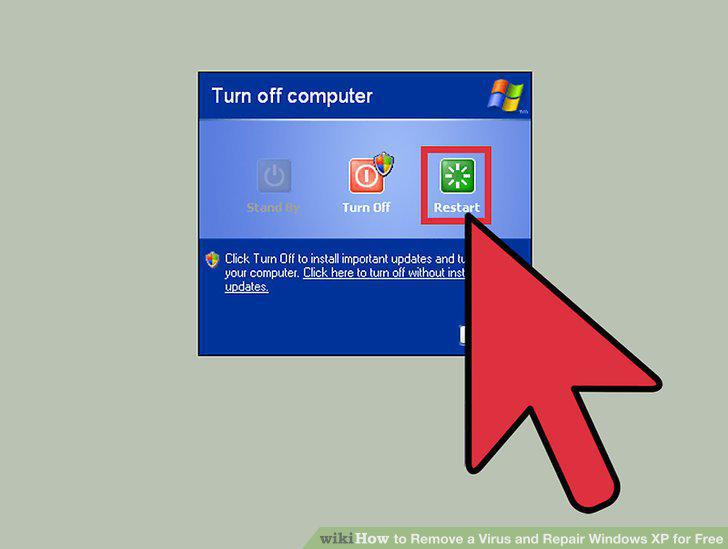
Restart the computer.
8
Keep tapping the F8 key as the computer starts.
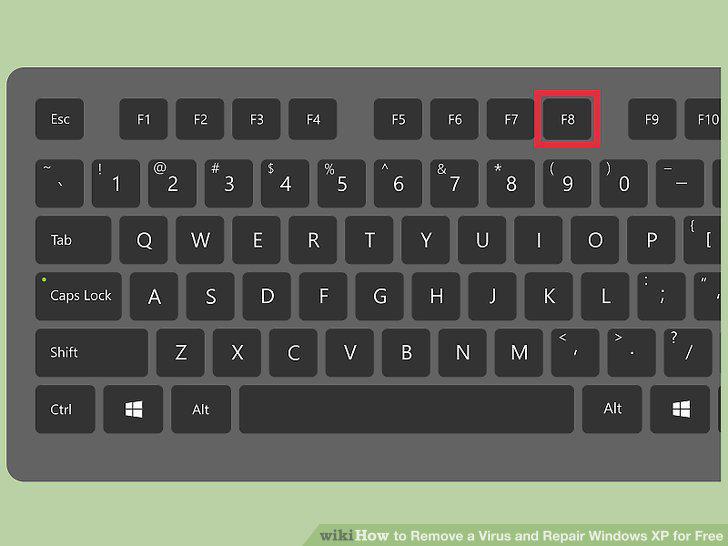
Keep tapping the F8 key as the computer starts.
9
Choose "Safe Mode With Networking.
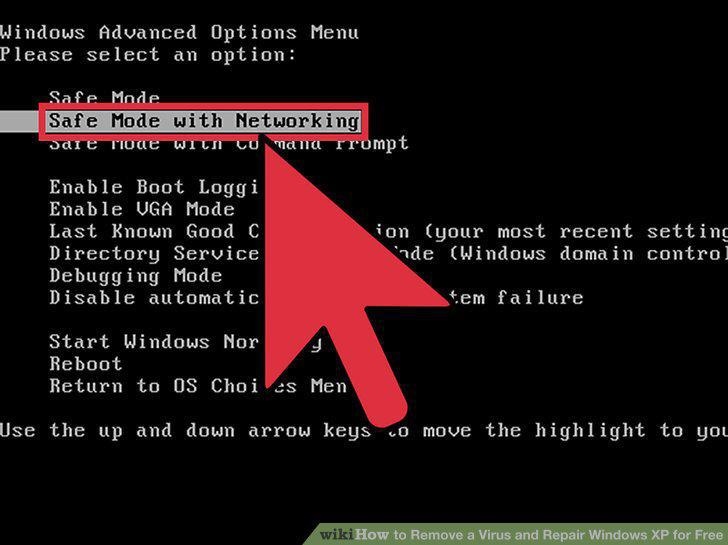
Choose "Safe Mode With Networking.
10
Run your antivirus software.
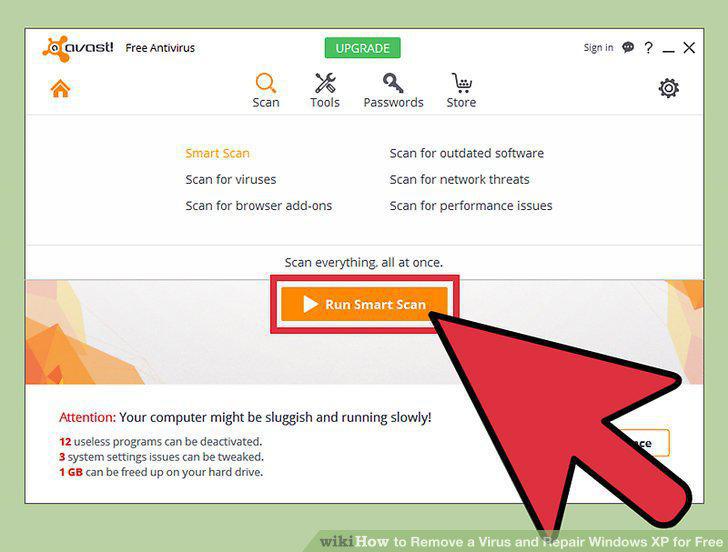
Run your antivirus software.
Comments (0)
No comments yet. Be the first to share your thoughts!