How to Change the Wallpaper on a Mac
Right click the image file.. Set Desktop Picture.. Set a picture from Safari.
Steps
1
Right click the image file.
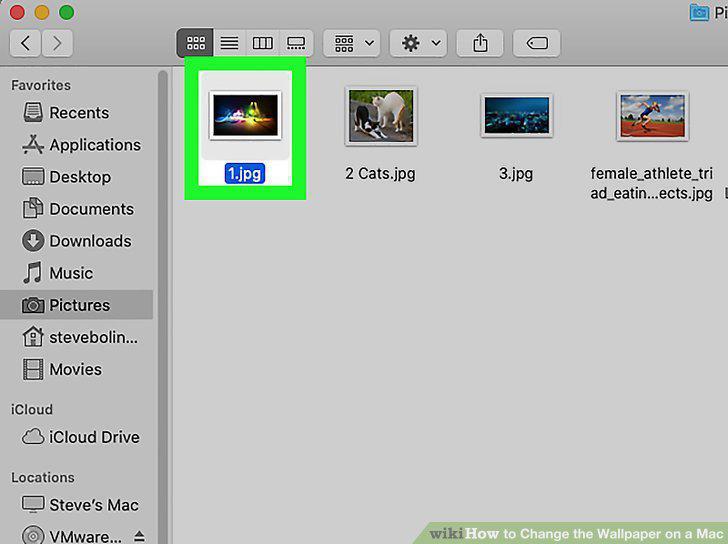
Right click the image file.
2
Set Desktop Picture.
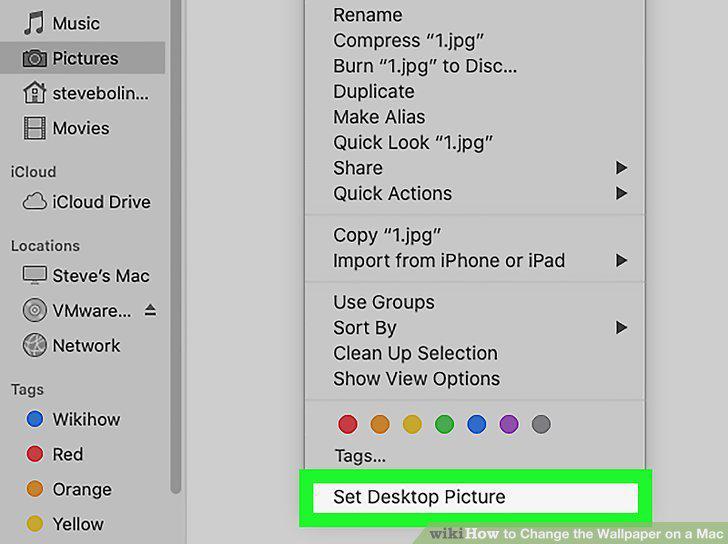
Set Desktop Picture.
3
Set a picture from Safari.
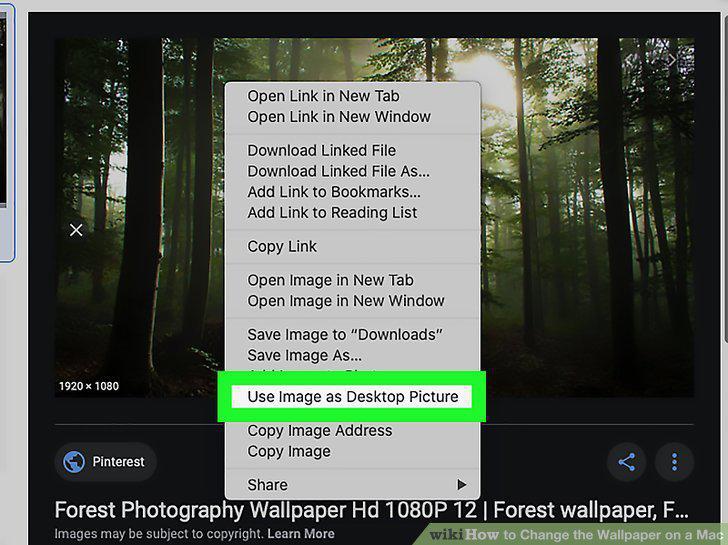
Set a picture from Safari.
4
View more options.
View more options.
5
Open System Preferences.
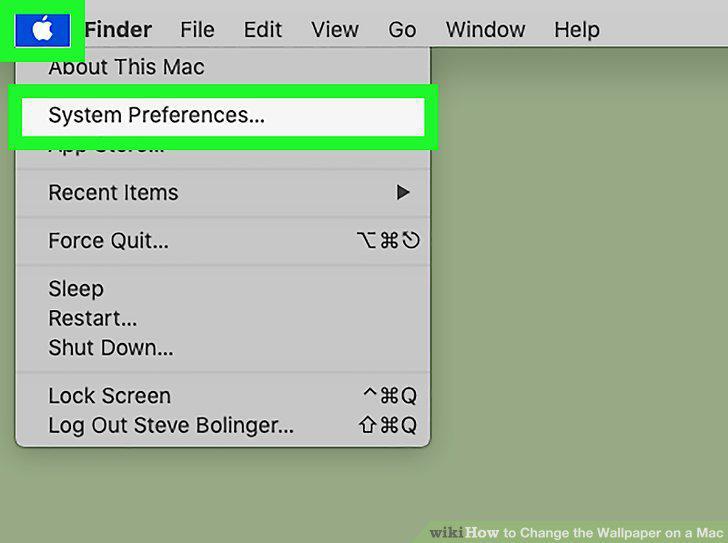
Open System Preferences.
6
Select Desktop & Screen Saver.
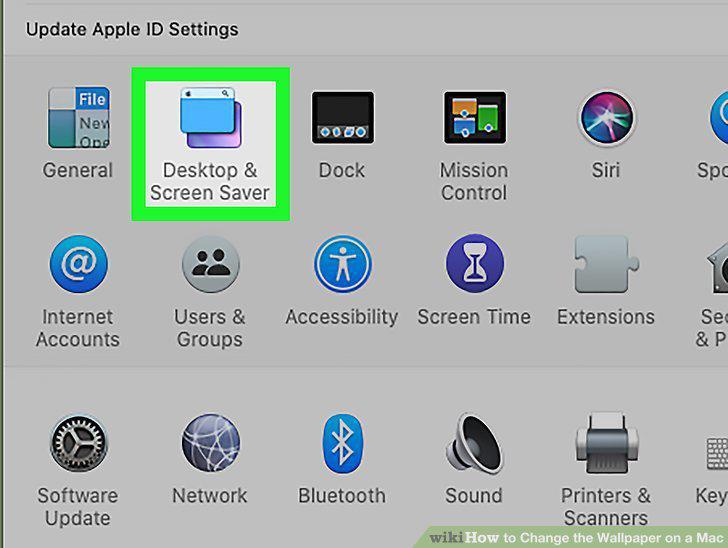
Select Desktop & Screen Saver.
7
Choose a folder from the left pane.
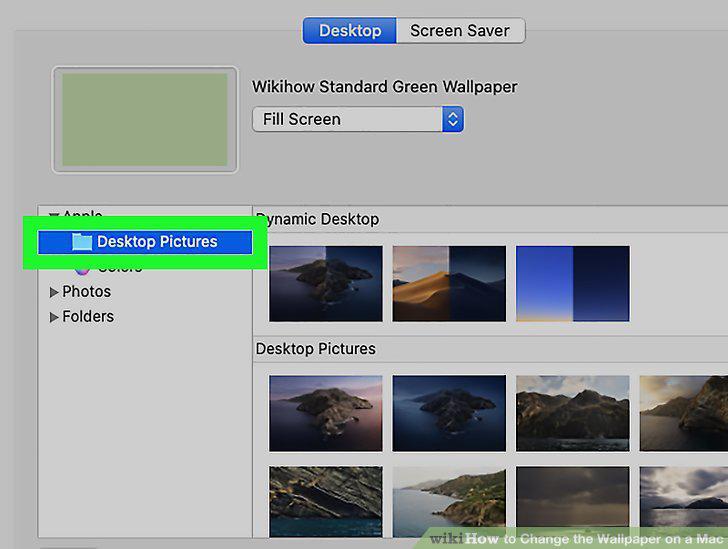
Choose a folder from the left pane.
8
Select an image.
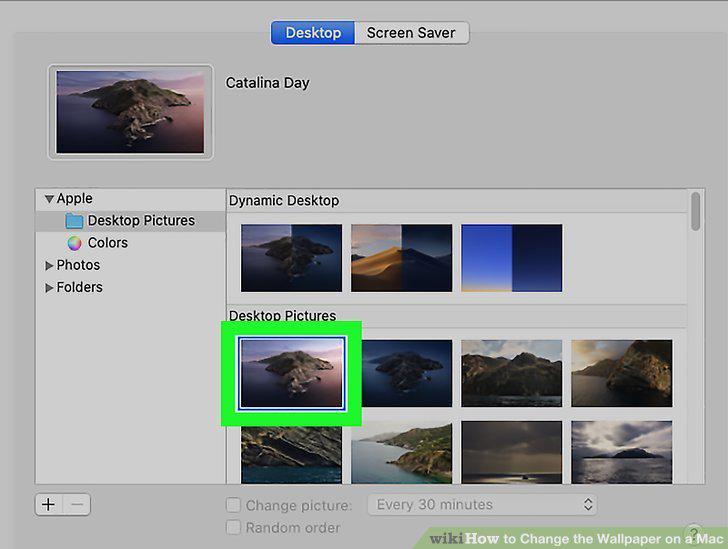
Select an image.
9
Add a folder to the list.
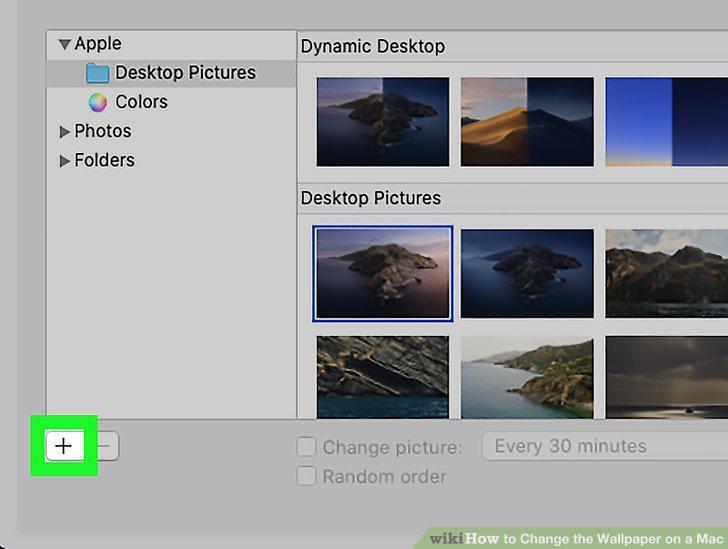
Add a folder to the list.
10
Troubleshoot missing photos.
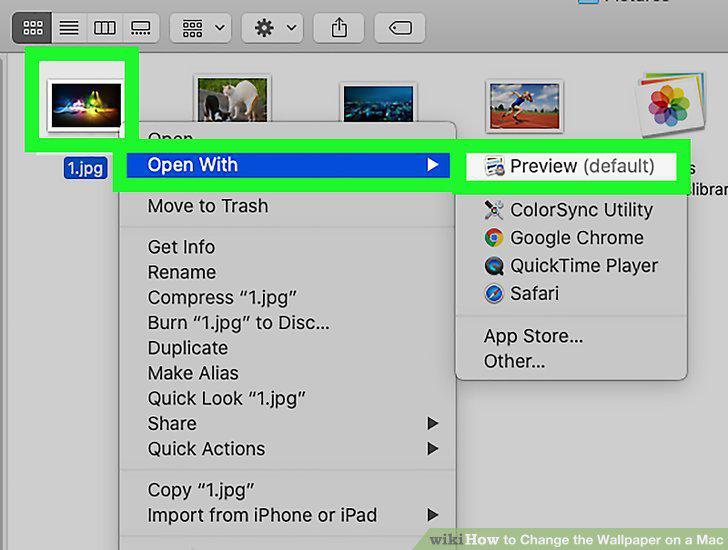
Troubleshoot missing photos.
11
Open your photo application.
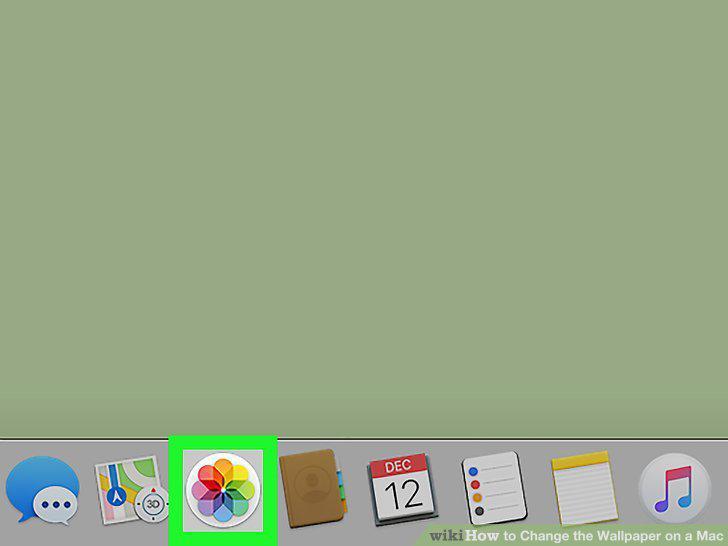
Open your photo application.
12
Select the photo.
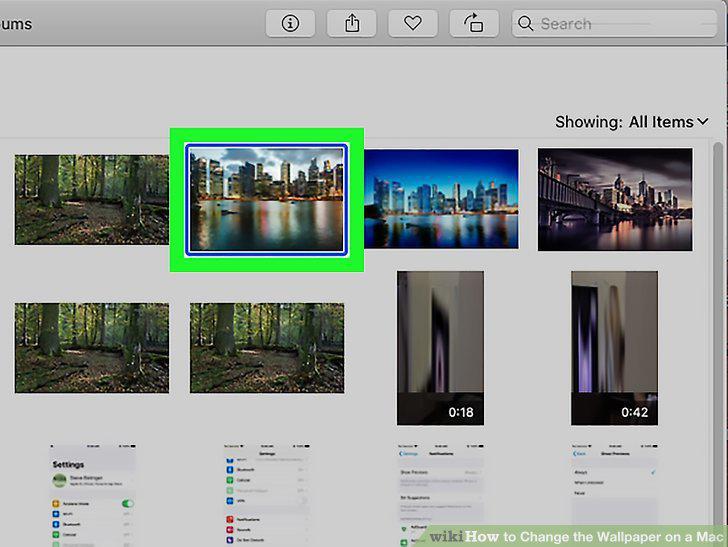
Select the photo.
13
Make it your desktop using the Share button.
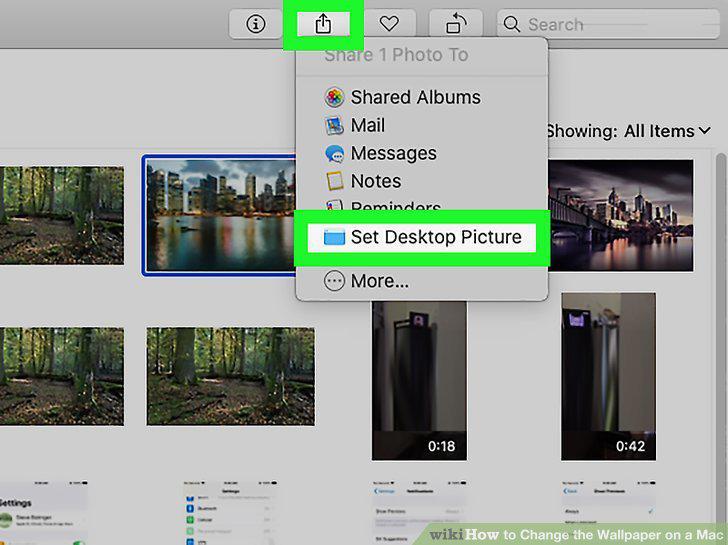
Make it your desktop using the Share button.
14
Access the original file.
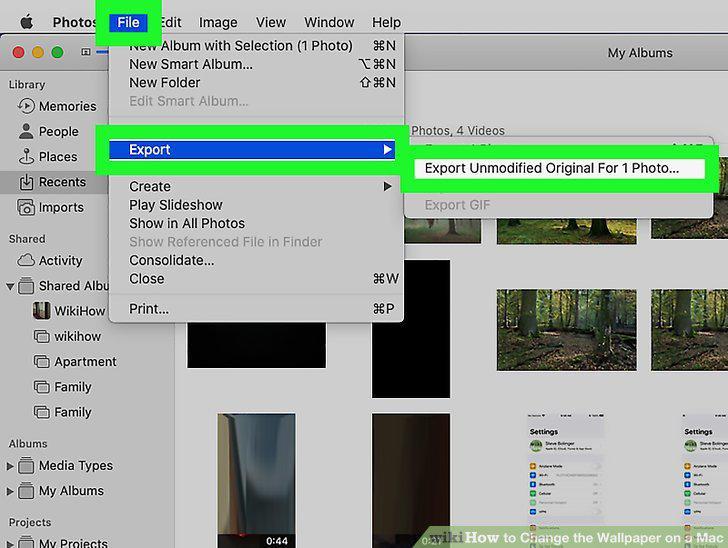
Access the original file.
15
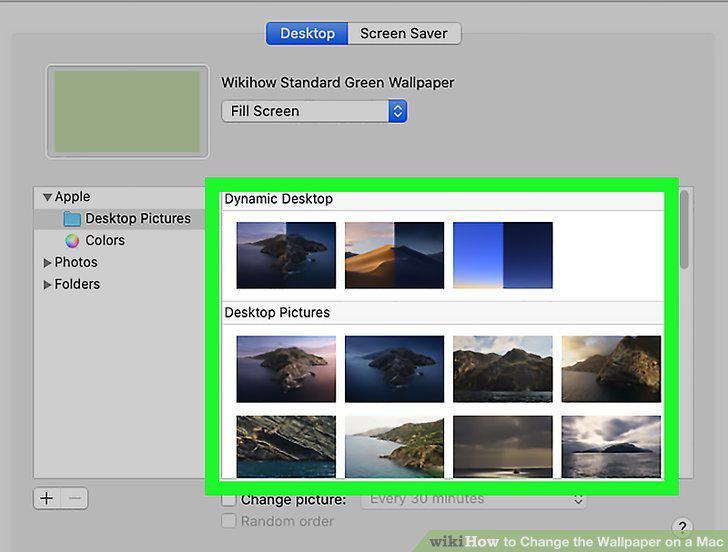
Open the Desktop preferences screen.
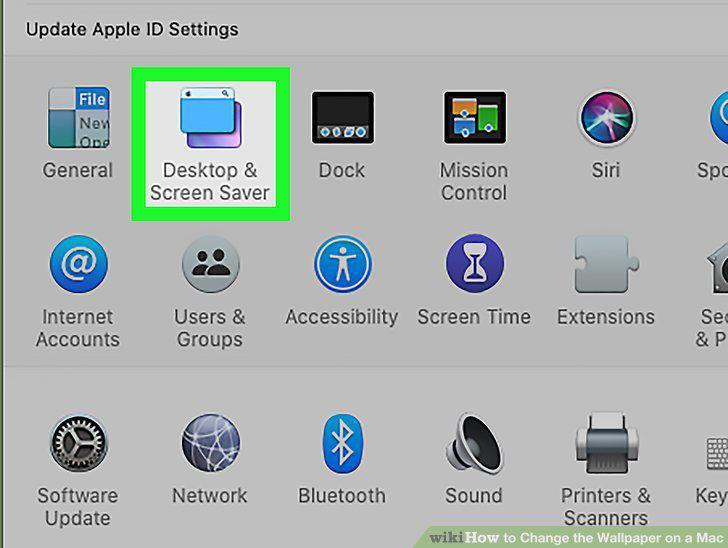
Open the Desktop preferences screen.
16
Alter how the image fits the screen.
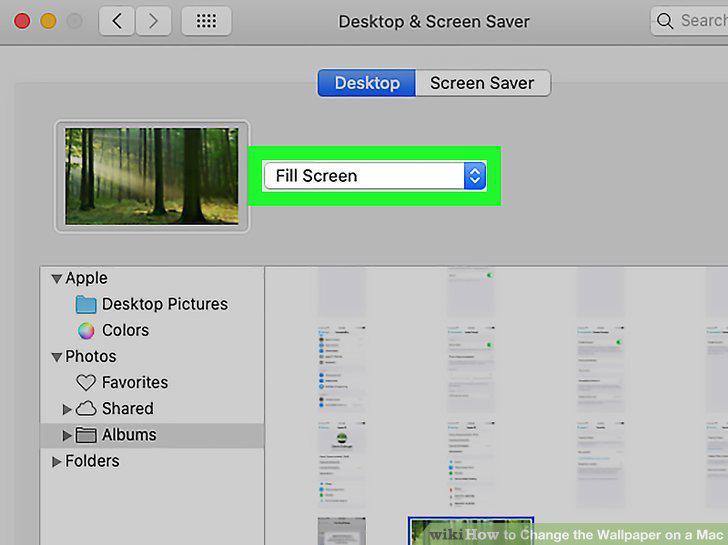
Alter how the image fits the screen.
17
Turn your desktop into a slideshow.
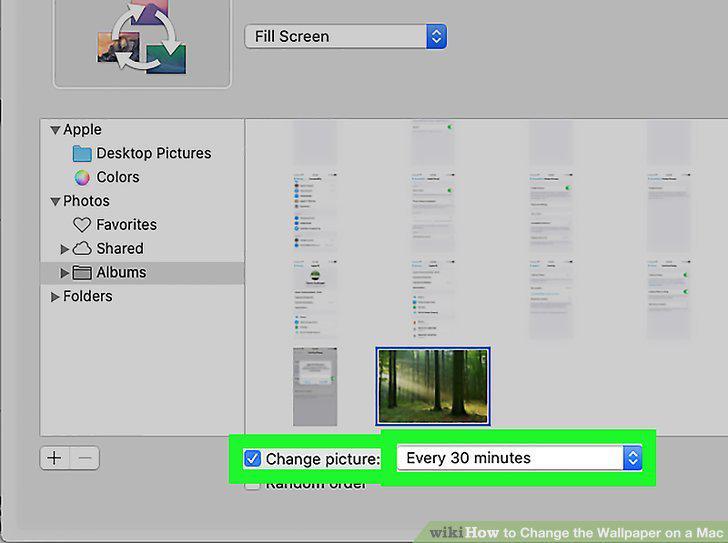
Turn your desktop into a slideshow.
18
Change the menu bar appearance.
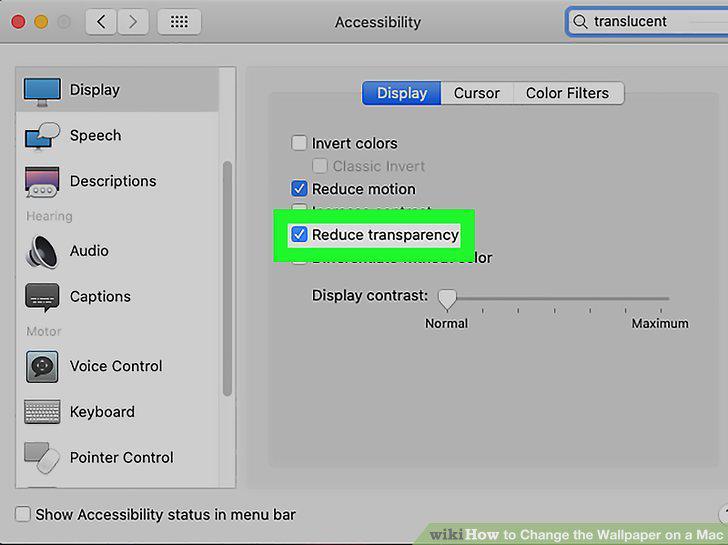
Change the menu bar appearance.
Comments (0)
No comments yet. Be the first to share your thoughts!